We just launched Verly on Product Hunt 🚀
we appreciate your upvotes 🙏
https://t.co/WF0AxG2uyk
AI agents that resolve real customer support conversations across web, WhatsApp & voice.
If you believe support should scale like software, not hiring this is for you.
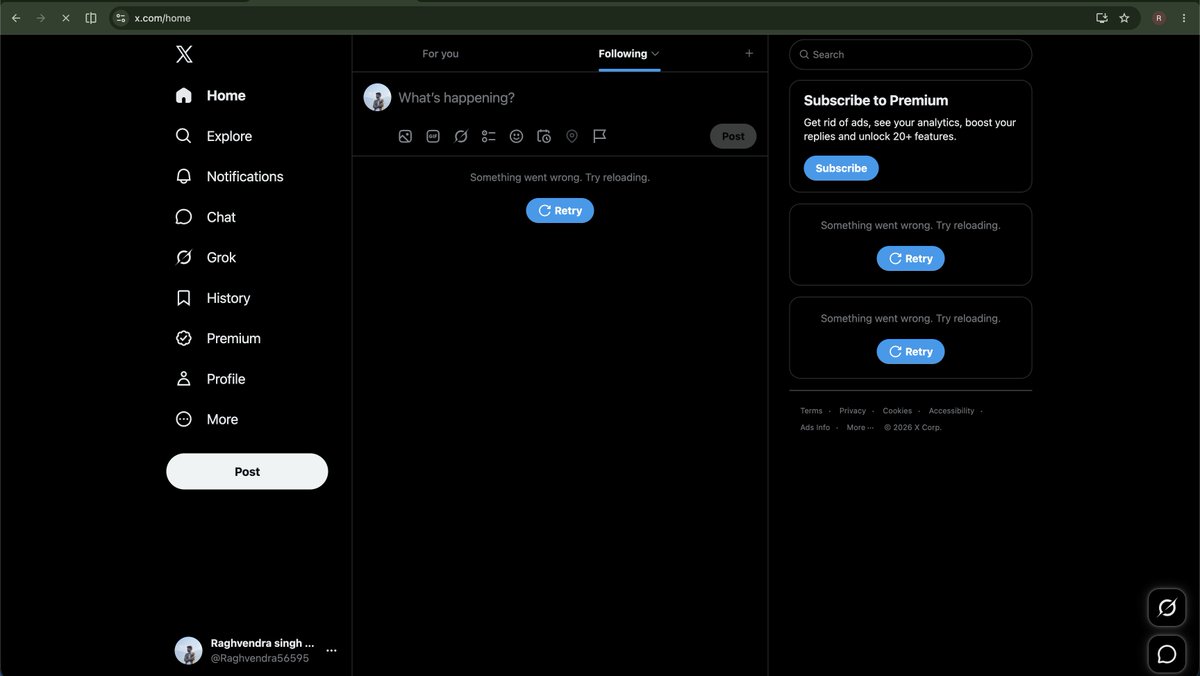
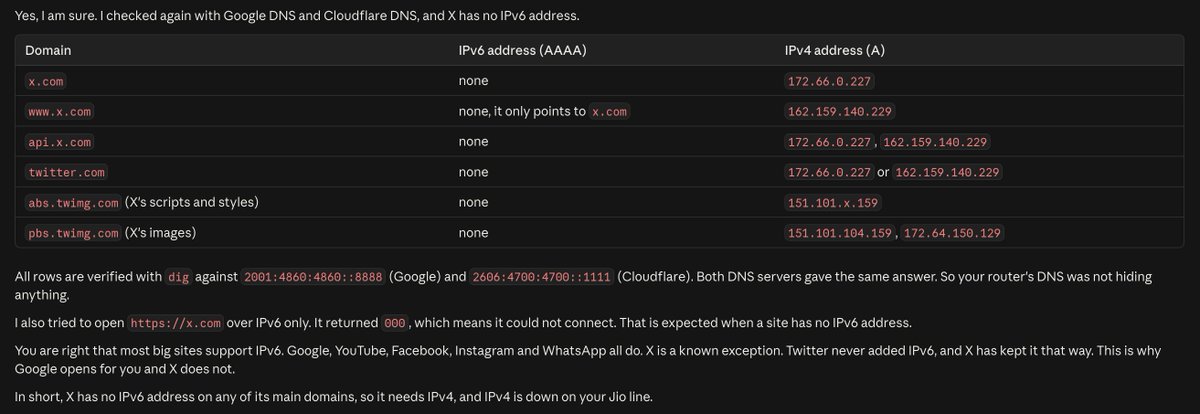
i was facing issue with opening X and i was able to open linkedIN , YT , ...
then what i find
IPv6 was working fine, but IPv4 was completely down on my JIO wifi and 👇
@theghost1623 Yeah, exactly. these numbers are just to show the KV-cache memory pressure.
with continuous batching, actual throughput/concurrency depends on batch size, context length, output length, and memory utilization.
1/7
i wanted to understand one simple question:
how many users can an LLM actually serve concurrently on a single GPU?
i initially thought the answer would mostly depend on compute.
it turns out, GPU memory and especially the KV cache plays a huge role.
here's what I learned 🧵
7/7
the bigger takeaway for me:
LLM inference isn't just about FLOPs.
you also need to think about:
→ GPU memory
→ KV-cache size
→ memory bandwidth
→ batching
→ context length
→ concurrency
→ latency
check this for detailed breakdown :
https://t.co/mwmk5WRtGb
6/7
this is why techniques like GQA (Grouped Query Attention) matter for inference.
instead of every query head having its own K/V head, multiple query heads share K/V heads.
fewer KV heads → smaller KV cache → more requests can fit in memory.
Built a LinkedIn outreach system from scratch.
How it works:
• Chrome Extension: While viewing a LinkedIn profile, add the person directly to your outreach dashboard with one click. The extension automatically captures their name and profile URL.
• Auto-DM Sender: Select your targets and start the campaign. The dashboard sends personalized LinkedIn messages through your active browser session at a human-like pace.
To reduce account risk, the system uses realistic typing speeds, randomized delays, and natural interaction patterns.
Built using browser automation, Chrome extensions, and workflow orchestration.
Demo video 👇
most companies already have an mcp server with
their whole business context liveing in it .
but their customer-facing chatbot? blind to all of it.
a user asks "where is my order" and the bot says "please contact support."
so we built mcp integration in @VerlyAI.
plug in your existing mcp. now your chatbot can hit Stripe, Zendesk, HubSpot whatever your MCP exposes, all inside one conversation.
your existing system, finally talking to the people who actually need it.
I broke production three times last month.
Not because the code was bad. Because I was editing the same prompt our customers were hitting in real time. Tweak a line, refresh, pray. That's how most teams "iterate" on their AI agents right now and it's insane.
I kept thinking: Why are support and ops teams in 2026 still editing live agents like it's a Google Doc?
So we shipped Dev/Live branches in @VerlyAI last week. Build, test, replay against real past tickets in dev. Promote to live when you're actually confident. No more "oops the bot just told 400 customers the wrong refund policy."
Honestly should've been the first thing we built.
Check this out : https://t.co/prK1KI17ji
as a co-founder of @VerlyAI with no big team, i can not write blogs myself.
can't even spend 5 minutes per blog. that is not scalable at all.
so i built an automation which runs every week and publishes 10 new blogs on verly ai.
with proper verified content. with images, diagrams. everything.
it checks competitor blogs → finds anything new they published → modifies the topic for verly ai → generates the blog → critiques it for human touch → publishes.
all of it using claude code routines. zero manual effort.
happy to share it if anyone needs it 🙋
this is just the beginning.
ai agents will handle most of the queries and problems your users face. automatically. without a human in the loop.
if you're a founder or business owner who wants to do the same for your product, check out @VerlyAI
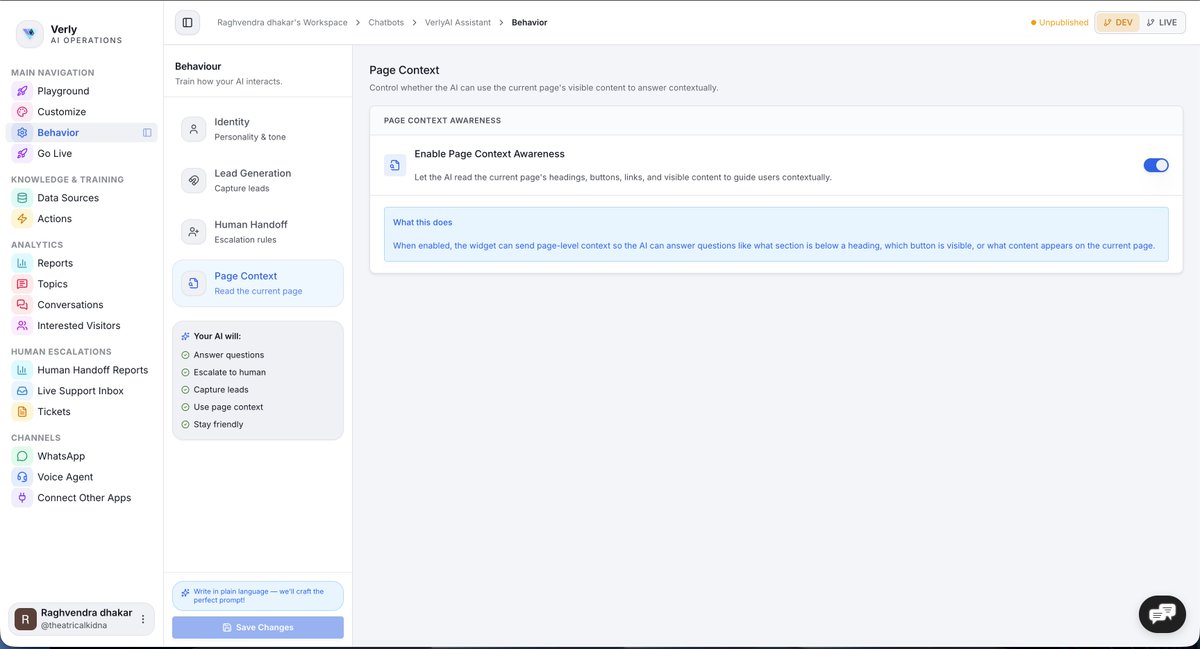
We have building a new layer into our chatbot:
it can understand the page a visitor is currently on.
Not just the conversation.
The actual page context.
So instead of giving generic answers, it can say:
“Click the pricing button in the top nav”
“Scroll to the section below”
“Use the form field on the right”
“Here’s the exact link you’re looking for”
This matters because most website chatbots still behave like detached support bots.
They answer questions, but they don’t understand where the user is stuck.
We want Verly to feel more like an on-page guide than a floating FAQ box.
That unlocks a much better experience for:
support
onboarding
product education
and conversion flows
Still tightening the architecture and privacy boundaries before full rollout.
But this is the direction:
chat that understands the website, not just the message.
If you’re building for support or sales on the web, this shift is going to matter.
I don’t think most support teams have a support problem.
They have a stack problem.
One tool for web chat.
One for WhatsApp.
One for internal routing.
One for reporting.
Then everyone acts surprised when ownership gets blurry and context falls apart.
Five disconnected tools do not become a system just because the team got used to them.
I keep coming back to this because so much “support complexity” is really self-inflicted software sprawl.
What’s one support tool you’d happily delete tomorrow?
I’ve seen teams blame the AI when the real problem is that their own truth is split across five places.
One policy doc in Notion.
One FAQ in the help center.
One internal playbook nobody updated.
Then they wonder why the bot sounds inconsistent.
The model is not the first problem.
The knowledge mess is.
I think a lot of “bad AI” is just bad internal discipline with a chatbot sitting on top of it.
Most support bots fail before they even reply.
They start blind. No context. No memory. No idea why the customer is even here.
I think the market got distracted by response speed and forgot the more important thing: understanding.
That’s why @VerlyAI matters to me. It gives the support layer actual context from your site, your knowledge, and your workflows before the conversation becomes a mess.
The result is simple.
Less repetition for the customer.
Less stupidity for the team.