Video Remix starts rolling out today to eligible Google AI Plus, Pro, and Ultra subscribers in select countries. Can't wait to see what you create! 🚀 https://t.co/KC1h8Va4gH
I love the new Video Remix feature in Google Photos! Powered by our Gemini Omni model, Video Remix lets you create stylized, ready to share clips using easy templates in the Create tab. Some of my favorite things to do are relighting my videos for different moods, swapping out blah backgrounds for more fun ones, or adding an oil painting style to make them really pop. Here’s my cat Kiki showing this off! 😻 🧵👇
You all loved the Photos Recap so much, that we made a Recap for the Recap, highlighting some of our biggest feature launches this year 🤓 I’m so proud that we’re helping more than 1.5 billion people safeguard and relive their memories. Here’s a look back at just a few highlights from this year:
-- Ask Photos: We officially rolled out our most intuitive search yet—just ask Gemini to find your license plate or that hidden gem of a dish from your last trip.
-- Edit your photos just by asking: We brought LLM-based editing to the world! No more complex sliders—just ask to "restore this photo" or "change the background" and watch the magic happen.
-- Create tab: We introduced the brand new Create tab – your hub for creativity in the Photos app where you can use new AI-powered tools to transform still photos into cinematic short clips or remix them into fun art styles like watercolor and 3D animation. You can also use AI templates powered by Nano Banana to create images instantly based on popular edits!
-- Redesigned video editor: Available on Android and iOS, it’s faster and easier to use, so you can fine-tune your highlight videos and get creative right away.
-- 2025 Recap: Our biggest end-of-year experience yet is live! Relive your year with new stats like selfie counts and AI-driven hobby insights.
What was your favorite feature from 2025? Let me know in the comments! 👇
The redesigned video editor in Google Photos is now better than ever 🎬:
✨ Ready-made video templates
📹 Easily create and edit highlight videos
🎶 Add music to your video
📝 Write custom text captions on videos
See how to create amazing videos all within Google Photos: https://t.co/s5hhx0NW93
Feature availability may vary by device type.
If you’re anything like me, you have some videos in your library that can use a little TLC. A little zoom, crop and straighten can go a long ways when kids or pets (or, let’s be honest, even adult friends) are involved 📷 I’m really excited to share some tools we’ve been building that have been so helpful in our internal @GooglePhotos dogfood! 🤩
-- Our redesigned video editor (on Android & iOS) is faster and supports multi-clip editing with an adaptive canvas. Less time figuring out edits, more time creating! ✨ Open a video, hit edit, and you’ll see several new tools.
-- Add the perfect soundtrack from our music library! 🎶
-- Tell your story with custom text (on Android) using new fonts, colors, and backgrounds.
But sometimes, we need a bit more help to make a really special multi asset clip. I’m so excited to announce Video Templates on Android! Quick, shareable videos automatically cut to the beat with built-in music and text. Just pick a template & your clips! 🎬 Available in the Create Tab.
All these updates are rolling out now — try them out and turn those memories into masterpieces! 👇
https://t.co/I85YHxeNJL
#GooglePhotos #VideoEditing #GenAI
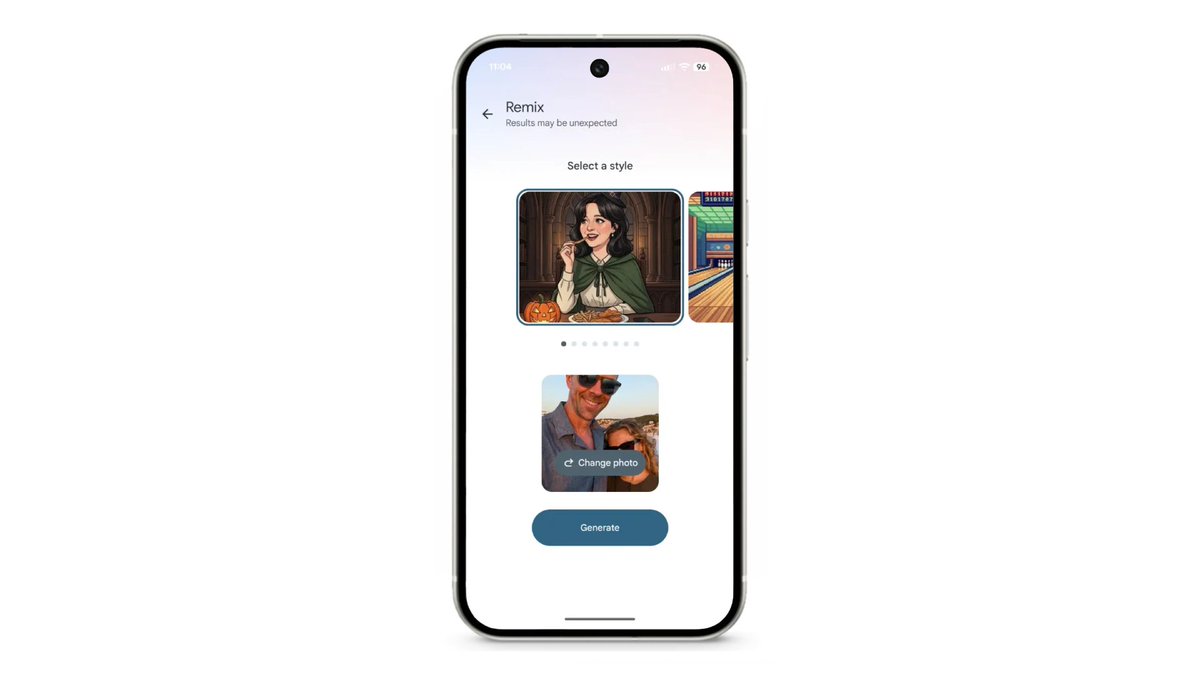
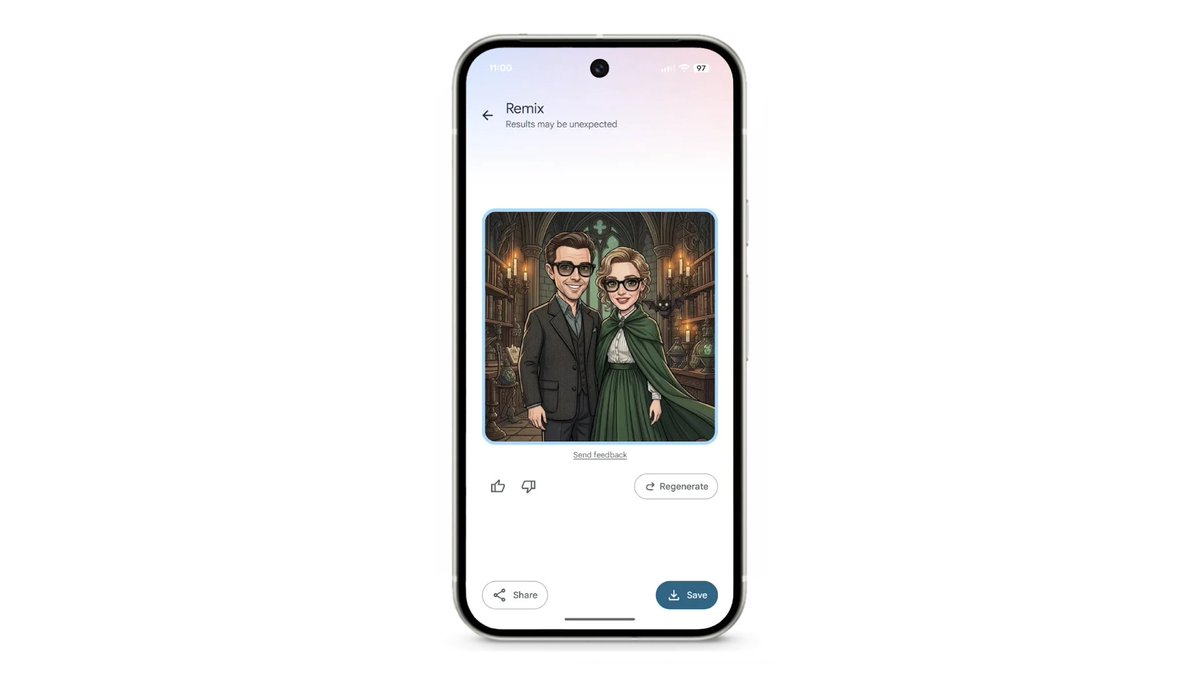
Trick or Treat! 👻 We choose treat. 4 of them to be exact. New Remix styles have just hit Create Tab for US users. Starting on 10/24 you can find a new Halloween style along with Claymation, Pixel Art, and Ukiyo-e. Explore the new styles and share your favorite creation below 👇 https://t.co/tVrrJfOA0S
The Create tab is now available for all Google Photos app users! 🤩
It’s an easy way to find all the tools you love (and discover new ones) for making collages, animations, and more.
Update your app and start creating!
Feature availability may vary based on region.
Conversational editing is rolling out to all eligible Android users in the U.S.! 🎉
Just ask Google Photos to make edits with text or voice. Make a quick fix or explore your creativity. Try:
➡️ "Restore this photo"
➡️ "Fix the glare"
➡️ "Change the background to a beach”
NEW VIDEO - Pixel 10/Pro/Fold Impressions. They're all more "flagship" than before, and they added Qi2(!) but it's absolutely still rooted in clever software features that make it a Pixel. Like this "conversational" photo editing 👀
Full video: https://t.co/dJpX9waGsn
We’re introducing new creative tools to add a little more magic to your photos ✨. You’ll be able to find them in the new Create tab, your one-stop hub for creativity in #GooglePhotos.
Learn more → https://t.co/qdJJld0gHx
Thrilled to mark 10 years at #GooglePhotos by contributing to our new, redesigned photo editor! Building on the Magic Editor, it democratizes advanced editing to all. Coming to Android & iOS later this year.
For the past 10 years, we've loved being a home to your 9T+ photos & videos! Now with 1.5B+ monthly users, you’ve made it so much more! Come celebrate our birthday with tips & a peek at new features → https://t.co/pjFuRIlR3R
🥁 Drumroll, please! The first ever Google Photos Recap has dropped. Relive and celebrate the moments that shaped your year. Check out your 2024 Recap, which is rolling out in the Google Photos app today. https://t.co/mKzKAMme3o #GooglePhotosRecap
Magic Editor in Google Photos levels up on Pixel 9 devices with new features! ✨
🪄 Auto frame: Expand your images or find the perfect crop effortlessly.
🪄 Reimagine: Describe your vision and see it come to life.
#MadeByGoogle#GooglePhotos#Pixel9#MagicEditor
Thousands of photos, little organization? We’re rolling out Collections ✨Your photos, videos, albums, and documents now tidy and easy to find in Google Photos. Learn more: https://t.co/zbLzw3aO9K #GooglePhotos#Collections
✨ AI-powered editing has arrived!✨ Give your favorite memories the upgrade they deserve. Check out our new editing tools now in Google Photos ↓
Reposition subjects, improve the lighting and more. Reimagine your photos with Magic Editor!