🍇 GrapesJS v0.22.16 is out! 🚀
⚡ Faster loading
🔐 Data source import policy
🖱️ Drag and drop fixes
🧠 Better TypeScript and callback event typing
Check it out 👇
https://t.co/nq2iVY9ceY
Added Agent Skills for Studio SDK.
$ npx skills add grapesjs/skills-studio-sdk
Now your favorite coding agent can integrate a full visual editor (Webflow/Mailchimp style) into your app in minutes.
Small businesses have overpaid for WordPress hosting & plugins for 20+ years.
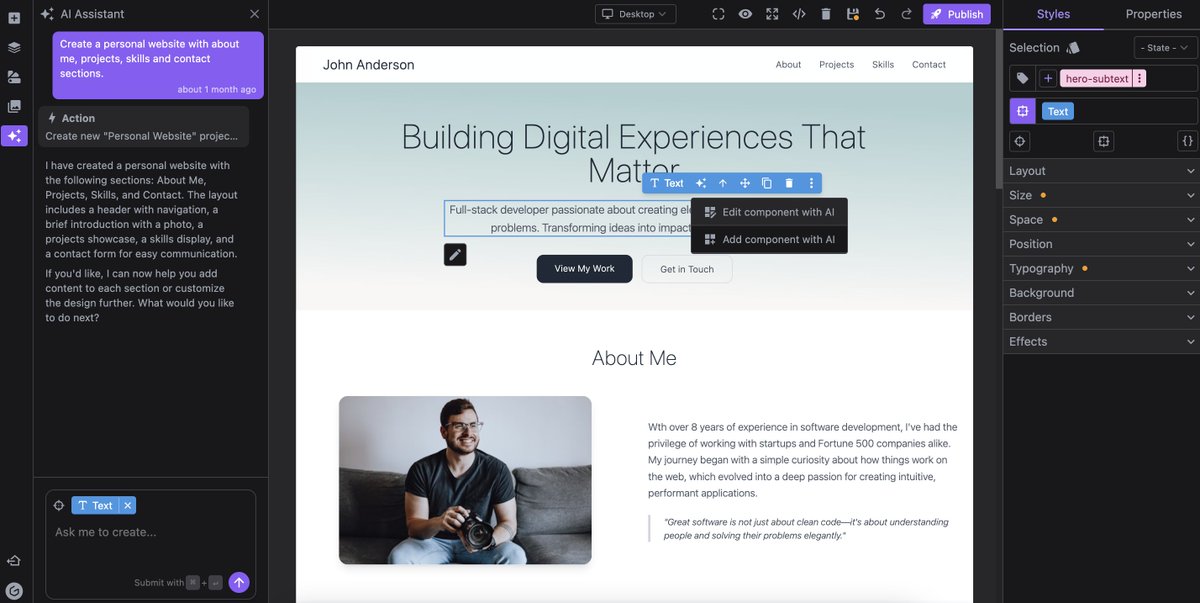
Today, we're launching Grapes Studio—an AI-powered builder that gives you clean HTML/CSS you can host anywhere, for up to 75% less per month. Import any site. Edit with AI or drag-and-drop. Own your code forever.
https://t.co/g544Lb1wMa
In the past few months, we started experimenting with something new at GrapesJS, and we're excited to finally share it! 🚀
We’ve seen how AI is improving at generating UIs, but many AI coding platforms end up forcing users to spend endless tokens. Even simple tasks that could take seconds often take minutes of careful prompting.
As a team focused on visual editing, we wanted to find the right balance:
* Leverage the power of AI to start new projects quickly.
* Keep the flexibility and control of a no-code visual builder
We’re finally ready to share what we’ve been working on:
✅ Generate websites or emails in seconds
✅ Clone any site instantly
✅ Edit visually, fast, no extra tokens
✅ Static output, more secure, no build or import errors, perfect for most projects.
✅ Host on Vercel with one click or export full HTML/CSS to publish anywhere
This is still beta, but the results are already exciting, and we’re adding new features every week.
👉 Try it here: https://t.co/PtiZqo0IAg
Would love to hear what you think and any ideas on how this could help you!
After 5 years in the making, I'm very happy to finally release Anime.js v4, my dream animation library:
🧩 New modular API
⚡️ Highly performant
🖱️ Scroll-linked animations
🫵 Draggables
↔️ Responsive
✨ Additive animations
🪽 WAAPI support
And so much more!
Link below👇
Remember those technologists I hired using an authority designed to bring private sector tech talent to gov? They were looking into big tech.
Trump just fired them. All of them.
https://t.co/lSpmRqAvGs
My 3d printed and 3d scanned log trash can! The winner of the last member poll on my Discord! Thanks for voting and supporting my work! 🗑️
Grab this model, and many more over on my @thangs3d
🚮: https://t.co/fka7ZkTSlS
hoooly smokes! Midscene.js writes UI automation tests by using natural language. Hooks into puppeteer/playwright, or control any website via the chrome extension.
Watch this video, I asked it this:
Open the search bar
type "react server components "
click the first result
play the episode
As I was interviewing candidates for my “designer who can ship” position, I asked a few how they picked typefaces. One person’s answer stood out above the rest. They shared their screen to show me a folder of inspiration on their hard drive. Dear reader: the folders structure was immaculate. In that moment, I immediately realized I was talking to a professional.
What is it about a clean workspace that signals expertise?
Let’s look to another industry that values cleanliness in a workspace: food service. Renowned chef Thomas Keller describes the value of mise en place:
“Being organized is a skill to develop… Good organization is all about setting yourself up to succeed. It means getting rid of anything that would interfere with the process of making a recipe or preparing an entire meal.”
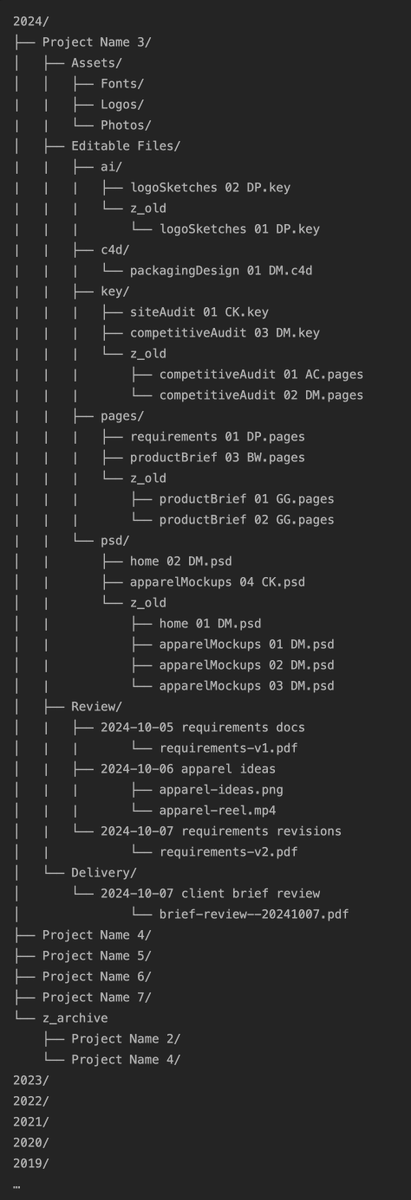
Here’s the system I use to organize the files on my computer:
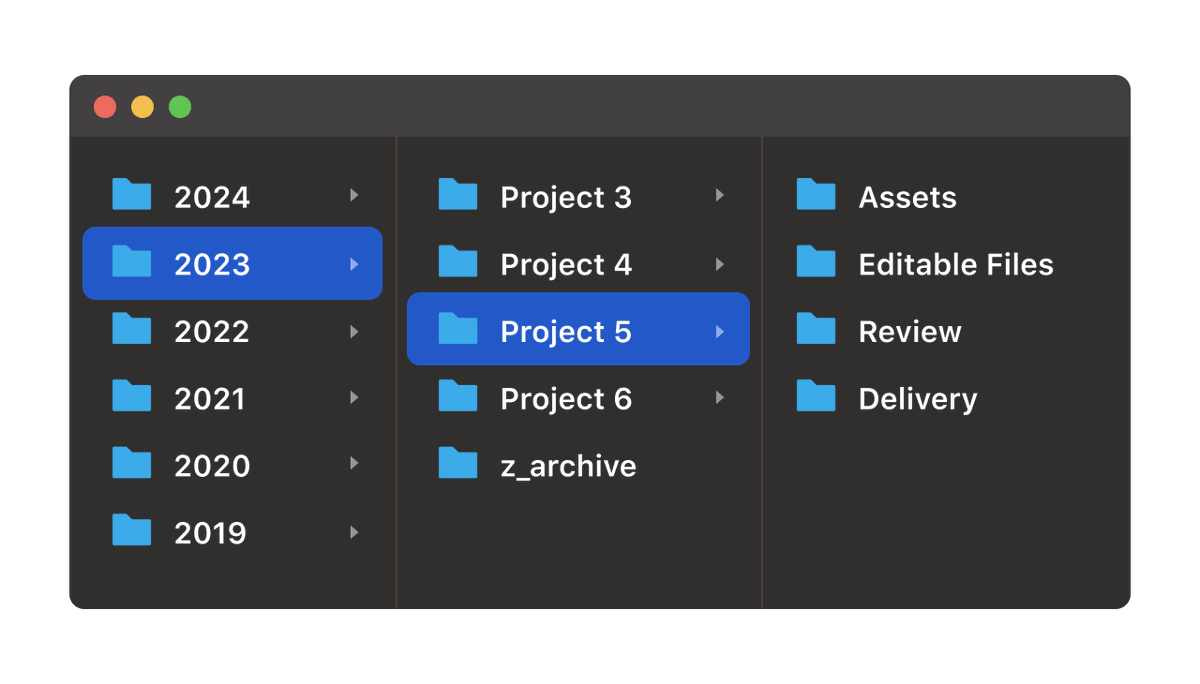
In general, the way I think about my work is that everything is a project. Every year, I do multiple projects. So, the organizing principle is that every year gets a folder, and every project is a folder inside that year.
Every project has this specific structure:
Assets: already-created files that I use in the course of the work. I start with fonts, logos, and photos. I might also have music for podcast projects, stock footage for video projects, brand guidelines, access documents, and more. If I’m working with clients, the initial goodie bag of files they send me is usually the stuff that goes in here.
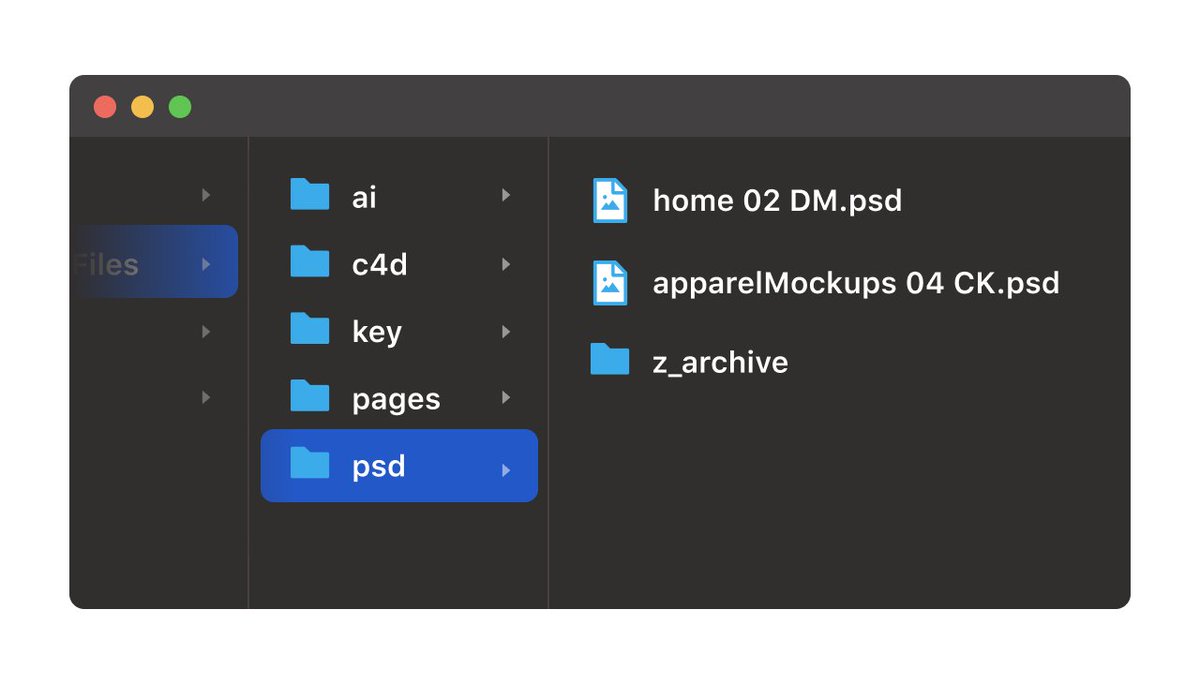
Editable Files: Any layered files that might need editing, organized by file type/file extension. Basically any files that I’m actively working on and/or iterating over. This folder has gotten smaller over time for me as more source files move to the cloud and autosave. Even so, for some projects, I’ll save aliases to cloud files to their respective folder because I’m working in them so often.
Review & Delivery: Probably my favorite part of this structure. Editable files are great but they’re not always the best way to share something with someone. The best way is usually a rendered and/or export flat file, something like PNGs, PDFs, MP4s, etc. When designers export comps, they often send them to the Desktop or Documents in a way that tends to clutter those spaces. My first favorite thing about the Review folder is that it give you a place to put those exports. My second favorite things about the Review folder is that you can quickly browse the entire project in chronological order by navigating through the Review folder and using Quick Look. This is much easier than looking through source files to find something you might be looking for. Delivery is like the Review, except specific to more “final” things. When I’m working with clients, the Delivery folder is only the stuff I’ve delivered to them, whereas Review is for things I want to review internally with my team before the client sees it. It’s common for me to copy some things from Review to Delivery, and I like the redundancy of having it in both places.
The filename format goes {{ FILE CONCEPT }} {{ VERSION NUMBER }} {{ INITIALS OF LAST PERSON TO WORK ON IT }}. It’s a helpful version of a pseudo file check-in/check-out system, especially if you’re working simultaneously with multiple people using a shared drive.
Here’s the entire file and folder structure at a glance.
Could you see yourself using this? What kinds of file folder organization have you found useful?
I wanted to create a broken glass effect with WebGL for a long time!
Here it is: interactive, lightweight (around 10KB of GLSL + vanilla JS), and easy to customise (find more controls on codepen)
Live demo & source code: https://t.co/dzfRliIu4k
Hosted on @CodePen
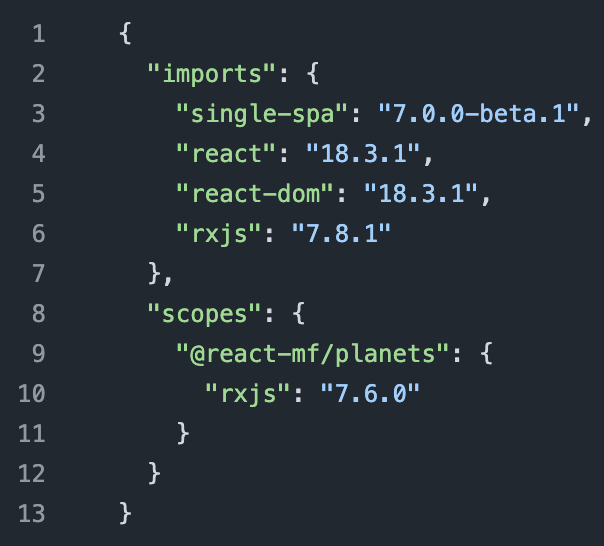
The new importmap-template.json file shows single-spa's proposed approach to managing which version of a shared dependency is used by microfrontends
In this example, [email protected] is default for all microfrontends, but planets microfrontend uses [email protected]
https://t.co/2CFmILQ2zF