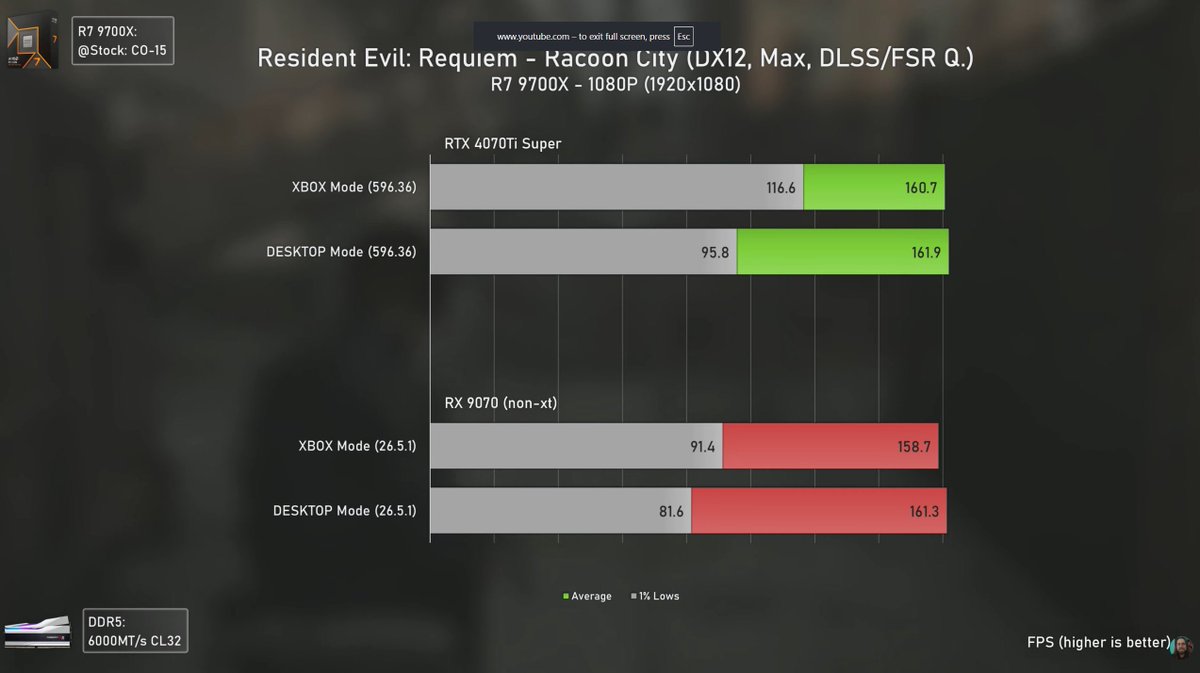
Does the new Xbox mode really help with performance for CS2 or is it just one faulty benchmark being parraded as a saviour.
I tested the claims. Find out more here..
Fps, Input Latency, Audio Latency
https://t.co/lmi1bjqvNm
Windows 11’de Xbox Oyun Modu'nu etkinleştirerek FPS’i artırabilirsiniz.
1. Windows'u güncelleyin
2. Microsoft Store'u açın
3. ViVeTool GUI'ı yükleyin
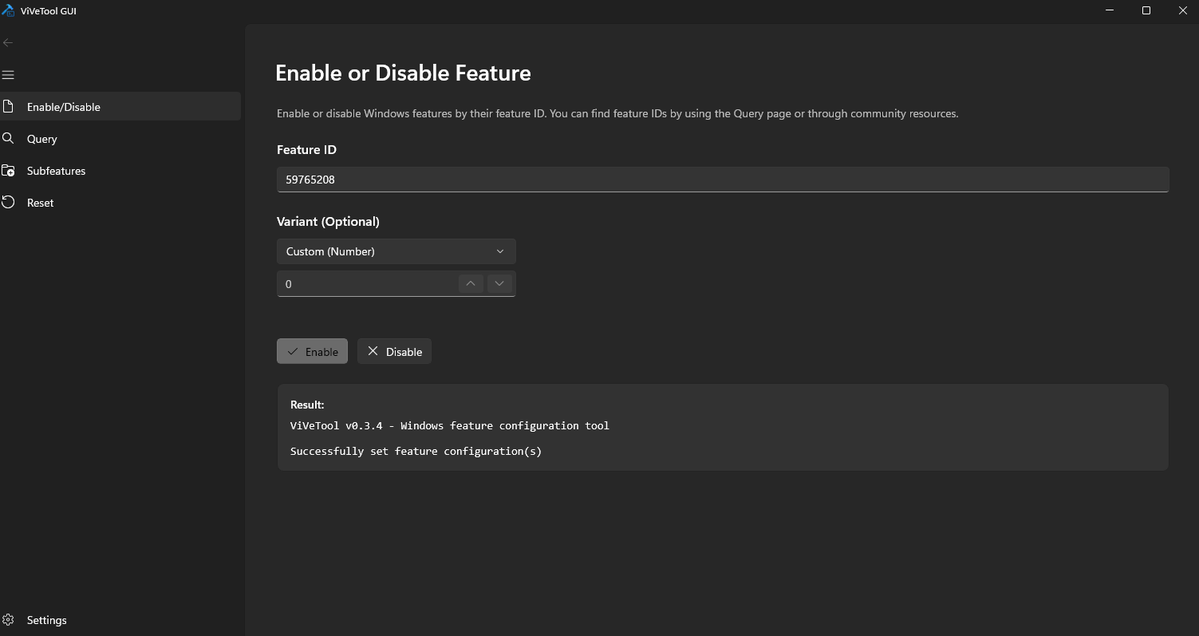
4. Şu kodu girin: 59765208
5. Uygula ve yeniden başlat seçeneğine tıklayın
6. Ayarlar>Oyun>Xbox Modu'nu Etkinleştir
7. Xbox uygulamasını açın
8. Xbox Modu sağ üstte görünecek
🚨 New Windows 11 FPS Boost Setting? 🚨
Enable Xbox Game Mode for a cleaner gaming setup and potentially better FPS/stability 👇
1. Update Windows
2. Open Microsoft Store
3. Install ViVeTool GUI
4. Enter feature code: 59765208
5. Apply + reboot
6. Go to Settings → Gaming → Enable Xbox Mode
7. Open the Xbox app — Xbox Mode should appear top right
This new mode is designed to give Windows a more console-like gaming experience, this also sleeps a lot of background processes boosting fps
Try it and test your FPS before/after 👀
TESTED: Windows 11's upcoming "Low Latency Profile" mode brings genuine performance improvements to the OS, speeding up flyout and app launches significantly.
We've benchmarked opening some apps on video with the Low Latency Profile enabled and disabled, and you can see differences in how quickly things appear. For some things, it's a fraction of a second faster, for others, it's a significant increase in speed.
In our testing, this new Low Latency Profile is a major improvement in overall responsiveness when it comes to opening apps and flyouts. Our tests were conducted on a clean install of the latest Windows 11 preview build on the same hardware. https://t.co/QX1IzKUhx9