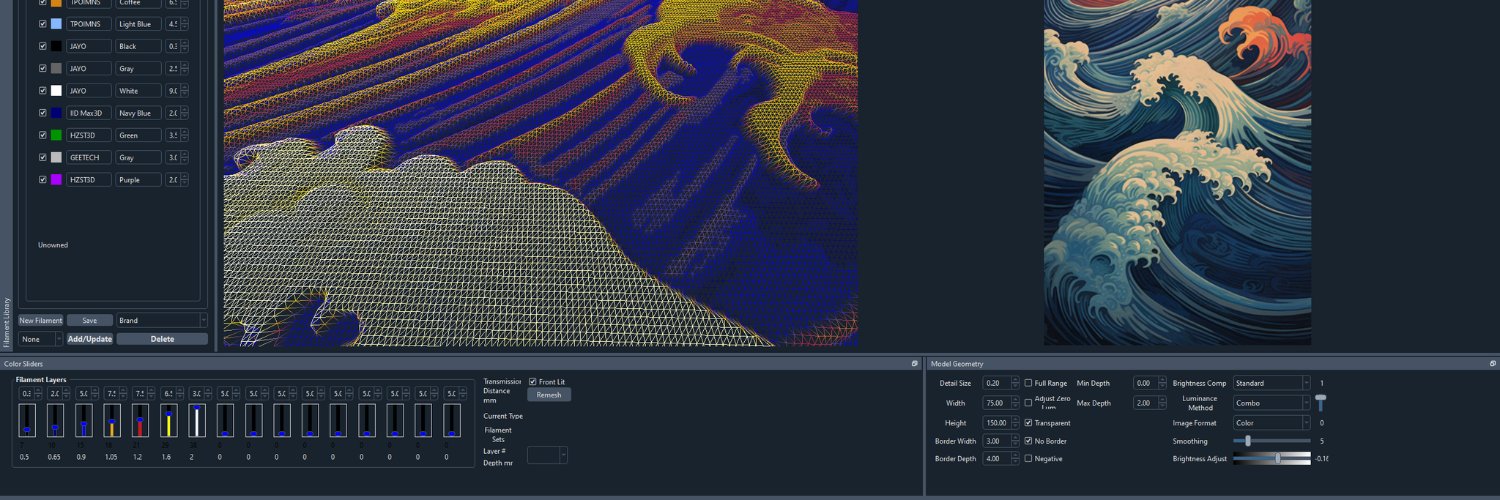
So nice to be able to load my specific HueForge profile version in Orca instead of the generic. Plus this fixes the issue of changing printers causing it to override all of the 3MF filaments to my last loaded filaments.
3MF Translator 1.0.4 is out today 📂
Your own printers and presets now work in every slicer, plus fixes for Bambu Studio 2.9 projects, UltiMaker Cura, QIDI Studio, Elegoo Slicer, Flash Studio and PrusaSlicer.
New:
• Your own printers: printers you made or saved yourself in the slicer show up in the printer list, including the ones you added in UltiMaker Cura, along with your own process and filament presets
Fixed:
• Bambu Studio 2.9 projects: newer nozzle types such as Hybrid map to the nearest type each slicer knows
• UltiMaker Cura: the right number of extruders, models centered on your bed, and settings kept within the printer's limits so Cura slices
• QIDI Studio and Elegoo Slicer: projects switch to the printer you picked
• Flash Studio: the AD5X and similar printers get a process that fits them
• PrusaSlicer: purge volumes for every tool on tool changers, and wipe towers that slice
To update: click Download in the app's update bar, or Help > Check for Updates…
Release notes: https://t.co/F3O7P4aiT8
Get it: https://t.co/Z5vAA6KV7Q
#3DPrinting #BambuStudio #PrusaSlicer #Cura #FlashForge #QIDI #Elegoo
Adding support for paint on supports etc between slicers is a nice touch. So is being able to launch it from Windows Explorer or Finder.
If you need it, you want this to make your life so much easier.
3MF Translator 1.0.2 is out now📂
Preview each target's plates before you translate, leave unused filaments out, and open .3mf files straight from Explorer or Finder.
New:
• Preview: a target's plates on its printer's bed, in your filament colors, with a fit check
• Remove unused filaments with one tick
• Right-click a .3mf file > Translate with 3MF Translator (on a Mac, open the app once, then turn it on under Quick Actions > Customize…)
• Each file opens in its own window, sharing your targets and groups
• Recolored filaments get new purge volumes on Bambu Studio and Orca-based targets
• Linux: the AppImage now comes in a .tar.gz and stays executable
Fixed:
• Dragging spools in the Filaments editor
• Extra filaments on PrusaSlicer printers go into slot 1, with pauses in the right color
• PrusaSlicer projects switch to the printer you pick
• Painting carries between PrusaSlicer and Bambu Studio / Orca
• PrusaSlicer and Cura projects get purge volumes from their colors
To update: click Download in the app's update bar, or Help > Check for Updates…
Release notes: https://t.co/gzhG8A7G5o
Get it: https://t.co/GVCNYlPrUm
#3DPrinting #bambulab #Prusa #Snapmaker
@emberprototypes They have had limited supply and most/nearly all went to Prusa. And there was the whole "hardened nozzle" issue (they are only barely hardened). So it hasn't been available for individual builders as much
@joeltelling@BIQU_Makers Also, the Panda Stations are awesome! I get that they are pretty expensive, but the Den is worth it if you can't do the full base and the Station is amazing for printer mobility with stability.
@joeltelling This looks a little like that one "accidental leak" photo but with your wrist over any possibly identifying sections of that printer in the background.
@PresidentDEMDHC@AdditiveAtom Basic projects work fine in both, more complex ones run into issues that this solves. This also allows easily splitting up a multi-bed model to different printers and different numbers of filaments per machine that are available.
Today I'm launching 3MF Translator to the world 🚀 It's what I've been hard at work on, and I'm proud of how it turned out.
3MF Translator 1.0: 3D Printing's Universal Translator.
Ever found a project made for someone else's slicer and printer? A MakerWorld project set up for a Bambu Lab printer when you print on a Prusa, or a PrusaSlicer project when you use SnapOrca?
Until now that meant exporting the parts, rebuilding the project in your own slicer, assigning every filament again, redoing the color changes and hoping the settings matched. Then doing it all again for your next printer.
3MF Translator does it for you. Open the .3mf, pick your printers, click Translate, and get a native project for each one, with the plates, filaments, colors and settings already in place.
What it does:
• Native projects, not just meshes. Plates, objects and parts, filament assignments and colors, color changes, height range modifiers and your print settings, written in the target slicer's own format with your printer's own presets.
• Every printer you own in one click. Save each printer once, group them in tabs like "Shop" and "Farm", and one Translate makes a ready project for all of them.
• Fits your filament slots. Eight colors and a four-slot AMS? Reorder, merge and recolor the filaments to match your AMS, CFS, MMU or tool changer. Color changes follow.
• Plates that fit your bed. Translate every plate or only the ones you pick. It warns you when a plate won't fit, and Rotate 90° turns the plates when that makes them fit.
• See it first. Every plate in 3D, in its filament colors with the color changes.
• Opens in the right slicer when it's done.
Twelve slicers, both ways:
Bambu Studio, Orca Slicer, Snapmaker Orca, Creality Print, Anycubic Slicer Next, Elegoo Slicer, Flash Studio Desktop, QIDI Studio, PrusaSlicer, QIDISlicer, SuperSlicer and UltiMaker Cura.
Windows, macOS and Linux. Your files never leave your computer, and your original file is never changed.
One purchase with a year of updates, and your version keeps working after that.
HueForge 3MF Export Plugin owners save 10%, applied automatically at checkout.
Get it: https://t.co/Z5vAA6KV7Q
Guides and FAQ: https://t.co/jgHX71kmrd
#3DPrinting #BambuLab #PrusaSlicer #OrcaSlicer #Snapmaker #3MF
@MandicReally@adamrunner1 Yeah, avoiding touching the middle of the bed, flexing from the edges, no problems. It's when you put a finger down right where the print is going.
I've seen so many prints with fingerprint shaped adhesion problems. I think it's that you just avoid touching where it matters.
Still working on the @hueforge color lithophane plugin, but here my first one using the @sunluofficial cmyk bundle. Came out pretty well I think, though I need to reprint the holder
A lot of you asked why the @hueforge crew didnt go to philly this year. Ill take the blame, it was so I could make a video about printing a boat on a boat🔥
https://t.co/ytNXAdQdQr
It might have taken a week longer than planned, but HueForge 0.9.4.4 is released! (Release notes here https://t.co/zzrfqJAWDL))
I also have bugfix and feature updates for ColorSmith, HugeForge, FlatForge, and ColorDrop (not 2.0).
I can't tell you how much better life is with LAN Sync and Match Fix, two headline new features of this release. Go download your copy from https://t.co/dyuHXwp1HB