3MF Translator 1.0.4 is out today 📂
Your own printers and presets now work in every slicer, plus fixes for Bambu Studio 2.9 projects, UltiMaker Cura, QIDI Studio, Elegoo Slicer, Flash Studio and PrusaSlicer.
New:
• Your own printers: printers you made or saved yourself in the slicer show up in the printer list, including the ones you added in UltiMaker Cura, along with your own process and filament presets
Fixed:
• Bambu Studio 2.9 projects: newer nozzle types such as Hybrid map to the nearest type each slicer knows
• UltiMaker Cura: the right number of extruders, models centered on your bed, and settings kept within the printer's limits so Cura slices
• QIDI Studio and Elegoo Slicer: projects switch to the printer you picked
• Flash Studio: the AD5X and similar printers get a process that fits them
• PrusaSlicer: purge volumes for every tool on tool changers, and wipe towers that slice
To update: click Download in the app's update bar, or Help > Check for Updates…
Release notes: https://t.co/F3O7P4aiT8
Get it: https://t.co/Z5vAA6KV7Q
#3DPrinting #BambuStudio #PrusaSlicer #Cura #FlashForge #QIDI #Elegoo
3MF Translator 1.0.3 is out 📂
Orca Slicer 2.5 support, plus fixes for projects you send to Orca Slicer 2.5 and to Bambu Lab printers.
New:
• Orca Slicer 2.5: its printers, processes and filaments show up (2.5 stores its profiles in a new way)
Fixed:
• Projects using Orca's own @ System filament profiles, as the Voron printers do, keep their supports and print settings in Orca Slicer 2.5
• Bambu Lab printers get their own start, end, timelapse, layer change and filament change G-code
• After a printer change, the project's process lists the new printer
To update: click Download in the app's update bar, or Help > Check for Updates…
Release notes: https://t.co/Wfkz2Tzs27
Get it: https://t.co/Z5vAA6KV7Q
#3DPrinting #OrcaSlicer #Snapmaker #Bambu
I was manually adjusting print settings just like everyone else, but now that Ive used this app, never going back🤣
Great tool @AdditiveAtom
Check it here(aff): https://t.co/Q6PZKdAGg1
3MF Translator 1.0.2 is out now📂
Preview each target's plates before you translate, leave unused filaments out, and open .3mf files straight from Explorer or Finder.
New:
• Preview: a target's plates on its printer's bed, in your filament colors, with a fit check
• Remove unused filaments with one tick
• Right-click a .3mf file > Translate with 3MF Translator (on a Mac, open the app once, then turn it on under Quick Actions > Customize…)
• Each file opens in its own window, sharing your targets and groups
• Recolored filaments get new purge volumes on Bambu Studio and Orca-based targets
• Linux: the AppImage now comes in a .tar.gz and stays executable
Fixed:
• Dragging spools in the Filaments editor
• Extra filaments on PrusaSlicer printers go into slot 1, with pauses in the right color
• PrusaSlicer projects switch to the printer you pick
• Painting carries between PrusaSlicer and Bambu Studio / Orca
• PrusaSlicer and Cura projects get purge volumes from their colors
To update: click Download in the app's update bar, or Help > Check for Updates…
Release notes: https://t.co/gzhG8A7G5o
Get it: https://t.co/GVCNYlPrUm
#3DPrinting #bambulab #Prusa #Snapmaker
Today I'm launching 3MF Translator to the world 🚀 It's what I've been hard at work on, and I'm proud of how it turned out.
3MF Translator 1.0: 3D Printing's Universal Translator.
Ever found a project made for someone else's slicer and printer? A MakerWorld project set up for a Bambu Lab printer when you print on a Prusa, or a PrusaSlicer project when you use SnapOrca?
Until now that meant exporting the parts, rebuilding the project in your own slicer, assigning every filament again, redoing the color changes and hoping the settings matched. Then doing it all again for your next printer.
3MF Translator does it for you. Open the .3mf, pick your printers, click Translate, and get a native project for each one, with the plates, filaments, colors and settings already in place.
What it does:
• Native projects, not just meshes. Plates, objects and parts, filament assignments and colors, color changes, height range modifiers and your print settings, written in the target slicer's own format with your printer's own presets.
• Every printer you own in one click. Save each printer once, group them in tabs like "Shop" and "Farm", and one Translate makes a ready project for all of them.
• Fits your filament slots. Eight colors and a four-slot AMS? Reorder, merge and recolor the filaments to match your AMS, CFS, MMU or tool changer. Color changes follow.
• Plates that fit your bed. Translate every plate or only the ones you pick. It warns you when a plate won't fit, and Rotate 90° turns the plates when that makes them fit.
• See it first. Every plate in 3D, in its filament colors with the color changes.
• Opens in the right slicer when it's done.
Twelve slicers, both ways:
Bambu Studio, Orca Slicer, Snapmaker Orca, Creality Print, Anycubic Slicer Next, Elegoo Slicer, Flash Studio Desktop, QIDI Studio, PrusaSlicer, QIDISlicer, SuperSlicer and UltiMaker Cura.
Windows, macOS and Linux. Your files never leave your computer, and your original file is never changed.
One purchase with a year of updates, and your version keeps working after that.
HueForge 3MF Export Plugin owners save 10%, applied automatically at checkout.
Get it: https://t.co/Z5vAA6KV7Q
Guides and FAQ: https://t.co/jgHX71kmrd
#3DPrinting #BambuLab #PrusaSlicer #OrcaSlicer #Snapmaker #3MF
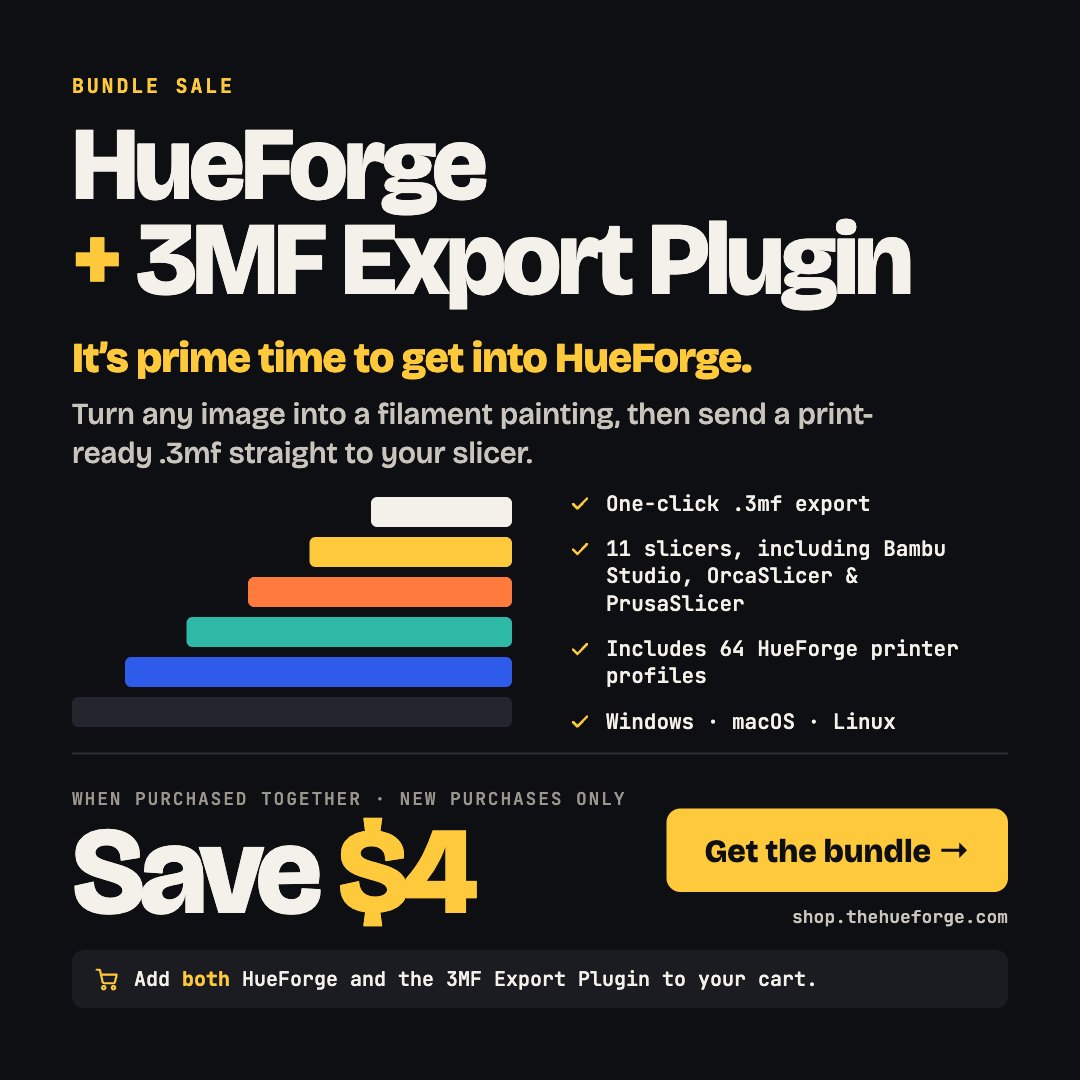
It's prime time to get into HueForge 🎨
Get HueForge + the 3MF Export Plugin together and save $4. Go from image to print-ready .3mf in one click, with 11 slicers and 64 printer profiles built in.
Add both to your cart 👉 https://t.co/7PAAVGo5K2
#HueForge#3DPrinting #3MFExport
🎉 3MF Export 1.1.0 for HueForge: release notes
3MF Export 1.1.0 opens your project in the slicer you exported for, and lets you choose which slicer slot each filament loads into. It also centers models on more printers.
✨ New features
🚀 Open in the slicer you chose: Open 3MF after export now launches the slicer you exported for, not whichever app your computer links to .3mf files. If your slicer isn't found, you're asked to locate it once. On Linux, Flatpak installs of Bambu Studio, OrcaSlicer and PrusaSlicer are found too.
🎨 Choose the filament order: the new Filament Order row has an Edit… button for picking which slicer slot each filament loads into. Your order is kept until you change filaments or open a different project, and Reset returns it to HueForge's order.
💡 A one-time tip explains the Open 3MF after export option.
🛠️ Improvements
📁 Safer file names: project names are cleaned up before they become file and folder names, including trailing spaces, characters Windows doesn't allow, and reserved names such as PRN. The 3MF is saved in the same folder HueForge uses.
📐 Bed-fit warning follows Rotate 90 Degrees: the "too large for the bed" warning updates as soon as you turn rotation on or off.
⚡ The Export 3MF dialog opens faster: about five times faster the first time, and almost instantly after that.
🐛 Fixes
🎯 Models are centered on the bed for Flashforge Adventurer 5M, 5M Pro and A5, and for imported PrusaSlicer-family profiles with an offset bed.
🛒 Get it: https://t.co/xqiV9KkAm2
📖 Docs and support: https://t.co/JpNa3qmVA5
#HueForge #3DPrinting #BambuStudio #OrcaSlicer #PrusaSlicer
I made the choice this year to take some time off as relax with the people that help me at shows the rest of the year. I will miss everyone going to Philly this weekend, but I needed a break, so I took it with some of my friends I made 3D Printing.
Have a great @3DPrintopia and post lots of pictures!
ColorSmith Plugin is out! Get it at https://t.co/IslNsK1O2P
Available for Window, macOS and Linux - Requires HueForge v0.9.4.3 or later to run.
I'll try and get a full Devlog released this weekend but I've got to get on the road fairly early tomorrow so details will have to wait. Meanwhile - have at it and I'd love to get your feedback on what features you like, features you want, and bugs you find. Thanks for your patience!