35 WEBSITES THAT ARE ACTUALLY USEFUL
1. archive. org — access old content
2. wolframalpha. com — solve anything
3. removebg. com — remove image background
4. tinypng. com — compress images free
5. smallpdf. com — edit PDFs free
6. ilovepdf. com — merge & split PDFs
7. deepl. com — best translator online
8. grammarly. com — fix your writing
9. hemingwayapp. com — simplify writing
10. chatgpt. com — ask any question
11. perplexity. ai — smart search engine
12. notion. so — organize your whole life
13. trello. com — manage any project
14. canva. com — design for free
15. unsplash. com — free photos
16. pexels. com — free videos & photos
17. flaticon. com — free icons
18. coolors. co — pick color palettes
19. fonts. google. com — free fonts
20. namecheap. com — buy cheap domains
21. github. com — free code hosting
22. replit. com — code from browser
23. regex101. com — test any code
24. explainshell. com — understand commands
25. fast. com — check internet speed
26. haveibeenpwned. com — check if hacked
27. virustotal. com — scan files for virus
28. downdetector. com — check if site is down
29. 10minutemail. com — temp email address
30. justpaste. it — share text instantly
31. screely. com — make screenshots beautiful
32. carbon. now. sh — share code beautifully
33. squoosh. app — compress any image
34. similarsites. com — find similar websites
35. shortcuts. design — design shortcuts list
🚨 Wizkid is featured on Vybz Kartel’s album “GOD & TIME” arriving this Friday 🦅📀
Other featured acts include:
▫️ Skillibeng
▫️ Shenseea
▫️ Spice
▫️ Farruko
▫️ Mavado 🔥
A minimum wage of ₦500,000 is not too much for Nigerian workers. Police officers, soldiers, teachers, doctors, nurses, and other public servants deserve a living wage and those in critical sectors must earn additional allowances for the risks, sacrifices, and essential services they provide.
First 20 Linux command for beginners :
1. ls ~List
Displays files and directories in the current folder.
2. cd ~Change Directory
Moves from one directory to another.
3. pwd ~Print Working Directory
Shows the full path of the current directory you are in.
4. mkdir ~Make Directory
Creates a new folder.
5. rmdir ~Remove Directory
Deletes an empty directory.
6. rm ~Remove
Deletes files or directories.
7. cp ~Copy
Copies files or directories from one location to another.
8. mv ~Move
Moves or renames files and directories.
9. touch
Creates a new empty file.
10. cat ~Concatenate
Displays the content of a file or joins files together.
11. nano
Opens a simple terminal text editor for editing files.
12. head
Displays the first lines of a file.
13. tail
Displays the last lines of a file.
14. grep ~Global Regular Expression Print
Searches for specific text patterns inside files.
15. find
Searches for files and directories based on name, size, type, or date.
16. chmod ~Change Mode
Changes file permissions (read, write, execute).
17. chown ~Change Owner
Changes the ownership of a file or directory.
18. df ~Disk Free
Shows disk space usage of storage devices.
19. top
Displays running processes and system resource usage in real time.
20. sudo ~Superuser Do Allows a permitted user to run commands with administrator privileges.
Best YouTube Channels To Learn…
Cybersecurity - John Hammond
Networking - David Bombal
Python - Code With Harry
React - Codevolution
UI/UX - GFXMentor
JavaScript - Traversy Media
Java - kunal kushwaha
DevOps - Techworld with Nana
Blockchain - Telusko
AI/ML- Krish Naik
Web Development - Traversy Media
AWS - Code With Harry
SQL - Programming With Mosh
DBMS - edureka
Ruby - The Ruby Way
Scala - Scala Love
SAP - intellipaat
C - FreeCodeCamp
R - Krish Naik
JQuery - Telusko
Cloud Computing
C # - Kudvenkat
.NET - C# Corner
Kotlin - Kotlin Programming
Flutter - The Net Ninja
Laravel - Laracasts
PHP - Code With Harry
Swift - CodeWithChris
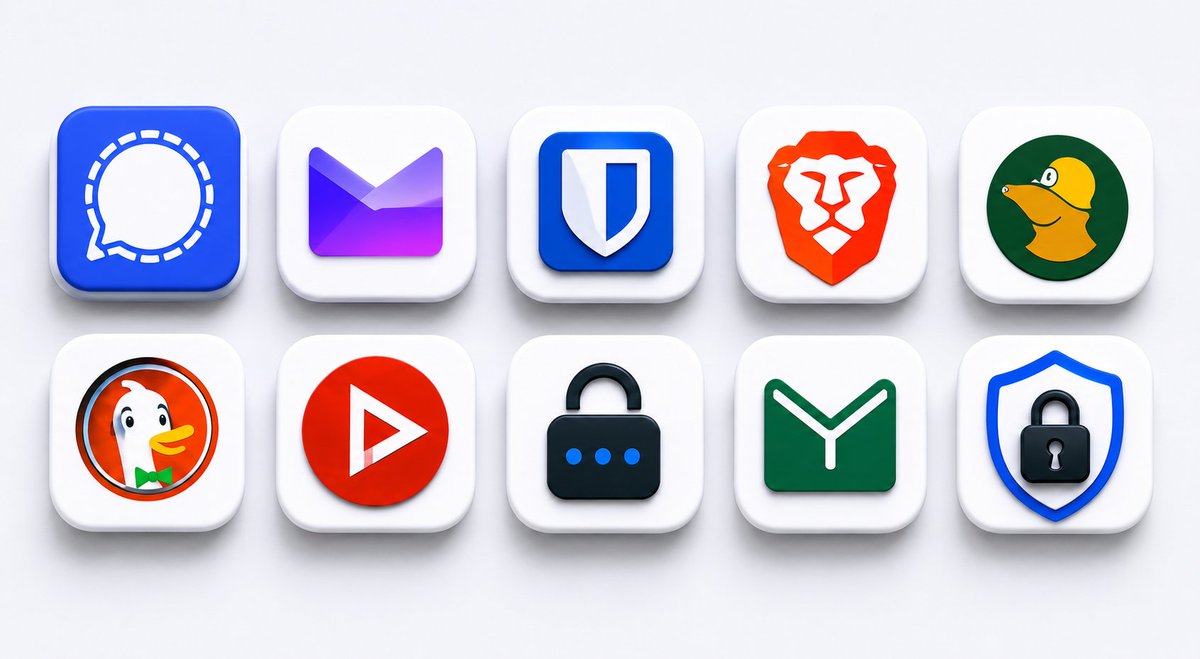
10 PRIVACY APPS THAT SHOULD BE ON EVERY PHONE.
Most apps spy on you by default.
These don’t.
1. Signal
Still the gold standard for private messaging.
• end-to-end encrypted
• no ads
• almost zero metadata
• open source
Even journalists and whistleblowers use it.
2. Bitwarden
Probably the best free password manager right now.
• open source
• encrypted vaults
• cross-platform sync
• supports passkeys
Way safer than reusing passwords.
3. Mullvad VPN
One of the few VPNs that actually feels private.
You don’t even need an email to sign up.
• no logs
• anonymous accounts
• WireGuard support
• accepts cash + Monero
4. Brave Browser
Blocks ads, trackers, and fingerprinting out of the box.
Feels like Chrome.
Tracks way less.
5. Proton Mail
Encrypted email based in Switzerland.
Even Proton can’t read your inbox.
6. Tor Browser
For serious anonymity.
Routes your traffic through multiple encrypted relays so websites can’t easily trace you.
7. DuckDuckGo
Search engine without creepy tracking.
The mobile browser is surprisingly good too.
8. Aegis Authenticator
Google Authenticator without the Google part.
• open source
• encrypted backups
• offline storage
Android users should install this immediately.
9. Tuta
Privacy-focused email alternative to Proton.
Minimal data collection.
Encrypted by default.
10. NewPipe
Watch YouTube without ads, trackers, or Google spying on everything.
Android only.
F-Droid recommended.
BONUS:
If you really care about privacy:
• use F-Droid
• switch to GrapheneOS
• enable disappearing messages
• stop using the same password everywhere
The internet collects WAY more about you than most people realize.