iClip 5.6 is now out:
• Can now switch to different clippings depending on the app you're currently using (enable in Preferences, then name a Clip Set after the app to have that activated whenever that app is active).
• Fixes preview for clipped files and folders in Tahoe.
• You can now install a different menubar icon through loadable Skins.
• You can now choose the type (flavor) a clipping is showing in the Pop-Up Preview window by holding down the Option (⌥) key when clicking on the bin's gear icon.
Then see if iClip still is crashing, by doing what it usually caused it to crash, such as restarting your Mac.
Lastly, please let me know your findings, either here in a comment or via email to [email protected]
Thank you for your help.
Are you using iClip on macOS 26 Tahoe? You may be experiencing that iClip is crashing when you start up or wake your Mac.
I have a possible fix in the works, but I need your help to verify that this fix works, as I do not experience the crash myself.
The test the fix, please download the iClip beta from https://t.co/iQXCV648WF and open it. When it asks about another iClip already being open, choose "Quit Other Copy".
If you are normally running the version from the App Store, you will have to confirm some permissions again.
That allows you to add dividers into your previously collected clippings, in case you then want to collect groups of your clippings with the "Copy Text from all Bins" command into one bunch, with the dividers separating them nicely.
Here's a neat trick you can accomplish with #iClip's powerful AppleScript abilities:
After installing the <Insert clip with "----"> script from https://t.co/TKo5dduJFO, and assigning it a hot click, you can insert a "----" clip with a simple click into a bin.
#iClip, the clipboard recorder for the Mac that has been around for over 20 years,just got updated with a new feature:
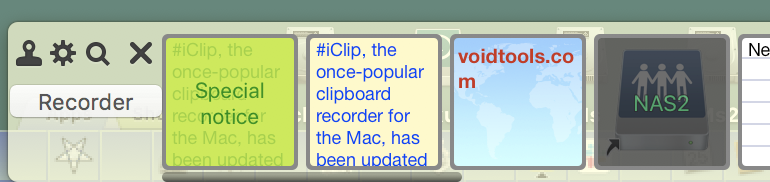
You can now color-code your clips, both in background and text.
Get it here: https://t.co/12oGt9LK2m
If you ever wanted to get #iClip for #Mac but thought it's not worth $15, then check out the new #BundleHunt, where it's now much cheaper, yet at the same high quality. 😁
https://t.co/3eBSgmybHN
It also adds, via an AppleScript handler, the option to color clippings individually.
An example that colors bins according to copied html codes (such as #DE5A48) is here:
https://t.co/ojgWcxWV7B
Download, double click and follow instructions given at the top of the script.
An update to iClip for Mac, the visual clipboard tracker and clip-art database has just been released: version 5.5.6.
Among others, it fixes some issues with Word and LibreOffice and adds.
https://t.co/Ra11Y0Sj0S
New FAQ item for #iClip that explains how to paste specific Clippings, even from a hidden Clip Set, with the help of AppleScript and Automator:
https://t.co/cs3zdjHPgN
iClip 5.5.5 is out.
Now with native Apple Silicon (M1) support, the option to record the "Find" pasteboard and Copy/Paste fixes for Word and LibreOffice.
https://t.co/Ra11Y0Sj0S
A new beta of iClip is now ready:
1. Runs natively on Apple Silicon (M1).
2. Can record the "Find" pasteboard, too.
Get it here: https://t.co/iQXCV63B77
Thomas, @tempelorg did a fantastic job with iClip, I use it daily for my work in #Python and #Django. I really like the edit clip function. I tried others but none come close to this indispensable #Mac tool. Well done!
Did you know that #iClip's clippings database can be shared between multiple Macs, e.g. via Dropbox? (See its Help, under "Miscellaneous".) Not sure if other clipboard recorders / managers can do that. Comments welcome.
I have added instructions and a sample script for using the text processor @TextSoap with iClip. This opens a whole new box of possibilities for post processing your clippings. https://t.co/TKo5dduJFO