@tonylewis Technically, yes… but TextSoap normalizes all EOL to \n. It does some conversions back and forth when pasting/copying text from other apps so it matches original format.
But (currently) within TextSoap, you should use \n.
TextSoap 9.3b2 (3108) is now available for the more adventurous.
This latest beta includes lots of internal improvements to custom cleaner handling.
https://t.co/L4NfB1PFAt
TextSoap (9.3b1) beta is now available
- Improved rich text ruler tab handling
- Support null regex matches
- Sort lines based on line char count
- Improved list editor navigation
- Updated Batch File interface
https://t.co/L4NfB1PFAt
Good morning.
A new beta for TextSoap Agent is out. Adds support to bring up Agent's Preferences window when re-launched from Finder (particularly useful when Dock icon is hidden).
Now checking for any edge cases.
https://t.co/4ylvv2DkMq
@marketingwizdom It should still be available on the menubar (on the right). Click the soap bottle icon, then select gear to open preferences. Go to General and uncheck the Hide dock icon option.
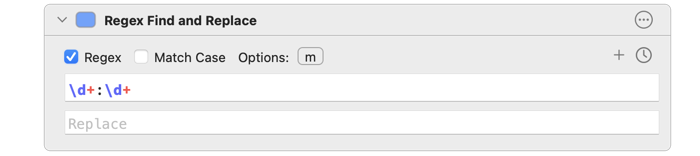
@zacchaeusnifong@Setapp You said alphanumeric, but then a timestamp. For the latter, you can use an expression like this \d+:\d+
\d+ - one or more digits (0-9)
: - colon
\d+ - one or more digits (0-9)
Alt: \b\d+:\d+\b - the \b word break match to make sure it is by itself.
@TomBener Re: invoking on command line. What should that look like? Where is the content you are cleaning?
You can combine AppleScript and the osascript command to invoke it.
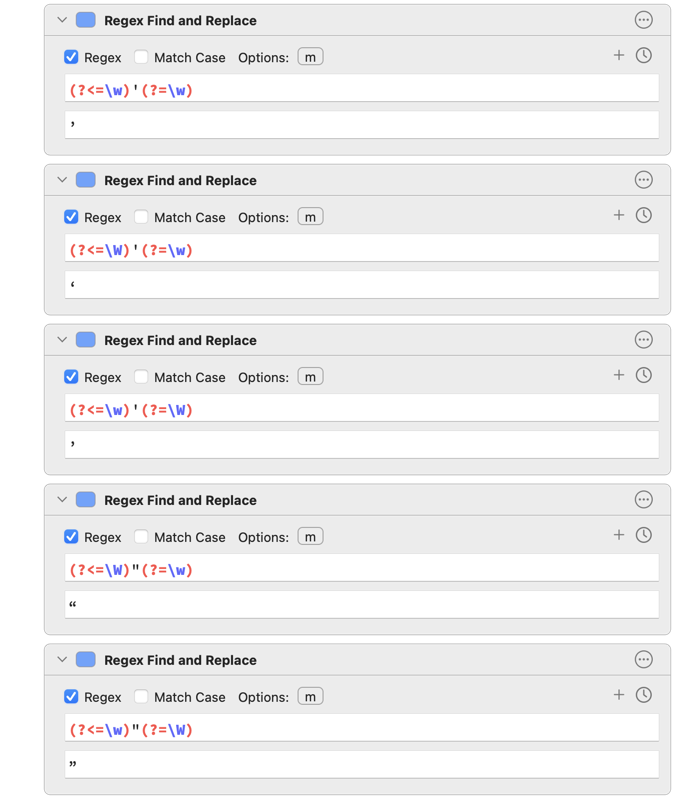
@TomBener You’ll need to build exceptions for edge cases, like plural possessives. Something like:
(?<=s)’(?=\W) -> ’
First should be a straight quote. Can’t type it in w/o it being substituted in Twitter client.
Smarten Quotes cleaner does this internally.