St Clair Software is really Jon Gotow, who develops Default Folder, App Tamer, Jettison & other Mac stuff. Jon also mountain bikes, hikes & buys geeky toys.
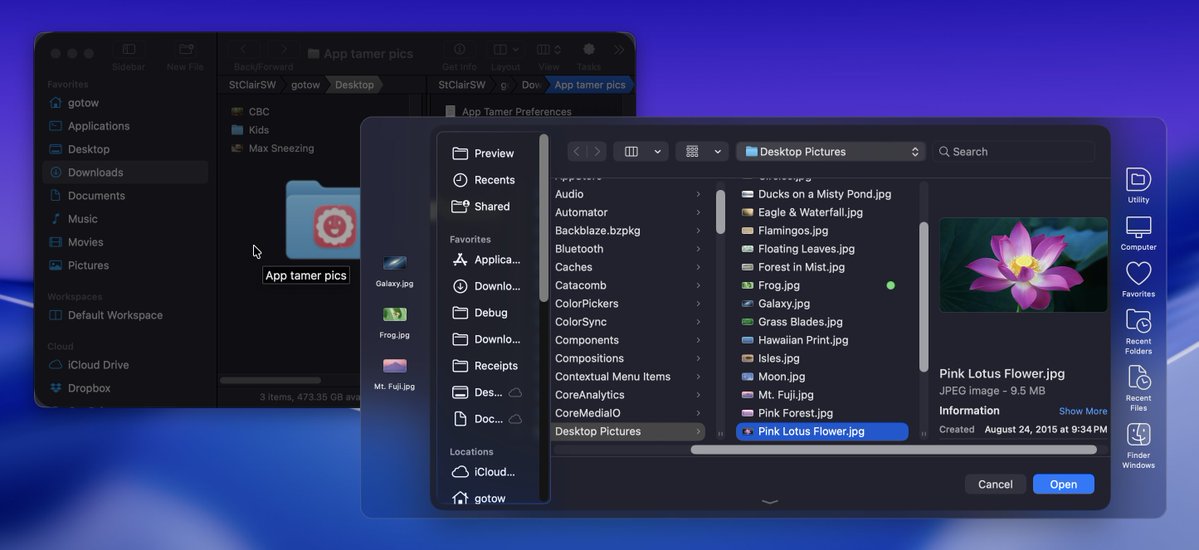
Default Folder X 6.3.3 fixes problems on older versions of macOS, addresses issues with a few apps on macOS 27, and adds support for Java apps from Stochaster. If you open and save a lot of files, get Default Folder X to save time and aggravation! https://t.co/INSs3JmLiq
Default Folder X 6.3.2 is here! It adds more control of the new drag target below the menu bar and addresses issues with Adobe apps and popup menus in Save dialogs. Get to files and folders quickly from anywhere on your Mac! https://t.co/INSs3JmLiq
Default Folder X 6.3.1 is available! It fixes issues on macOS 27 and macOS 10.13. It also makes dragging-and-dropping to its menu more user-friendly. Get to your files faster in Open and Save dialogs and the Finder! https://t.co/INSs3JmLiq
@ChrisSchnelle Good! And yes, please contact me if you run into any issues - you shouldn't have to suffer through them, especially when they're known macOS problems.
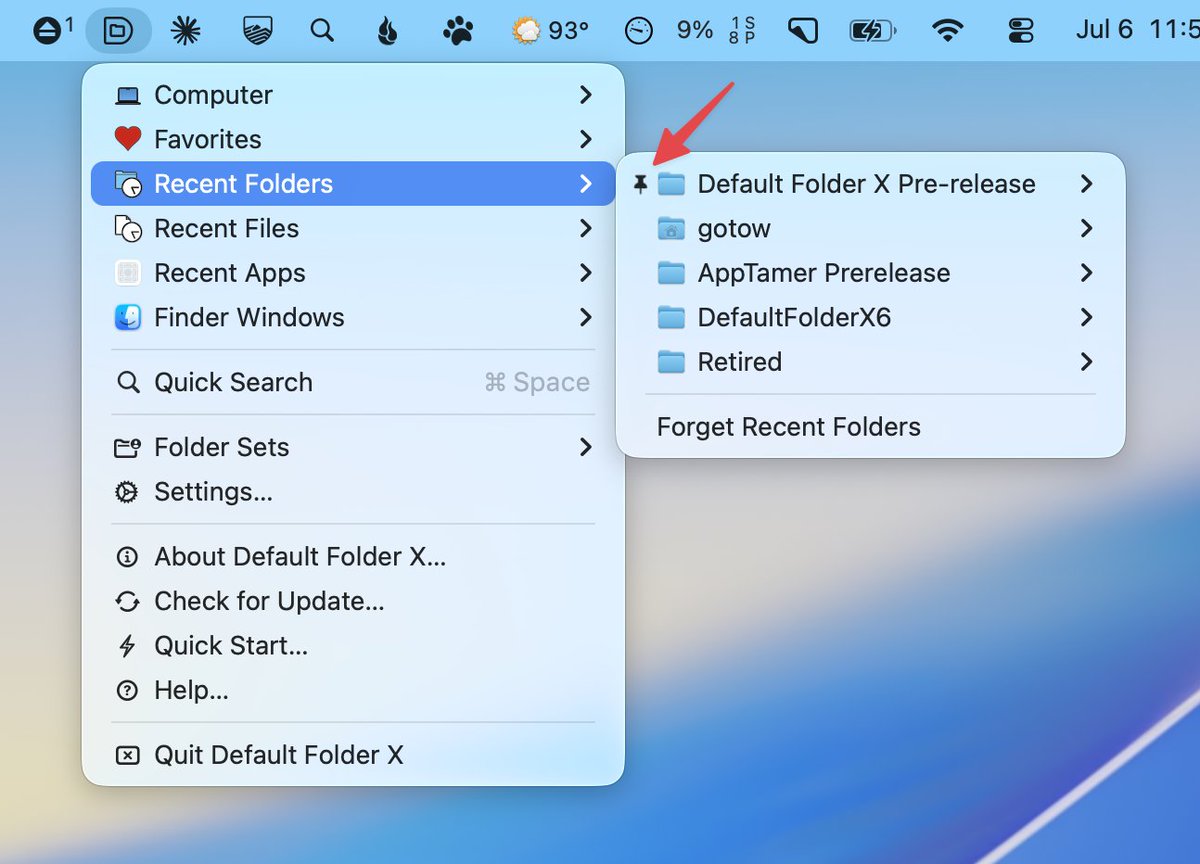
Default Folder X 6.3 is out! It's ready for macOS 27, adds pinning of recent items, enhances info and tag support, and more. Get quick access to your files and folders in Open and Save dialogs, the Finder and in every app! https://t.co/goK2GcD9M7
@ChrisSchnelle No - that's not normal! It sounds like your system's privacy database is scrambled. Please follow this procedure: https://t.co/pSMzc4tb6a
@EricE27 I'm afraid there's no way to promote processes running on efficiency cores to run on performance cores - the system only supports doing the opposite. What audio software _isn't_ running on the performance cores already, though?
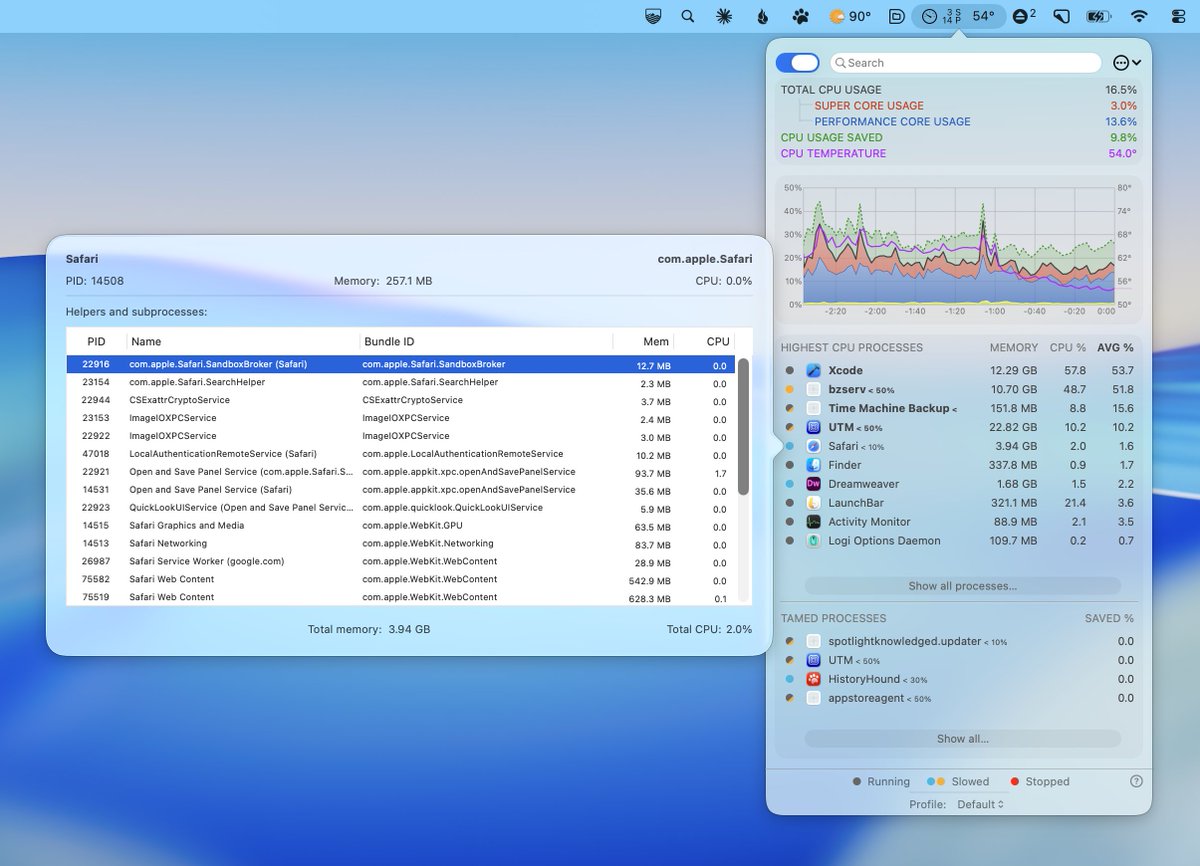
A new App Tamer public beta (3.0b16) resolves issues with Ollama, activation rules, and VoiceOver. It also lays the groundwork to support Apple's coming M6 processors. Take control of your apps and system with App Tamer! https://t.co/WQSmh15I8n
Default Folder X public beta 6.3b7 is available. It supports Golden Gate and enhances its tagging interface and support for Folder Sets. https://t.co/NM1knfdszJ
Default Folder X public beta 6.3b6 goes to folders more reliably in Open and Save dialogs and addresses a problem with clicking on grayed out filenames in Save dialogs. Get to your files and folders faster in Golden Gate! https://t.co/NM1knfdszJ
App Tamer public beta 3.0b15 adds 'day of the week' triggers to profile activation rules, allows you to remove multiple app settings at once and fixes a number of issues. Get control of your apps with App Tamer! https://t.co/WQSmh15I8n
App Tamer beta 3.0b14 is out! It displays CPU temperature in the menu bar, improves its Process Detail window, fixes an onerous bug that could cause errors in other apps (including Xcode) and more. https://t.co/WQSmh15I8n
Jettison 1.9.7 is out! It addresses several bugs and makes its drive count in the menu bar more responsive. And yes, it's compatible with Apple's macOS 27 Golden Gate betas in case you're on the bleeding edge :-) https://t.co/7ZoWMajKHE
Default Folder X beta 3.6b5 is available, eliminating a crash caused by a bug in the macOS 27 Golden Gate betas. It also addresses issues with automatic updates and glitches in High Sierra. https://t.co/NM1knfdszJ
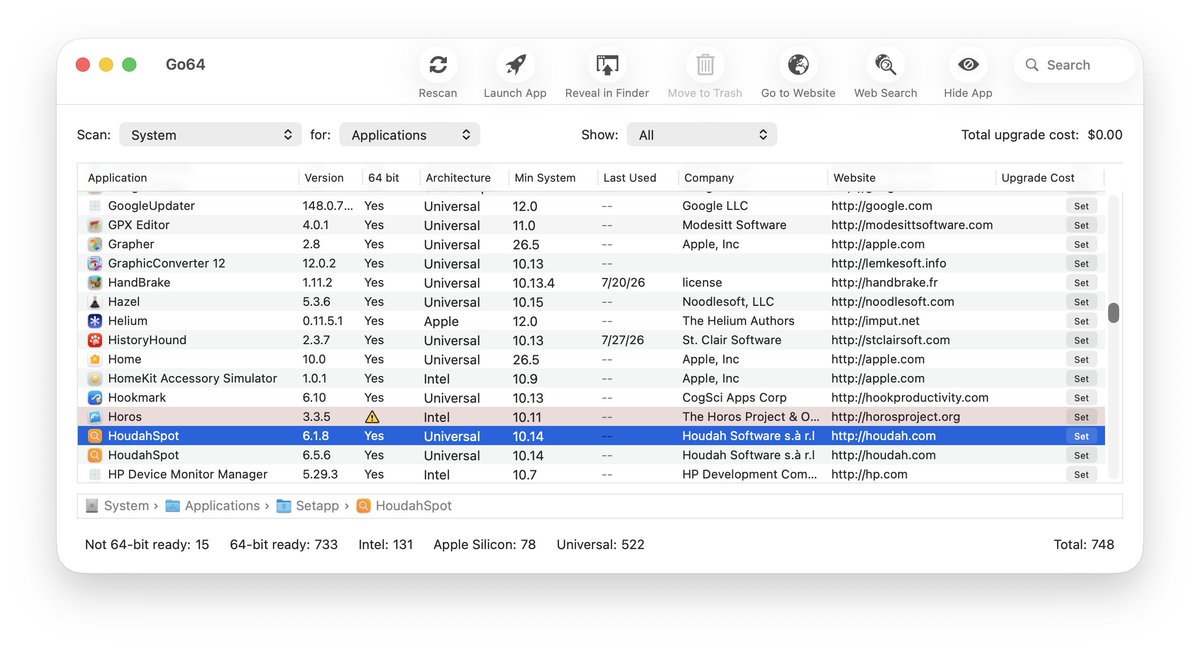
Go64 1.5 is available (and free)! Create an inventory of all of your apps to see their version, processor architecture, minimum supported system, 64-bit compliance and company info. Quickly check for old Intel-based or 32-bit apps before upgrading! https://t.co/uCeGeYpQ8f
Default Folder X public beta 6.3b2 is available, adding the ability to pin recent files and folders in the menus, as well as supporting beta builds of macOS 27 Golden Gate. Get a copy now! https://t.co/NM1knfdszJ
@theilgaard@howardnoakley I've primarily been testing in a VM, so it's hard to gauge the performance. I plan on spending more time with Golden Gate booted off a second system partition next week - then I'll be able to tell more.
Default Folder X 6.3b1 is available for public beta testing! It's compatible with the developer build of macOS 27 Golden Gate released at WWDC this week, and also includes several new features and bug fixes for all versions of macOS. https://t.co/NM1knfcUKb