Happy Sunday everyone 👋🏽!
I just wrote up a quick little @Medium article on a quick Keynote tip I've been using recently in my presentations to control your footer (and any other text) with tables inside of Keynote! ⚡️
🤯
You can check it out here: https://t.co/PmNhoWyv1x
Is anyone else going experiencing a big in @figma where selection colors can't be swapped without reloading the tab or other work pasted into a file has the colors altered to other styles?
We need this baked into our design tools, connected to our real systems/products in code, available for any organization — not just custom plugins that systems teams have to spin up at every single org.
@Abmankendrick@iamAbiodunAA@Daviowhite@its_YOGO A lot of the responses on this thread focus on the assumption the UI will be viewed by "normal" sighted person. My take is that a combination of the red alert icon from B with the overall UI of A could also be a viable and accessible option.
@dmierau @figma I've honestly been waiting for @figma to allow different text underline styles. Bar is low for me wanting to have dashed underlined text 😆
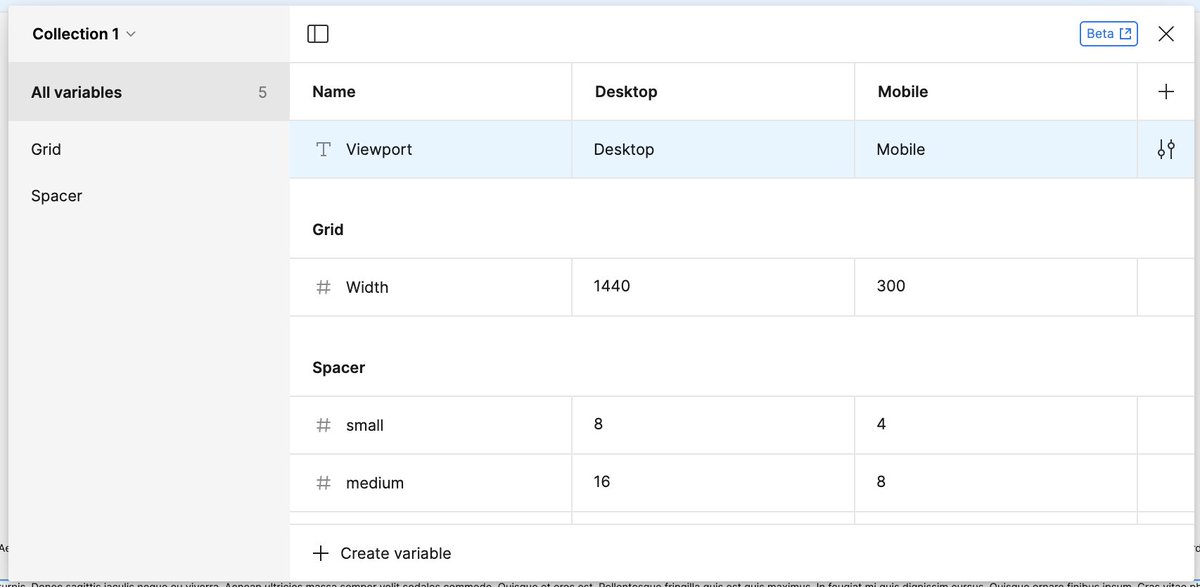
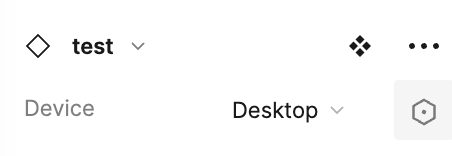
@reathchris@AdamPrzewoski@figma For anyone curious what this means.. You can set a "string" variable that can be called as the name for the variant you want to show up. Great trick to share @reathchris!
@auareyou This is exactly what I'm doing now but also then further grouping by complexity. I also have adopted something similar to Adobe Spectrum for buttons where I've grouped under "Actions"