GOOGLE Free Courses With Certificates 🎓
• Cybersecurity
https://t.co/SKuU1tSGjr
• Business Intelligence
https://t.co/KAclfN4uUa
• Advanced Data Analytics
https://t.co/WzjKSQIjSq
• Digital Marketing
https://t.co/T6ncslimly
• AI & Machine Learning
https://t.co/rSnNg9rmsz
• Data Analytics
https://t.co/vO48E2DDRH
• Project Management
https://t.co/ApMV5FkksW
• UX Design
https://t.co/NsOQ0ZNb4z
• IT Automation
https://t.co/svS5vRXlt3
• IT Support
https://t.co/qMbygivjKi
🚀 Get certified and boost your career with Google courses.
Follow @I_AM_AYASHA for more AI & tech content.
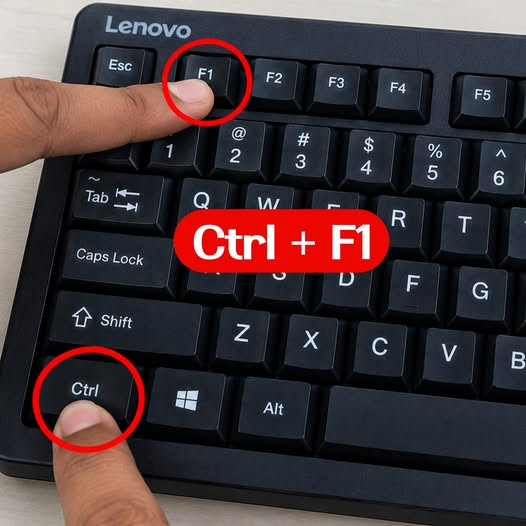
Ctrl + F1 – Show or hide the Ribbon
🔹 Ctrl + N – Create a new workbook
🔹 Ctrl + O – Open an existing workbook
🔹 Ctrl + W – Close the active workbook
🔹 Ctrl + Q – Open Quick Analysis
🔹 Ctrl + 0 – Hide selected columns
🔹 Ctrl + 9 – Hide selected rows
🔹 Ctrl + 5 – Apply or remove strikethrough
🔹 Ctrl + Delete – Delete text to the end of the line while editing
🔹 Ctrl + Backspace – Scroll the active cell into view
🔹 Ctrl + Enter – Fill all selected cells with the current entry
🔹 Ctrl + Page Down – Move to the next worksheet
🔹 Ctrl + Page Up – Move to the previous worksheet
🔹 Ctrl + Arrow Key – Jump to the edge of a data region
🔹 Ctrl + Shift + Arrow Key – Extend selection to the edge of data
🔹 Ctrl + Shift + * – Select the current data region
🔹 Ctrl + Shift + _ – Remove outline border
🔹 Ctrl + Shift + & – Apply outline border
🔹 Ctrl + Shift + ~ – Apply General format
🔹 Ctrl + Shift + ! – Apply Number format
🔹 Ctrl + Shift + ^ – Apply Scientific format
🔹 Ctrl + Shift + @ – Apply Time format
🔹 Ctrl + Shift + # – Apply Date format
🔹 Ctrl + Shift + % – Apply Percentage format
🔹 Ctrl + Shift + $ – Apply Currency format
🔹 Ctrl + - – Delete cells, rows, or columns
🔹 Ctrl + Shift + + – Insert cells, rows, or columns
🔹 Ctrl + Alt + V – Open the Paste Special dialog box
🔹 Ctrl + Shift + V – Paste values / use paste options
🔹 Ctrl + F1 – Show or hide the Ribbon
🔹 Ctrl + E – Flash Fill
🔹 Ctrl + L – Create a Table
🔹 Ctrl + T – Create a Table
🔹 Ctrl + G – Open the Go To dialog box
🔹 Ctrl + K – Insert a hyperlink
🔹 Ctrl + 1 – Open Format Cells
🔹 Ctrl + Shift + G – Open Workbook Statistics
🔹 Alt + = – Insert AutoSum
🔹 Alt + Down Arrow – Open the AutoFilter menu
🔹 F5 – Open the Go To dialog box
🔹 F7 – Check spelling
🔹 F9 – Recalculate formulas
🔹 F11 – Create a chart sheet
🔹 Alt + F1 – Insert a chart
🔹 Shift + F2 – Add or edit a Note
🔹 Ctrl + Shift + O – Select cells containing Notes
🔹 Ctrl + Shift + L – Turn filters on or off
🔹 Ctrl + D – Fill Down
🔹 Ctrl + R – Fill Right
🔹 Alt + Enter – Insert a line break inside a cell
🔹 Ctrl + ; – Insert the current date
🔹 Ctrl + Shift + : – Insert the current time See less
Best YouTube Channels to learn AI in 2026:
1. AI Explained
👉 https://t.co/KU4fv8LhaK…
2. Andrej Karpathy
👉 https://t.co/ASb2W6YsFH…
3. Cole Medin
👉 https://t.co/1Qh2lnzQ7S
4. DeepLearningAI
👉 https://t.co/pKFWgN3aFM…
5. Futurepedia
👉 https://t.co/D4r00hl2KP…
6. Matthew Berman
👉 https://t.co/9N8vq7ar2j…
7. Skill Leap AI
👉 https://t.co/dIqr4oUICI…
8. Tech With Tim
👉 https://t.co/eRP8XpOjCL…
9. Tina Huang
👉 https://t.co/3fhRqTqkGr…
10. Two Minute Papers
👉 https://t.co/Ufb1dTQ2Ae…
Follow me @Tanaypawar27 for more AI IDEA.
Learn a skill here for free.
Cybersecurity
https://t.co/tpYqcRXrT1…
UI/UX Design
https://t.co/tpYqcRXrT1.
AI Automation
https://t.co/Khv88ubw3J.
AI Video Creation
https://t.co/tpYqcRXrT1.
Video Editing with CapCut
https://t.co/tpYqcRXrT1.
Follow @abir35627
Repost/bookmark and get to work!
Top YouTube Channels to Master Tech Skills.
1. SQL
https://t.co/TtjKjWOREe
2. Excel
https://t.co/GziyRsYrg5
3. Statistics
https://t.co/WqibByFKI2
4. Math
https://t.co/9nMsVccaWC…
5. Python
https://t.co/QoRmAiWCNg
6. Data Analysis
https://t.co/wHO3euzcDD
7. Machine Learning
https://t.co/Ps3y6VlFIn…
8. Deep Learning
https://t.co/LTBtQ3V74W
9. Java
https://t.co/A7rXHCZGNg
10. Big Data
https://t.co/QkhOibpscx
11. Data Engineering
https://t.co/R7v74lofC0…
12. NLP (Natural Language Processing)
https://t.co/J17DBwxHNB
13. Computer Vision & AI
https://t.co/SBHTydEjpz…
14. Generative AI
https://t.co/8TIm6DbNBq
15. University-Level Courses
https://t.co/aTAcIkx2CM
https://t.co/J2IcnyaqUe
16. All-in-One Learning
https://t.co/DnlwCQUXvy
❤️ Like
🔁 Repost
🔖 Bookmark
Follow @I_AM_AYASHA for more of these free courses. productivity content.
I'll send you in the DM.
SOB THIK ASE
🚀 𝗛𝗼𝘄 𝘁𝗼 𝘂𝘀𝗲 Microsoft 𝗖𝗼𝗽𝗶𝗹𝗼𝘁 (𝗽𝗿𝗮𝗰𝘁𝗶𝗰𝗮𝗹𝗹𝘆, 𝗻𝗼𝘁 𝗷𝘂𝘀𝘁 𝘁𝗵𝗲𝗼𝗿𝗲𝘁𝗶𝗰𝗮𝗹𝗹𝘆)
Copilot isn’t just a chatbot — it’s embedded across Microsoft 365 to help you write faster, analyze smarter, and present better.
𝗛𝗲𝗿𝗲’𝘀 𝗵𝗼𝘄 𝗶𝘁 𝗮𝗰𝘁𝘂𝗮𝗹𝗹𝘆 𝗮𝗱𝗱𝘀 𝘃𝗮𝗹𝘂𝗲 👇
📝 𝗖𝗼𝗽𝗶𝗹𝗼𝘁 𝗶𝗻 𝗪𝗼𝗿𝗱
• Draft documents from short prompts
• Rewrite or shorten content for clarity & tone
• Summarise long documents into key takeaways
👉 Pro tip:“Summarise this document into 5 bullet points.”
📊 𝗖𝗼𝗽𝗶𝗹𝗼𝘁 𝗶𝗻 𝗘𝘅𝗰𝗲𝗹
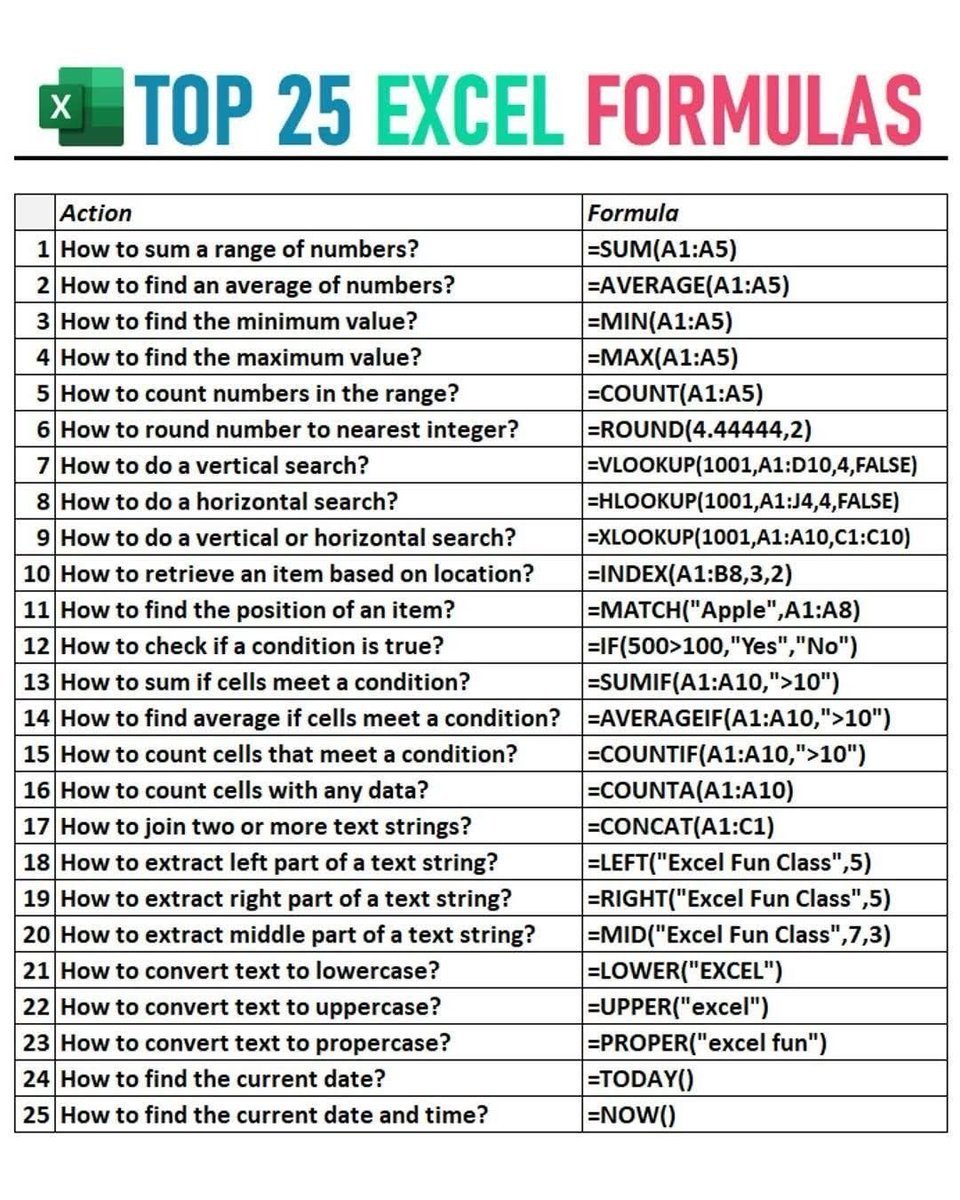
• Build charts, formulas & pivot tables from text
• Clean, messy data (duplicates, formats, errors)
• Instantly surface trends & insights
👉*Pro tip: Select data and ask, “What’s driving this number?”
📽 𝗖𝗼𝗽𝗶𝗹𝗼𝘁 𝗶𝗻 𝗣𝗼𝘄𝗲𝗿𝗣𝗼𝗶𝗻𝘁
• Create full decks from Word docs
• Convert dense text into visuals
• Auto-generate speaker notes
👉 Pro tip: “Turn this report into a 7-slide presentation.”
💬 𝗖𝗼𝗽𝗶𝗹𝗼𝘁 𝗖𝗵𝗮𝘁 (Microsoft 365)
• Search emails, files & chats instantly
• Summarise meetings, docs & action items
• Prep for meetings in minutes
👉 Pro tip:“Summarise everything I missed this week.”
Copilot works best when you ask specific, outcome-driven prompts — not generic questions.
How are you using Microsoft Copilot today — writing, analysis, or presentations? 👇
𝗕𝗲𝗰𝗼𝗺𝗲 𝗯𝗲𝘁𝘁𝗲𝗿 𝗮𝘁 𝗔𝗜 𝗶𝗻 𝗷𝘂𝘀𝘁 𝟭 𝗺𝗶𝗻𝘂𝘁𝗲 𝗮 𝗱𝗮𝘆. 𝗝𝗼𝗶𝗻 𝗺𝘆 𝘄𝗲𝗲𝗸𝗹𝘆 𝗻𝗲𝘄𝘀𝗹𝗲𝘁𝘁𝗲𝗿 𝘄𝗵𝗲𝗿𝗲 𝗜 𝗱𝗼𝗰𝘂𝗺𝗲𝗻𝘁 𝘁𝗵𝗲 𝗿𝗲𝗮𝗹-𝘄𝗼𝗿𝗹𝗱 𝗷𝗼𝘂𝗿𝗻𝗲𝘆 𝗼𝗳 𝗔𝗜 𝘁𝗿𝗮𝗻𝘀𝗳𝗼𝗿𝗺𝗮𝘁𝗶𝗼𝗻.
👉 𝗦𝗶𝗴𝗻 𝘂𝗽 𝗳𝗿𝗲𝗲 now → https://t.co/Kj8zW95H9X
Follow @AiswaryaVenkit1 for more such insights!!
Aku kasih 3 website GRATISSSSS yg biasanya aku gunakan untuk membuat dashboard.
1. https://t.co/GAe1f51D6g
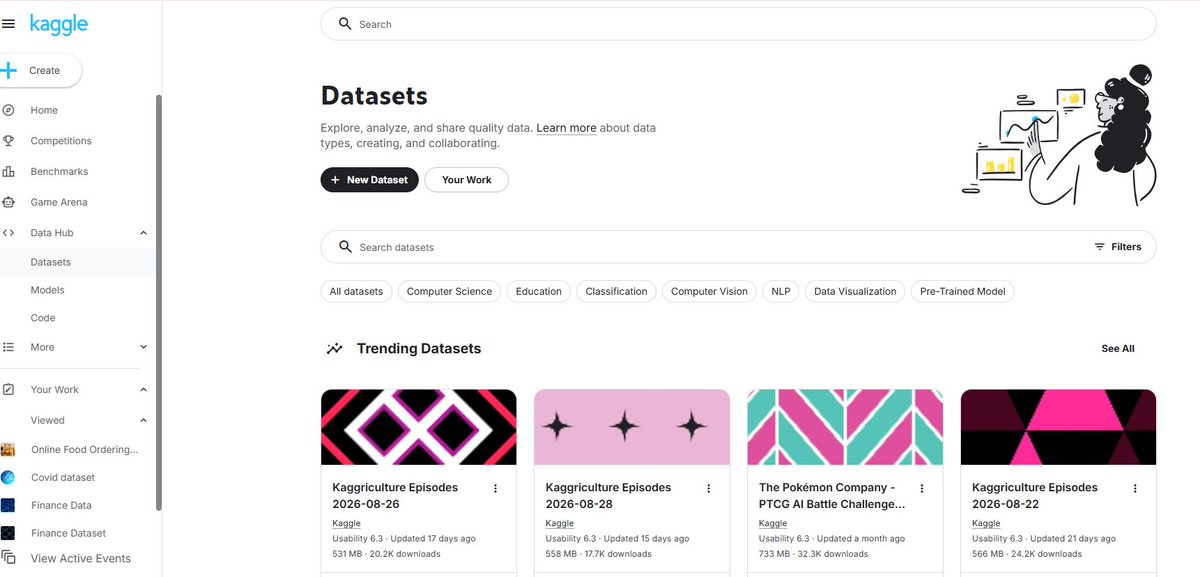
Kaggle cocok kalo kamu ingin mencari dataset untuk latihan dan membangun portfolio. Namun, kualitas dan sumber dataset juga perlu diperiksa karena dataset berasal dari berbagai kontributor.
2. https://t.co/IW5gjr0IYe
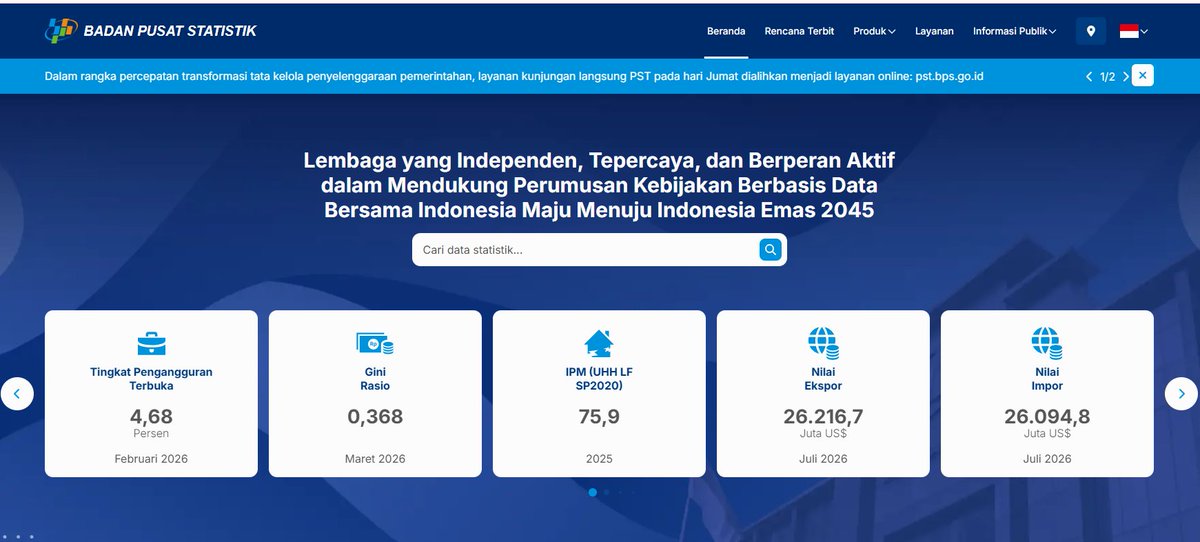
BPS cocok kalo kamu ingin menggunakan data Indonesia yang resmi dan relevan untuk analisis daerah atau sosial-ekonomi.
3. https://t.co/SRu0QNnwUp
World Bank cocok kalo kamu ingin membuat dashboard perbandingan antarnegara atau analisis tren pembangunan.