Keep watching for Copilot releases. https://t.co/2mhYPtgsg1
I just completed a private preview for Copilot Actions. This technology is moving at a fast pace. Faster than when Azure was released. It is important to understand what is occurring, even if you’re not using it.
Microsoft is NOT killing off the hack that lets you bypass Microsoft account requirement during Windows 11 setup, but it's making it slightly more complicated because you now need to create a Registry entry: https://t.co/pYccFiOfSa
Earlier, people used simple tricks to skip signing in with a Microsoft account while setting up Windows 11. One popular way was typing a fake email like [email protected], which would fail and let you create a local account instead.
Another easy method was using the command oobe\bypassnro in Command Prompt. But now, in the newer Windows 11 preview builds, these tricks no longer work because Microsoft removed the bypass script to improve security.
Even though the shortcut script is gone, you can still manually bypass the Microsoft account requirement by editing the registry. When you reach the network connection screen during setup, press Shift + F10 to open Command Prompt.
Type regedit to open Registry Editor, go to HKEY_LOCAL_MACHINE\SOFTWARE\Microsoft\Windows\CurrentVersion\OOBE, and create a new DWORD (32-bit) Value named BypassNRO. Set its value to 1. Then close everything and restart your PC.
After restarting, the setup screen will now show the option “I don’t have internet.” Selecting this will allow you to continue without signing in online and create a local account. So even though the easy tricks are gone, the registry method still works and is currently the best way to bypass Microsoft account login in the latest Windows 11 versions.
Earlier this year, I significantly re-developed my Repair-NTFSPermissions #PowerShell script. It's worth a fresh look! https://t.co/e3ZPdoewCw
Among other things, it ensures that BUILTIN\Administrators and NT AUTHORITY\SYSTEM have full permission to file share #NTFS permissions.
Folks, I created these mindmaps to highlight the AMAZING ID Governance deployment guide that was just published by Microsoft.
You are going to want to bookmark this.
🧵👇
It's been months in the making, but I am pleased to share the news that I, alongside @DBBrook24 , have written a book about Microsoft Intune, which is published by @ava_oran . #MVPBuzz#Intune#MSIntune#Windows365
For International Buyers (AVA™): https://t.co/Zu04QsOkb6
Most people, us tech folks included, will struggle with passkeys if we think of them like password + MFA
Passwords and MFA are fundamentally broken, no way to fix it, that era is over
Passkeys make certificates usable without the pain points of PKI, create as many as you can ;)
I had so much fun with Merill on this :D
Entra is sooo vast. I'm pretty sure we could talk for days about all the capabilities, pitfalls, and best practices 😅
Hopefully we covered some helpful things, and let us know if you have questions!
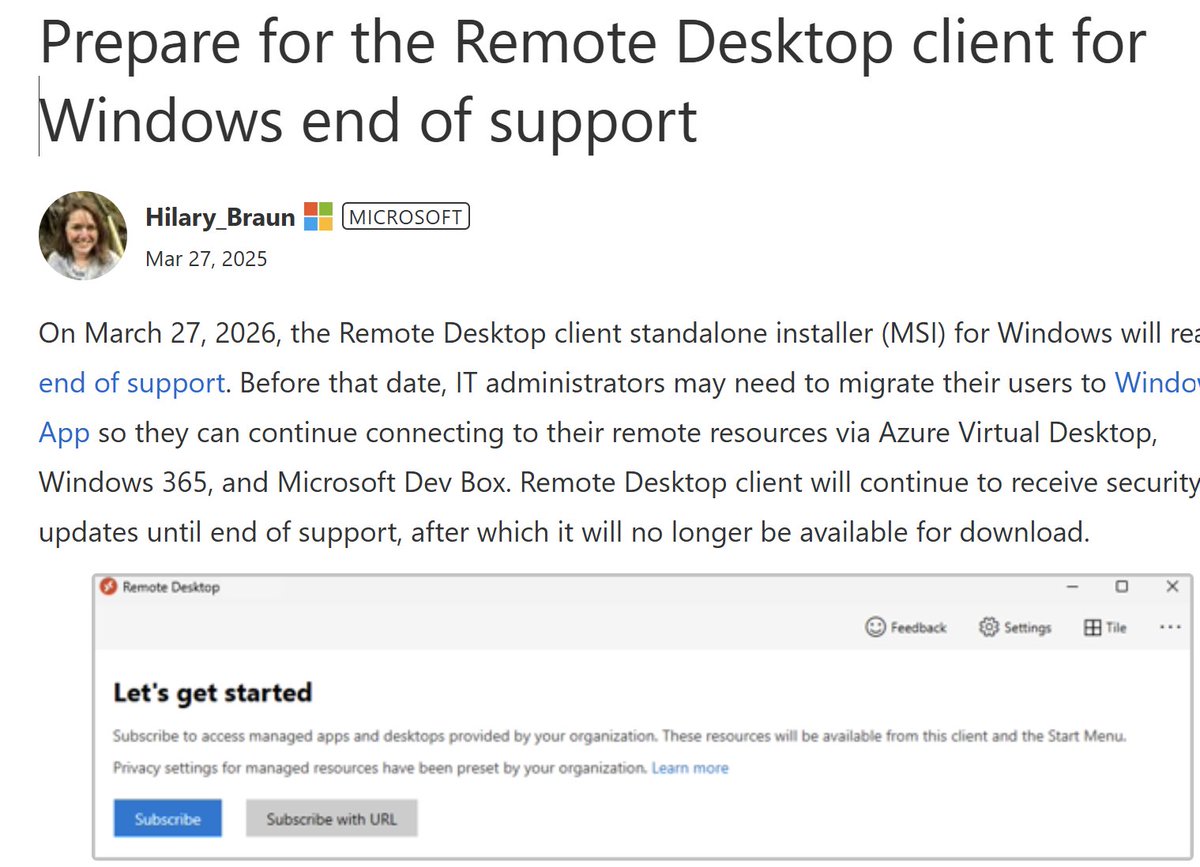
HEADS-UP! #Prepare#migration for the #Remote#Desktop#client for Windows end of support. On March 27, 2026, the Remote Desktop client standalone installer (MSI) for Windows will reach end of support. Before that date, IT administrators may need to migrate their users to Windows App so they can continue connecting to their remote resources via Azure Virtual Desktop, Windows 365, and Microsoft Dev Box. Remote Desktop client will continue to receive security updates until end of support, after which it will no longer be available for download. Read this amazing article from Hilary Braun from our team to double click on the migration steps. https://t.co/ZyMyaAHVth
Welcome to a new series on PowerShell best practices. Today, we’re starting with one of the most important topics: adding logging to your scripts.
https://t.co/OabzFdoJRX
#intune#powershell#mvpbuzz
Now it is a perfect time to enable hotpatch on your test #Windows11 24H2 devices.
I enabled hotpatch after the devices had 2025-02 CU installed ➡️2025-05 CU will be my 1st hotpatch update. You don't get a hotpatch if you have installed a standard CU after a baseline CU.
#FunFact for years I've been dreaming of a #WindowsRoadmap and it's finally here, we officially have a Windows Roadmap y'all! 🥳
Learn more: https://t.co/drbIIpANQx
This is just the beginning, please give us feedback for what additional info you want to see here!
Chinese ‘FamousSparrow’ hackers back from the dead and targeting North America, researchers say | The Record from Recorded Future News https://t.co/qFbDItbCAg
Intune Error 65000 ring a bell? Listen up! 📢 This one's for you. Missing ADMX templates, SyncML mysteries, and a backend delay had admins puzzled. What really happened, and how did it fix itself? Find out in our latest blog by @Mister_MDM ⬇️ #Intune https://t.co/fkbvdLmxRF
Say goodbye to stuck devices on the Enrollment Status Page! The new AutopilotClearUserEspCacheOnComplete feature clears outdated ESP cache, making deployments smoother. Learn more ⬇️ #PatchTuesday#WindowsAutopilot#ITAdmin#PatchMyPC#MSIntune https://t.co/cHEvDm0RKm