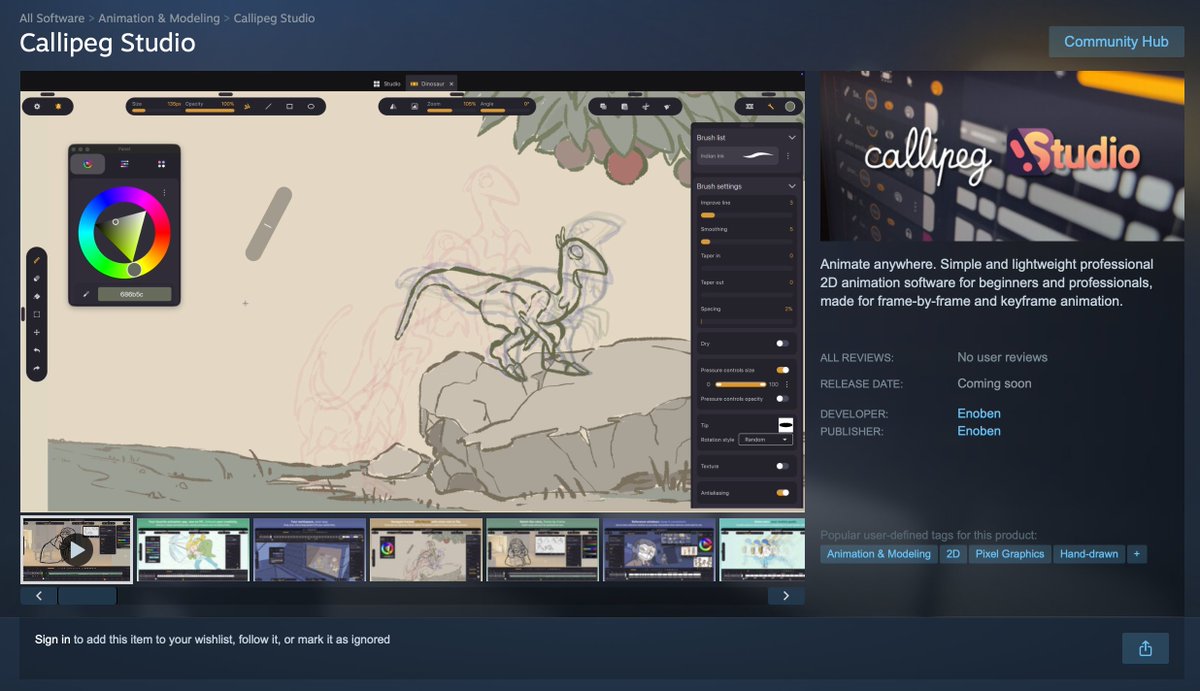
Callipeg Studio is coming soon to macOS and Windows: including features like the inbetween assist, a great way to place your next drawing to get the best animation. (animation by Inamura Takeshi @altamontagna170 )
Callipeg Studio is coming soon to Steam for Windows. Add it now to your Wishlist to be notified when it's released! 🥳 https://t.co/fk8a9yO21E
The Linux compatibility will come a bit later, we are still doing tests.
"Wanted to draw my character holding an onigiri, but I ran out of energy..."
That’s where MediBang Paletta’s "Cooked Rice Brush" comes to the rescue! 🌾✨
Just a quick stroke, and you’ve got freshly cooked rice in seconds! 🍙
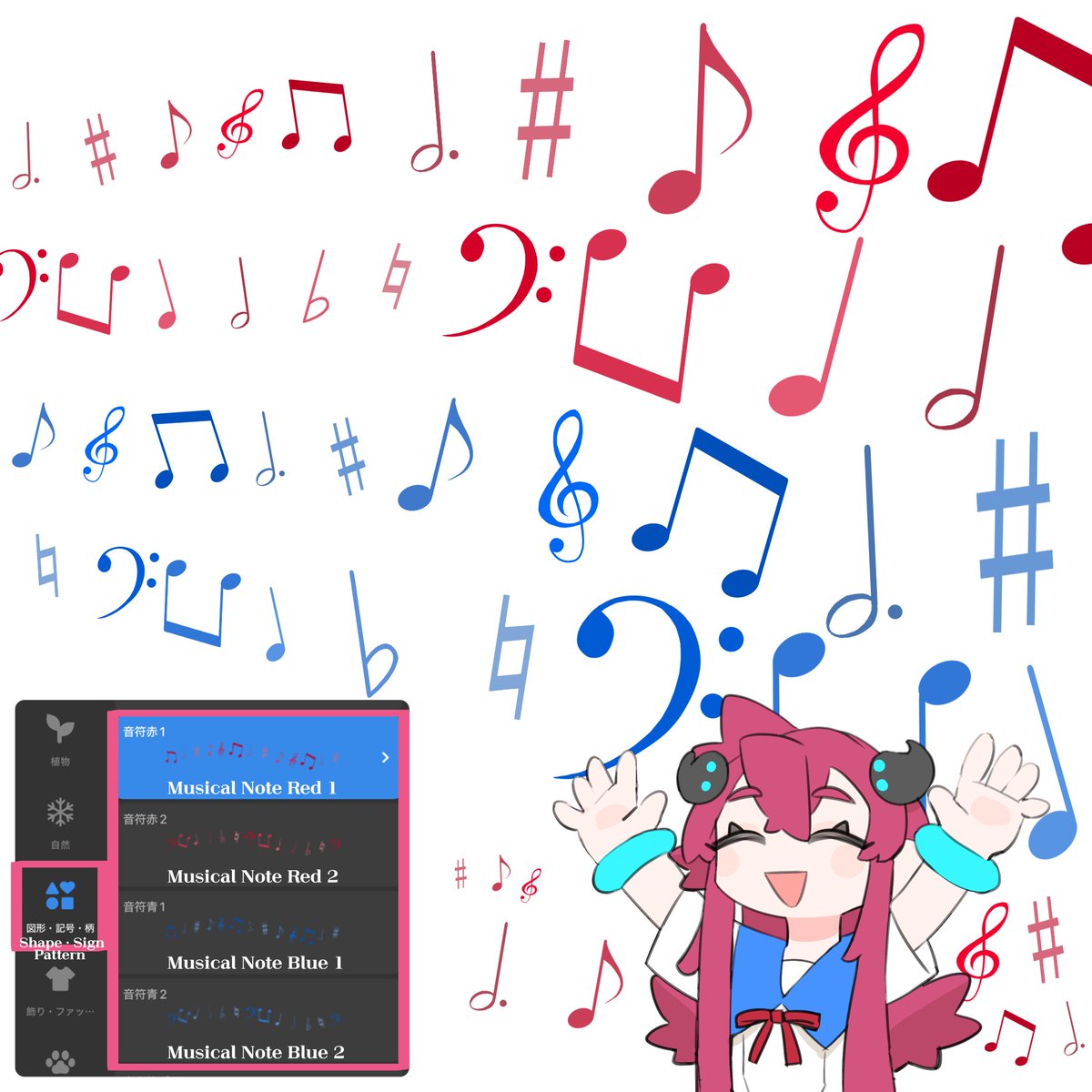
\ Instantly liven up your canvas 🎹🎵 /
MediBang Paletta's "Musical Note" brush adds a pop of color to your illustrations 🎼
🎶 Available in red and blue color variations 🌈
🎶 Super lively with a mix of treble clefs, sharps, and more ✨
Be sure to use it for decorating around characters or as a background accent 🎧
📢 Update Announcement
MediBang Paletta for iOS Ver.4.15 has been released!
✨ New Features
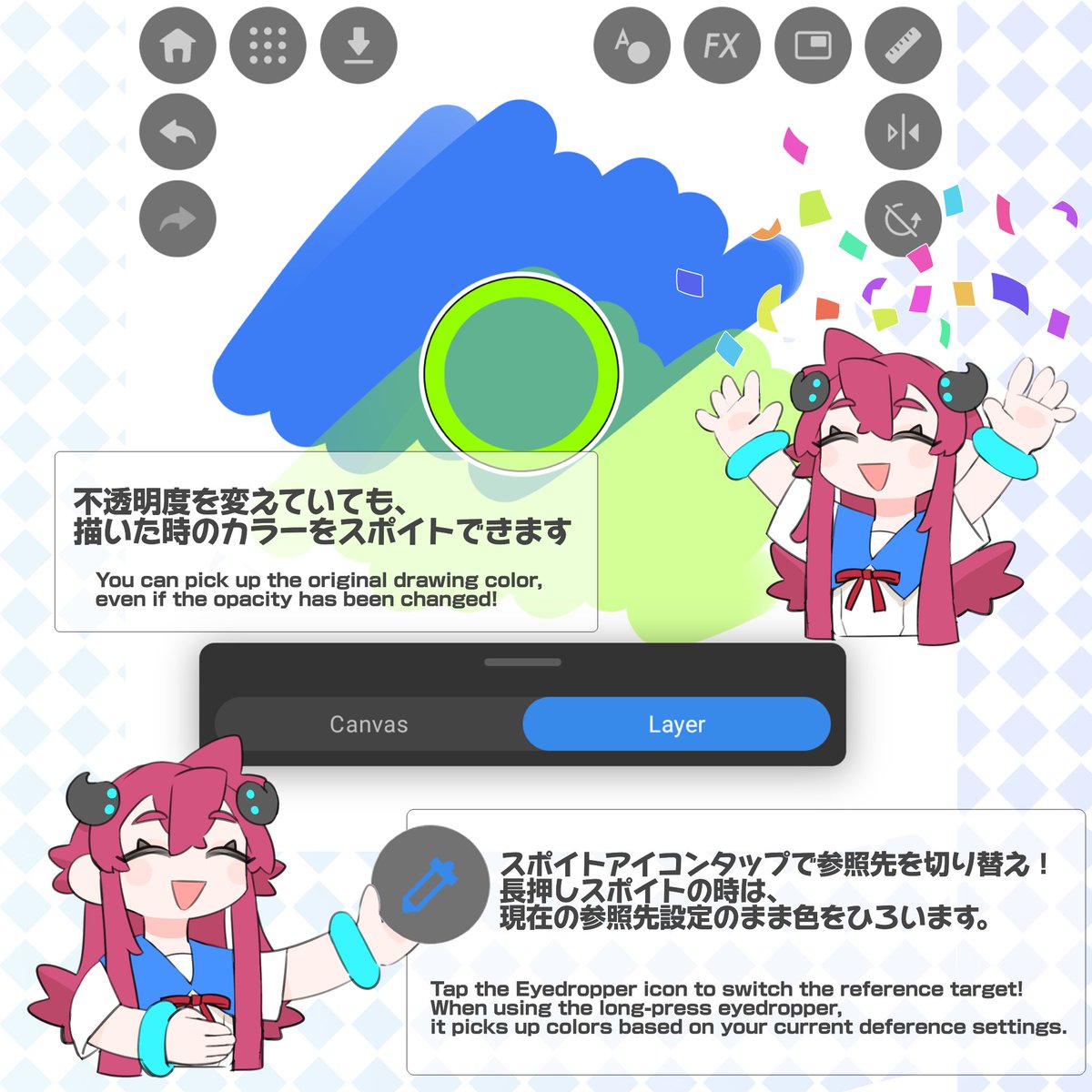
- Added a feature to switch the Eyedropper reference target between Canvas and Layer.
- Increased the resolution of MDP file thumbnails.
🎨 Improvements
- Significantly improved the response speed of layer selection, scrolling, and sorting for files with a large number of layers.
- Changed the layer blending mode dropdown menu so that it no longer closes immediately upon selection.
- Improved the UI to display folder lock status on child layers as well.
- Changed the behavior when tapping the canvas margin while editing text from "Create New" to "Deselect".
- Expanded the display width of slot names on the customization screen.
- Adjusted the default preset contents for smartphone portrait mode.
🔧 Bug Fixes
- Fixed an issue where MDP files in the Google Drive folder within the Files app sometimes could not be imported.
- Fixed an issue where the brush preview size did not scale correctly when resizing the canvas or zooming with two fingers.
- Fixed an issue where the display order of files within a folder would change after every operation or refresh.
- Fixed an issue where the Curve Ruler could be finalized with fewer than two control points.
- Fixed an issue where tool icons would become unresponsive after canceling the save confirmation dialog.
- Fixed an issue where the color of the brush opacity slider did not update when using the Eyedropper.
- Fixed an issue on iPad where the Text Tool's font list would extend off-screen.
- Fixed an issue where the Layer Details pop-up would remain open after deleting a layer from within it.
- Fixed an issue where the brush size slider was missing in portrait mode when newly installed on iPad (iOS 26).
- Fixed an issue where icon visibility did not reflect the UI Opacity settings when switching brush categories.
- Fixed an issue where the app would occasionally crash immediately after closing the photo selection screen.
Please update to the latest version and give it a try!
Thank you for your continued support of MediBang Paletta! 🎨🚀
📢 Update Notice
We have released MediBang Paletta Ver. 4.15.1 for Android!
✨ New Features
- Added a work timer feature.
→ You can freely customize your work time, break time, and number of sets!
- Added parallel movement and distance values to the Move Tool.
- Added the ability to switch the eyedropper reference target (Canvas / Layer).
- Added "Duplicate" to the swipe menu for text layers.
🎨 Improvements
- Improved folder locks to also display on child layers.
- Significantly sped up GIF export and improved image quality upon saving.
- Upgraded file list thumbnails to high resolution.
- Adjusted the display positions of the Color Picker, operation tabs, and menus.
- Changed ruler reset behavior to retain your current ruler type.
- Changed the default preset content for smartphone portrait mode.
🔧 Bug Fixes
- Fixed issues with pinch-to-zoom and pen hover when using a pen tablet.
- Fixed display issues regarding deselection and floating windows.
- Fixed a crash that occurred during text editing, and an issue where the app would freeze when scaling.
Note: If you have already installed Ver. 4.15, please be sure to update to Ver. 4.15.1, as this version includes these important stability fixes. We apologize for any inconvenience.
Thank you for your continued support of MediBang Paletta! 🎨🚀
📢 Update Notice
MediBang Paletta for Android Ver. 4.12 is now available!
✨ New Features
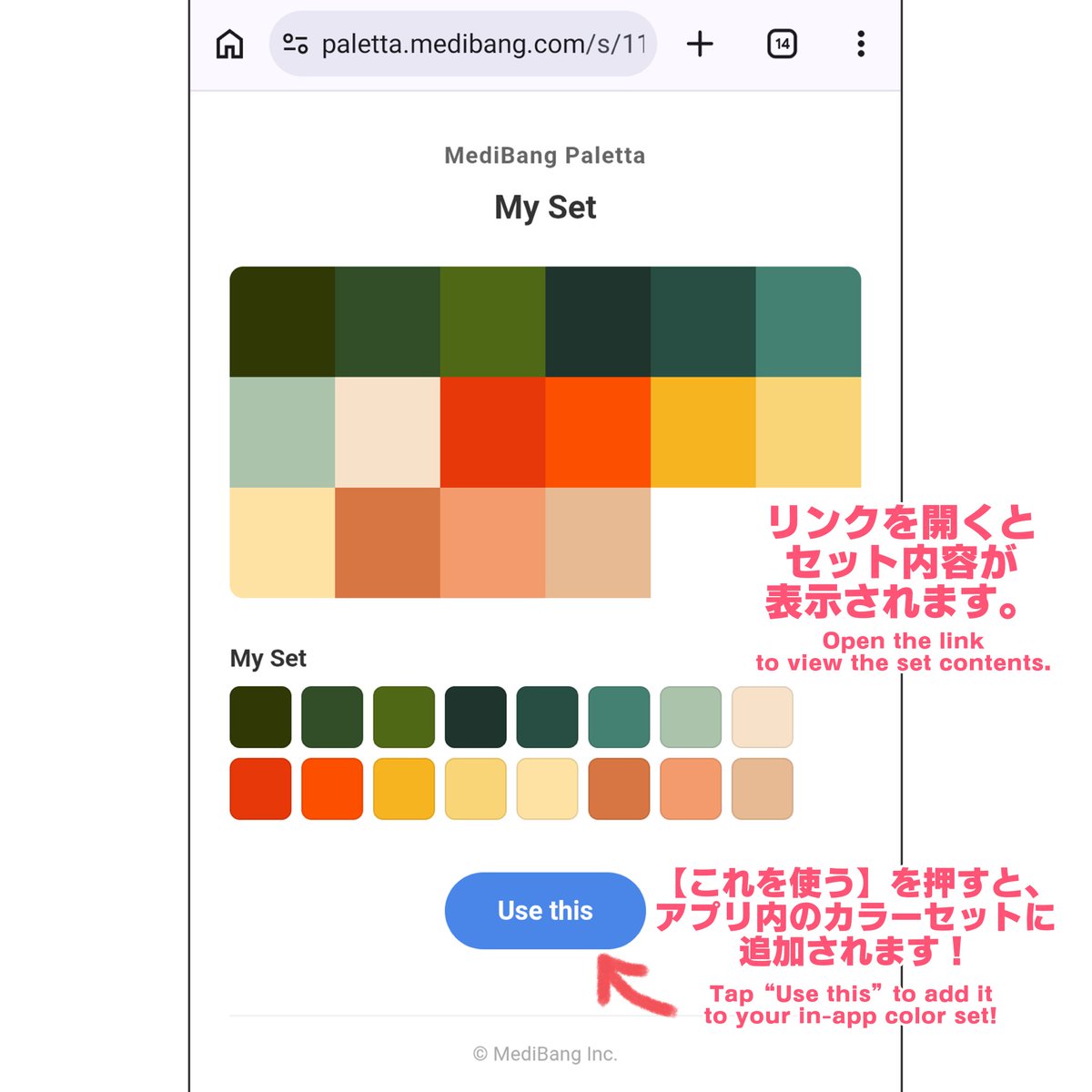
・Added support for sharing color sets
・Added support for tool customization presets
・Added support for gradient repeat application, reordering, and apply/reset
🎨 Improvements
・Improved usability and display of the text tool
・Enhanced multi-language display and translation accuracy
・Improved usability, including state retention for the reference window and material list
🔧 Bug Fixes
・Fixed bugs in canvas creation by device size and size unit editing in landscape mode
・Fixed bugs in various tools, including the eyedropper and auto-select
・Reduced crashes and freezes during drawing, tone curve adjustments, and material application
・Reduced freezes during purchase processing
Please update to the latest version and give it a try!
Thank you for your continued support of MediBang Paletta!🎨🚀
Save time with these MediBang Paletta drawing tricks!🚀✨
By combining half-lemon brushes, you can create a full round slice!🍋
Duplicate the layer and set it to "Multiply"—and just like that, it turns into an orange! 🍊✨
Relying on tools is a great way to enjoy efficient drawing!
If you're interested, download the app and give it a try!💖🌈
🖌 To everyone who draws and posts regularly —
Why not become a MediBang Official Tester? Just need an iOS or Android device (iPhone, iPad, or Android).
Early feature access + a chance to be featured officially🎉
Apply anytime 👇
[https://t.co/c8nOPQfJpt]
\ Create rich light with a single stroke 🌟 /
Introducing the "Flare M" brush, which lets you easily add beautiful, iridescent light 🪄💫
✔ Stays clearly sparkly on dark and even white backgrounds! ✨
✔ Instantly adds colorful and gorgeous twinkling lights 🌈
✔ Great for canvas accents and eye highlights 👍
A convenient light brush that broadens your range of expression! Be sure to try it out on MediBang Paletta 💎
Lattice deformers are non destructive in Nomad they internally stores a hidden layer.
Since layers are kept and correctly updated by every features, it means you can sculpt, dyntopo, trim, etc without oddities or artefacts. And then go back to the lattice.
📚 MediBang Paletta Brush Introduction
With the "Pile of books" brush, just as the name suggests,
you can easily draw a stacked pile of books!
Furthermore,
・Using "Straight Line" in the Shape Tool
makes it even easier to draw straight lines for the books ✨
It's a super convenient brush for creating backgrounds and small props 🎨
🎉 GAOMON × Riri Shu GIVEAWAY! 🎉
Prizes:
🌻GAOMON S620
🌻GAOMON WH851
How to enter:
• Follow @gaomonpentablet & @riri_shu2
• Like this post
• Repost this post
🌍 Open Worldwide
📅 July 23–31, 2026
🏆 Winners: August 1–3, 2026
Good luck! ✨
Comment if you
really
really
really
really
really
really
really
really
really
really
really
really
really
really
really
really
really
really
really
really
really
need this Artist 12 3rd Pink.
TO ENTER:
1⃣ FOLLOW us @XPPEN
2⃣ CMT & RT & LIKE this post.
A winner will be announced on 8/1. Good luck! 📷 #XPPen#Giveaway#Artist123rd#DrawingTablet
🎨 How to join the MediBang Official Testers!
Join the Official Testers: try new features early, and your best works get featured & reposted — with your name ✨
Plus, help plan what's next together with us — more perks to come.
Apply now 👇
[https://t.co/c8nOPQfbzV]








![MediBangPaint_e's tweet photo. 🖌 To everyone who draws and posts regularly —
Why not become a MediBang Official Tester? Just need an iOS or Android device (iPhone, iPad, or Android).
Early feature access + a chance to be featured officially🎉
Apply anytime 👇
[https://t.co/c8nOPQfJpt] https://t.co/nIOYU9bEam](https://pbs.twimg.com/media/HOYomLbakAANHtz.jpg)


![MediBangPaint_e's tweet photo. 🎨 How to join the MediBang Official Testers!
Join the Official Testers: try new features early, and your best works get featured & reposted — with your name ✨
Plus, help plan what's next together with us — more perks to come.
Apply now 👇
[https://t.co/c8nOPQfbzV] https://t.co/HylKiwHLsT](https://pbs.twimg.com/media/HNy292Ia0AAp6dA.jpg)


