I think I found how to run 5+ Claude Code agents in parallel without losing my mind.
Claude Code is powerful. But juggling multiple agents in one terminal falls apart fast. Output interleaves. You lose track of what each agent is doing. One wrong command in the wrong shell and you've nuked a branch.
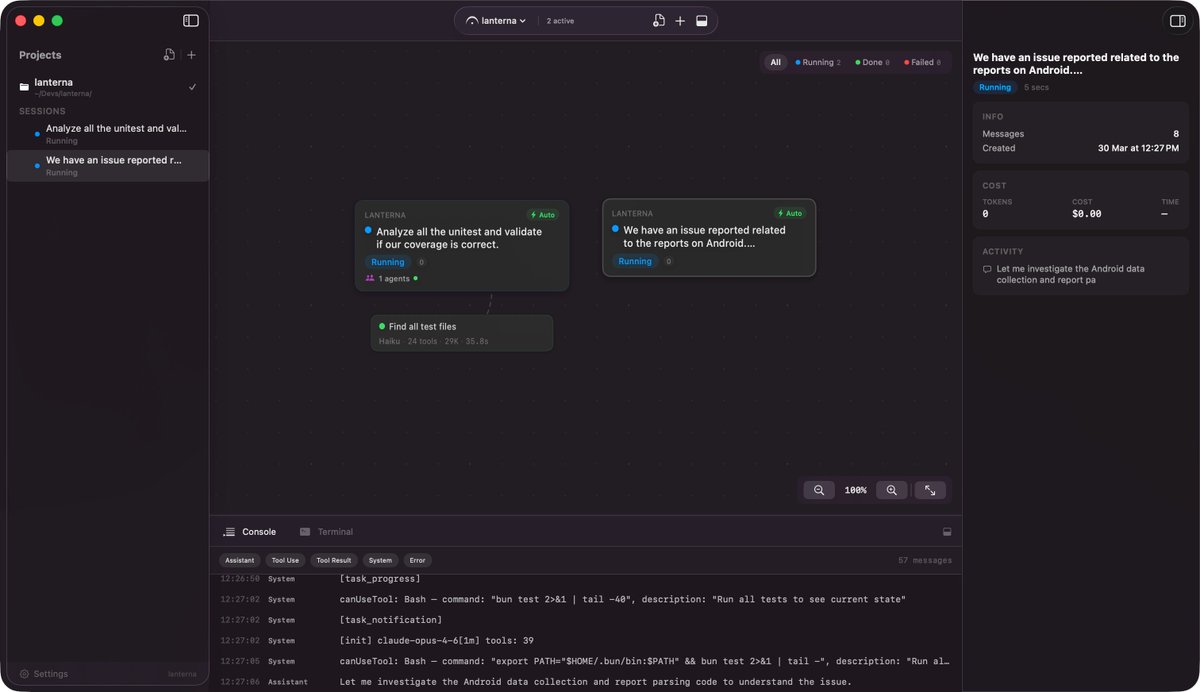
I built 𝄐Fermata: a native macOS orchestrator that turns agent sessions into a visual canvas.
Three principles:
1. Low friction: No config, no extra setup. If Claude Code works, Fermata works.
2. Real isolation: Git worktree per session, zero filesystem collisions.
3. Native feel: 100% Swift, no Electron, no web views.
What's in the box:
🌳 Git worktree per session. Each agent works on its own branch with its own working tree. No more "wait, which repo state am I in?"
⚡ 100% Swift. ~30MB, feels like a real Mac app, boots instantly.
🔁 Live message streaming. Every tool call, approval, and assistant message flows into the UI as it happens. Not a polled transcript.
🛠 Slash commands and skills. Pick from your project's .claude/commands/, your user directory, and any enabled plugins. Works exactly like the CLI.
🧠 Human in the loop. Four permission modes so you decide how much the agent does before asking.
https://t.co/Ly501bHdK4
#ClaudeCode #macOS #AIagents
I started Fermata as a visual canvas for parallel @AnthropicAI Claude Code agents.
It looked cool, but parallel agents without a contract just multiplied chaos. I found myself babysitting terminal sessions instead of actually building.
So I rebuilt it from the ground up as a native macOS software factory.
Instead of a single blind prompt, work moves as a "piece" across four disciplined phases:
1. 📝 Spec Interview: The agent reads your codebase first, then asks clarifying questions via native UI cards to draft a firm requirements contract.
2. 📐 Strategy: Generates an architecture plan detailing files to change and implementation steps. You can annotate with margin notes or edit inline before any code is written.
3. 🤖 Waves in Worktrees: Decomposes the plan into coding agents that execute in waves inside an isolated git worktree. Agents commit locally—nothing touches your active checkout.
4. 🔍 Review & PR: You inspect the unified diff alongside an automated work-review verdict. Fermata opens the pull request via `gh`. It never merges on its own. You merge.
Why not just use existing "cloud software factories"?
They solve agent chaos by uploading your entire codebase to remote servers, running headless agents in the cloud, and charging monthly per-seat subscriptions plus token markups. I wanted something private and local that runs directly on my Mac, on my own terms.
Why not just use raw terminal tabs?
You could try doing this manually in a shell tab. But multiply that across 5 or 10 tasks in parallel and the cognitive load falls apart. The Loop board manages a portfolio of pieces under a configurable concurrency limit, keeping your workspace clean and contained.
Under the hood:
• 100% native SwiftUI targeting macOS 26 Tahoe (no Electron, no web wrappers)
• Isolated git worktrees managed by a dedicated Swift actor
• Local analytics computed from disk transcripts (zero telemetry)
• Free (runs on your existing Claude CLI billing with Anthropic, Bedrock, Vertex, or custom gateways)
📥 Download the macOS App: https://t.co/Ly501bHdK4
🍺 Install via Homebrew: brew install --cask fermata
📚 Docs: https://t.co/OIvISuf7Ep
🎥 YouTube Demo: https://t.co/4NIJDRrI5d
If you use coding agents heavily in your daily workflow, how are you currently balancing autonomy vs control?
#ClaudeCode #SwiftUI
Built for heavy parallel workflows.
📦 Install via Homebrew
brew tap kelios-io/fermata
brew install --cask fermata
Or grab the DMG at https://t.co/Ly501bHdK4
📘 Docs: https://t.co/OIvISuf7Ep
🗺 Roadmap: https://t.co/M5qQnoqUXn
Open to feedback. If you try it and bounce off something, tell me. Priority shifts when users push back.
I think I found how to run 5+ Claude Code agents in parallel without losing my mind.
Claude Code is powerful. But juggling multiple agents in one terminal falls apart fast. Output interleaves. You lose track of what each agent is doing. One wrong command in the wrong shell and you've nuked a branch.
I built 𝄐Fermata: a native macOS orchestrator that turns agent sessions into a visual canvas.
Three principles:
1. Low friction: No config, no extra setup. If Claude Code works, Fermata works.
2. Real isolation: Git worktree per session, zero filesystem collisions.
3. Native feel: 100% Swift, no Electron, no web views.
What's in the box:
🌳 Git worktree per session. Each agent works on its own branch with its own working tree. No more "wait, which repo state am I in?"
⚡ 100% Swift. ~30MB, feels like a real Mac app, boots instantly.
🔁 Live message streaming. Every tool call, approval, and assistant message flows into the UI as it happens. Not a polled transcript.
🛠 Slash commands and skills. Pick from your project's .claude/commands/, your user directory, and any enabled plugins. Works exactly like the CLI.
🧠 Human in the loop. Four permission modes so you decide how much the agent does before asking.
https://t.co/Ly501bHdK4
#ClaudeCode #macOS #AIagents
But the real unlock is SDD Mode (Spec-Driven Development).
Write a spec. Approve a strategy. Watch agents execute tasks in parallel across isolated branches.
The full flow:
1. Spec. Write what you want in markdown. Acceptance criteria, non-goals, whatever you need.
2. Strategy. An agent reads the spec and produces a plan: files to touch, risks, and task breakdown with dependencies.
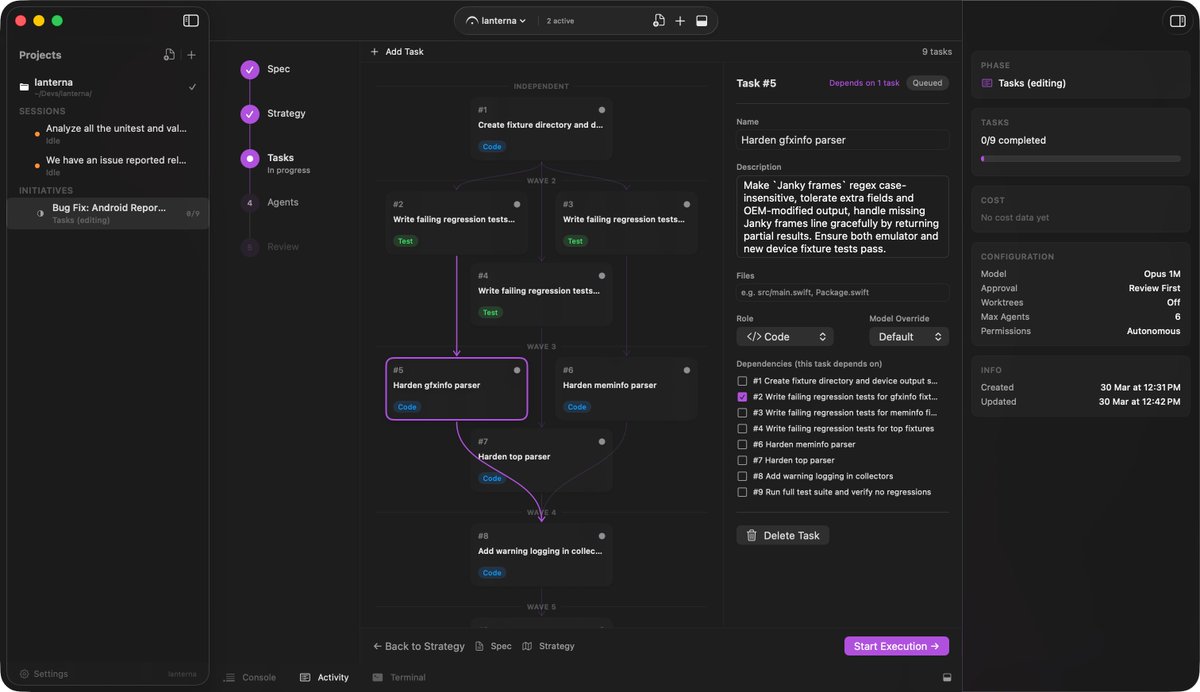
3. Tasks. The strategy becomes a task graph. Independent tasks run in parallel. Dependent ones wait their turn.
4. Agents. Each task gets its own Claude Code session in its own worktree. Ten agents can work at once without stepping on each other.
5. Review. Every task produces a diff. You review, request changes, merge back, or create a PR.
From chatting to orchestrating. 🌊
This is the workflow I use to build 𝄐 Fermata itself. The app that runs the agents was built by agents, running this flow.
I got tired of juggling +5 Claude Code terminals, so I vibed a native macOS app to run them all from a visual canvas.
- Spawn agents in parallel (isolated by default in worktrees)
- Approve/deny every tool use with one click or just go with autonomous mode
- Review diffs inline, merge or discard
- Write a spec → AI generates strategy → agents execute in waves
100% SwiftUI, no Electron. Built with Claude Code, for Claude Code.
https://t.co/wfIFv5pQ5F
Credentials, metadata sync, version collisions, agreement audits — the operational layer beneath CI/CD is its own problem. We packaged it from day zero.
Part 4 of the White-Label Architecture series:
https://t.co/bBfxibYr1B
#ReactNative#Expo#EAS
With 400+ white-label apps, version fragmentation is an observability problem. Here's how we use EAS Update, runtime version wildcards, and update nudges to keep it under control.
https://t.co/oH2A5ctgtj
#ReactNative#Expo#EASUpdate
We had 84 flavors when half of them failed from an Apple policy change. No selective retry. Rebuilt them locally.
That's why we built a recoverable CI matrix that builds 400+ apps in parallel.
Part 2 of the White-Label Architecture Guide.
https://t.co/A5XkcJHhJk
400+ branded apps. One codebase. Just configs.
I wrote about the architecture behind white-labeling React Native apps at scale — dynamic @expo configs, Metro resolver tricks.
Part 1 of 5.
https://t.co/IUWdamzmo0
Need a lighthouse score for @expo app?
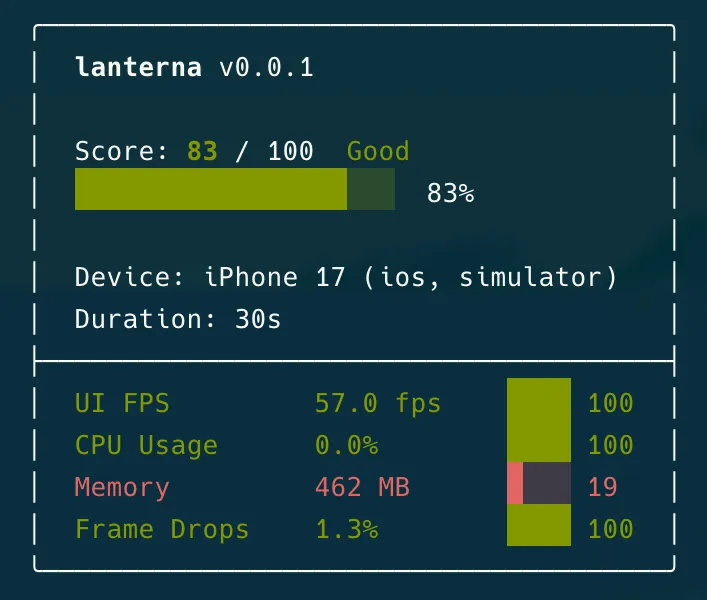
I built Lanterna, a performance profiler for React Native apps.
No Xcode. No Android Studio.
lanterna measure com.myapp
It gives you a Lighthouse-style score (0-100) across FPS, CPU, memory, frame drops, and TTI.
https://t.co/9PsuLwtpha