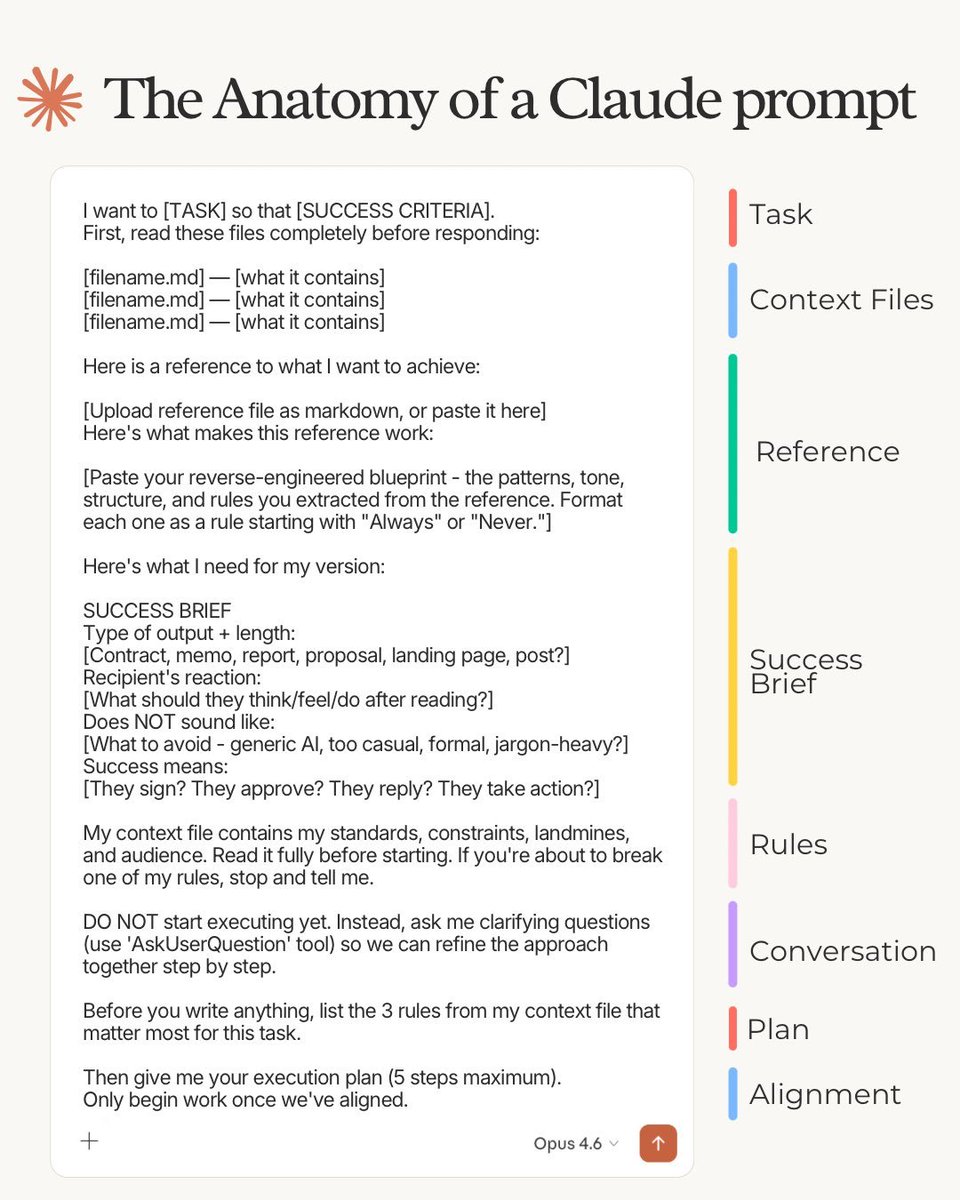
The Anatomy of a Claude 4.6 Prompt:
1. Task
Define what you want & what success looks like:
"I want to [TASK] so that [SUCCESS CRITERIA]."
No roles, "act as a senior expert." That era is over.
2. Context Files
Upload context files with your expertise and rules:
"First, read these files completely before responding: [filename .md] - [what it contains]."
AI went from reading a sticky note to an entire book.
Stop explaining yourself in the prompt. Put it in files.
3. Reference
Show AI exactly what you want. Upload an example.
Then give patterns, tone & structure as rules. No "give me something like" & hoping AI figures it out.
4. Brief
This is the only part you actually type from scratch. Everything else is files. "Type of output + length.
Does NOT sound like. Success means."
5. Rules
Context file holds your standards, taste & audience.
Prompt: "Read it fully before starting. If you're about to break one of my rules, stop and tell me."
6. Conversation
You spent 3 years prompting AI. Now it prompts you
Prompt: "DO NOT start executing yet. Ask me clarifying questions (use 'AskUserQuestion' tool) so we can refine the approach together step by step."
7. Plan
Claude read your files before writing a single word.
Prompt: "Before you write anything, list the 3 rules from my context file that matter most for this task. Then give me your execution plan."
8. Alignment
Nothing happens until you both see the same aim. This replaces the old prompting era.
Prompt: "Only begin work once we've aligned."
Copy the full prompt template + download my personal md. files for Claude here: https://t.co/psB7XxAv8w.
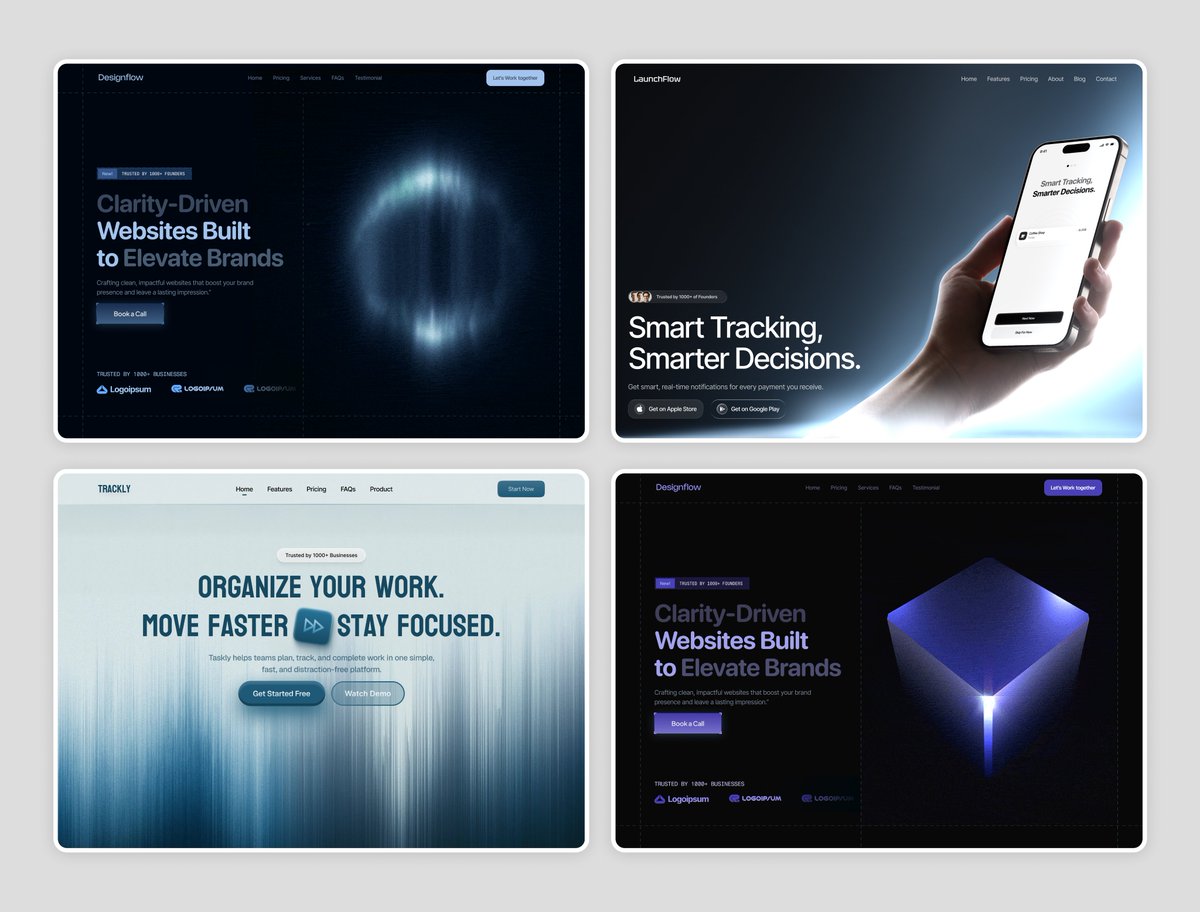
Giving away 4 high-converting hero sections — FREE (one Figma file).
Perfect for designers & founders building landing pages.
To get it:
• Like
• Retweet
• Comment “4hero”
• Follow (so I can DM)
Dropping in DMs soon. Don’t miss it.
AI shouldn’t lead your research—but it makes a great assistant. 🤖 With smart prompting, it can speed up planning without cutting corners. Maria Rosala shares how to guide AI like a junior teammate.
Read more: https://t.co/rmpSCakdgY
#UXResearch#AIForUX
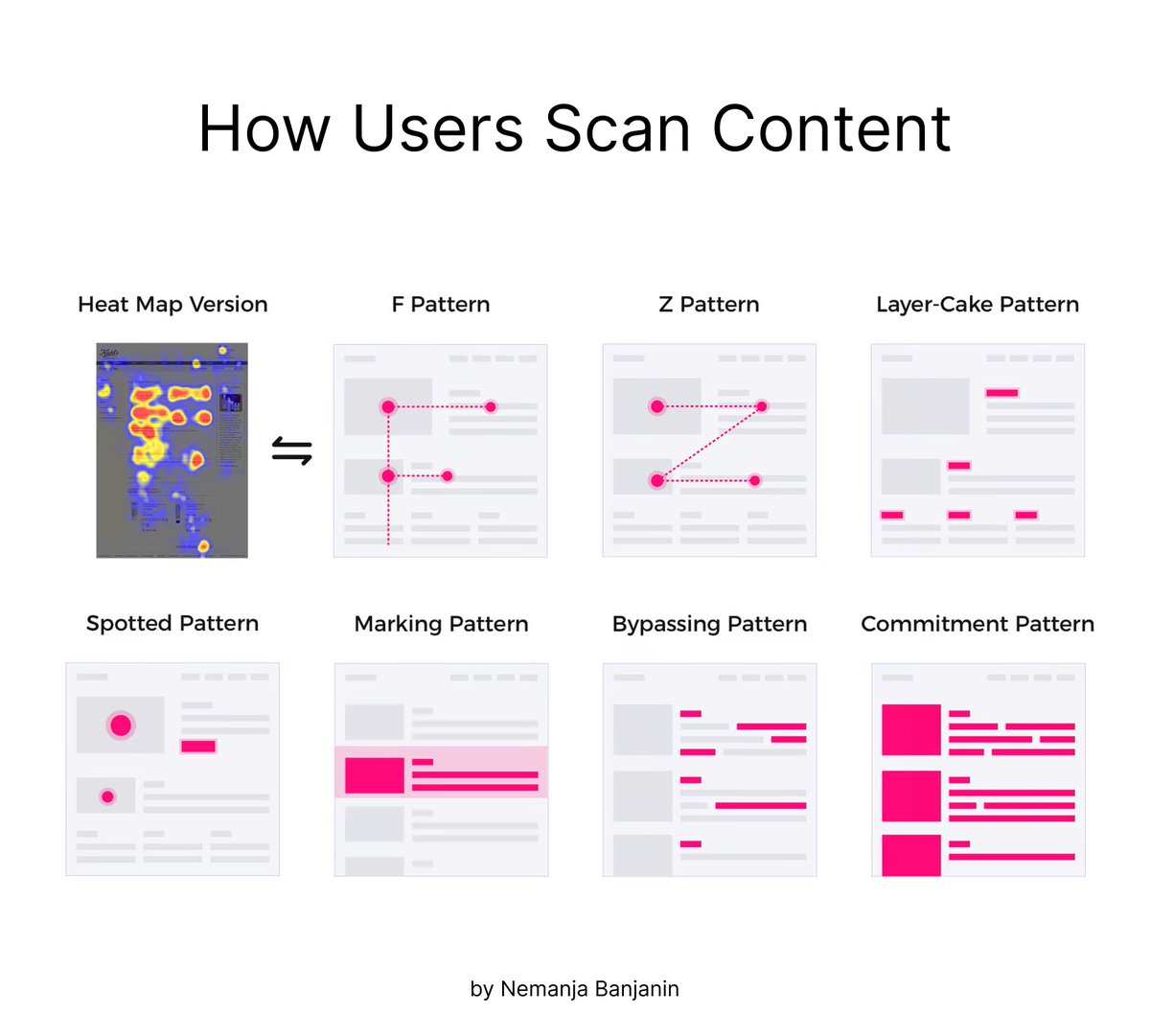
💡How people scan information on the web (top 5 patterns)
People don't read online—they scan. When people scan information on the web, they typically follow a few common patterns:
1️⃣ F-shaped
2️⃣ Z-shaped
3️⃣ Layer-cake
4️⃣ Spotted
5️⃣ Marking
👇





![rubenhassid's tweet photo. The Anatomy of a Claude 4.6 Prompt:
1. Task
Define what you want & what success looks like:
"I want to [TASK] so that [SUCCESS CRITERIA]."
No roles, "act as a senior expert." That era is over.
2. Context Files
Upload context files with your expertise and rules:
"First, read these files completely before responding: [filename .md] - [what it contains]."
AI went from reading a sticky note to an entire book.
Stop explaining yourself in the prompt. Put it in files.
3. Reference
Show AI exactly what you want. Upload an example.
Then give patterns, tone & structure as rules. No "give me something like" & hoping AI figures it out.
4. Brief
This is the only part you actually type from scratch. Everything else is files. "Type of output + length.
Does NOT sound like. Success means."
5. Rules
Context file holds your standards, taste & audience.
Prompt: "Read it fully before starting. If you're about to break one of my rules, stop and tell me."
6. Conversation
You spent 3 years prompting AI. Now it prompts you
Prompt: "DO NOT start executing yet. Ask me clarifying questions (use 'AskUserQuestion' tool) so we can refine the approach together step by step."
7. Plan
Claude read your files before writing a single word.
Prompt: "Before you write anything, list the 3 rules from my context file that matter most for this task. Then give me your execution plan."
8. Alignment
Nothing happens until you both see the same aim. This replaces the old prompting era.
Prompt: "Only begin work once we've aligned."
Copy the full prompt template + download my personal md. files for Claude here: https://t.co/psB7XxAv8w.](https://pbs.twimg.com/media/HCTfTvUWQAARBYP.jpg)