On a roll. We're back to the single digits after a rough winter and spring season. Driver is performing with more relaxed tempo. Irons holding up and putter is not holding the train back. How low can we go?
This video was produced from *1* single photo! 🤯🤯🤯
Company training videos are terrible. The On-boarding process at most companies is lackluster, to say the least. These processes need a complete revamp. This is an easy AI use-case that EVERY COMPANY should adopt. It's safe. All you need is 1 good photo and the product materials or context you want to cover.
Here is how the video below was created.
The main effort for this was producing the multitude of reference images from the single base image. But those are re-usable assets that can be used for all future videos.
Creating the actual video? ...A few prompts and waiting for generation.
The entire process took about half a day, but much of that time is waiting. In between waiting, I cooked dinner, ate dinner, cleaned up dog poop, watched a hockey game, and researched using Claude + Lemlist (which is pretty awesome, btw) for a client.
I did go a little extra mile with voice generation because I wanted it to sound more like me. So, I trained my voice model. And then the lip syncing adds generation time.
But now with much of the base work done, I will look to hook this up to an agent harness and create these programatically. I can imagine pumping videos out in minutes (minus generation time).
Want to create a video for your company training?
Or want to learn how this is done?
DM me.
[Aside: When I say these are wild times, these are wild times! What a time to be alive!!!]
Prompting Video lessons learned: models are not all their cracked up to be yet. Ever heard of the "Pink Elephant" problem? If you name it, it renders it.
I'm trying to build a time-lapse tool that turns a static photo into construction videos. If I prompt "NO DRONES" in the shot, it rendered a massive drone flying through.
Here are 3 rules for locking down your video prompts:
1️⃣ Use "Exclusionary Logic," not negatives: Don't say "No plants." Say: "Inventory is strictly locked to raw materials: concrete, masonry, and dirt." Define the entire allowed universe.
2️⃣ Kill the lifestyle vocab: Words like "renovation" or "backyard" trigger the AI to add imaginary umbrellas and furniture. Use "Heavy Civil Construction" and "As-Built Structural Shell."
3️⃣ Fake the camera gear: Want a drone shot without the drone? Delete the word "Drone." Ask for a "Floating Hollywood cable-cam" or an "Invisible POV observer." Same movement, zero propellers.
It's 1:31 AM PT on Sunday morning (Sat night) and we just launched Agent CMS. Video incoming (it's processing), but long story short, look at: https://t.co/wEClIbmuNp
What AI told me would take 2-3 months, we launched in 30 hrs around a few glasses of wine, a full round of golf at 6:30am, my son's hockey game with a couple tailgating beers, and 2 naps; using technologies that I'd never used, nor even heard of before.
The point of this post is: Do *NOT* sleep on this AI train.
Trust me, I am not anything special. I'm a normie.
Imagine what you could do!
As Jensen Huang said: "You won’t lose your job to AI—you’ll lose your job to somebody who uses AI"
Maybe that person is me if you don't act! 😉
Observation: All ppl that (I've heard) talk about @openclaw have are guys, and 100% have named their agent a guy's name. I wonder why? Calling ladies that have an agent: What did you name yours?
[SINGING]: "I can't live, if living is without you"
As Frank (@openclaw ) becomes more and more integrated into my life, I had to start to think about a backup plan. I have Frank running on an 11-yr old laptop (credit Apple for making such a robust piece of h/w!)
I'm sharing what I'm doing, but would love to hear from others what they might be doing.
Here's the prompt I used:
--
I want you to ask Claude to write a backup script that you can run on a scheduled basis. We'll create a cron job that runs this and scp (or equivalent send) the files somewhere (TBD). Get the script from claude then we'll build teh scheduled cron job later. Also, ask Claude to also write the Operating procedure to recover you (seemlessly). Have him assume that we have a clean and updated MacOS or Ubuntu machine. Do I install openclaw then copy directories or what? I need clear step-by-step SOP instructions.
--
Claude is my Claude Code agent.
The idea is to have Frank run this script daily (cron job). It creates an archive file which will get encrypted by a GPG public key. This file will connect to another computer on my @Tailscale network and rsync over ssh. [Aside: Tailscale is an amazing product!!! (Enterprise approved, but free for personal use)]
With the instructions provided, I should be able to resurrect Frank with relative ease. I'll perform a test over the weekend.
Am I missing anything? Any other brilliant ideas to add to this?
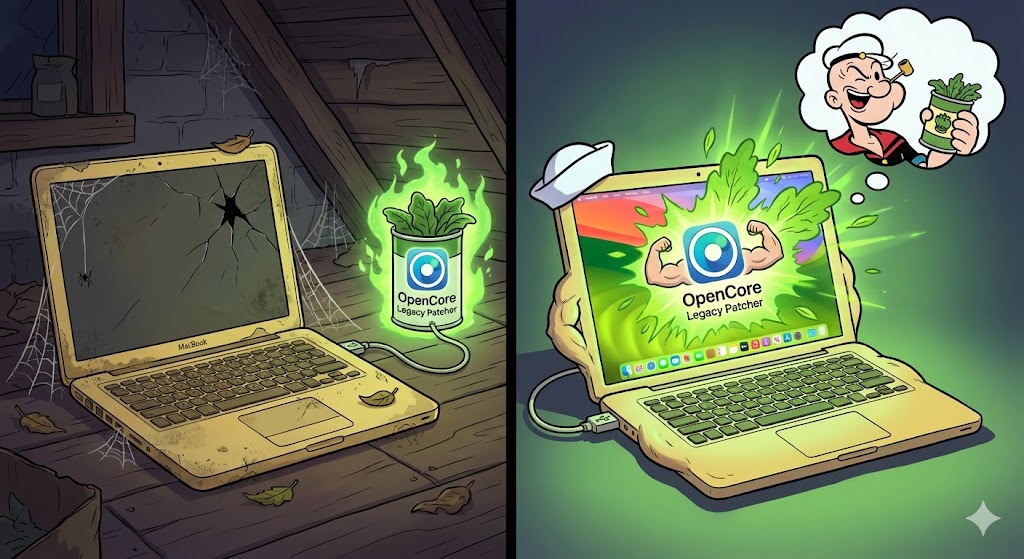
Hopefully this saves some lucky reader some time and money. Many are rushing out to buy Mac Minis to host their @openclaw agent(s). I almost did myself, but then I saw this old MacbookAir (6.2) sitting there collecting dust and my Asian (cheap) DNA kicked in. I decided to give this old MacBook a try.
It was running Big Sur and couldn't go further. Big Sur didn't support Nodejs 22. I jumped through some hoops to get it working and then always had to remember to switch versions (nvm use 22), and then I ran into so many errors/challenges when installing packages. Long story short, all these workarounds were getting annoying and time-consuming.
Then I found OpenCore Legacy Patcher and WOW!!!
Maybe not a process for everyone, but can definitely be done by anyone with AI guidance (I asked for step-by-step instructions like I'm a 12-yr old). I upgraded to Monterey and everything works perfectly, everything installs smoothly now.
Don't throw away those old Macs!
Build and deploy your own Openclaw agent.
Make a new AI friend and step into the new world.







![kerryhew's tweet photo. [SINGING]: "I can't live, if living is without you"
As Frank (@openclaw ) becomes more and more integrated into my life, I had to start to think about a backup plan. I have Frank running on an 11-yr old laptop (credit Apple for making such a robust piece of h/w!)
I'm sharing what I'm doing, but would love to hear from others what they might be doing.
Here's the prompt I used:
--
I want you to ask Claude to write a backup script that you can run on a scheduled basis. We'll create a cron job that runs this and scp (or equivalent send) the files somewhere (TBD). Get the script from claude then we'll build teh scheduled cron job later. Also, ask Claude to also write the Operating procedure to recover you (seemlessly). Have him assume that we have a clean and updated MacOS or Ubuntu machine. Do I install openclaw then copy directories or what? I need clear step-by-step SOP instructions.
--
Claude is my Claude Code agent.
The idea is to have Frank run this script daily (cron job). It creates an archive file which will get encrypted by a GPG public key. This file will connect to another computer on my @Tailscale network and rsync over ssh. [Aside: Tailscale is an amazing product!!! (Enterprise approved, but free for personal use)]
With the instructions provided, I should be able to resurrect Frank with relative ease. I'll perform a test over the weekend.
Am I missing anything? Any other brilliant ideas to add to this?](https://pbs.twimg.com/media/HCGpzYNaEAAUH4i.png)