Make beats on your MacBook trackpad. 🎛️ Here's Trackpad Sampler in action.
Mac App Store code giveaway: 5 codes ready now; up to 50 planned as more are issued.
Follow @kn_re_jp, repost THIS post, and reply with your Mac model. Codes go by DM in reply order.
Trackpad Sampler v1.0.1 brings improvements to your beatmaking workflow on macOS.
• Clearer controls for volume, sample editing and saving.
• Drag MASTER volume from PLAY, SAMPLE, SEQUENCE or SONG.
• Stronger checks to reduce mix-ups when saving samples.
• Improved application of audio settings with Apply and OK.
• Improved screen navigation.
• Video recording controls grouped in the bottom-right footer.
We'll keep improving Trackpad Sampler, and we'd love your feedback. Tell us what's working well and what you'd like us to improve next—reply below!
Available on the Mac App Store. See our pinned post for details.
#Beatmaking #MusicProduction
Trackpad Sampler v1.0.1 is here. Your MacBook trackpad can do more than scroll—it can be your next beatmaking instrument.
Turn your MacBook Pro trackpad or Magic Trackpad into a 16-pad sampler and drum machine for macOS. Know the 4x4 pad layout of an AKAI MPC? Put your multitouch trackpad to work.
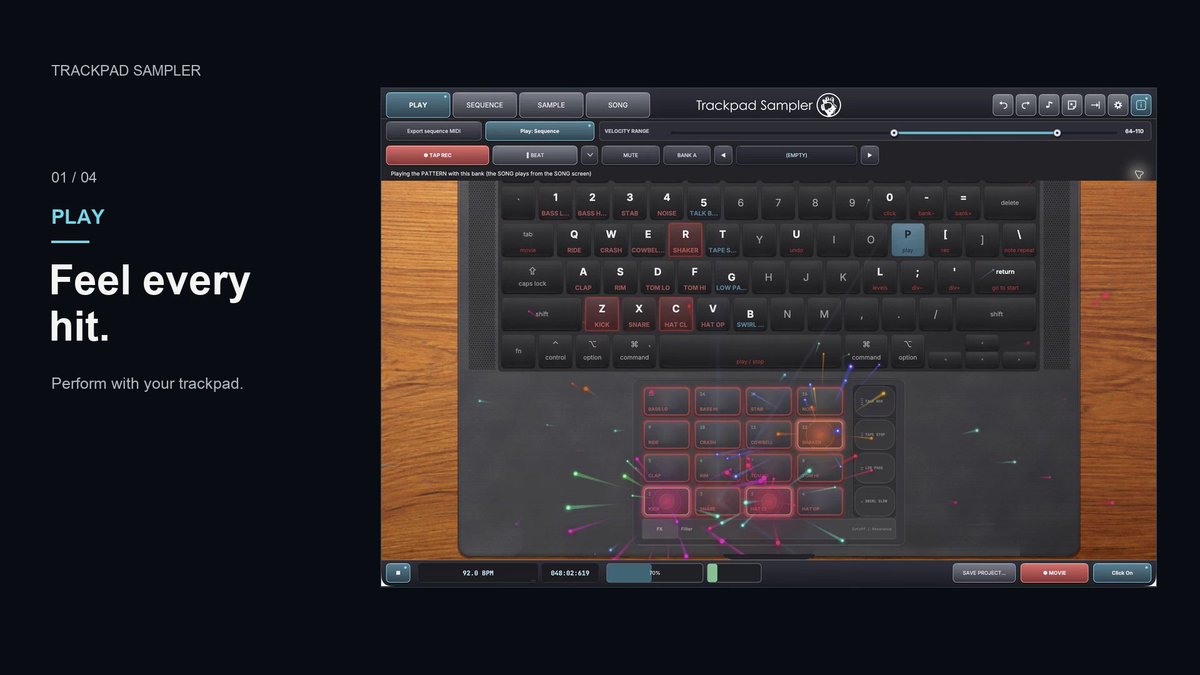
PLAY: finger drum with multitouch or keyboard controls.
SAMPLE: record or import audio, trim, chop and map sounds to pads.
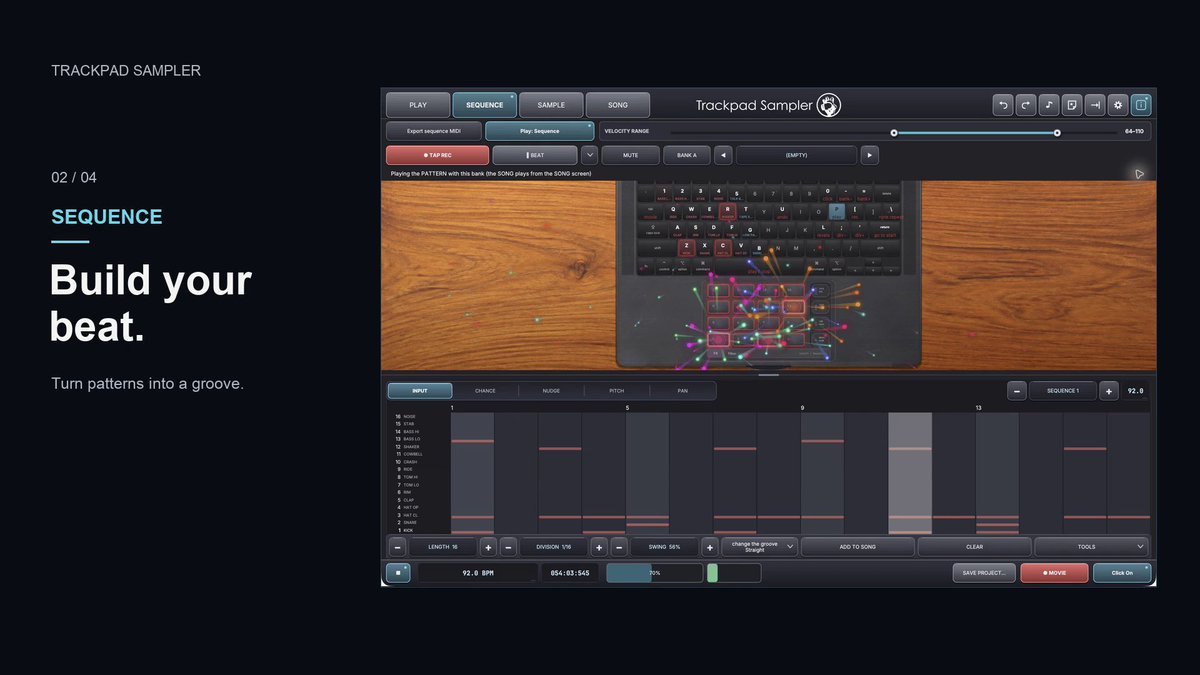
SEQUENCE: build drum patterns and loops with adjustable swing.
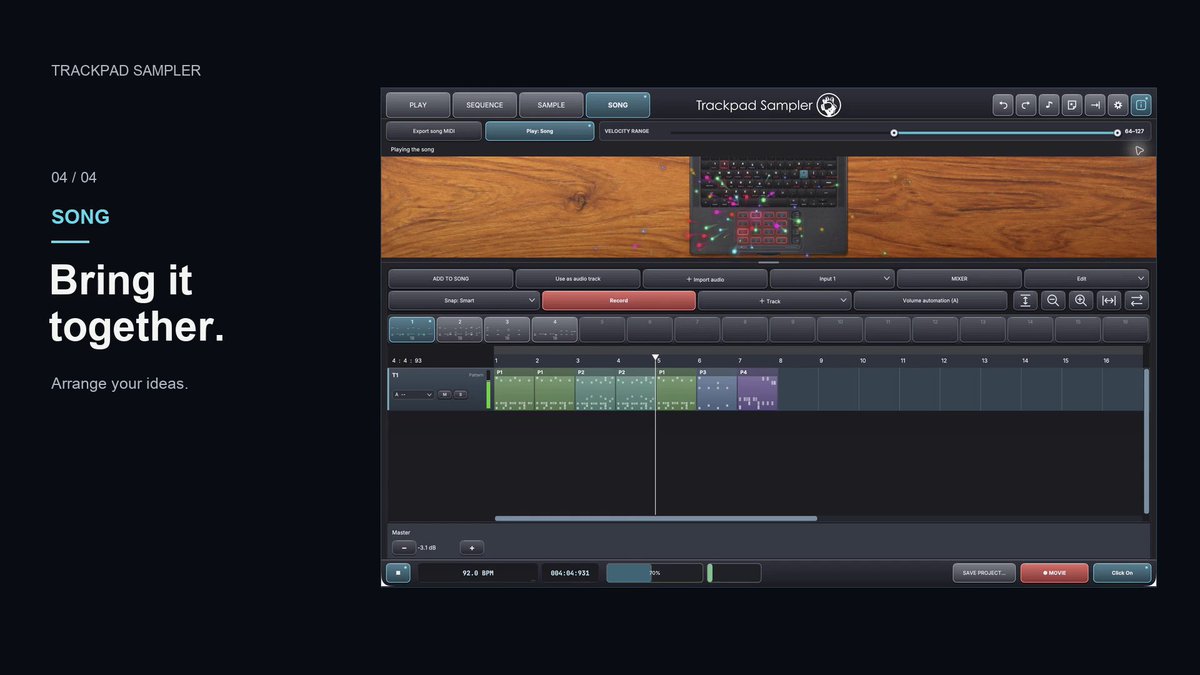
SONG: arrange patterns and audio across 12 tracks, record vocals or instruments, and export.
For beatmakers, music producers and DTMers creating hip-hop, lo-fi and electronic music. Make beats on the go or while relaxing in bed.
We'll keep updating Trackpad Sampler and building on it over time. Tell us how you use it and what you'd like to see next.
Available on the Mac App Store. See our pinned post for details. Follow @kn_re_jp for updates and beat demos.
#Beatmaking #FingerDrumming
Your MacBook already has a surface for finger drumming.
Trackpad Sampler turns your MacBook Pro trackpad or Magic Trackpad into a 16-pad instrument, with keyboard controls for playing too. Choose an included kit and tap out kicks, snares and hi-hats. If you know the 4x4 pad layout of an AKAI MPC, this grid will look familiar.
Put that multitouch trackpad to work as a drum machine for hip-hop beats, lo-fi ideas and electronic music. Make a rhythm on the go or while relaxing in bed, with your MacBook close at hand.
Available on the Mac App Store. See our pinned post for details, and follow @kn_re_jp for more Trackpad Sampler demos and tips.
#FingerDrumming #Beatmaking
Turn your MacBook Pro multitouch trackpad into a macOS music production instrument.
Trackpad Sampler turns your MacBook trackpad or Magic Trackpad into a 16-pad sampler and drum machine with a groovebox-style beatmaking workflow. If you know the 4×4 pad layout of an AKAI MPC, try finger drumming directly on the trackpad.
PLAY: trigger samples with multitouch or keyboard controls and perform drum beats.
SEQUENCE: build drum patterns and loops with adjustable length, division and swing.
SAMPLE: record or import audio, trim waveforms, chop samples, change pitch and map sounds to pads.
SONG: arrange patterns and audio across 12 tracks, record vocals or instruments, mix and export.
For beat makers, track makers, DTMers and music producers creating hip-hop, lo-fi, techno, house and electronic music. Chop samples, sketch a rhythm or build a track alongside your DAW. Make music on the go or while relaxing in bed—just you and your MacBook.
Trackpad Sampler is available on the Mac App Store. See our pinned post for details.
Updated version: We corrected the MacBook display proportions. Please watch the revised video here: https://t.co/v4wamf6Vd1 (YouTube: https://t.co/wJYMwctcYc).
Updated Trackpad Sampler 60-second film. 🎛️
The MacBook display and trackpad proportions have been corrected in this version.
Watch on YouTube: https://t.co/wJYMwctcYc
Explore the app: https://t.co/b0nF3550l6
Less gear. More music.
Updated Trackpad Sampler 60-second film. 🎛️
The MacBook display and trackpad proportions have been corrected in this version.
Watch on YouTube: https://t.co/wJYMwctcYc
Explore the app: https://t.co/b0nF3550l6
Less gear. More music.