Tech Instruction Coordinator for @NorthPalosSD117- Google Certified Educator - Former science teacher - passion for helping educators transform learning!
More teachers should be using Jamboard! So to help, I have spent the morning making this.
The Ultimate Collection of Jamboard Templates https://t.co/PB5EkXLQHw
👉🏼Do you have a template I should add?
Included my first four in there too..and more to come!
#infusedclassroom
The Concurrent Classroom: Using Blended Learning Models to Teach Students In-person and Online Simultaneously https://t.co/eRGd3PkAEr via @Catlin_Tucker
What are the key benefits to using Peardeck? It will be a problem solving equalizer in my classroom. All voices can be heard. The feedback is powerful. And if we go completely virtual, I won't feel so isolated from my students.
#pearfairPD#backtoschool
Our friends at @AdobeForEdu have cooked up a special surprise!
You can now post and view @AdobeSpark Videos inside @Flipgrid 🥧
Learn more: https://t.co/w7VkrO6x5w
🥄 This is just a small taste of what's baking...
#FlipgridForAll 💚
#AdobeEduCreative 🎨 @Adobe
Join @PearDeck, @BookCreatorApp, @Screencastify, and Google Certified Trainers for Prepared to Learn, a free virtual event discussing the ways you can use #GoogleEdu tools to face today’s education challenges. Register today: https://t.co/0tybMyLMx3. #edtech#GoogleCT
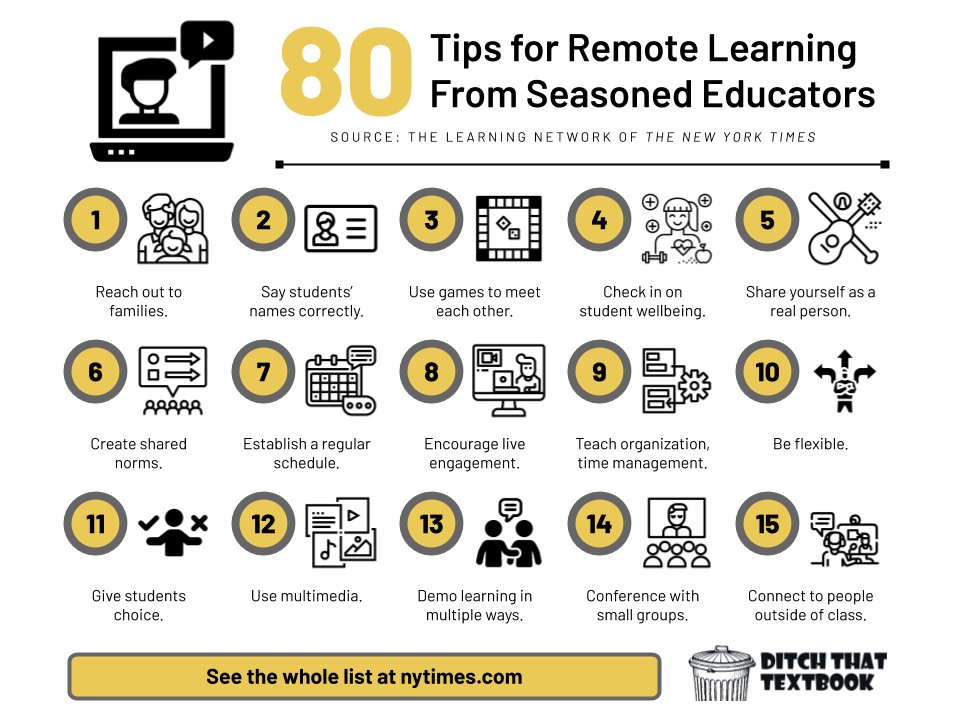
Thanks @nadinegilkison for this amazing resource. If you are a teacher that is about to embark on any form of remote learning, I would highly suggest you view this highly engaging and informative resource.
Have you used our Add Audio feature yet?! 👂🎧 Record instructions, enhance accessibility, or leave students a message in any Pear Deck for Google Slides lesson ✨
Introducing our newest feature...Teacher Feedback! 📝 We heard your requests for a feature to give students feedback on their responses. While it was in our future plans, we wanted to help you maximize #remoteteaching and get it to you ASAP!
Our beta version is NOW live! 🙌