That’s awesome that it fixed the problem for you.
That was a frustrating issue everything else on my M1 Max has been running beautifully, except for the example you showed and that would just bring my computer to its knees.
Curious, did you end up turning desktop and document iCloud syncing back on? I know, I didn't right away because it was nice to have my computer back.
Get a https://t.co/HBSHR5Yzsu invitation code now!
Just:
1. Like this post ❤️
2. Repost 🔁
3. Tag a friend below 🧑🤝🧑
4. Follow me ✅ (so I can DM you the invitation code)
I really love this property editor, but with the background color, would it be possible to have an option where it just colors the card itself and when we open it up it's just like a normal note? Most of the colors I'm picking are just too hard to work on when I have the note open, but look good in the card view.
I'm really just wanting to highlight cards in the card view.
[Insert product here] is amazing, but you’re not using it right.
Dive into this thread to unlock the mind-blowing ways you could be maximizing its full potential—trust me, you’ll wonder how you ever lived without these game-changing tips!
Not hashtags:Grok ChatGPT Claude MetaAI Copilot AppleIntelligence AI ArtificialIntelligence MachineLearning TechTrends Innovation FutureTech AIRevolution xAI DeepLearning
Love this. Is there a way to create an "index" file in a folder that defines all statuses and tags upfront? This would ensure the board displays all columns (e.g., statuses) even before cards are added or when the last card in a column is removed, preventing the column from disappearing.
For example:
```
#Index
Status: Backlog, Research, Doing, Done
Client: #Client1, #Client2, #Client3, #Client4
```
Would something like this be possible? Thanks for the great work!!!





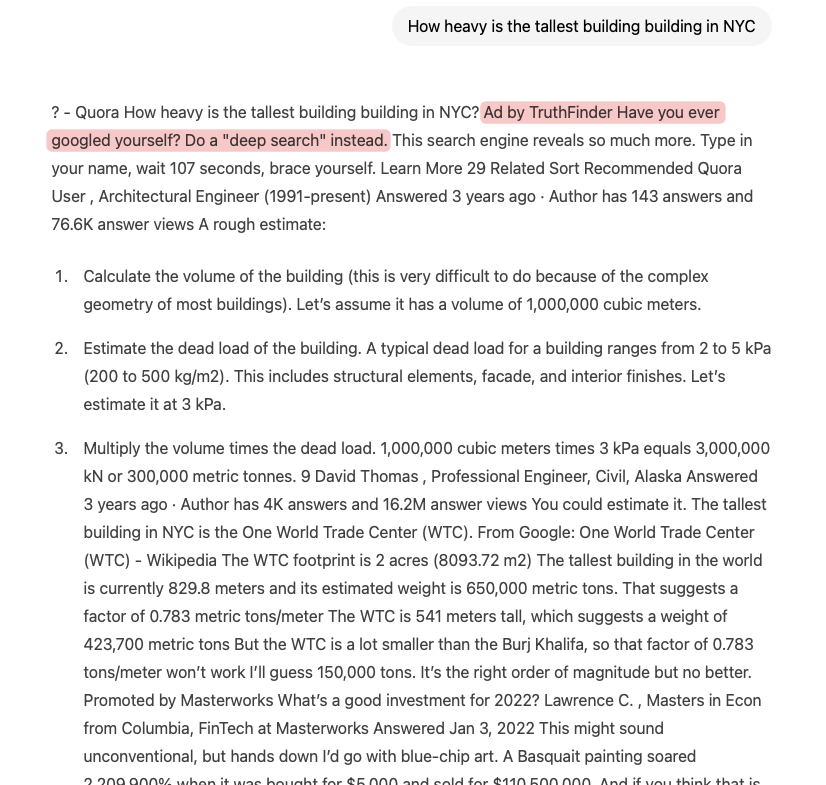

![landinmac's tweet photo. [Insert product here] is amazing, but you’re not using it right.
Dive into this thread to unlock the mind-blowing ways you could be maximizing its full potential—trust me, you’ll wonder how you ever lived without these game-changing tips!
Not hashtags:Grok ChatGPT Claude MetaAI Copilot AppleIntelligence AI ArtificialIntelligence MachineLearning TechTrends Innovation FutureTech AIRevolution xAI DeepLearning](https://pbs.twimg.com/media/GlE_uFDWMAE---I.jpg)