Typeless is now live on Linux 🐧🚀
Think, create, and get things done by voice wherever your work happens, including Linux.
🎙️ Dictate as your thoughts unfold
🌍 Translate naturally across languages
✍️ Write, edit, and ask with Ask anything
🧠 Keep your style and tone
🌐 Recognizes 100+ languages, even mixed together.
More thinking. Less typing. Now on Linux.
Download for Linux
➡️ https://t.co/uhfjOC6Fcm
Today, we're launching Typeless for Linux.
Typeless is now available on Mac, Windows, iOS, Android — and Linux.
The Linux app brings the full Typeless desktop experience, with all the core features available on Mac.
But this launch is about more than adding another platform.
For us, every new platform is another step toward a bigger goal: making voice the default way for people to interact with computers — wherever they think, create, and work.
For decades, the keyboard has been the default interface between our thoughts and computers.
And we've gotten so used to it that we rarely question the friction.
Thoughts come fast, messy, and nonlinear.
Before you communicate them, you normally have to turn them into sentences in your head first.
Then you slow everything down again to type.
We built Typeless to remove both layers of friction.
With Typeless, you can just think out loud.
Follow your thoughts wherever they go. Change your mind halfway through. Add context later. Repeat yourself. Speak imperfectly.
Typeless turns that messy stream of thought into clear, polished writing in real time.
It removes filler words and repetition, structures your ideas, adapts to your writing style, understands your personal vocabulary, and gives you writing that fits the app you're working in.
You can:
• Dictate — turn messy thoughts into clear writing, 4x faster than typing
• Translate — speak in your language and write naturally in another
• Ask anything — use your voice to write from scratch, or select text to edit it, ask questions, and take actions
• Build your dictionary — names, acronyms, and specialized terms get recognized correctly
• Personalize your style — Typeless learns how you write and adapts to where you're writing
• Speak 100+ languages — including naturally mixing languages while you talk
And it's private by design.
Linux users tend to be some of the people who spend the most time interacting deeply with computers.
Developers. Engineers. Researchers. Builders.
They should be able to use voice as naturally on Linux as anywhere else.
Our long-term belief is simple:
Voice will become the default way people interact with computers.
Not because speaking is merely faster than typing.
But because voice gives us a way to communicate with computers much closer to the speed and form in which thoughts actually happen.
To us, that's what real freedom in computing looks like: expressing what you mean without adapting how you think.
And for that future to happen, it can't belong to one device, one operating system, or one workflow.
It has to be available wherever you work.
Linux. Mac. Windows. iOS. Android.
One interface, wherever you work.
Typeless for Linux is here.
Typeless 2.9.0 is now available on iOS and Android. 📱🚀
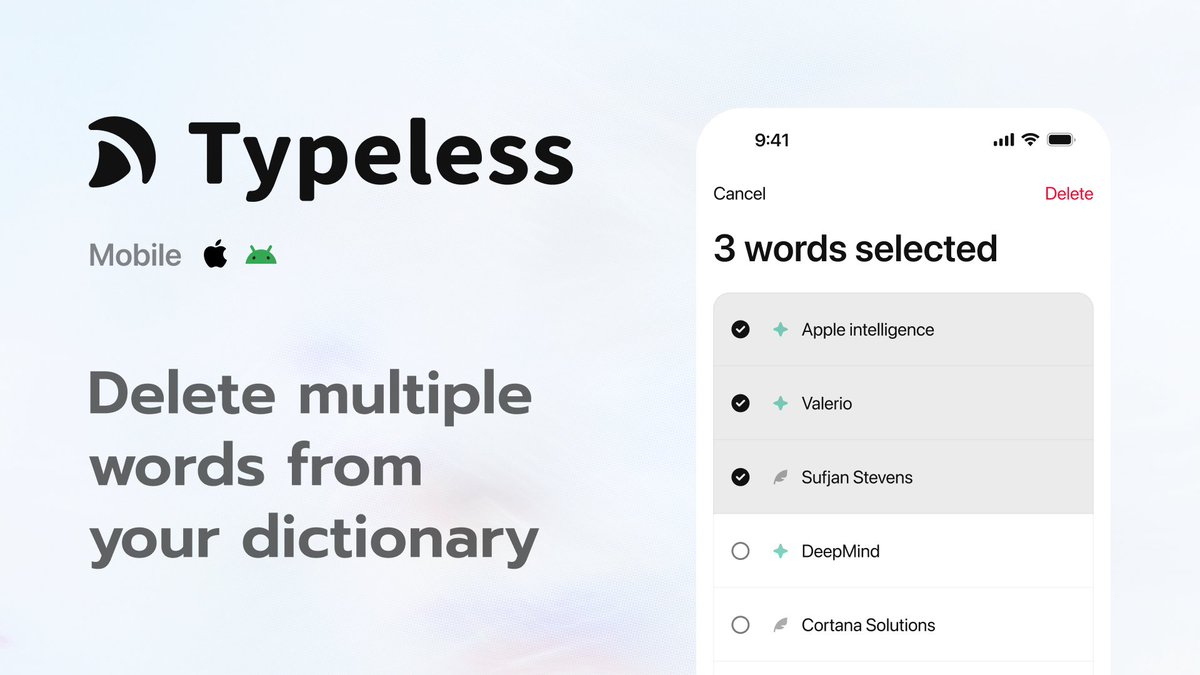
Dictionary cleanup just got quicker. 🧹
☑️ Select multiple words
🗑️ Delete them in one go
🔎 Start from any view or search result
⚡ Keep your Dictionary easier to manage
Update now:
🔗 https://t.co/nJCt25tatn
#Typeless
Typeless 2.8.0 is now live on iOS and Android! 🚀
Auto-added words for your dictionary 📖✨
✍️ Correct a word with Swipe-to-type
📚 Automatically added to your dictionary
💬 Typeless gets it right the next time you say it
✅ A colleague's name, project codename, or your favorite brand
Enjoy a smarter Typeless that truly understands your world.
�� Get the update
https://t.co/nJCt25tIiV
#Typeless
Help me write, now live on macOS, Windows, iOS, and Android 🚀💫
Write what you need from simple instructions. ✍️
🎯 Give Typeless the purpose
💡 Add a few details or requirements
📄 Get a reply, email, post, or document in one go
✨ Or select something you've written and refine it
Keep writing effortless from start to finish.
Start writing now
🔗 https://t.co/uhfjOC6Fcm
One of the features our users love most is Speak to edit.
Select some text and just say:
"Make it friendlier."
"Turn this into a professional email."
"Rewrite this as a viral post."
"Translate this."
But we kept hearing one request:
What if I don't have anything written yet?
So we built Help me write.
Now you can simply tell Typeless what you want to say, and it'll write it from scratch.
We believe voice will become the next major interface between people and technology.
But the real promise of voice isn't just saving time. It's helping us express ourselves better.
Our goal with Typeless is to make voice the most natural way to express what you mean and get things done.
For writing, that means turning your thoughts or intent into clear, polished writing.
Sometimes that means speaking your thoughts and letting Typeless shape them. Other times, it's better to simply express your intent and let Typeless do the writing for you.
Help me write is another step toward a world where you focus on what you mean, and Typeless helps you say it better.
Typeless 2.7.0 is now live on Mac and Windows. 🎉
Mouse shortcuts are here. ⚡️🖱️
💬 Click into a reply → start dictating
📄 Move into a document → edit with your voice
🔎 Scroll through information → ask a question
🕹️ Side buttons · Middle click → Dictate · Translate · Ask anything
Keep Typeless close at hand 👇
🔗 https://t.co/JTqp44LlMN
#Typeless
Typeless for iPhone v0.5.0 is LIVE! 🚀
💙Introducing Translate.
Speak in your own language. Typeless converts it into text that reads like a local.💫
Update today. : https://t.co/GVvMaf2Hge
#Typeless#iPhone