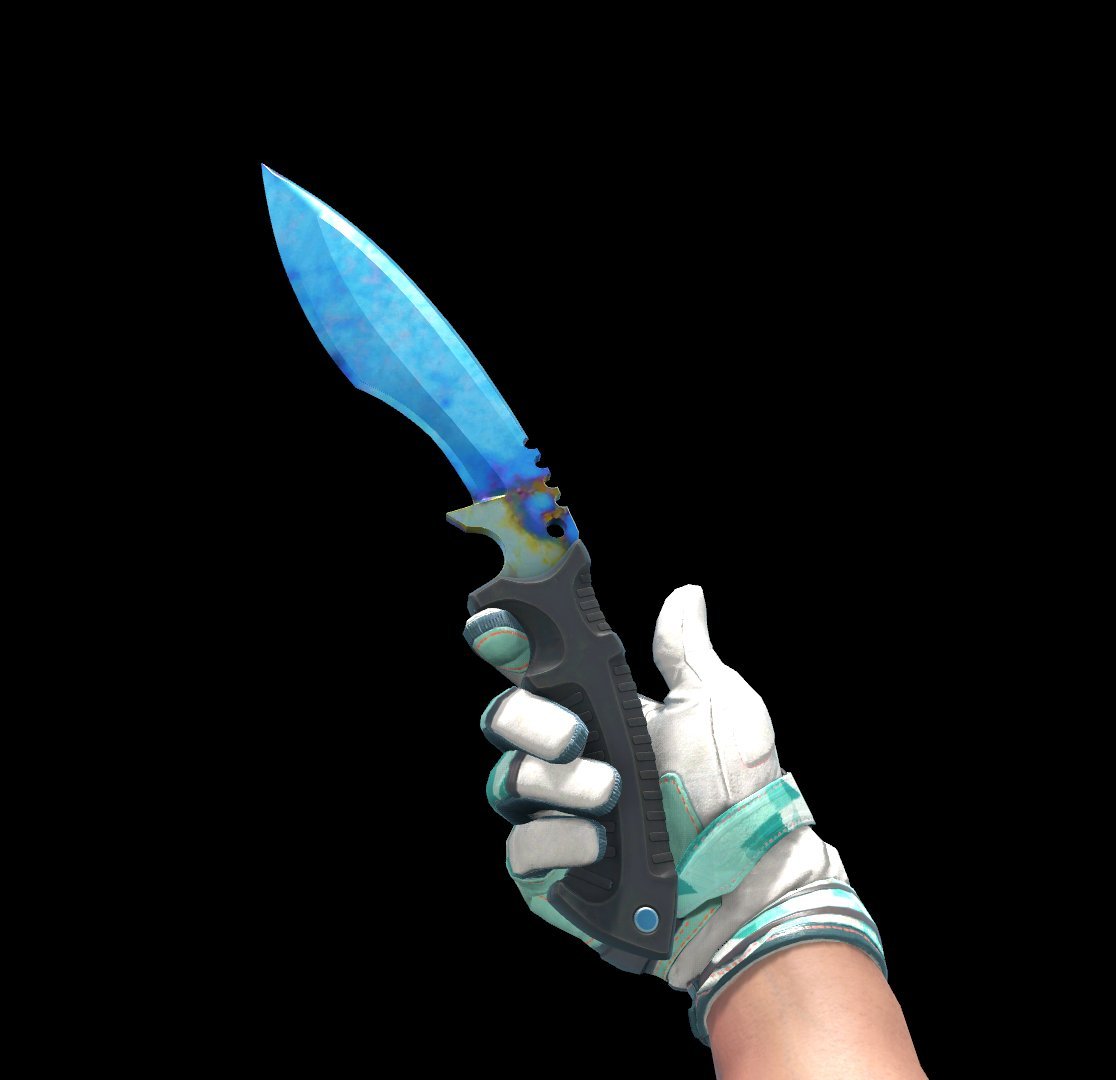
Giveaway this 💎Tier1 Blue Gem #838💎
W one of my best friends🐱🥰 @MewoMewoCS 🥰🐱
He paid around 7-7.5K usd back to 2024 and never posted it for selling b4
To enter you just need to
1. Follow @MewoMewoCS & @MitaoCatCS ✅
2. Like❤️& Repost🔁 this tweet
3. Comment yourself or Tag one of your friends/teammates under the post🛜
🤞Good luck on entering the giveaway
FYI: The prize would be sent to the winner on 17th by @MewoMewoCS (💎🗡️Currently laying in his inventory)
@KoroveshiStavre@anomalyxd@mffntv@TDM_Jesus contact pirateswap
They are legit and do not scam, check if you entered the eth address correctly, dont have any API keys set etc
I am 99% sure you will find out what exactly happend
🚨 Gaming PC Users🚨
✨Type "MSCONFIG" In your windows search bar for the first picture below. Using the SELECTED Red Boxes SCREENSHOT your reply with it!
✅Going help you guys Turn off USELESS Services that wont show in Task Manager to BOOST YOUR Performance♨️
♥️+♻️
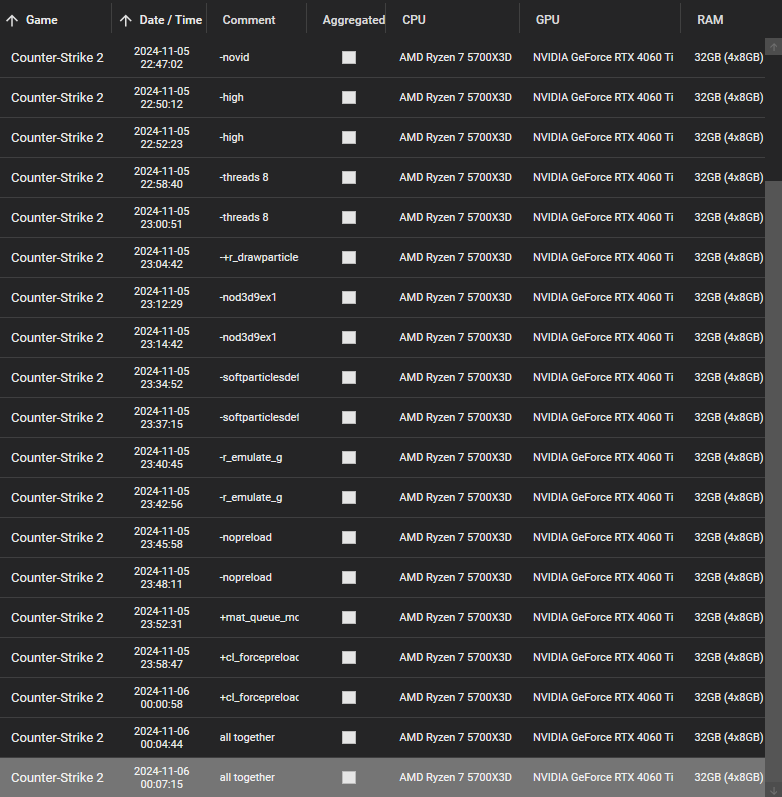
I've tested every single relevant CS2 Launchoption 👽
Here are my results:
I tested every single one; With no launch option the FPS, 1% or the 0,2% are better than with the "recommened" ones
Long story short: Don't use launch options
Result below 👇
#CS2#Optimization#FPS
To get my Custom Powerplan:
https://t.co/W5yXxaemwY
Download the .zip, put all files under the C:\ Drive and execute the .bat file
After that, you can easily select the Powerplan in the Control panel
The files can be deleted after applying!
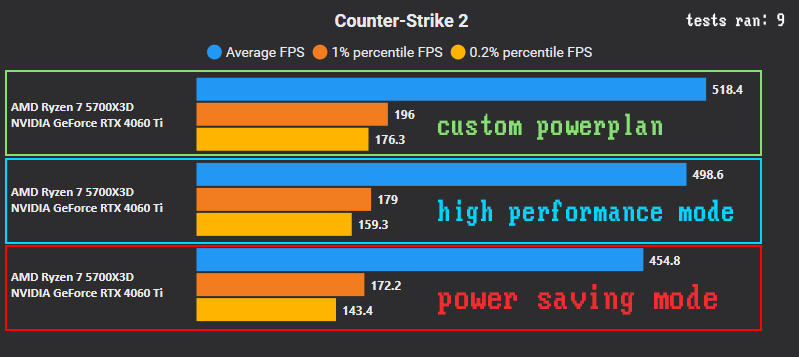
Windows Powerplans affect your FPS:⚙️
Power Saving vs High Performance vs My Custom Powerplan
the difference between my custom and power saving mode is over 60 FPS in my case.
(check reply for powerplan)
Benchmark results below 👇 #CS2#PCOptimization#FPS
Does this really work? I've tested it 💻
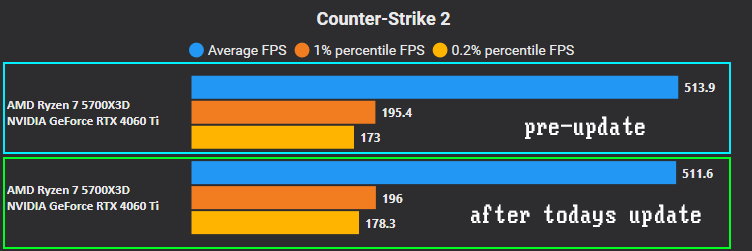
Before clearing: FPS varied from 497 to 510, averaging 507.
After clearing: FPS stabilized (ingame) at 522 across 7 tests, averaging 511 with no drops.
Worth a try for anyone looking to boost CS2 performance! Benchmark results below 👇
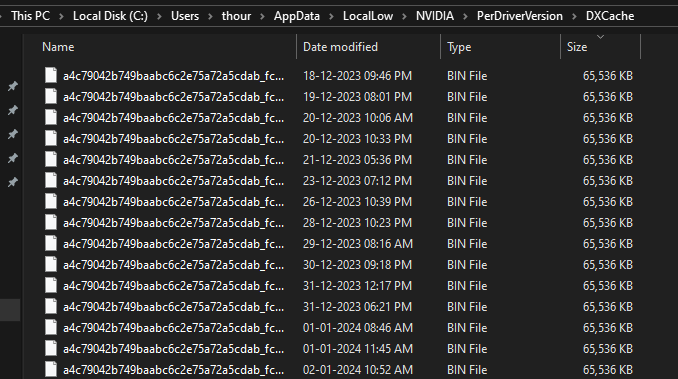
I was having stutter issues in CS2 and found an old reddit post called "If you have microstutter issues delete your DirectX shadercache" from Tom Clancy's subreddit.
Solution is to delete the DirectX Shader Cache:
- Delete DirectX Shader Cache from Temporary Files Option
- Delete Files in DXCache Folder (%USERPROFILE%\AppData\LocalLow\NVIDIA\PerDriverVersion\DXCache)
- Restart your PC
It definitely worked for me, I am not stuttering as I previously was. Give it a try once.