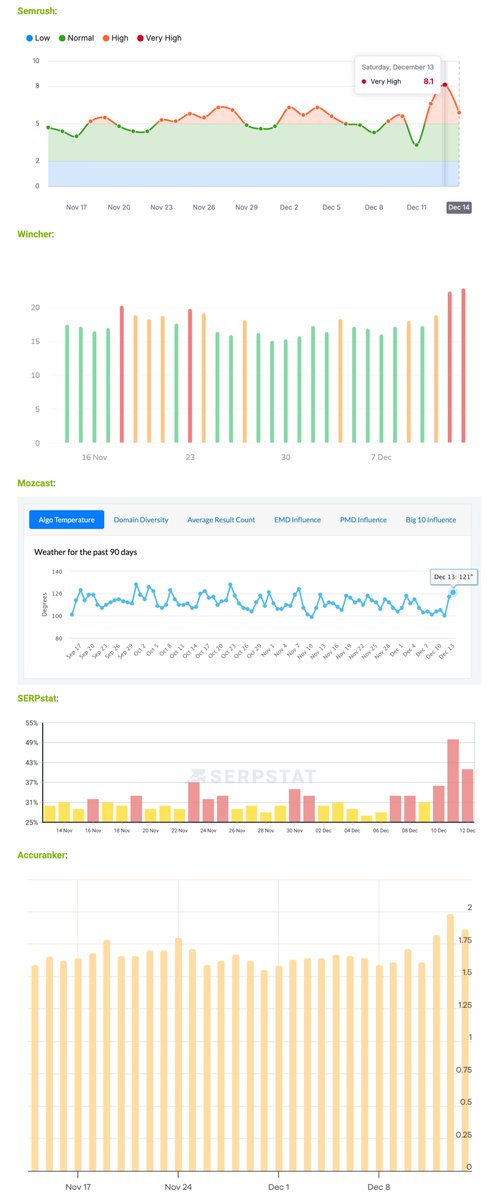
The Google December 2025 core update already has an intense impact early, mostly visible yesterday, Saturday. More chatter and charts, more details at https://t.co/zB1EoS34XN
CSS Tip! 🚥
You can create these trending expanding scroll indicators with scroll-driven animations and flex 🤙
.indicator {
animation: grow;
animation-range: contain calc(50% - var(--size)...;
animation-timeline: var(--card);
}
@keyframes grow { 50% { flex: 3; }}
What's the trick? Put the indicators in a container using flex layout and set a width larger than the number of indicators 😉
.indicators {
aspect-ratio: 7 / 1;
display: flex;
}
Importantly, set no gap 🤏
To mimic the gap set a transparent border on each indicator and set the background using padding-box
.indicator {
background: linear-gradient(#fff, #fff) padding-box;
border-radius: 50px;
border: 4px solid transparent;
}
Now for the animation. You want to create a view-timeline for each card that moves across 🤙
li:nth-of-type(1) { view-timeline: --one inline; }
li:nth-of-type(2) { view-timeline: --two inline; }
Make sure they use the inline axis too!
The trick is hoisting these view-timeline so the indicators can use them with timeline-scope 👀
.track { timeline-scope: --one, --two, ...; }
All that's left is for you to create the animation piece using some calc with the card size ⚡️
.indicator {
--size: calc(var(--card-width) * 0.9);
animation: grow both linear;
animation-range:
contain calc(50% - var(--size))
contain calc(50% + var(--size));
}
.indicator:nth-of-type(1) { animation-timeline: --one; }
.indicator:nth-of-type(2) { animation-timeline: --two; }
@keyframes grow { 50% { flex: 3; }}
And there you have it, responsive scroll indicators using CSS scroll-driven animations 😎
Sprinkle a little JavaScript to make them clickable and scroll the the right card ✨
const shift = (event) => {
if (event.target.tagName === "BUTTON") {
const index = [...event.target.parentNode.children].indexOf(event.target);
const item = document.querySelector(`li:nth-of-type(${index + 1})`);
item.scrollIntoView({
behavior: "smooth",
inline: "center"
});
}
};
As always, any questions or suggestions, let me know. I've put a JavaScript fallback in to use GSAP in browsers that don't have scroll-driven animations 🫶
@CodePen link below! 👇
Gran lavoro del team performance #WordPress in questo 2023: "The overall CWV passing rate across all WordPress sites has improved from 28.31% to 36.44% (+8.13%) on mobile devices and from 32.55% to 40.80% (+8.25%) on desktop devices."
#CoreWebVitals#Google#SEO
WordPress improved CWV passing rate by more than 8% in the past year, notably more than the rest of the web. It's a direct outcome of the excellent performance contributions in 2023. We still have a ways to go, but this is awesome progress. Learn more: https://t.co/RFXX69vyWk
"At the moment, the enhancement is only available in the US, but Google has said that they are looking to expand its coverage in the near future." #eCommerce#SEO#Google#GoogleSearchConsole
SEO Tip: want to make your eCommerce website stand out more in Google's search results?
Make sure to pay attention to the Merchant Listings report in Google Search Console, with two new items in particular having a big influence.
The report allows you to monitor whether Google is able to pick up on both your returns policy and shipping details for pages.
This data can then be reflected almost site-wide (for both product and category pages) in addition to stock availability, pricing, reviews stars, and more.
In my experience, Google can pick up on this data through making it available either in your Structured Data or through product feeds submitted to Merchant Center.
When working with clients in the eCommerce space, I regularly find that they are not making use of this new enhancement for their pages. So make sure to check!
At the moment, the enhancement is only available in the US, but Google has said that they are looking to expand its coverage in the near future.
#seo #searchengineoptimization #google
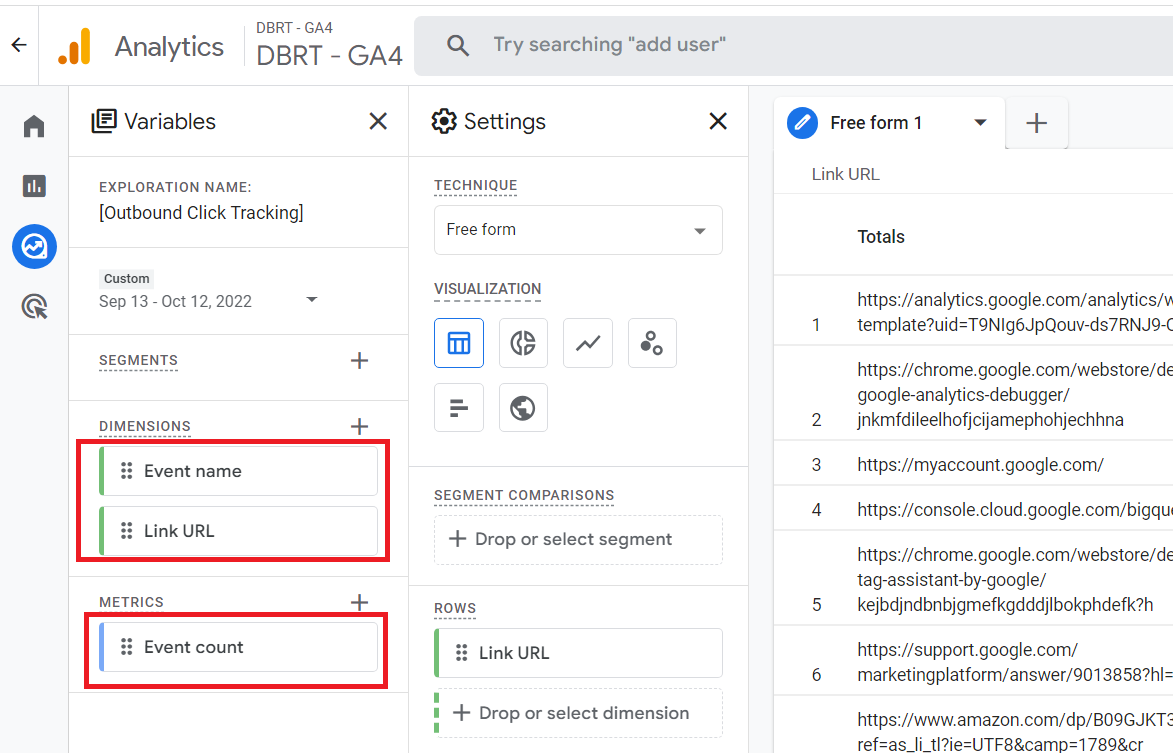
Here is how you can create a report in #GA4 to track outbound links (external links)...
In GA4, you can track clicks on external links on your website without any additional code or tagging.
You just need to enable the 'Outbound clicks' tracking feature under 'Enhanced measurement'.
Once this tracking feature is enabled, whenever a user clicks on an external link on your website, GA4 fires an event called ‘click‘.
This event is captured along with the ‘Link URL‘ dimension.
.
Note: The external Links configured for cross-domain tracking will not trigger outbound click events.
.
.
External links (also known as ‘Outbound links‘) are links to other websites from your website.
For example, a link to your amazon profile from your ‘about us’ page is an external link.
If you are an affiliate, you would like to know how much traffic you are sending out to other websites.
You would like to know which external links are clicked by your website users.
If your website links out to your social media profiles, you would like to know which social media profiles are visited by your website users.
You can get answers to all these questions by using the outbound click tracking report.
Did you know that if you hold CTRL it will pause Task Manager updating, which means the process names don't move around and are easier to select when you're sorted by resource usage? 👀
Works in both Windows 10 & 11
Google is drastically reducing the visibility of FAQ and How-To rich snippets.
After end of this week:
1/ FAQ = only for gov or health sites
2/ How-to = only on desktop
I have questions, like… why?
My thought: they take away too many clicks from Google’s SERP Features.
We haven't recorded anything like this since 2017!!!
Not so much an update but more of a historic event at Google. A major infrastructure change? Keen to see what it boils down to. Source: https://t.co/UkAhU5i1WK
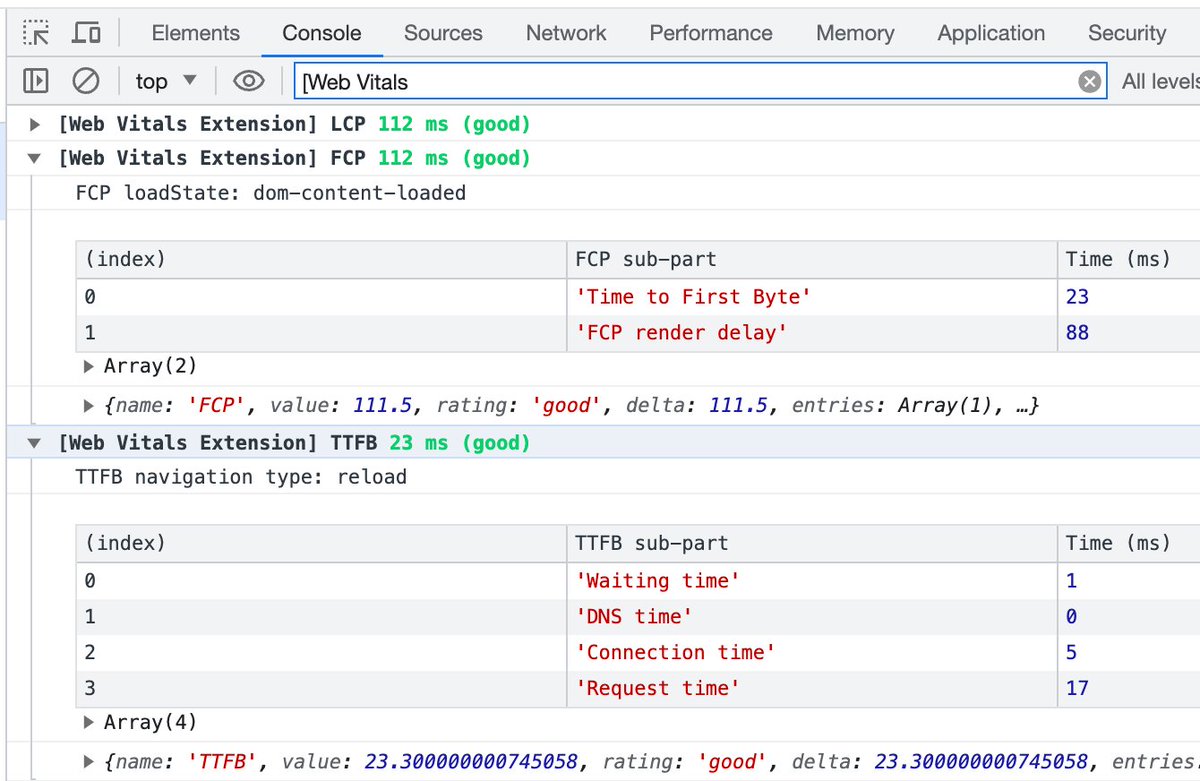
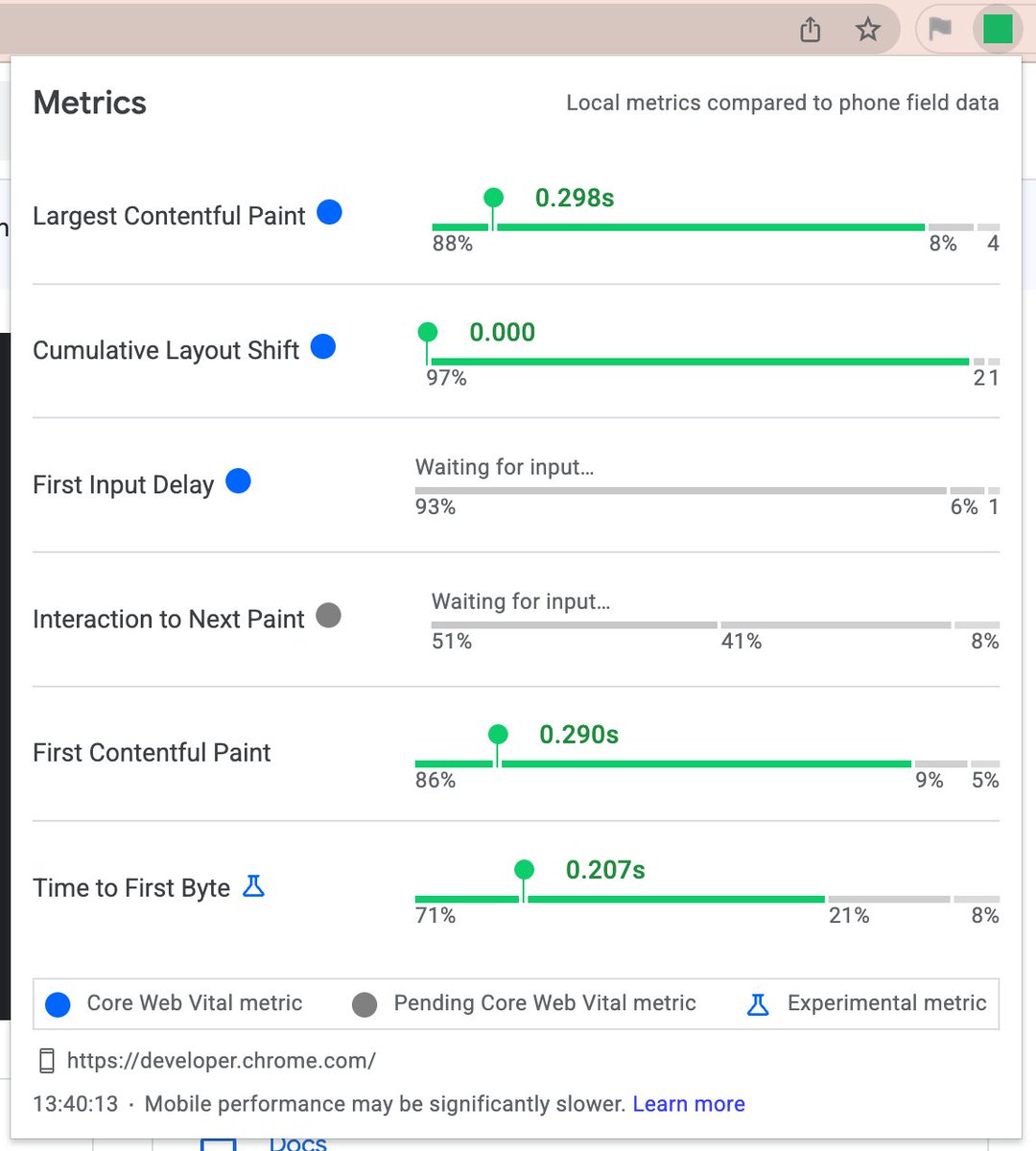
The Web Vitals extension has been updated to include the FCP and TTFB diagnostic metrics to help you further understand your Core Web Vital metrics. Check it out!
https://t.co/rottdwS6gR
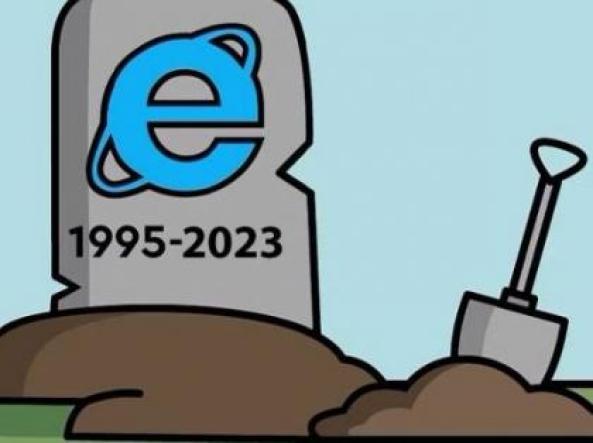
"14 febbraio 2023: il #browser di Microsoft è stato ritirato dal mercato e non è più accessibile. Quando si clicca sull'icona blu, Windows propone di passare a #Edge il suo nuovo browser. Insomma, non c'è scelta." #InternetExplorer#browserwars
➡️ https://t.co/hD719bwfyf