Everything in one notch. Clipboard history, files, music and on-device dictation at the top of your Mac. Built for macOS 26+. Follow for demos and updates.
1.1.5 is live. (Build 11)
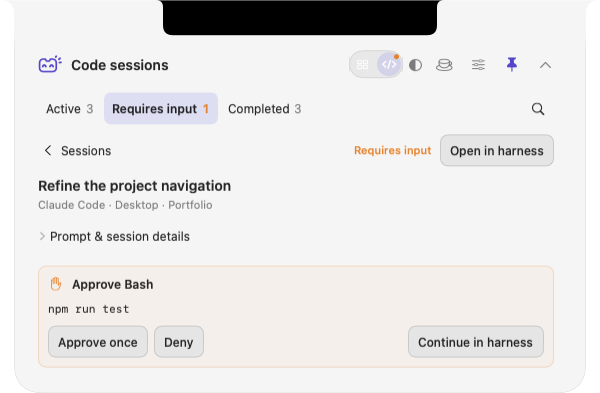
See calls, reply to Messages, and approve Codex commands, all from the notch.
• 3rd-party AI for non-Apple Intelligence Macs
• Apple Notes
• 8 languages
• macOS 15+ now supported
3-day free trial (everything unlocked) → https://t.co/8c9k2PottJ
@ezra_sf Under 200ms is the point where it stops feeling like dictation and starts feeling like typing. I fought the same latency building on-device dictation into my Mac app. Where did the biggest cut come from, model size or keeping it warm?
@Matt1Corey The Archive-to-Pin swap is the sneaky one. A button people hit 50 times a day moving costs everyone a day of muscle memory. Solo Mac dev here, and it's the bit I'm most careful about: move nothing without a release note.
20+ Tools at the top of your mac.
One command centre for music lovers, productivity and developers.
A little notch, a lot more mac!
https://t.co/Lkqh4tB6DK
#mactools#macapps#notch
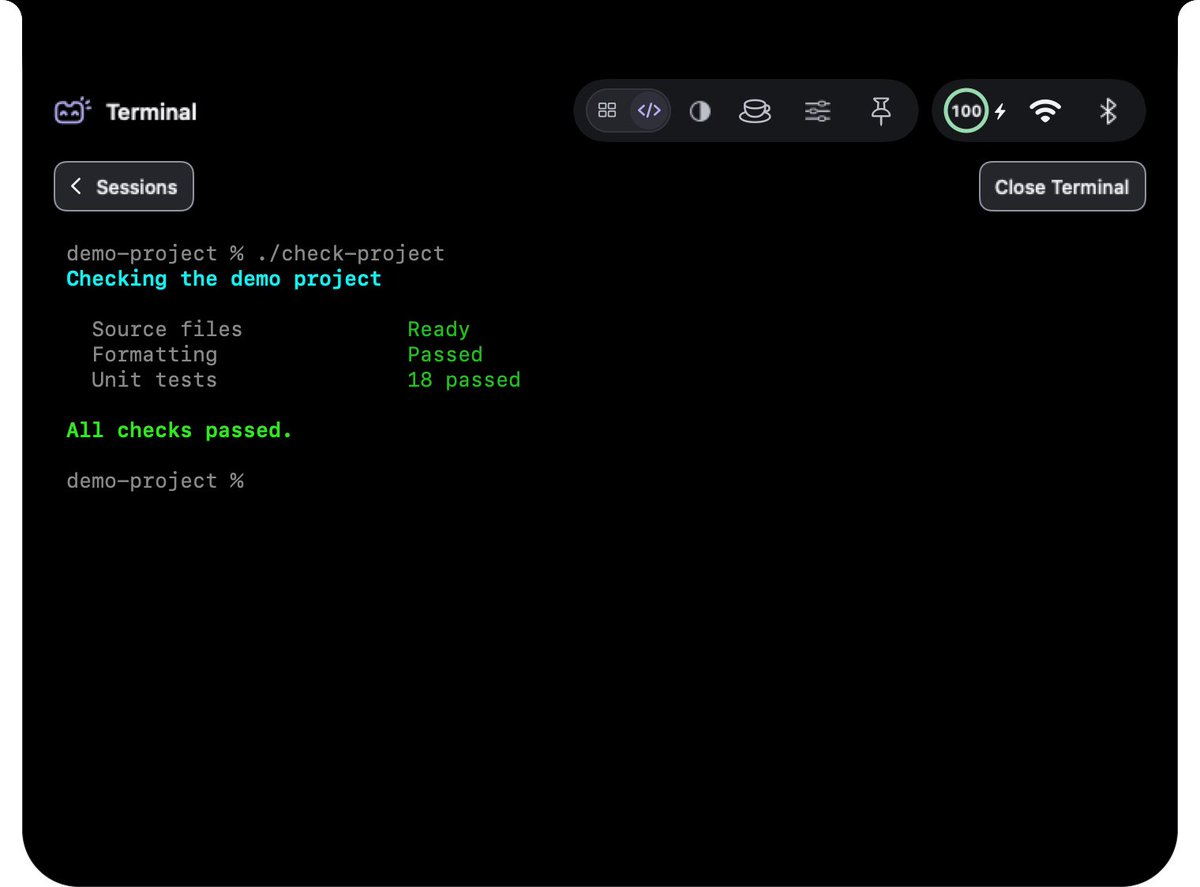
MicroNotch 1.1.6.1 is out, with a terminal right in your notch.
Open it from Code Sessions, get to a shell prompt in about 50 ms, and run Codex or Claude Code without leaving what you're doing.
The update is waiting in the app. Full notes at https://t.co/nTyViF2ljP
MicroNotch is live on Product Hunt!
I built a little home for dictation, clipboard history, notes, files and coding agents in your Mac’s notch.
3-day free trial. One-time purchase. No subscription.
Would love your feedback!
https://t.co/6ceXsNyjIR
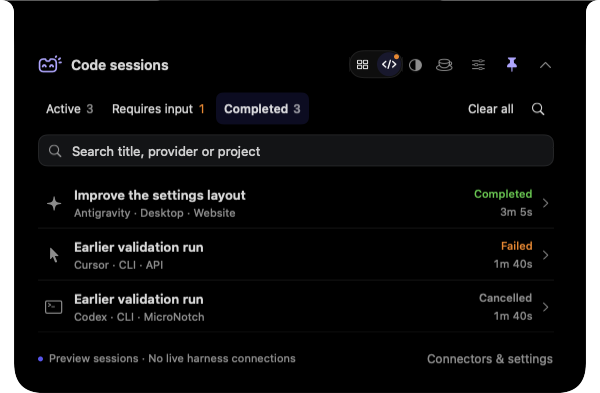
Which coding session needs you right now?
MicroNotch’s Code mode shows what’s running, what needs input and what’s finished, right from your Mac notch.
https://t.co/8c9k2PottJ
Hold Fn. Speak. Release to insert.
MicroVoice transcribes English on your Mac. Code mode keeps supported AI coding sessions and input requests in view.
A 60-second look at both in MicroNotch:
https://t.co/xHWhwYKBGP
macOS 26+. Local model download required.
MicroVoice just got faster in MicroNotch.
Short or long dictation now reuses the same prepared on-device engine.
You’ll also see:
🟠 Orange while listening
🔵 Cyan while transcribing
✋ A fix for quick Fn taps when using hands-free dictation
100% on your Mac. Update in the app
MicroNotch 1.1.0 is out.
Smaller panels. Clearer settings.
• Settings in their own window
• Compact notch panels
• Activity bubbles for coding & input
• 8 languages (EN, ES, DE, FR, IT, PT-BR, RU, UZ)
Update in the app or read the notes:
https://t.co/nTyViF2T9n
Running Claude Code, Codex or Cursor while you do something else?
Code mode shows what's working, what needs your answer and what's finished, at the top of your Mac.
Controls vary by provider.
https://t.co/fTuSDMiMeS
@BertrandDiouly Stacked terminals in a side panel is a neat idea. I'd open-source it, the Claude Code crowd loves to tinker. Do you get a nudge when one of the six is waiting on you? That was my biggest pain.
@IndieMarkdowns@godsall_dev The lifetime part stays, that's a promise: pay once and updates are included. £14.99 is the launch price, so it may not stay that low forever. Happy to send a deal over for your list if that helps 🙌
A Notch that lives on your mac
• On device dictation, no sub, no cloud.
• Coding monitor.
• 20+ Tools for your mac.
Free 3 day trial, £14.99 introductory lifetime licence for 2 macs. Lifetime updates guaranteed. https://t.co/8c9k2PnVEb
#macos#macapps#notch
MicroNotch 1.0.3 is out 🚀
Code mode just got better at keeping tabs on your AI coding sessions from the notch.
Update from inside the app, and switch on auto-updates so you never miss one. Included with your lifetime licence, as always 🫶
What's new: https://t.co/nTyViF2T9n
@OlivioSarikas Great roundup! Would you be up for adding MicroVoice to the next one? It's 100% on-device dictation built into MicroNotch: hold Fn, speak, and the words land at your cursor. One-time price, no subscription. Happy to send you a free licence 🙌