if you’re dynamically masking a scroll container with css, consider leaving room for the scrollbar instead of masking it too 🧑🍳
mask-repeat: no-repeat;
mask-size: calc(100% - 10px) 100px;
Every site has a story to scroll 📖
With the new Scroll-Triggered Animations, you can transform your site into an immersive narrative that keeps your users engaged. Create beautiful time-based animations with zero JS, all natively in CSS.
Break free from static UI and create your story in minutes.
#GoogleIO
This CSS unit is quietly ruining your website's mobile experience.
In mobile, "vh" doesn't account for the browser's address bar so the bottom of your page gets cut off.
Even worse if you have a bottom right action button since users won't even know it's there.
The "svh" unit fixes it:
.page {
min-height: 100svh;
}
If you found this one useful, follow for more! ❤️
I made this small demo 👇. I needed it!
I know there are a few fonts that support tabular numbers by default, but this CSS rule is a game-changer.
`font-variant-numeric: tabular-nums` makes numbers look as they should.
Play with this little demo here → https://t.co/N6dkIsmHc9
Gap decorations are now in Chromium 149 (stable rollout in 5 days)!
Shoutout to the folks at @MSEdgeDev for the implementation, post, and demos:
https://t.co/mkjspRpIcc
🦊 Firefox 150: color-mix() now accepts more than two colors at once.
Mix any number of colors in a single declaration — no more nesting multiple calls.
Read Now 👇
https://t.co/kTQrRg7pkN
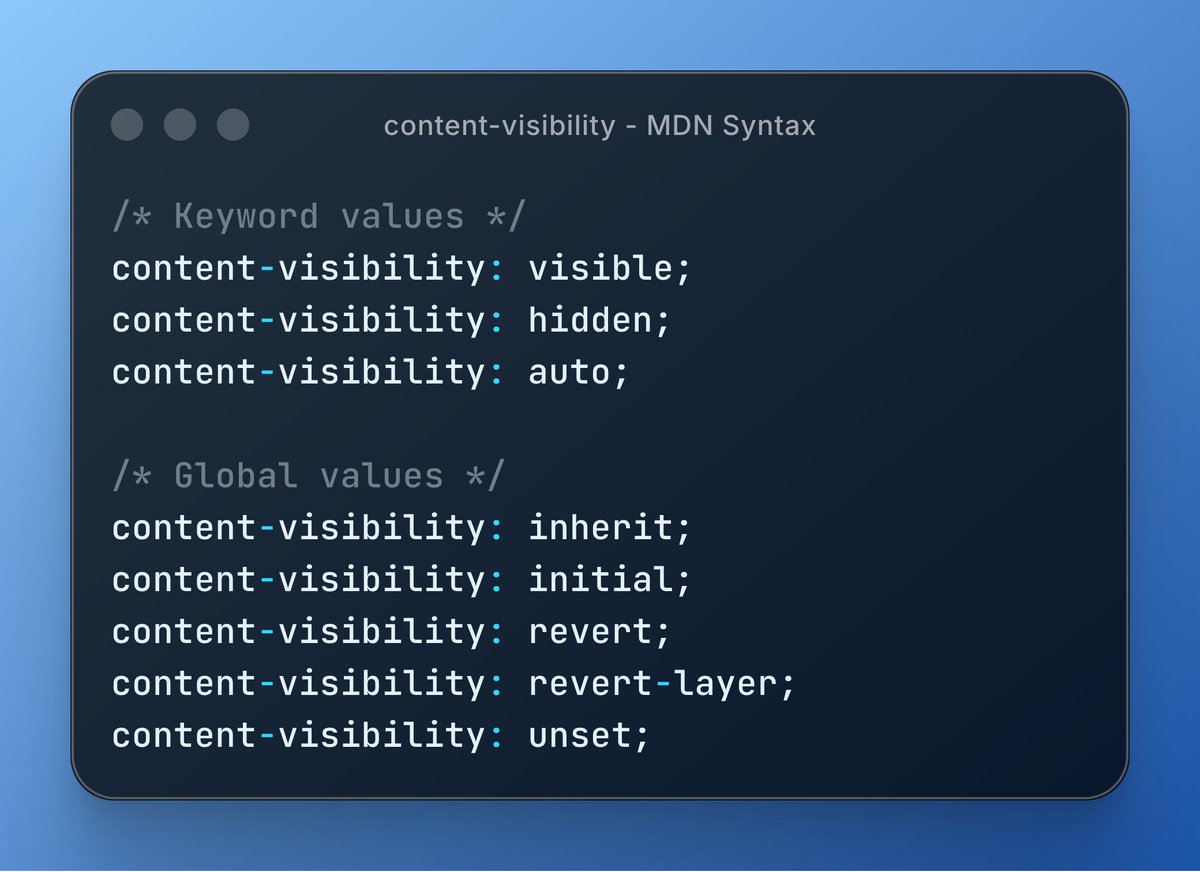
Speed up rendering with content-visibility: auto ⚡
This CSS property skips rendering off-screen content until needed, giving massive performance wins on long pages.
⋅ Pairs with contain-intrinsic-size
⋅ Zero-effort lazy rendering
Learn more 👇
https://t.co/aXEBbjqooA
Container scroll-state queries let you apply styles to elements based on the container's scroll state — stuck, snapped, or scrollable👇
.section-header {
...
container-type: scroll-state;
container-name: sticky-hd;
}
@ container sticky-hd scroll-state(stuck: top) {
...
}
#CSS
This one line of CSS will make your website feel more native.
On mobile, tapping on clickable elements triggers an ugly blue highlight.
This gets rid of it:
html {
-webkit-tap-highlight-color: transparent;
}
If you found this one useful, follow for more. ❤️