Talked to someone recently who knows a lot about defense tech, and he made an interesting point: the test of most military hardware right now is whether the Ukrainians want it. They have a hot war going against a determined opponent, and they know what works.
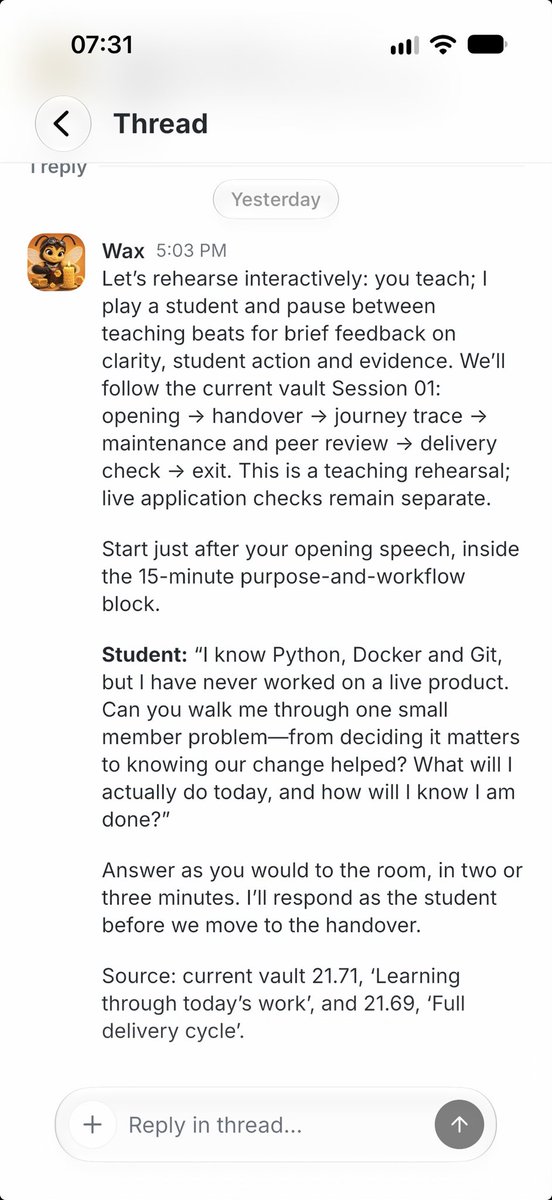
Preparing a new course is always a challenge: the pace is not tested, the background and gaps in the student knowledge are unclear
One of the most useful tricks I found: rehearsal
Ask an AI agent to be a student and start interacting. The output is the valuable feedback!
@grok thank you for finding this 🙏
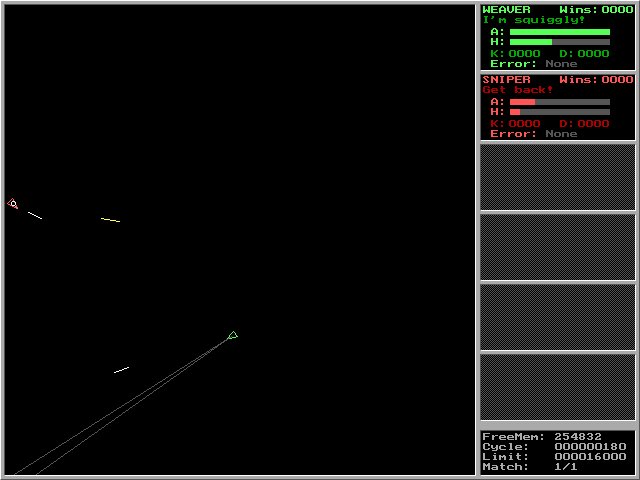
The closest classic examples are Crobots (1985, DOS, C subset language) and its relatives RobotWar (1981), RoboWar (1990), and AT-Robots.
In the post-Soviet scene a similar title, Robot Warfare 1 (1999), was especially popular among schoolkids who coded bots and ran them against friends’ creations
One of the most exciting computer games in my childhood was this:
You and your friend build a “bot” with a certain strategy and algorithms and then you start a session and observe who hunts who.
Pretty agentic vibes we had back in 90s 🤖
Grafana Tempo - a distributed tracing tool, helps to understand how to improve performance by highlighting the paths.
This example shows the entire request took ~1 second, where calling Jev model takes ~478ms to establish TCP connection and ~333ms to complete the LLM evaluation.
Want to improve the response? Now you know what to cut
One of the cool features of Openclaw 🦞 – ability to extend UI with widgets on sidebar
Works like a charm for data intensive flows. Fetching bank statements and keeping my ledger updated + nice updated charts in the dashboard. Pretty neat! 💸
@valeriyproklov That’s the live Grafana dashboard for the production system. Whenever I flip a feature flag that changes the email classification strategy, I expect the dashboard to reflect this on the live metrics
Just completed experiment and keen to report
Jev dropped p95 for our email classification in email-to-ticket flow from 8 seconds using gemini-3.8-flash to 1s using Typesafe 🔥🤘
Often I stumble upon a good post on X, but not in the right mood to act on it.
The flow I found pretty useful, is to save it for later and digest my X bookmarks next morning and send it to the Telegram channel
join me, it’s free :)
https://t.co/IVTMa5gnpL
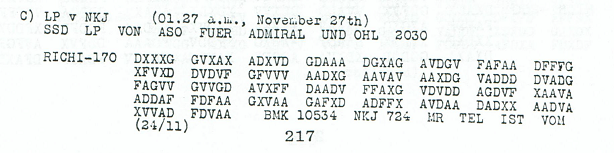
GPT-6 Astra deciphered a 1918 German radio transmission that, to my knowledge, has never been deciphered before.
The message below translates to:
"EIN ENGLISCHER KREUZER EINLIEG X SEWASTOPOL X S4STEN X EIN GESCHWADER DER X ALLIIERTEN FOLGT 26STEN X"
or, in English:
"AN ENGLISH CRUISER ARRIVED AT SEVASTOPOL ON THE ?4TH AN ALLIED SQUADRON FOLLOWS ON THE 26TH"
Astra even double-checked its work by determining that an English cruiser, HMS Canterbury, reported its arrival in Sevastopol on November 24, 1918 and the arrival of an allied squadron on November 26, 1918.
This message is one of the ~20 WWI German radio messages that appear as one of the entries in the https://t.co/H7yLaI1edV list of top 50 unsolved ciphers (https://t.co/Qu2gp90pmD).
A minor, but really cool result!
Emacs showed what people may want: extensibility, tiled window management, remote everywhere out-of-the-box, assignable shortcuts for everything.
I always faced this struggle with Emacs bindings over the OS bindings, however, AI changed this. I almost don't need to open an editor nowadays.
Omarchy gives the same experience as powerful users of Emacs have gotten for a long time, but OS wide! What a twist!
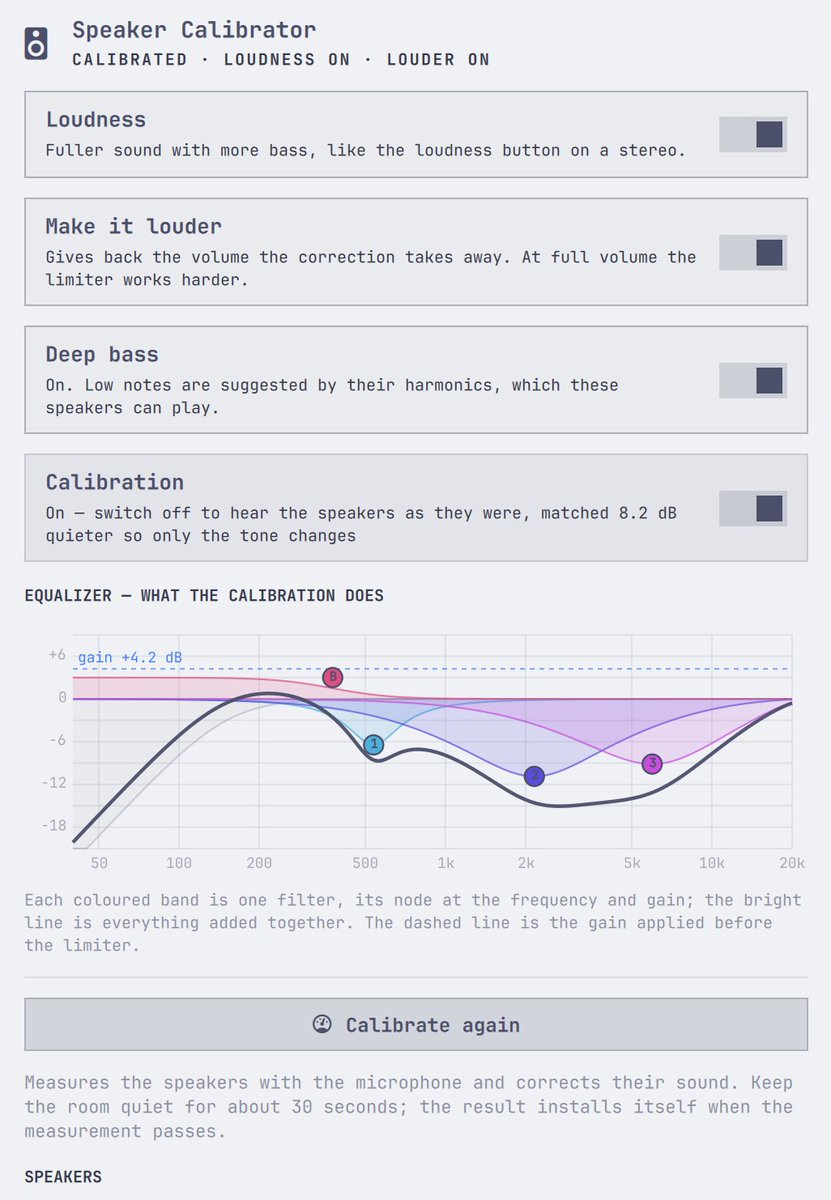
@mprokopov You can definitely improve these shit speaker to a tolerable experience, with some harmonic fairy dust. But let’s agree that laptop manufacturers should give us better sound hardware.
Let me know if you like the fairy dust, would love to read your experience with it.
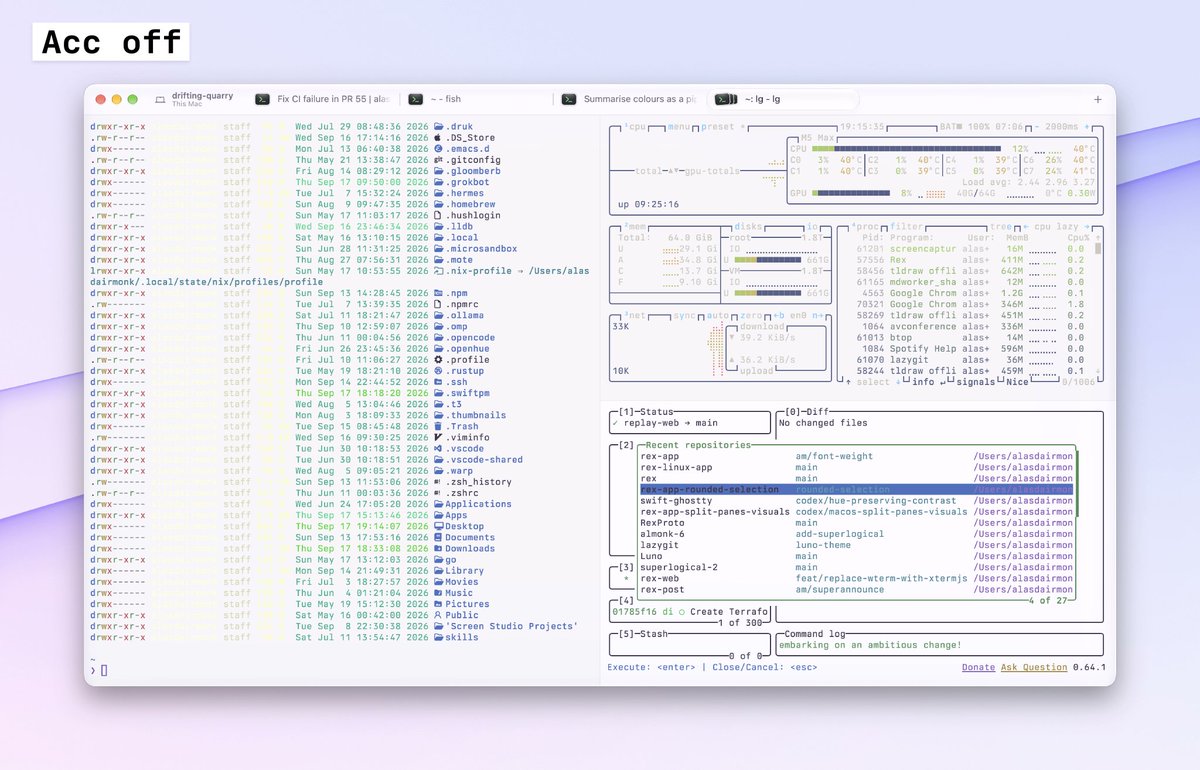
Have some fun stuff to share for fellow light mode terminal lovers: we call it Automatic Contrast Correction.
Users of light themes will have felt my pain. Developers have generally designed text interfaces for dark mode terminals.
There are many examples in the tui apps I use everyday: `lsd`, `btop` (with theme bg off), even my beloved `lazygit` has some suss legibility out the box. The issues are so bad, I generally switch to a dark theme to read stuff.
Automatic Contrast Correction fixes this issue by evaluating contrast at runtime between whats being sent from the server to the macOS client versus the theme mode the user is running.
Our correction pipeline finds low contrast foreground/background combinations, does some oklab magic, hue rotation towards theme-colors, contrast checking and produces an end result of theme-harmonious, perfectly WCAG-approved legible text.
All this happens in nanoseconds and is then cached for performance. It's built right into the @superlogical client.
(Screenshots above show ACC off and on)