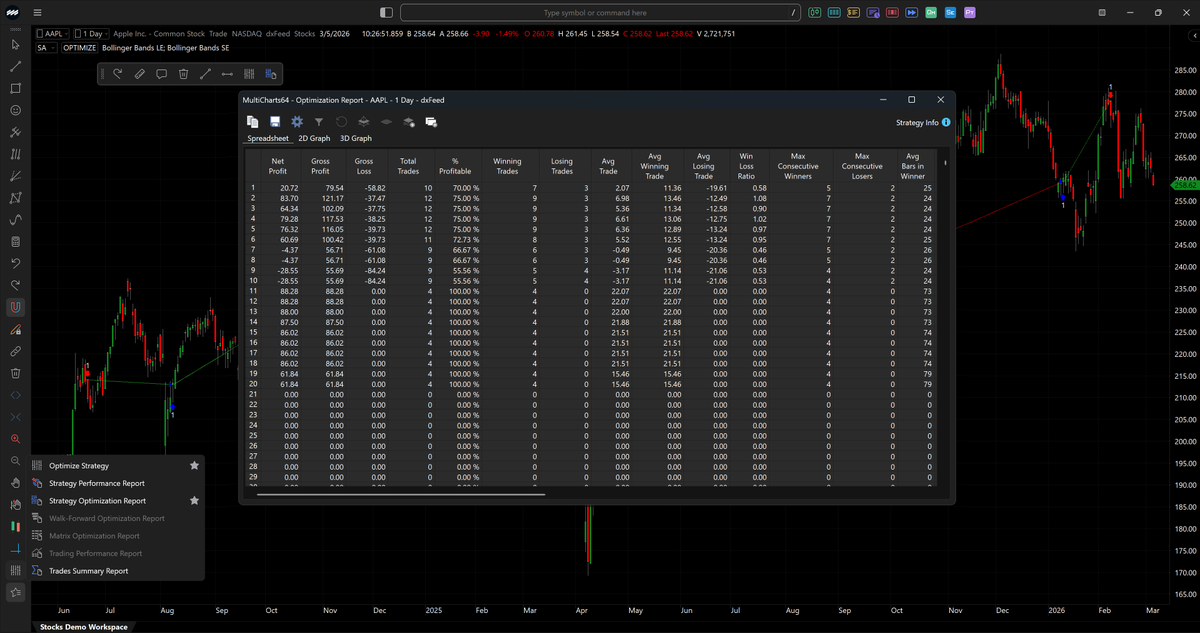
MultiCharts 16 Release 5 is here – time for a spring makeover! 🌷
Let your setup bloom with:
Dark theme for Optimization Reports
Adding/removing tools to Favorites with one click
Sleek new controls for maximized windows on hover
Update now and enjoy!
https://t.co/Y6byXxwWqK
MultiCharts 15 Release 16 is now available.
This update brings improvements to Volume Profile, Symbol Mapping export/import, alerts, data saving, and more.
Check out all updates in our What’s New and grab the latest version from our Download page.
https://t.co/Y6byXxwWqK
@JimmyS2079733 It appears to be working on our end. Could you please try reloading the page using CTRL+F5? Let us know if you’re still experiencing any issues.
@hughesanalytics We’ll be happy to look into this further. Feel free to submit a report or join the live chat to demonstrate, as suggested in the mentioned forum thread.
@hughesanalytics Please refer to the “Why PowerLanguage Editor Freezes” guide: https://t.co/SIiEkqxUcw
If the issue continues, kindly submit a Feedback report as outlined at the end of the guide.
@iatin74 Thanks so much for your feedback! We agree that educational content is important and are working on adding more video resources in the future.
🚀 MultiCharts 15 Release 12 is here!
✅ TradeStation broker integration
✅ IB Adaptive algos support
🧰 New Drawing Tools:
• Cross Line
• ABCD, XABCD & Triangle Patterns
Upgrade now to enjoy new tools!
#trading#MultiCharts#release
@iatin74 We’ve recently updated our video tutorials: https://t.co/HfROKejzee
And we also have a Help Center with guides and technical documentation: https://t.co/xVuoxAKm63
If you don’t find answers you need there, our support team is here to help: https://t.co/MrNqv4BSjL
@AlanVil33974577 Python integration is still in Beta, so the licensing/versioning details are still being finalized. We’ll make sure to pass your feedback along!
If you don’t have a .NET license for the Python Beta, just contact us — we’ll set you up with a trial. https://t.co/DsU5PjmjsL
🚀 Introducing MultiCharts x .NET Open Beta with Python Support! 🚀
Try Python alongside C# & VB, with access to powerful libraries like NumPy, SciPy, and TensorFlow.
Download the beta now and share your feedback here:
https://t.co/8en9WTZzgy
Crypto is booming, and with MultiCharts 15 Release 11, we've expanded your options — now you can access crypto instruments from Interactive Brokers and Trading Technologies.
Don’t miss out on this update! 🔥
#CryptoTrading#MultiCharts#InteractiveBrokers#TradingTechnologies
🚀 New in MultiCharts 15 Release 11!
We’ve just added Fibonacci Channel and Pitchfan drawing tools, along with cryptocurrency categories for Trading Technologies and Interactive Brokers, and other improvements.
Start exploring now! #MultiCharts#Crypto#Trading#Fibonacci
🚀 New in MultiCharts 15 Release 10! 🚀
We’ve added the Side-by-Side Volume Histogram style to Volume Delta charts! Now it’s even easier to spot buying and selling activity at a glance.
Update your platform to try it out, and let us know what you think! 👇
🚀 Have you tried the newly added drawing tools in MultiCharts?
✨ Fibonacci Spiral – spot key levels with the golden ratio!
✨ Fibonacci Wedge – project breakouts & reversals with precision.
Update now & level up your charts! 📈🚀📊
🎉 New features in MultiCharts 15 Release 7!
Undo (Ctrl+Z), Redo (Ctrl+Y), and Repeat (F3) commands for drawings.
Smarter Snap Mode: Snap to bar elements or stop snapping dynamically.
Upgrade your charting experience today! 🚀 #Trading#Charting#MultiCharts
We're excited to introduce a new level of customization in MultiCharts!
You can now adjust transparency when selecting colors for your drawings, giving you even more control and flexibility in your charts.
Perfect for highlighting key areas while keeping your chart clear. 📊✨
In our latest release, we’ve introduced the Drawing Synchronization mode!
Now, you can effortlessly add and modify drawings across multiple charts for the same instrument within your workspace or desktop.
Elevate your trading experience with Drawing Synchronization!