Microsoft has just announced Windows 365 Link, a $349 mini PC that connects to the cloud to stream Windows. The purpose-built device is also a Copilot+ device, with Microsoft bringing Copilot+ features to cloud PCs. Full details below 👇https://t.co/zvRQGSUirD
The ChatGPT desktop app for Windows is now available for all users 🖥️
Get faster access to ChatGPT with the Alt + Space shortcut, and use Advanced Voice Mode to chat with your computer and get hands-free answers while you work.
https://t.co/UzTM7ZGRpt
NEW: Version History Limits options for Microsoft SharePoint document libraries!
Microsoft is introducing new version controls that help admins and content owners reduce storage footprint driven by low value file versions.
Previously, document library owners could set count-based version limits at the library level.
With this rollout, Microsoft is introducing new automatic version limits that consider important factors such as age and restore probability to offer more intelligent version deleting options. They're also adding manual settings for version expiration and count limits.
After this rollout completes, you will see these changes in SharePoint admin center:
𝐀𝐮𝐭𝐨𝐦𝐚𝐭𝐢𝐜𝐚𝐥𝐥𝐲
- Most optimal storage option without having to estimate the version count or age limits
- Deploys algorithm to preserve sufficient high-value versions - more versions in the recent past and fewer farther back in time - in case restores are required.
𝐌𝐚𝐧𝐮𝐚𝐥𝐥𝐲
Offers two modes of manual configuration:
- Major Version Count and Time Limits: Versions are deleted after exceeding the set number of major versions or after the set period of time
- Major Versions Count Limits Only: Versions are deleted after they exceed the set number of major versions. No Time limits are set on versions.
𝐖𝐡𝐞𝐧 𝐭𝐡𝐢𝐬 𝐰𝐢𝐥𝐥 𝐡𝐚𝐩𝐩𝐞𝐧:
General Availability (Worldwide): Microsoft will begin rolling out mid-September 2024 (previously late August) and expects to complete by mid-October 2024.
Learn more: https://t.co/mPfKGTbA1c
#Microsoft365 #SharePoint #OneDrive
Local Passkeys with Windows Hello increase protection using phish-resistant, multi-factor authentication for apps and websites. You can now use them without your phone or other hardware-based security keys in Windows 11, version 24H2. #Windows1124H2 https://t.co/SaRkvklNiN
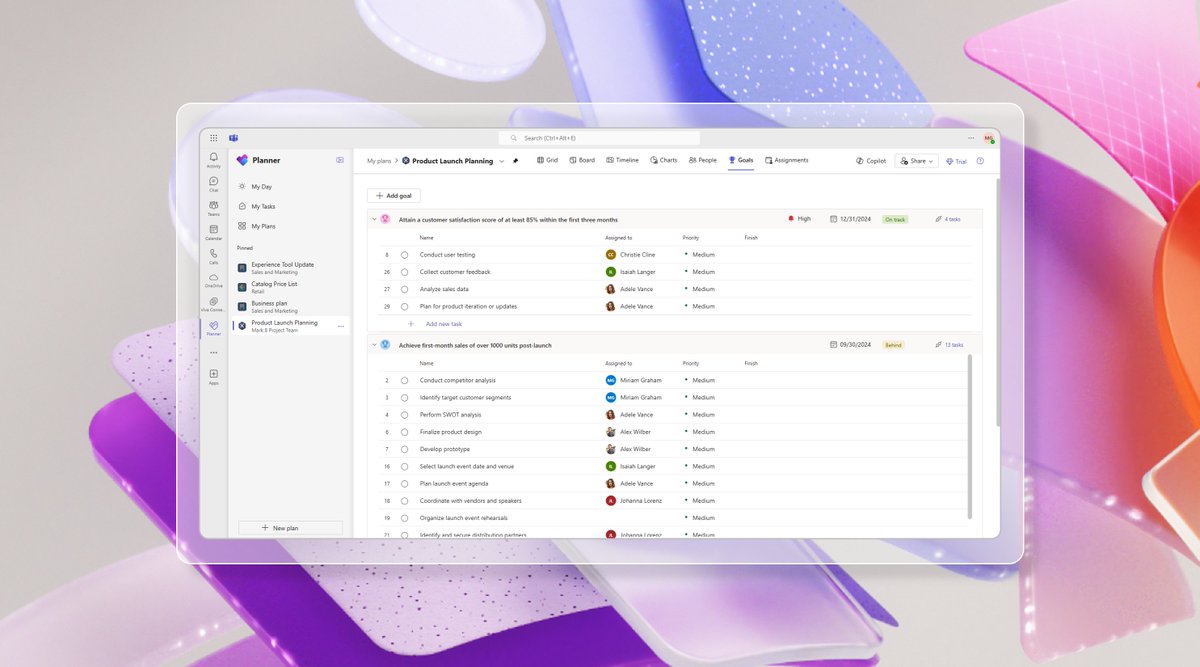
🏆 Align your team and stakeholders, and ensure everyone knows what work is top priority with goals in the new Planner in Microsoft Teams.
Learn more: https://t.co/TRWORFyky6 #MicrosoftPlanner
ANNOUNCEMENT! #WindowsApp now available on all major platforms in generally availability (#GA)! The app is available in all stores now for Windows, macOS, iOS, iPadOS, and web browsers—and in public preview for #Android. Learn more about it via ⬇️ https://t.co/vPe4PovXTj
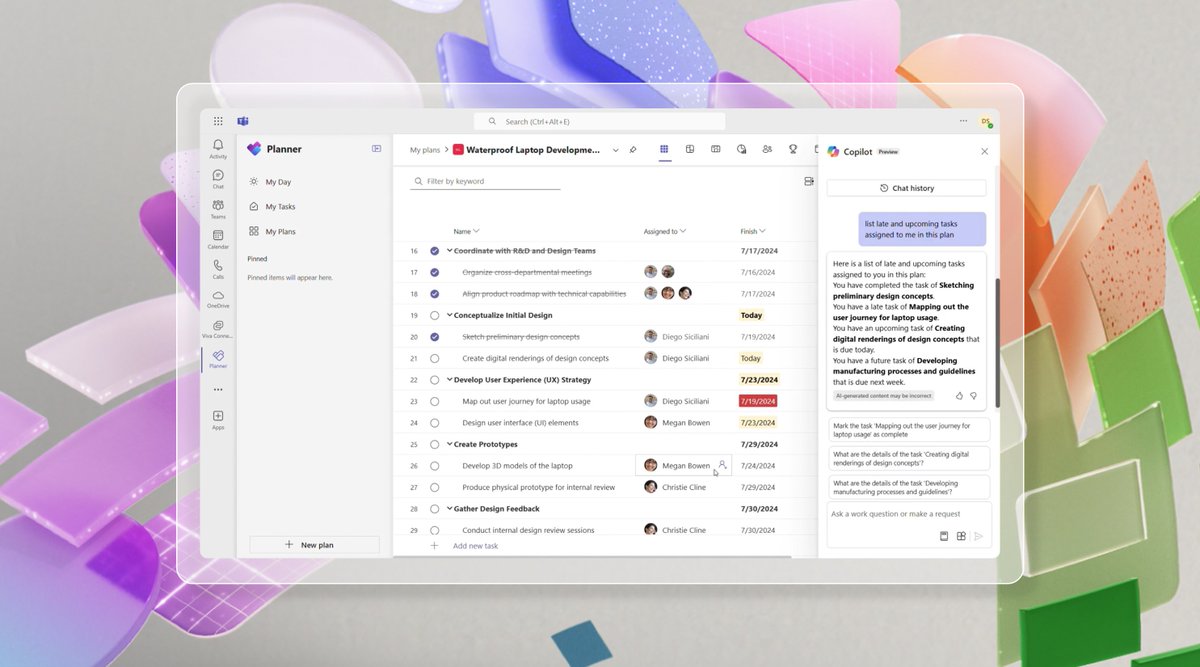
Try Copilot in Planner (preview) in the new Planner in Microsoft Teams today! With the power of generative AI, Copilot streamlines the planning, management, and execution of your work.
Learn more: https://t.co/8Kn7YRC7ni
📢 RELEASE UPDATE 🙌
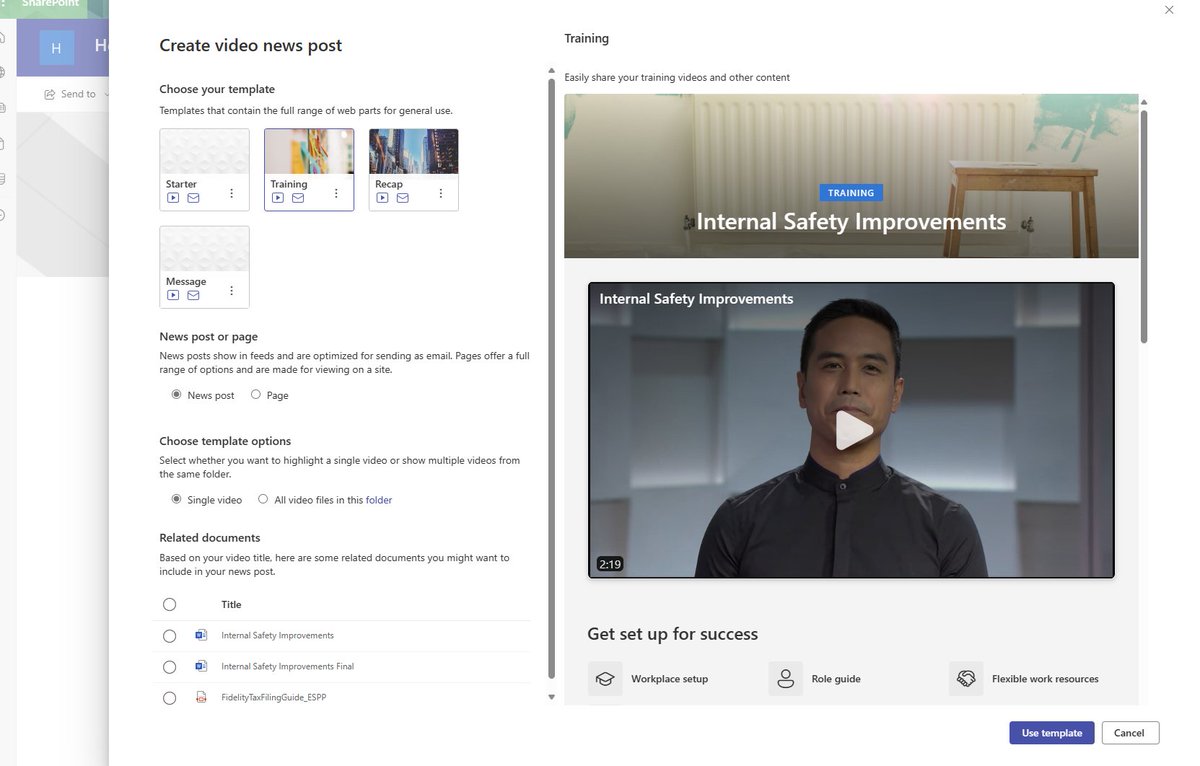
#SharePoint + @MicrosoftStream = *Video Pages*, now generally available (GA) -- designed to empower authors when creating pages with video as their centerpiece. 📄📺
Learn more https://t.co/ThomYn9287 #VideoPageTemplates
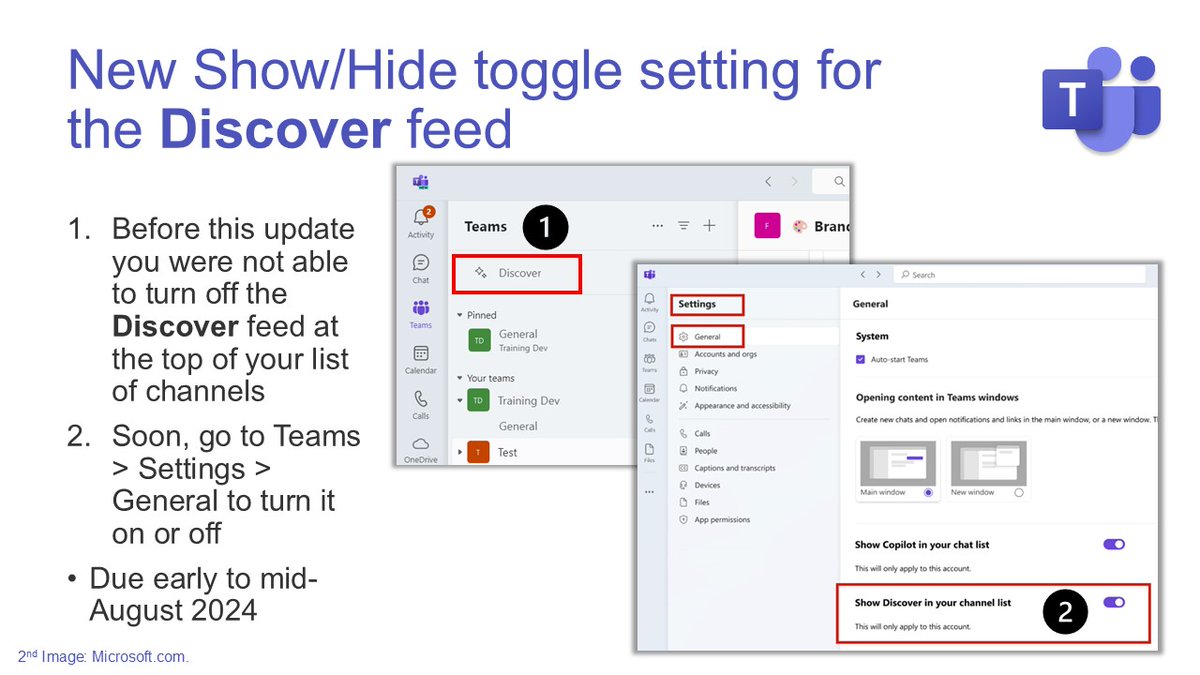
🔜 New Show/Hide toggle setting for the #MSTeams Discover feed.
📆 Due early to mid-August 2024.
🔗 Read more: https://t.co/q7HdT8cPtv
🔗 See what else is new in #MicrosoftTeams: https://t.co/Z2mfYdidf0
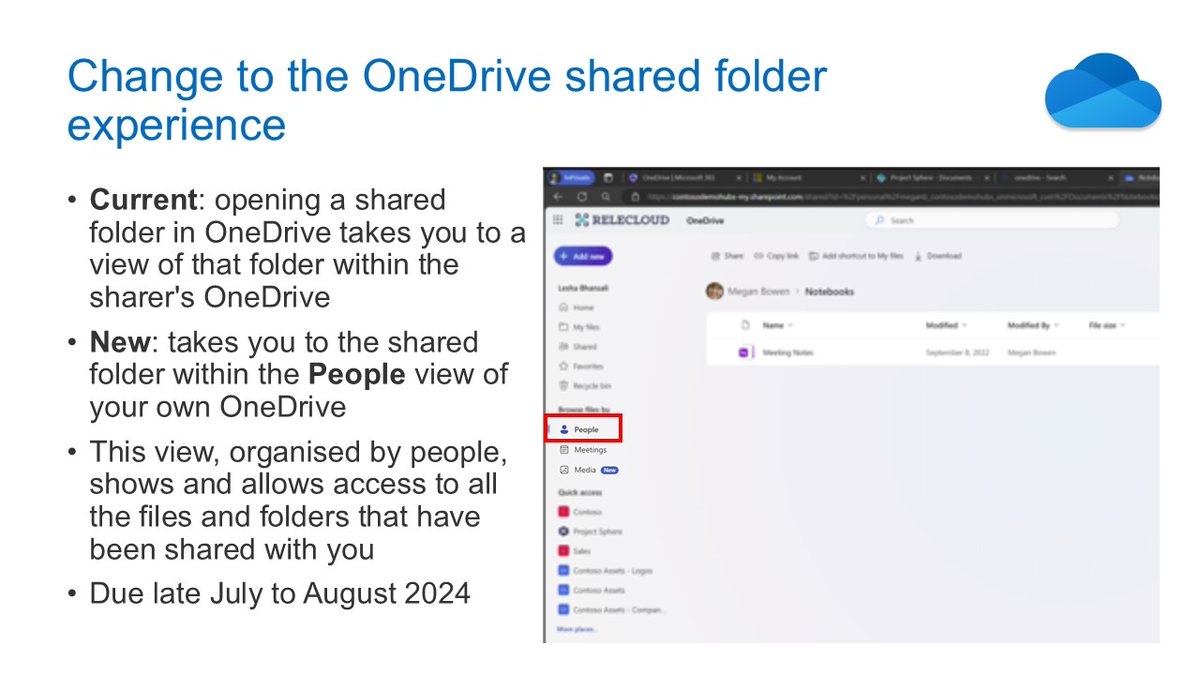
🔜 New update to the #OneDrive shared folder experience.
📆 Due late July to late August 2024.
🔗 Read more: https://t.co/qGoaSSlXtt
🔗 See what else is new for OneDrive: https://t.co/04sLXxULOT