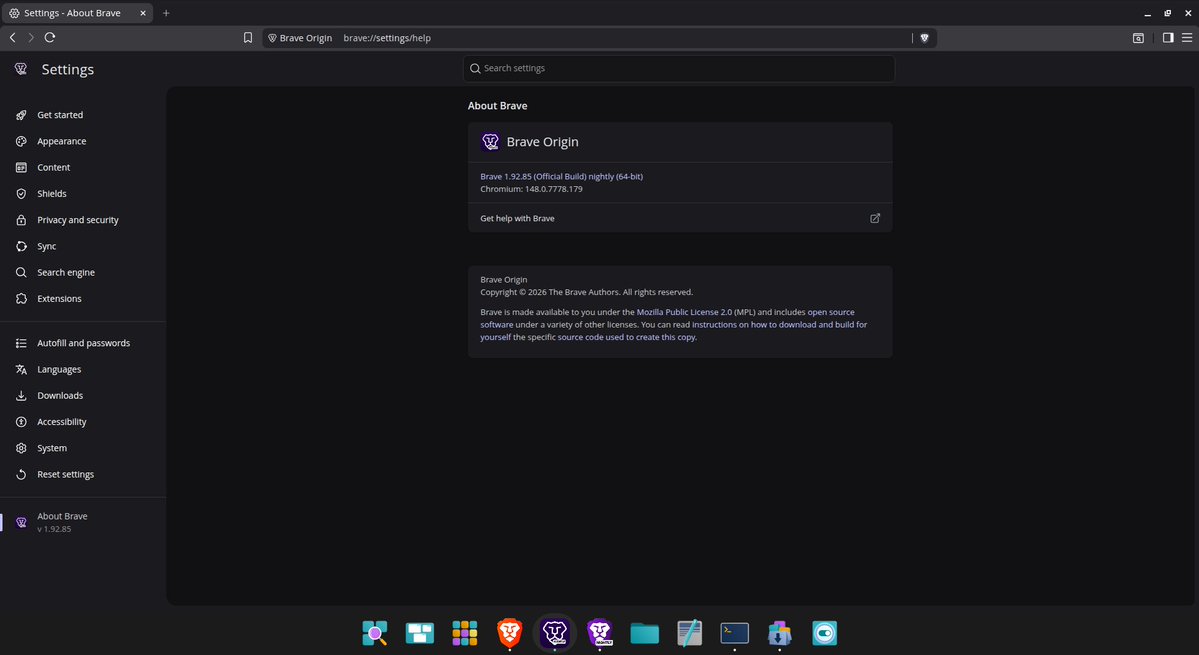
@Brave grew to 117.56M Monthly Active Users (MAU) in May 2026. DAU grew 3.1%.
2nd best browser growth month in 2026. ATH new browser user volume.
Spike in Android & iOS new U.S. browser installs following Google I/O 2026.
Android DAU is back to record levels post-haircut.
1/4
It should NOT be this hard to buy a privacy-respecting car.
Seriously.
A car should be one of the simplest privacy relationships in modern life. You get in. You drive somewhere. The car moves you from point A to point B. That should be the whole relationship.
Instead, the mainstream car market has become a swamp of telematics, driver scoring programs, mobile apps, dealer enrollments, remote diagnostics, insurance partnerships, location tracking, infotainment data, cameras, microphones, cloud accounts, and “connected” features nobody asked for.
GM and OnStar are the canonical example of how bad this got.
The FTC alleged that GM and OnStar collected, used, and sold precise geolocation and driving behavior data from millions of vehicles without consent. Consumer reporting agencies used that data to compile reports used by insurers to deny insurance and set rates.
Why does a car need to report your driving habits to anyone just to do the one job it was built for?
And from a security perspective, this is a nightmare.
A connected car is a computer on wheels.
A compromised car can expose far more than the vehicle itself.
It can:
- store paired phones, contacts, and call logs
- keep navigation history and saved destinations
- retain home and work addresses
- hold garage door and gate codes
- store app logins and driver profiles
- retain payment or subscription data
- report telematics back to the manufacturer
- feed data into third-party systems, including insurers
A modern car can log where you live, where you work, when you leave, when you come home, which routes you take, and which clinics, schools, churches, protests, hotels, or private homes you visit.
That is a behavioral dossier.
And unlike a laptop, people do not think of a car as something that needs a privacy audit.
Used cars are worse.
Assume the previous owner left behind Bluetooth pairings, contacts, saved destinations, garage codes, Wi-Fi settings, app sessions, toll tags, remote service subscriptions, and old driver profiles.
Rental cars are worse still.
People pair their phones, load contacts, use navigation, sign into apps, and then hand the car back like none of that data matters.
One reason to be wary of any feature named “Smart Driver,” “Driving Score,” “Insure Connect,” or “Driver Feedback”: these can be the pipes to insurers.
Driver scoring is the broader issue.
Good intel on this is weirdly hard to come by.
If you've followed me for a while, you know I don't give OpenAI the benefit of the doubt on privacy.
And personal finance is one of the last places I'd want to see weak defaults.
Bank data reveals your income, debt, rent, medical bills, donations, subscriptions, travel, relationships, employer, habits, and vulnerabilities.
In other words: it is a behavioral map of your life.
OpenAI says this finance experience is read-only.
The real risk is what happens when your financial context joins a general-purpose AI assistant's memory, personalization, and training pipeline.
OpenAI's own docs say conversations with connected financial accounts follow your normal ChatGPT model-training settings. For Free, Plus, and Pro users in personal workspaces, data sharing is enabled by default unless you opt out.
The privacy question is what it retains, what it infers, and what it trains on after you’ve handed over the map.
@privacy_guides Thank you for covering Brave Leo’s TEE work in your news section.
We’d be grateful if you’d consider evaluating Brave Leo for the AI Chat page, especially now that Leo supports both a local BYOM path and a verifiably private TEE-backed cloud path in Brave Nightly.
AI Chat page:
https://t.co/wsNSf7LZRF
Privacy Guides coverage:
https://t.co/oc9LEg5qVu
TEE write-up:
https://t.co/HX2h8QyPrw
BYOM:
https://t.co/sM1zBKPYHo
From a security perspective: recent Apple Silicon, especially current iPhones and iPads and Apple Silicon Macs (with M5 adding Memory Integrity Enforcement).
Secure Enclave, pointer authentication, Lockdown Mode, and Memory Integrity Enforcement on A19/M5+ deliver the most consistent default hardening you can buy.
PAC is an Arm feature, Android has StrongBox and MTE on newer Pixels, Windows has Pluton and VBS. Apple’s advantage is deployment consistency.
For journalists, activists, or anyone in a mercenary spyware threat model, that is the bet.
“Secure by default” is NOT a claim you earn just like that.
Anyone can say “hardware-isolated sandbox,” “VPC-level separation,” “short-lived proxy tokens,” and “encryption at rest.”
Security is verifiability.
Perplexity Computer is a closed production agent system. The parts that actually matter are NOT independently reproducible by outside researchers:
- sandbox orchestration
- token broker
- connector permissions
- model routing
- persistent memory
- egress controls
- action approval gates
- cross-tenant isolation
The question that matters:
“What can users and researchers actually verify?”
Can we inspect the sandbox primitive?
Is it a VM, microVM, container, TEE, or something else?
The post says “hardware-isolated.” Perplexity’s own docs describe an “isolated compute container.” Those are not interchangeable terms. Publish the actual boundary.
Is the isolation per-task within one tenant, or per-tenant at hardware level?
Can customers get remote attestation? Are builds reproducible? Has the production isolation boundary been independently audited?
What persists after the “temporary” workspace resets?
Where are proxy tokens stored? Can code inside the sandbox read them? Are tokens bound to sandbox identity, task ID, audience, provider, expiry, IP, and action scope? Can the token be used outside the sandbox?
What is the default outbound egress policy?
Which model providers see task contents? Who can access those logs for support, abuse review, or debugging?
What goes into memory? What can memory later retrieve?
If task N writes attacker-controlled payloads into memory, what stops task N+10 from reading them? Persistent memory is an exfiltration channel by default.
Where is the published threat model? What does the sandbox protect against, and what does it explicitly NOT protect against? Without that document, “secure by default” maps to undefined coverage.
Where is the user-visible audit trail? Not Perplexity’s internal logs. Can a user see every connector call the agent made on their behalf, with payloads, append-only, exportable? Without it, users cannot detect a compromise even after the fact.
Which actions require explicit human approval? Sending external email, deleting data, posting publicly?
Until those answers are externally verifiable, “secure by default” is marketing.
And Perplexity has NOT earned that trust.
Comet had public prompt injection findings. The relevant question is institutional behavior since then.
Perplexity’s own docs describe Computer as an “independent digital worker” that can act across the web and a user’s work context through hundreds of app connectors.
It can use Gmail, Outlook, GitHub, Linear, Slack, Notion, Snowflake, Databricks, Salesforce, and more.
It has persistent memory, scheduling, automation, background execution, file monitoring, document creation, app building, email management, browser activity, and code execution.
A sandbox can protect Perplexity’s infrastructure from the task.
It does NOT automatically protect the user from the agent.
Short-lived proxy tokens are better than raw API keys. Fine.
But this is a confused deputy problem. The agent already holds legitimate authority across Gmail, Slack, GitHub, and Salesforce simultaneously. Prompt injection does not need to steal a token. It asks the deputy to act. Exfiltrate from Gmail to attacker-owned Notion. Open a malicious pull request. Send a Slack DM that looks authentic.
And the injection surface is enormous.
The attacker does not need a long-lived key. They need one successful action while the token is valid.
MacBook Neo is way more private and secure than Googlebook [at least based on what Google has disclosed so far].
And it's not even close.
MacBook Neo starts at $599 and runs Apple silicon with a full Secure Enclave-backed security architecture. The $599 model ships with a Lock Key instead of Touch ID. The $699 model adds Touch ID, which unlocks Secure Enclave-backed biometric auth for login, passkeys, payments, app auth, and website sign-in.
Googlebook is an AI-first laptop platform built around Gemini, Android apps, phone integration, Magic Pointer, custom AI widgets, Google account context, and access to phone apps and files.
From a privacy and security standpoint, it massively expands the attack surface.
MacBook Neo is a known vertical stack: Apple silicon, Secure Enclave, hardware root of trust, Apple-controlled boot chain, Secure Enclave-backed storage encryption and FileVault key handling, Signed System Volume, Gatekeeper and notarization, XProtect, SIP, TCC privacy controls, and Private Cloud Compute for Apple Intelligence.
Googlebook's core product pitch is giving Gemini more context: what's on your screen, what's in your Google apps, what's on your phone, what you select, what you ask it to act on.
Google has disclosed some guardrails here: granular controls, app-specific automation permissions, purchase confirmations, prompt-injection defenses, real-time indicators, activity logs, and Privacy Dashboard visibility.
That helps.
But guardrails are not the same thing as a mature, published, device-level security architecture.
The privacy issue is also data handling.
Gemini activity can include prompts, files, videos, screens, photos, connected-app data, and other interaction data. Depending on settings, some of that can be used to improve Google services, reviewed by humans, and retained for long periods.
It is a much larger privacy blast radius than any average laptop.
Apple's model is narrower: process on-device when possible, use Private Cloud Compute when needed, do not retain the request after the response, do not make it accessible to Apple, and allow researchers to inspect and verify the server software.
To be fair, Apple also has phone integration. iPhone Mirroring, Handoff, AirDrop, iCloud, and Continuity all expand what a Mac can touch.
The difference is that Googlebook makes phone apps, phone files, Google account context, screen selection, and Gemini-driven action the center of the product.
That changes the threat model.
Android's app sandbox is excellent. ChromeOS has a strong secure-by-default model. Verified Boot, file-based encryption, containerization, hardware-backed keys, and long update support can be very good.
But right now, Googlebook is a preview of an OEM ecosystem. MacBook Neo is a shipping Apple silicon Mac with a documented security architecture.
For a privacy-conscious buyer, I'd take the $699 MacBook Neo with Touch ID over Googlebook.
This is a huge win for privacy by default. Cross-platform end-to-end encryption is finally rolling out for RCS between iPhone and Android.
RCS is the modern SMS/MMS replacement. Better photos and video, typing indicators, read receipts, group chat. When you see the lock icon, the message content is E2EE. It can’t be read in transit by Apple, Google, your carrier, or anyone in the middle.
MLS (RFC 9420) is the IETF standard built for interoperable end-to-end encrypted messaging across clients and platforms.
Having said that, content privacy is NOT metadata privacy. RCS is still phone-number, provider, and carrier-based. A huge upgrade from SMS, but it does not make the fact of communication disappear.
For conversations where who, when, and how often is sensitive, @signalapp is still the standard.
iMessage is the strongest default for Apple to Apple, especially with PQ3 post-quantum protections.
iPhone users update to iOS 26.5. Android users update Google Messages.
You shouldn’t trust any Google software if you care about privacy. The Pixel in my pocket is a GrapheneOS device that happens to run on Google hardware. That’s the only relationship with Google I’m willing to have.
DO NOT trust Google with your health data. DO NOT buy this product.
If you still use a Fitbit account, Google says you cannot access Fitbit with that account after May 19; to keep using it, you must move to a Google Account or leave/delete Fitbit.
What that Google account can hold, depending on what you enable or connect: wearable data, workouts, sleep, weight, heart rate, glucose, menstrual/cycle data including fertile windows, medical records, lab results, medications, allergies, clinical data, AI coach chats, precise location from GPS/sensors/Wi-Fi/cell towers, approximate location from IP, plus data from connected apps/devices like Strava, Flo, Oura, Dexcom, MyFitnessPal, Whoop, and more.
What Google admits in its own docs:
Submit feedback on an AI Health Coach conversation and trained reviewers may read, annotate, and process that conversation. They may also review associated Fitbit health/wellness data, activity logs, and basic app info.
Google’s own warning: “Please don’t enter sensitive or confidential information you wouldn't want a reviewer to see.”
The “not for Google Ads” promise is real. It does NOT mean “Google won’t use this data.” Google’s docs still allow uses for personalization, AI features, product development, opt-in research, service providers, legal requests, third-party connections, and Fitbit Enterprise workflows.
Opt into research/R&D and Google says Fitbit + Google may use de-identified data to develop new health/wellness products and services, including Google enterprise products. That data can include AI conversations, location, sleep, nutrition, third-party connected data, and personal health records such as medical records.
Do not assume HIPAA protects this. HHS says HIPAA generally does not protect data stored on personal phones/tablets or data downloaded/entered into personal-use mobile apps unless the app is provided by a covered entity or business associate.
@iAnonymous3000 You shouldn’t trust any Google software if you care about privacy. The only Google product I own is a Pixel, and only because Pixel hardware meets GrapheneOS’s security baseline. The phone is the means. @GrapheneOS is the reason.