I decided to publish my internal Azure Entra ID tool. There are a lot of these already available, but I've added some interesting features that have made a difference for me over the years. You can capture token through the browser using playwright
https://t.co/xiZaz0PKsC
#Azure
Hey y'all I just recorded my first video in my new 'Mark on Cybersecurity' YouTube channel!
Lots more to come! Let me know what you think and what topics you would like me to cover
https://t.co/xejQXKPnvg
For those who like Bash, we have an article on using awk, sort, uniq, sed and loops. Many just try to avoid these commands, but they are easier than you thought.
To make things more interesting we did an Active Directory recon with these commands.
Here is the article: https://t.co/l5sUMsaWGz
@three_cube@_aircorridor #bash #redteam
Active Directory Hardening Awesomeness!
These are all no-brainers with all of them residing within IT's easy reach with absolutely _no excuses_ for any of them NOT to be done!
List Add: At #1 or #2:
1: Enable UAC for _all_ elevation requests _including administrator_ on the Secure Desktop. No exceptions.
** IT get used to the initial prompt for Server Manager then open a PowerShell window from there.
*** Start CMD
*** Start TaskMgr
*** Start ResMon
NOTE 1: Yes, this includes UserVille. Use LAPS (Local Administrator Password Solution) for the credentials prompt.
NOTE 2: Train users that an out of the blue UAC Prompt is _EVIL_ and should be reported to IT STAT!
NOTE 3: For Remote Desktop Services Session Hosts and RemoteApps hosts all users should be set to DENY elevation requests!
NOTE 4: For all sites we manage UAC prompts on server system desktops also hit a DUO digits MFA request. No exceptions.
Spencer List Highlights for me:
** Train the Human - this is always the weakest link
** Run the Disaster Recovery Plan over and over
** Test restore backups fully - spot file/folder does NOT count
** MFA integration (we use DUO)
Giving PowerShell scripts to people often results in questions like, “How do I start this?” or “I ran this, but nothing happens…” In this blog post, I will show you how to create an executable of a script and its limitations.
#PowerShell#PS2Exe
https://t.co/suP5HUcYVm
Amazingly, this needs to be said continually, but stop using Global Admin for everyday tasks! You should have no more than 4 Global admins. Here is why > https://t.co/6eq6Hp9VjV
Here is a hot take... You don't need a Global Admin account just because:
• You are head of IT
• To setup the platform initially
• You are responsible for the product internally
• You might need it
• You think PIM is slow
• You are too busy
• You are always running complex scripts
You might need it, if:
• You are responsible for major infrastructure changes
• You are responsible for responding to severe security breaches
• You are responsible for granting tenant-wide consent for new products
• You are responsible for managing the emergency access accounts
• You are responsible for managing privileged role access
You want a high-impact, quick win for security this week? Audit and remove standing and extended Global Admin access.
#Entra #Microsoft #Security
shipping: WinSSHound
maps SSH access in AD as BloodHound paths. because Windows OpenSSH cheerfully ignores your "Deny Logon" GPOs (pre-2025) and on a default sshd_config every Authenticated User in the domain can walk right in. Why? Because Microsoft.
https://t.co/ONXuguz7r3
🚀 EntraOps v0.7.0 is out!
The latest release of EntraOps Privileged EAM is now live, featuring enhancements focused on #MicrosoftEntra#TenantGovernance, along with bug fixes and improved visibility into role classification and nested group memberships.
🔗https://t.co/hDwVGx5S9Z
Thank you everyone for making @AlteredSecurity Month of Azure Red Teaming a huge success. It was lovely amazing to see the community involvement.
The 20% discount on our Azure Red Team courses ends in a few hours - https://t.co/RRd609shyq
All the labs, slides and recordings for webinars are available on the Red Labs Platform - https://t.co/EYe7rM1xZR
#Azure #RedTeam #MonthOfAzureRedTeaming
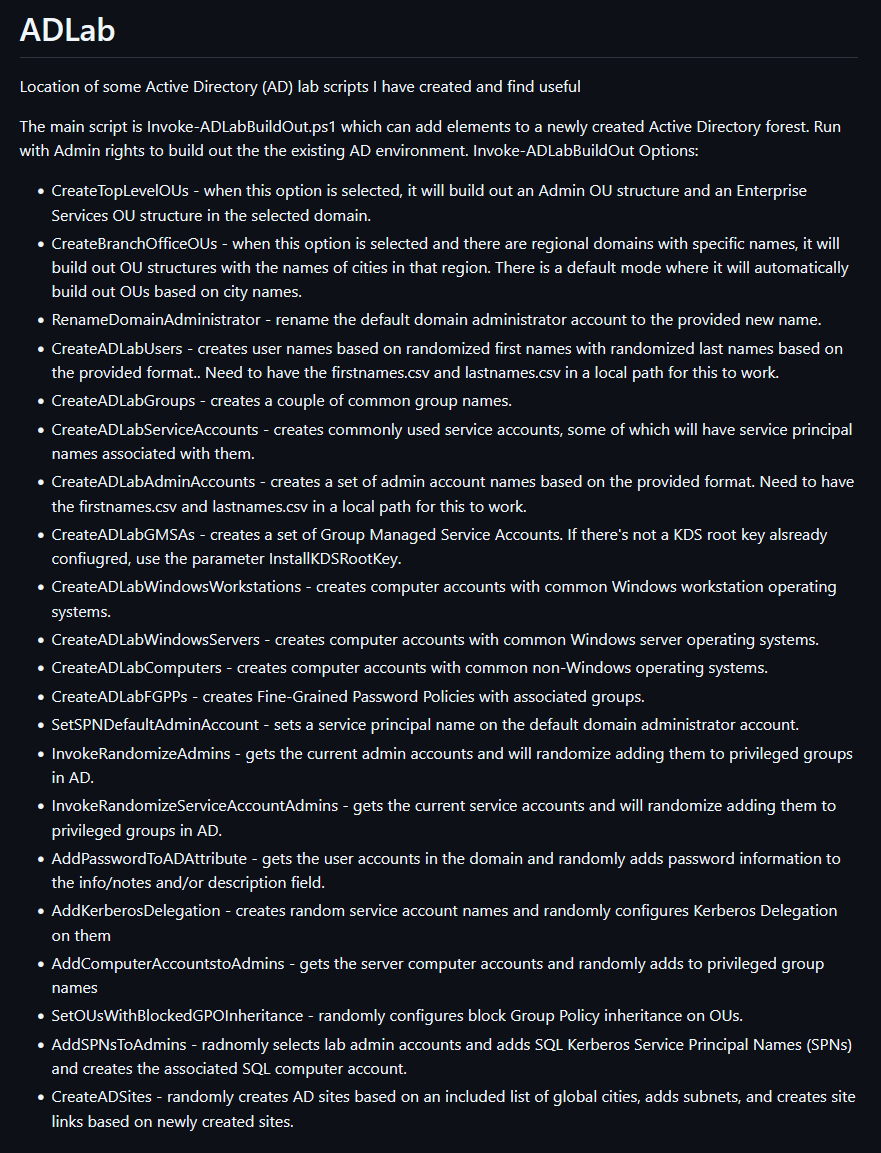
Updated my PowerShell script "Invoke-ADLabBuildOut.ps1" so it now creates AD sites, subnets, and site links (based on the created sites).
This script takes a newly built AD lab environment and makes it look like a production environment along with common security issues.
https://t.co/FmWBVVXUYN
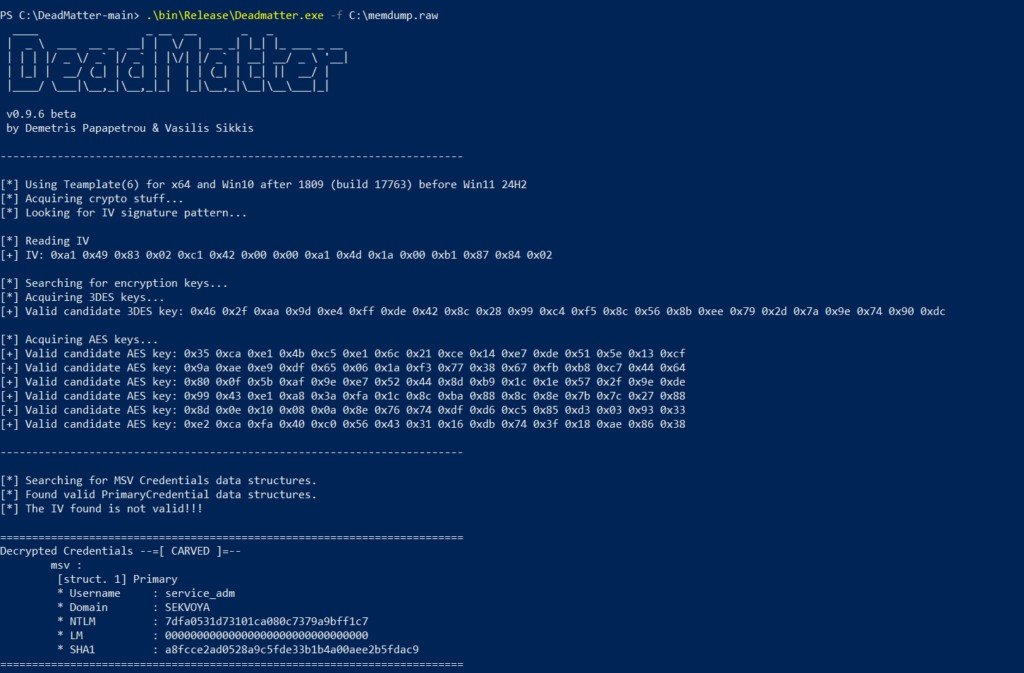
DeadMatter
Extracts LSASS credentials from memory dumps. Lightweight. Can be used to bypass AV/EDR. Usually is paired with DumpIt as both of them don't need GUI.
Tested with Microsoft Defender and Kaspersky
https://t.co/phV5wNPfBZ
@three_cube@_aircorridor#edr#apt #redteam
Huh.
Am I the only one who didn't know that Microsoft makes a tool called EventLogExpert that is supposed to be an improved version of event viewer for IT/helpdesk people?
https://t.co/HzSzG1zSO0
Targeted Keberoasting with NetExec🔥
If you have Write privileges over a user, you can temporarily add an SPN to your target user, request the service ticket, and then remove the SPN. Voilà: a crackable hash without interfering with potentially critical users. Made by @azoxlpf🚀
TailVNC — Drop-in Windows VNC persistence over Tailscale. Single binary, Session 0 bypass, zero exposed ports. Built for offensive security & ops. Inspired by @Yeeb_ 's SockTail.
https://t.co/EaN4DycFi4
#redteam#Pentesting#CyberSecurity