Parasite seo news. https://t.co/cvnUo6z9rS now allow you to create profiles..
And they are indexable in Google! I just created one for YACSS, check screenshot..
#parasiteseo#metaai#meta#jespernissenseo
How to do parasite SEO without a budget #2 - new section with WEB2 links...
Create profiles on major social media for your brand. This is a must.
Post on these social media daily:
- Youtube community posts
- Google Business profile
- Facebook. Create a Facebook group with your company name, they rank better than pages
- LinkedIn posts, not articles
- X posts. Upgrade to Premium for articles if you have the budget, articles rank better
- Instagram
- Threads
- Pinterest
- Tiktok
- Reddit create your own subreddit to post to
NEW: Post on these web2 properties daily:
- Ghost. Its not free, but its worth it. The posts rank in Google, and the images in your posts rank very well.
- Substack. Important to create unique article or they wont index.
- wordpress . com. The free website you get at wordpress
- Blogger. This is a Google property, and they rank well for local search terms.
- Wix
- Webflow. The free site you can create.
Backlink to your social media from the web2 properties..
If you can, create videos and upload those daily. Youtube videos are still the top way to rank fast. Facebook videos are also beginning to rank very well in video carrousels in Google.
When doing this consistently this will happen: You will start to see various posts pop up on page one for your brand. Then longtail keywords will start to appear on page one.
Besides this, create AI pages on Perplexity, Qwen and similar for your brand. Once the above social media posts start to index and rank, consider purchasing press releases, and point to your website, and the social media posts, that are allready ranking..
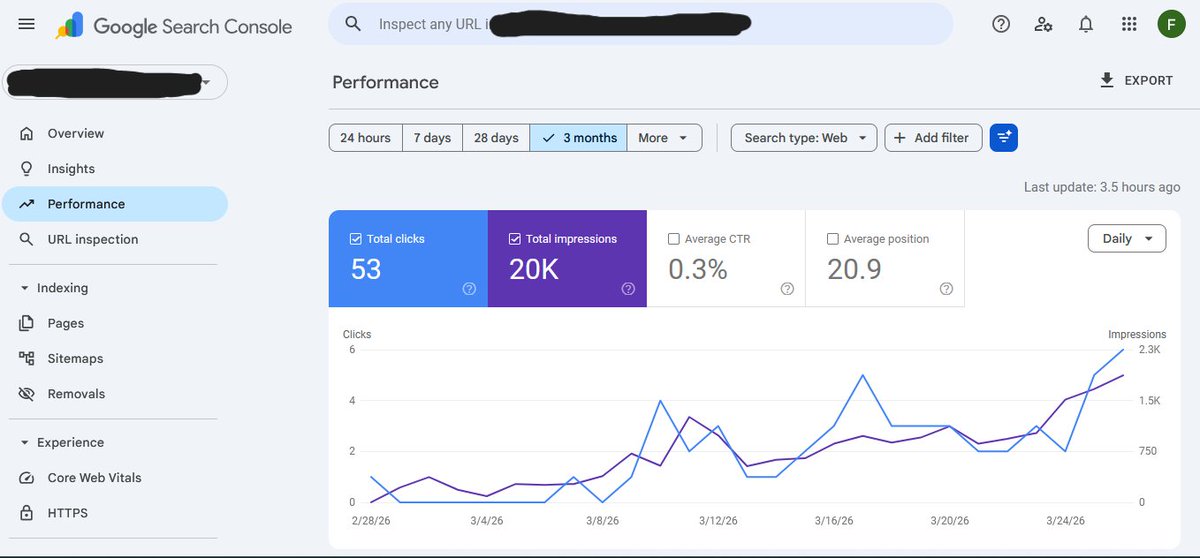
Do the above for two weeks, and I guarantee you will see increasing organic traffic in Google search console, and leads starting to come in...
#parasiteseo #jespernissenseo
Google’s advice for AI search is not as complicated as people make it
It is basically this:
- Be crawlable
- Be useful
- Be specific
- Show real expertise
- Structure your content clearly
- Do not hide important answers behind fluff
The funny part?
That is also what good SEO was supposed to be before everyone started chasing shortcuts
AI search is not killing SEO
It is exposing weak SEO
Ready for a good mystery? I'm glad my client let me publish this case study. It was an interesting one, that's for sure :) -> Deindexed, Delayed, and Down: Investigating A Site’s Removal From Google Before A Delayed Manual Action Arrived [Case Study]
It started with an email from my client that they had been completely deindexed, they had no idea why, and were freaking out a bit. My knee-jerk reaction had me thinking AI-generated content or programmatic content could be at play... but then digging into GSC (especially the right properties) revealed the issue. And yep, it was bad.
My hope is this case study can help other site owners out there avoid this situation. Or, if they get into a similar situation, maybe the case study can help them get out of it. I provide a final section of bullets with important points for site owners. https://t.co/2zXnkfxJbc
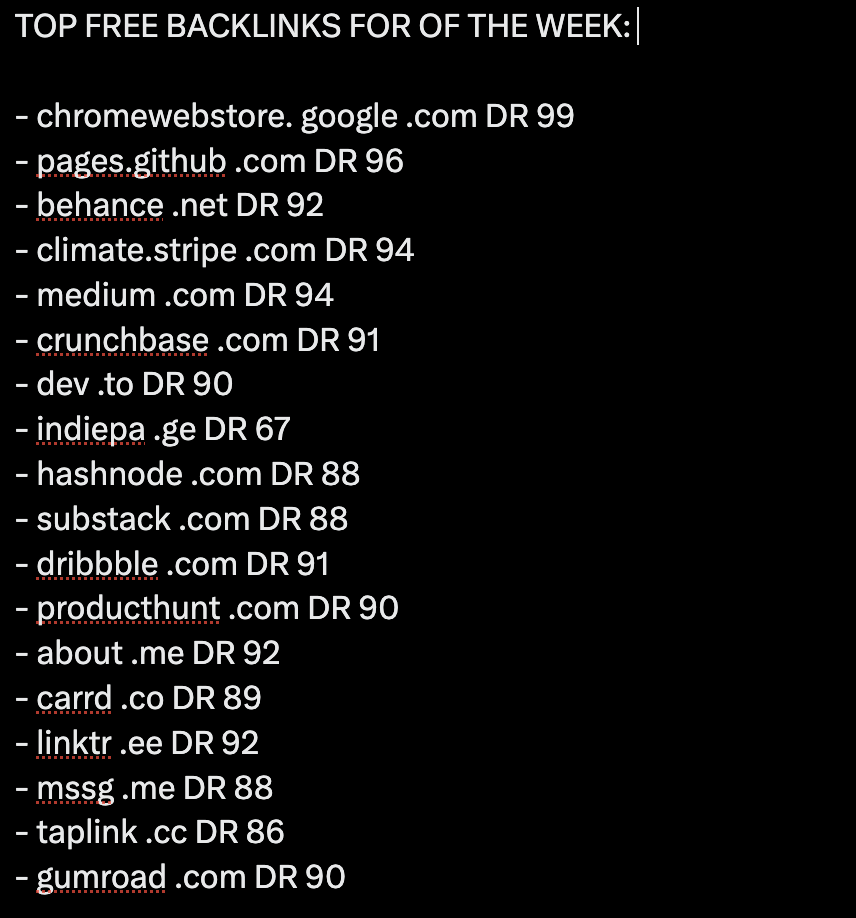
TOP FREE BACKLINKS OF THE WEEK:
- chromewebstore. google .com DR 99
- pages.github .com DR 96
- behance .net DR 92
- climate.stripe .com DR 94
- medium .com DR 94
- crunchbase .com DR 91
- dev .to DR 90
- indiepa .ge DR 67
- hashnode .com DR 88
- substack .com DR 88
- dribbble .com DR 91
- producthunt .com DR 90
- about .me DR 92
- carrd .co DR 89
- linktr .ee DR 92
- mssg .me DR 88
- taplink .cc DR 86
- gumroad .com DR 90
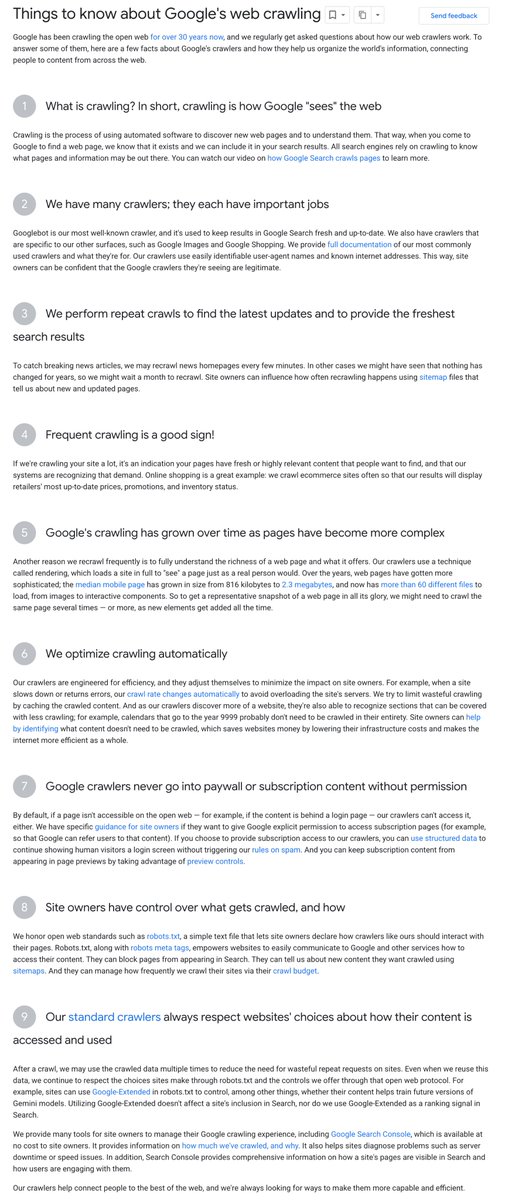
The LEAD search engineer at Google just dropped a brand new blog post that confirms something most SEOs have never even heard of...
Googlebot only fetches the first 2MB of your pages HTML = Everything after that cutoff doesn't exist to Google!!!
Not fetched, not rendered, not indexed.
And the Web Rendering Service is completely STATELESS - Meaning it clears local storage and session data between every request, so if your content depends on cookies or session state to render, Google can't see it.
External CSS and JS files are fetched SEPARATELY with their own 2MB limit per file, and PDFs get a 64mb limit.
So the structure and order of your code literally matters! And is why some CMSs are so much better out the box than others... Make sure you put your meta tags, title, canonicals, and structured data as HIGH as possible in the document. If they're below the 2MB cutoff, Google doesn't know they exist.
Most OnPage SEO guides never take any of this into account, but most OnPage is surface-level.
The real edge is understanding the infrastructure your content passes through before Google even evaluates it.
I couldn't get the pages on my brand new website to index in Google.
If you can't get a page to index, you have zero chance of that page ranking and being found by anyone searching Google.
Indexing is important.
So I added an RSS feed to the bottom of my homepage 4 days ago.👇
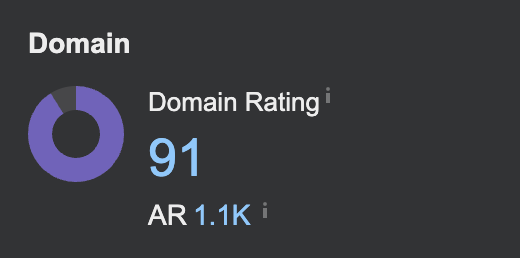
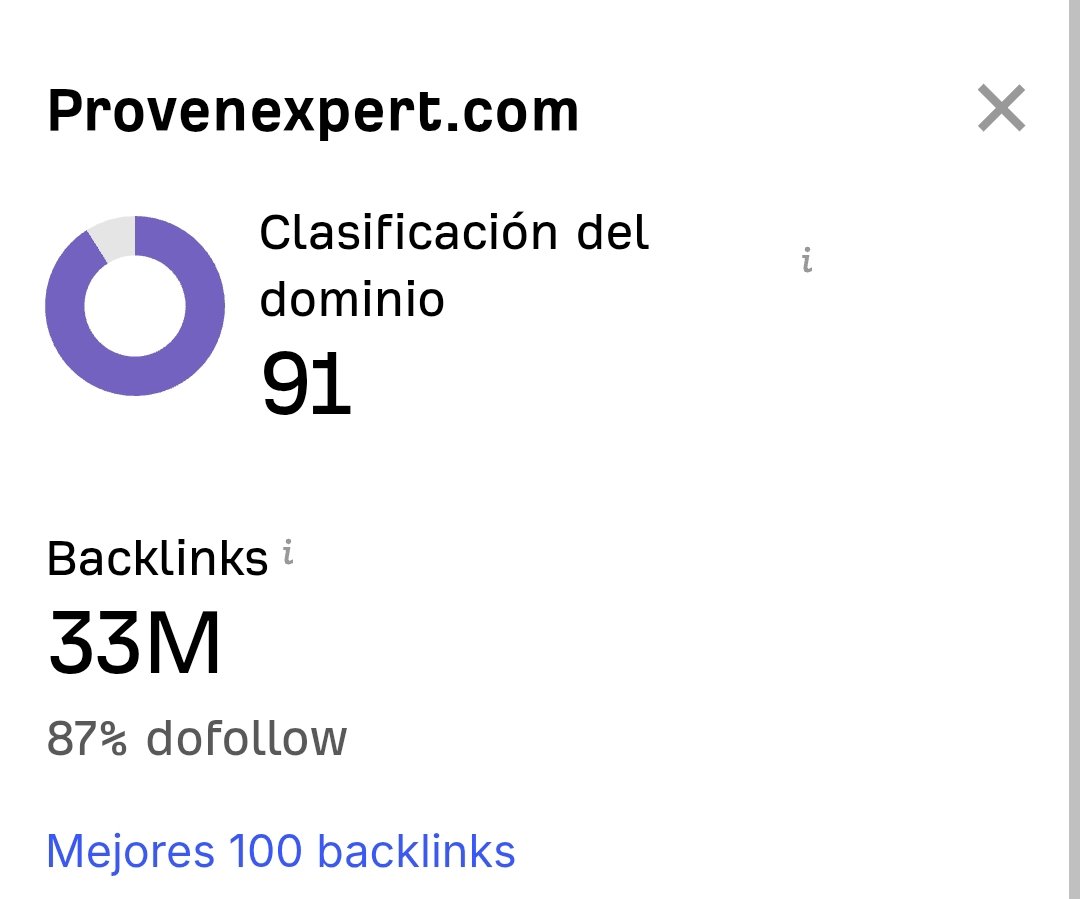
create a crunchbase account and link your site to get a domain rating 91 backlink for free
a single crunchbase profile link carries more authority than hundreds of low quality directory submissions
By far the best n8n guide I’ve seen.
Nate’s worked with 1,000s of users and just wrapped everything he’s learned into this 36-page guide! 🔥
→ Clear lessons on JSON, nodes and debugging
→ Cloud vs self-host setup
→ AI integrations & LLM chains
Totally free. Link in 🧵 ↓
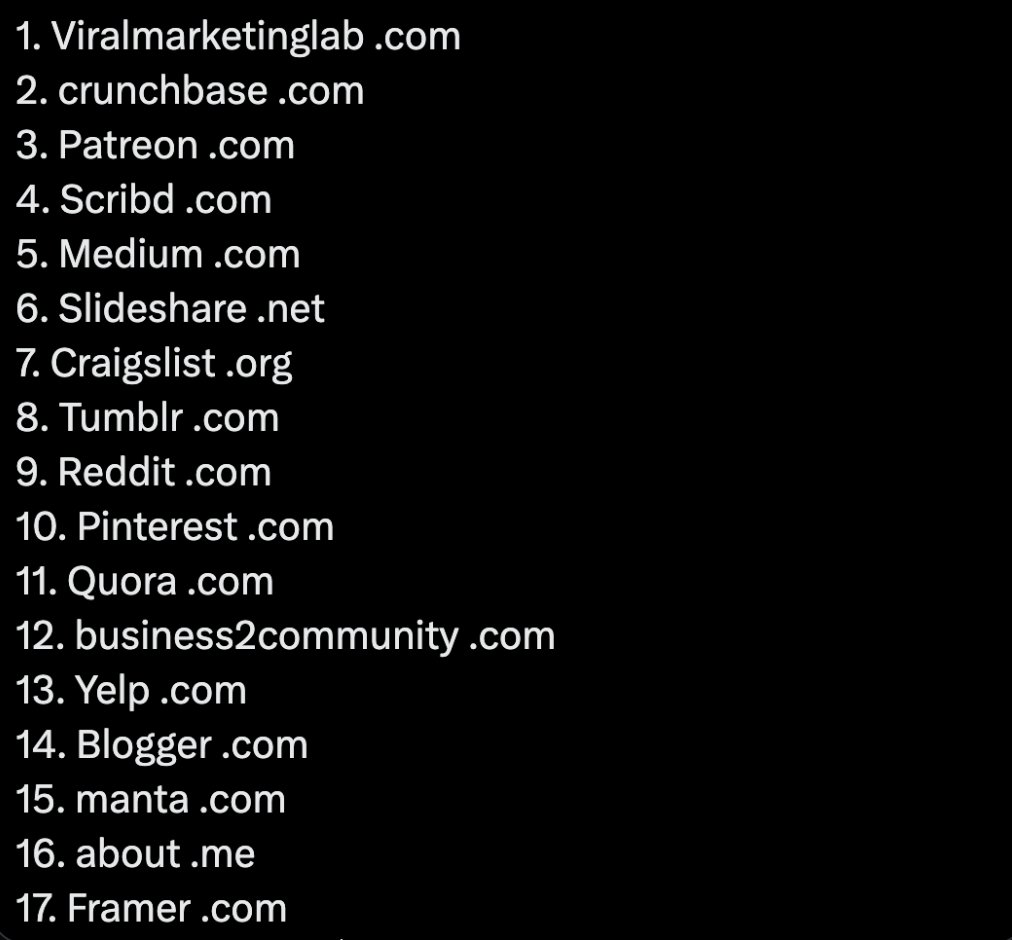
If you want to get “Do Follow” backlinks for your startup’s website and improve your SEO, here are 17 websites with high Domain Authority (DA) where you can list your business today:
1. Viralmarketinglab .com
2. crunchbase .com
3. Patreon .com
4. Scribd .com
5. Medium .com
6. Slideshare .net
7. Craigslist .org
8. Tumblr .com
9. Reddit .com
10. Pinterest .com
11. Quora .com
12. business2community .com
13. Yelp .com
14. Blogger .com
15. manta .com
16. about .me
17. Framer .com
18. Substack .com
My SEO setup so far:
• sitemap.xml submitted and cleaned up
• robots.txt configured
• Google Search Console connected
• Bing Webmaster Tools connected
• Meta titles and descriptions set
• Canonical issues fixed
• Duplicate/redirect issues cleaned up
• www → non-www 301 redirect fixed
• Cloudflare DNS / SSL issue resolved
• Internal links cleaned up
• Waiting on Google recrawl + validation
What else should I add?
Claude + GSC SEO Hack:
1. Go to Google Search Console
2. Pick 1 page thats doing well in the last 90 days
3. Filter and download all the queries data for that page
4. Upload this CSV to Claude with the following prompt:
"I wrote this article, its getting some traffic - [LINK]
im attaching gsc data for this page..
Suggest new content sections to add to the page or new pages that can be created based on the queries data in gsc"
Claude will analyze your page + your queries
will find content gaps in the page to improve its quality
will find ideas for new pages to create based on the adjacent queries you're getting impressions for
Apply the changes Claude suggest..
Repeat for 1 article every day..
See your SEO shoot up 🚀
Pro tip: Use claude code to actually create these pages - no manual grunt work + super fast execution..
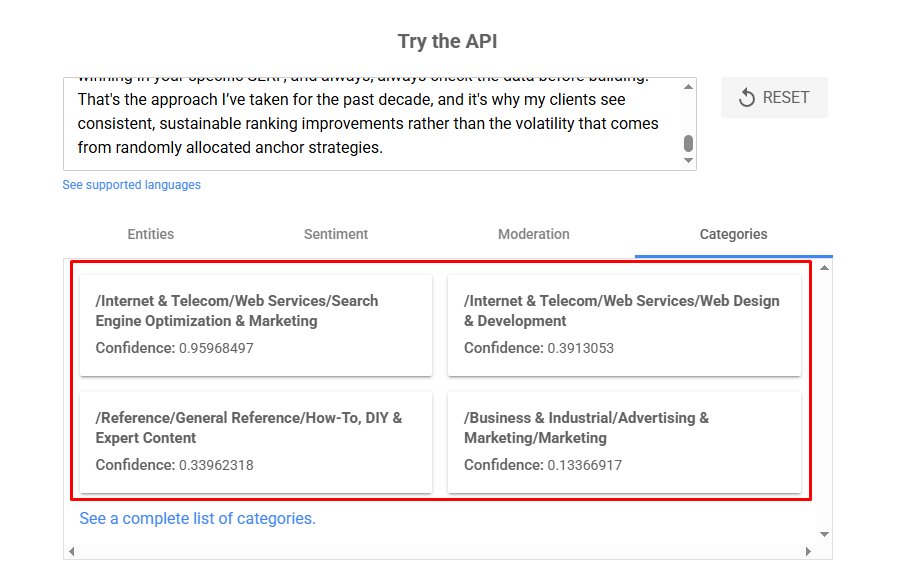
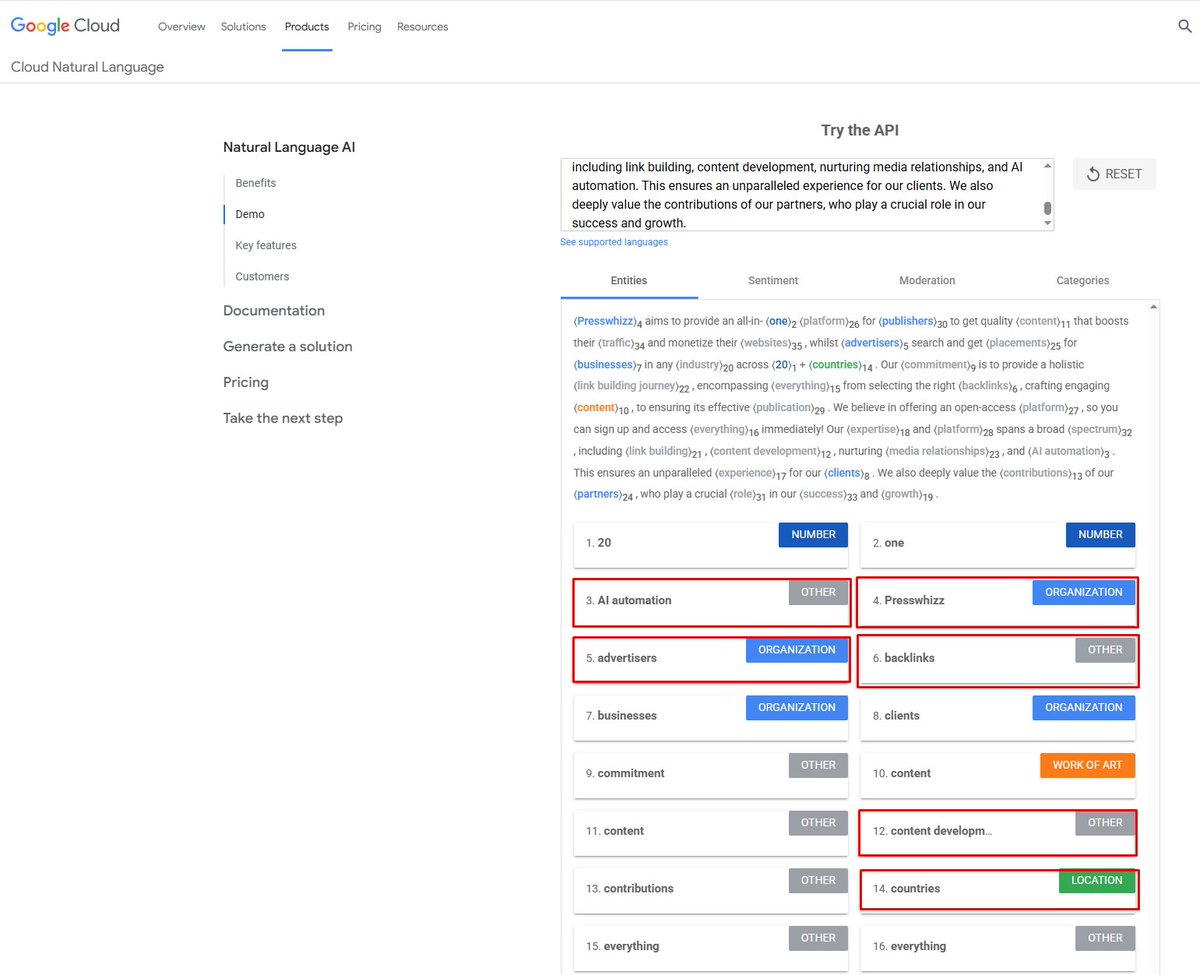
Google has a FREE tool that shows you EXACTLY how it reads your content, it was around before ChatGPT and most SEOs have never even opened it..
Go to: https://t.co/f9x9vVw2Kl and scroll to the "Try the API" box, then paste in your page content and click "Analyze"
Google will show you:
- Every ENTITY it detected (people, places, brands, concepts)
- The SALIENCE score for each (how important Google thinks that entity is to your page)
- The CATEGORY it assigned your content to
Now do the same thing with the #1 ranking page for your keyword...
Compare the two. You'll see:
- Entities they mention that you don't (add them)
- Their top entity has 0.85 salience, yours has 0.3, you need to mention your primary topic more prominently and earlier in the content
- How Google categorizes the pages (e.g. My piece is categorized as SEO, HowTo/Expert Content, Marketing and Web Design/Dev, I want it to be the same categorization as the other ranking pages.
You can also just save both of the outputs (Save the page or print as a PDF) and ask AI to compare the two for you with recommendations!
This is literally Google telling you what it thinks your page is about vs what it thinks the page that's outranking you is about. The gap between those two outputs IS your content optimization checklist.
You don't need ANY expensive subscriptions, it literally takes a few minutes per page, and it's the closest thing to seeing your content through the eyes of the algo that exists because it IS Google's own NLP model.
HUGE SEO tip (USING AI) that costs ZERO $ and takes UNDER 30 minutes:
- Go to your Google Search Console
- Export pages with avg. position ~8-20 impressions (last 28-90 days)
- Plug the CSV into ChatGPT, Claude or Gemini (I recommend Claude for this)
- Prompt the AI to rewrite the top 10 most promising titles that are missing queries the page ranks for
- Use agent mode to get the AI to plan internal links from every semantically related page on your site
- Rule of thumb: 1 internal link per 50 words. 1 external per 150 words
This alone moved pages from position 8-15 to top 3 on multiple projects last year.
Internal linking is the most underrated lever in SEO and it's FREE...








![glenngabe's tweet photo. Ready for a good mystery? I'm glad my client let me publish this case study. It was an interesting one, that's for sure :) -> Deindexed, Delayed, and Down: Investigating A Site’s Removal From Google Before A Delayed Manual Action Arrived [Case Study]
It started with an email from my client that they had been completely deindexed, they had no idea why, and were freaking out a bit. My knee-jerk reaction had me thinking AI-generated content or programmatic content could be at play... but then digging into GSC (especially the right properties) revealed the issue. And yep, it was bad.
My hope is this case study can help other site owners out there avoid this situation. Or, if they get into a similar situation, maybe the case study can help them get out of it. I provide a final section of bullets with important points for site owners. https://t.co/2zXnkfxJbc](https://pbs.twimg.com/media/HF3eSxAasAA9GXl.jpg)




![ayushtweetshere's tweet photo. Claude + GSC SEO Hack:
1. Go to Google Search Console
2. Pick 1 page thats doing well in the last 90 days
3. Filter and download all the queries data for that page
4. Upload this CSV to Claude with the following prompt:
"I wrote this article, its getting some traffic - [LINK]
im attaching gsc data for this page..
Suggest new content sections to add to the page or new pages that can be created based on the queries data in gsc"
Claude will analyze your page + your queries
will find content gaps in the page to improve its quality
will find ideas for new pages to create based on the adjacent queries you're getting impressions for
Apply the changes Claude suggest..
Repeat for 1 article every day..
See your SEO shoot up 🚀
Pro tip: Use claude code to actually create these pages - no manual grunt work + super fast execution..](https://pbs.twimg.com/media/HDYUXMZbQAANY_N.jpg)