Decks, docs and sheets from your terminal. Any model, no ribbons.
One prompt in, a native .pptx, .docx or .xlsx out. Free and unlimited with your own model.
CA: 0x8c4584d7574b4ffd437f88ec8fcf1a5d15c5ce08
npm install -g officecli
https://t.co/8FXdw3wtdb
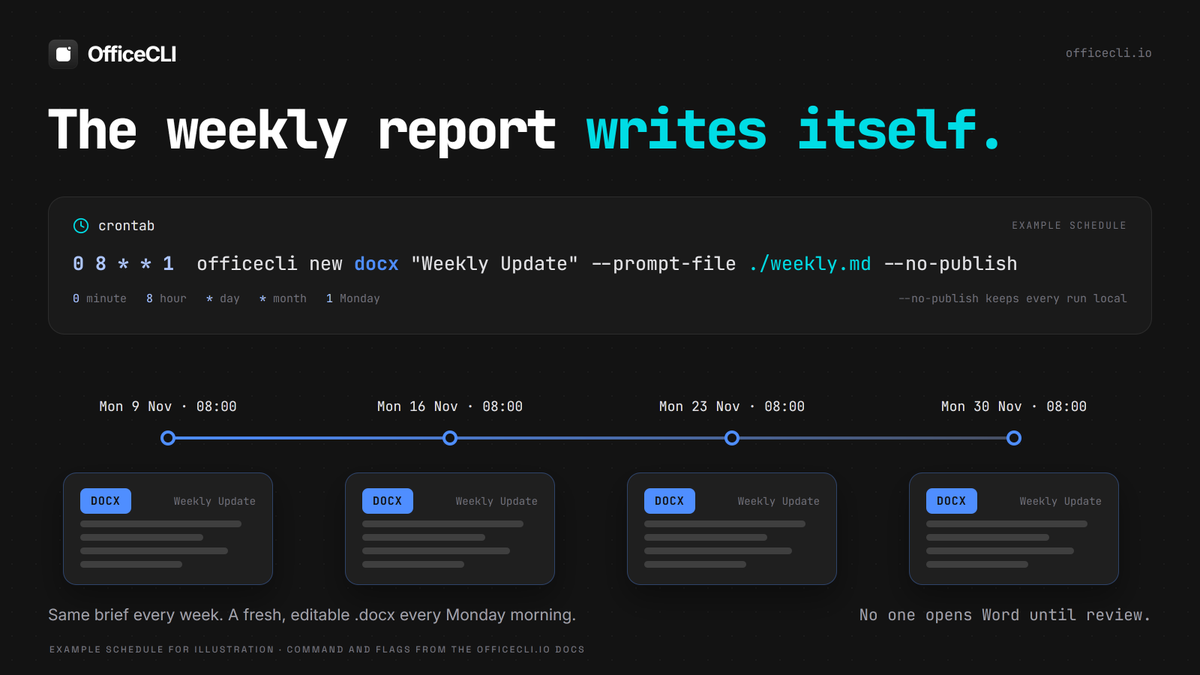
The weekly report writes itself.
Keep the brief in weekly.md, add one crontab line, and a fresh, editable .docx lands every Monday at 8.
No one opens Word until it's time to review.
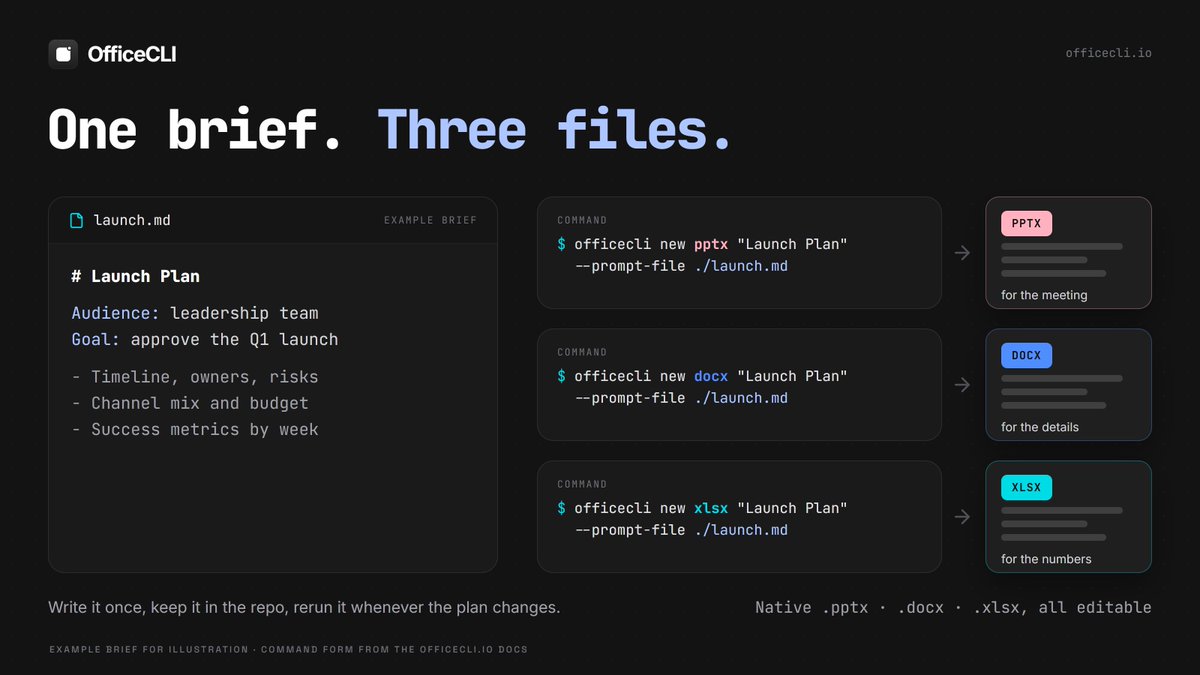
One brief. Three files.
The deck for the meeting, the doc for the details, the sheet for the numbers. Same prompt file, three commands, all native and editable.
What's next for OfficeCLI?
Today it creates new files. Next it starts working on the ones you already have:
→ edit existing files, template-aware
→ summarize and extract
→ convert between formats
Later: PDF, Markdown and CSV.
One brief. Three files.
officecli new pptx "Launch Plan" --prompt-file ./launch.md
officecli new docx "Launch Plan" --prompt-file ./launch.md
officecli new xlsx "Launch Plan" --prompt-file ./launch.md
The deck for the meeting, the doc for the details, the sheet for the numbers. All editable.
Decks, docs and sheets from your terminal. Any model, no ribbons.
One prompt in, a native .pptx, .docx or .xlsx out. Free and unlimited with your own model.
CA: 0x8c4584d7574b4ffd437f88ec8fcf1a5d15c5ce08
npm install -g officecli
https://t.co/8FXdw3wtdb
Your Monday report, on a schedule.
Keep the brief in weekly.md and point a cron job at it:
officecli new docx "Weekly Update" --prompt-file ./weekly.md
A real .docx lands every Monday morning, ready to edit. Nobody opens Word until it's time to review.
Where AI document automation actually matters:
Product teams: decks, docs, sheets and reports for launches and reviews.
Automation builders: document operations in CI, custom agents or OpenClaw.
Ops and research teams: one CLI for creation and review.
@jabiShips Thanks! Right now it's focused on generating new files, and it can already review and score existing PPTX with officecli score pptx.
Editing existing files is next on the roadmap: content modification and template-aware editing, plus extraction and format conversion.
How OfficeCLI works, in four steps.
1. You write one command
Format, topic, brief:
officecli new pptx "Q3 Business Review" --prompt "Create a six-slide executive deck for a SaaS quarterly business review. Cover growth, retention, risks, and next-quarter actions."
Longer brief? Put it in a file: --prompt-file ./brief.md
2. OfficeCLI picks your access
Hosted trial is the default, so the first run needs no model endpoint or config file. After that, use officecli login or an API key for hosted credits, or switch to External Mode with your own LLM endpoint, free and unlimited:
officecli config set-runtime external
officecli config set-generation
3. The model writes the file
The text model drafts the content. For decks, images are added where the plan benefits; add --no-images for a text-only deck.
4. A native file lands
Generation completed. Saved to output/Q3_BUSINESS_REVIEW.PPTX
Files go to ./output by default. Use --out <dir> to choose another folder and --json for scripts.
Install: npm install -g officecli
Dev has burned 18,203,792 $OCLI so far.
5 burns, 1.82% of total supply, all sent to the dead address. Every $OCLI the dev wallet bought went straight to burn.
Verify: https://t.co/t7QYFgB9dr
officedex is open source.
The desktop side of OfficeCLI: prompt in, native .docx, .pptx and .xlsx out, with inline preview and no Office install.
It remembers your style across sessions, takes screenshots as reference, and splits work across agents.
https://t.co/qLKXcC3nTW
No x402, no finance. OfficeCLI is document tooling: prompt in, native .pptx, .docx or .xlsx out.
The agentic part is real though. Agents call it through officecli agent-bridge (JSON-RPC over stdio), with skills for Claude Code, Codex and OpenClaw.
Your CI already fails on broken tests. Now it can fail on a weak deck.
officecli score pptx ./output/deck.pptx --no-visual --fail-below 80
Structural checks only, no LibreOffice needed. Score under 80, the build stops before the deck reaches anyone.
A few flags go a long way.
--prompt-file for longer briefs, --out to pick the folder, --json for machine-readable output, --no-publish to stay local, --no-images for text-only decks, plus --ratio, --size and --reference-image for new img.