マウス関連でよく出てくるUSBセレクティブサスペンドもそうですが、こいつも環境によってはダル絡みしてきます。
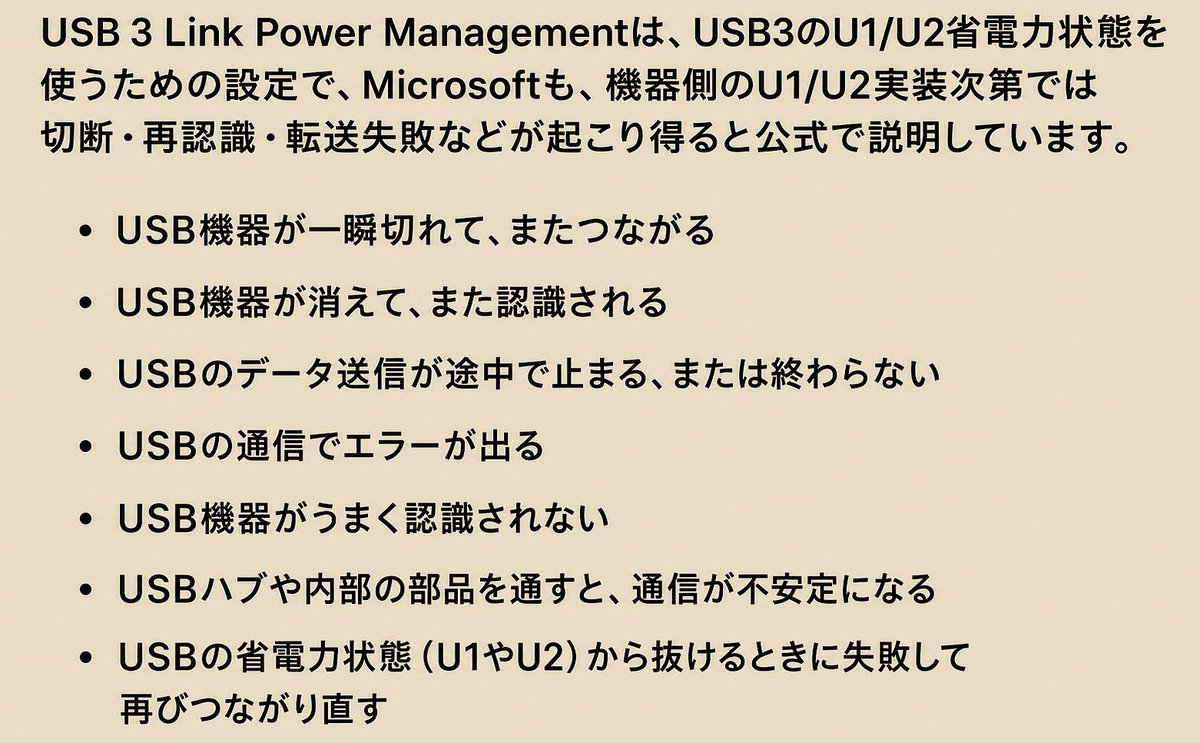
USB 3 Link Power Management
別機構ですが、OffにするとUSB3.xのU1/U2切り替えを抑制、復帰遅延や相性問題の要因を1つ減らせる場合あり
消費電力↑↑(出し方は前ポストと同じ)
You NEED to optimize your Logitech GHUB Software to Fix Input delay and FPS Drops while Gaming
Do these Settings for Max Performance on Windows 10/11 for Consistent Aim and Polling with NO Overhead
(Increased FPS + Reduced Latency) More Info Below!
🚨 Your USB Settings Might be TROLLING You!
Go to Device Manageer > Universal Serial Bus Controllers > Right click USB Root Hub / Generic USB Hub > Properties > Power Management > Turn OFF "Allow the computer to turn off this device to save power"
Do this for all your USB Ports. By default Windows can turn them off to save power causing random disconnects, polling issues, stutters, and more. ⬇️
🚨 Want more FPS? Check this Windows setting.
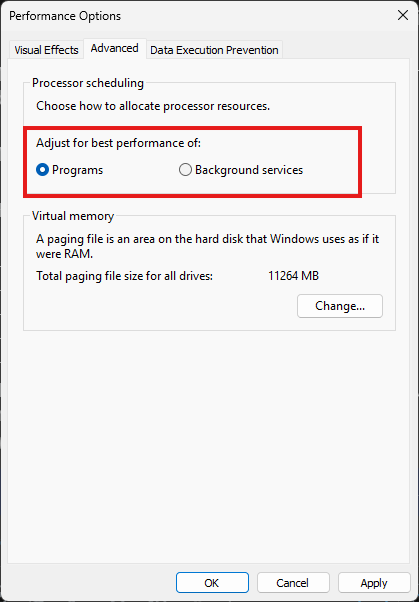
Many gamers don't realize their CPU can prioritize background services instead of their game.
Make sure it's set to Programs.
How to check:
→ Press Win + R
→ Type sysdm.cpl
→ Advanced → Performance → Settings
→ Advanced
→ Set Processor scheduling to Programs
It's also worth checking after major Windows updates to make sure it hasn't changed.
Was yours already set correctly? 👇
OBS is causing MAJOR Input Delay and FPS Drops while your Gaming
Do these Settings for Maximum Performance while Clipping/Recording on Windows 10/11
(Increased FPS + Reduced Latency) More Info Below!
The Best NVIDIA Control Panel + Color Settings for Improved Performance
Get a Faster Windows 10/11 Gaming PC in 90 Seconds
(Increased FPS + Reduced Latency) More Info Below!
🚨Windows Users
Your browser might ALWAYS be running in the background
Change this setting for better FPS⬇️
Chrome / Edge → Settings → System
Turn OFF:
Continue running background apps when browser is closed
If you leave this ON, your browser can keep extensions, services, and background processes active even after you close the window.