Today I hit 4,000 subscribers on YouTube! 🎊
I'm overwhelmed with gratitude for EACH of you who have joined me on this amazing journey. Your support and feedback means the world to me, and I'm thrilled to contribute to our community. Here's to many more milestones together 🚀
With a single Get Records element in your Flow, you can now (Summer '25) retrieve records related to the selected object's record. For example, when you get Accounts, you can now get Related Opportunities while using the same element. Totally worth checking this out!
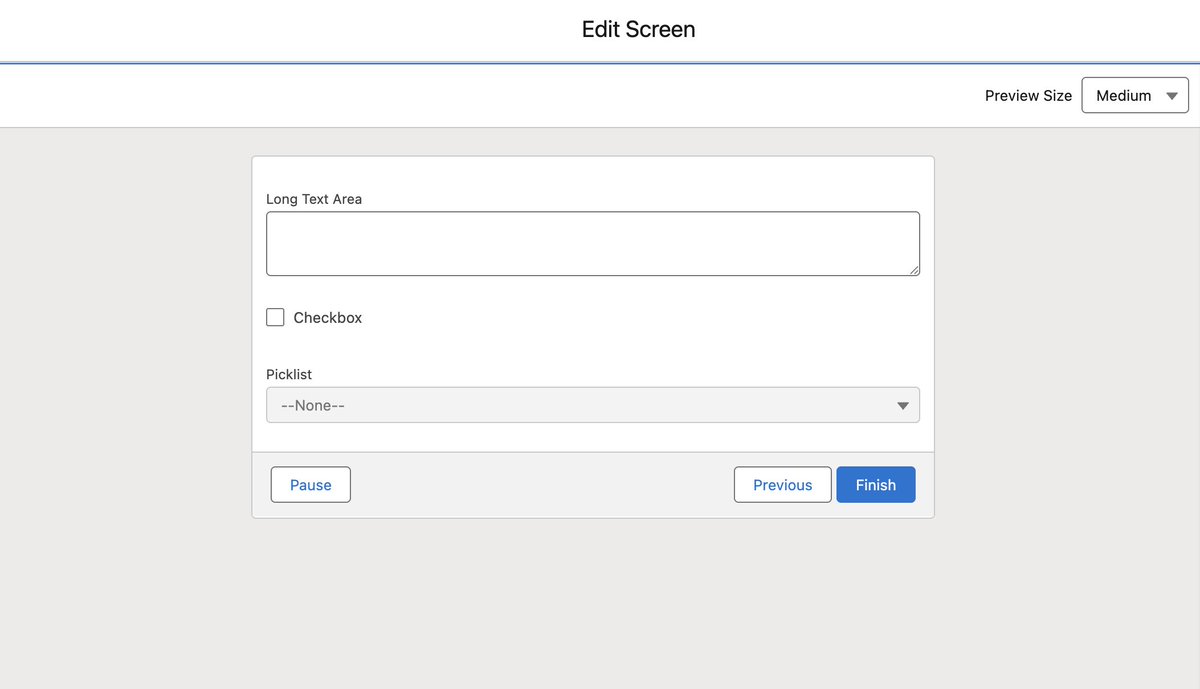
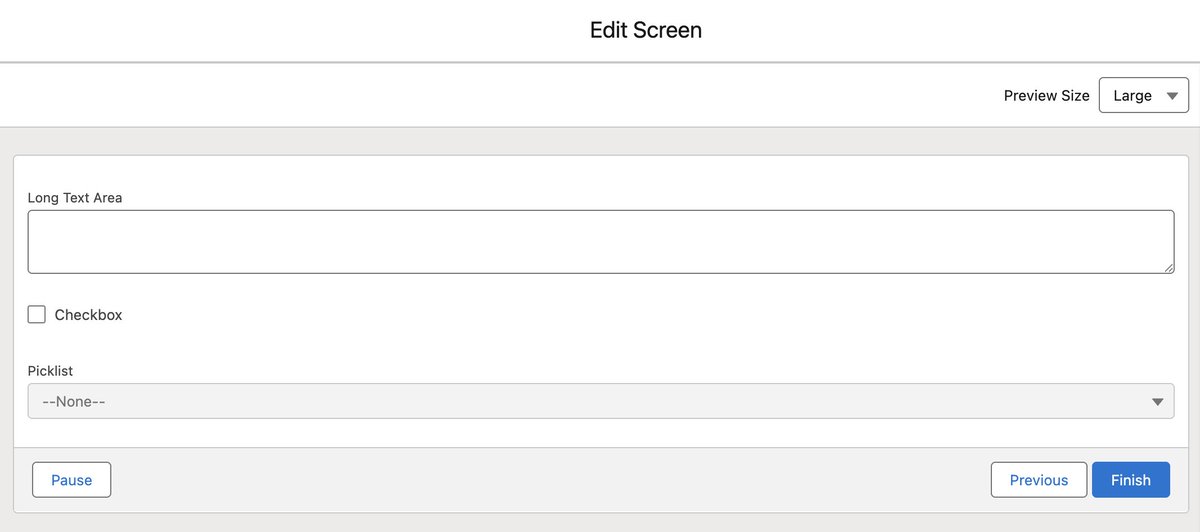
With Summer '25, there is an additional consideration that you should be making when creating a new Screen Flow in Salesforce, and that is... how big should the screen be!
The size picker option is simple, yet super useful.
Here's a quick guide: https://t.co/jZWn07S2gk
Summer 25 lets you take charge of your screen size! Tailor your flows to fit perfectly with how they'll be used. Choose from three options: Small, Medium, and Large.
Skill up. Learn more. Earn it all.
Complete this #TrailblazerQuest by reaching your next Trailblazer Rank and celebrate your rising star. 💫
🛣️ Get on the Road to Ranger and beyond: https://t.co/dnzDfYBCHk
Get instant answers and visualizations with Agentforce for Analytics: Concierge.
🔓 Unlock conversational analytics
⚡️ Accelerate insight discovery
🛡️ Ground answers in trusted data
Dive into our agentic analytics enhancements in the #SalesforceRelease:
https://t.co/6Vc65vhOZd
☀️ Summer ’25 is stacked with great new features for #AwesomeAdmins.
Here are Lead Admin Evangelist @JenWLee's top picks:
• Edit permissions from the Summary page
• Get related records in one Flow element (Beta)
• Draft email content directly in the Send Email action
Check out her full list of top features: https://t.co/hhDMrlhw4p
Learn how you can use the Visual Picker Component in Screen Flows, so that when Summer 25 is live, you have everything you need to implement it.
Here's a quick guide: https://t.co/CHupwCugPY
Dive into Summer '25 with a splash of visual upgrades for Salesforce Flows! In this video, we'll explore four exciting new enhancements you won't want to miss.
🔴 Video: https://t.co/Q9oc2PlqB0
It's often the small tweaks that create the biggest impact. Take the ability to set the File Upload component as mandatory in a Screen Flow. This change is a game-changer—I can ditch the formula writing for good!
Discover a new way to work with Permission Sets in Salesforce ✨
Take a quick look at the new UX for Permission Sets and quickly manage permissions in a single view
🔴 Here's a quick guide:
https://t.co/nQ3eNz9oSX