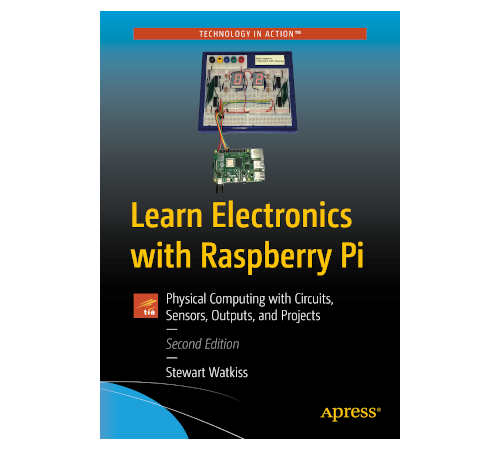
This year I wrote two new books.
https://t.co/QTe2IRAOki
Beginning Games Programming with Pygame Zero and Learn Electronics with Raspberry Pi (second edition).
Available from your favourite book store as softcover hardcopy or ebook.
Ready to build the ultimate home media hub? 🐧💻
How to set up a high-performance Jellyfin server on the Raspberry Pi CM4. Using NVMe storage for maximum speed and Docker for a clean, professional setup!
Watch it here: https://t.co/PXLz62VXaz
#RaspberryPi#Jellyfin#HomeServer
Stop letting your Raspberry Pi gather dust! ⚡️
In Part 2 of the Home Server build, we’re going headless: 📂 Samba NAS setup 🐳 Docker & Portainer 📊 Glances monitoring 🚀 Custom PHP "Mission Control" dashboard
https://t.co/TGIKr7wduC
#RaspberryPi#SelfHosted#Docker#HomeServer
Boost your home server game with the Raspberry Pi Compute Module 🚀
Learn how to set up native NVMe booting using a PCIe adapter for lightning-fast storage. Part 1 covers the full hardware build and EEPROM config.
Watch here: https://t.co/LEvIqvRsxP
#RaspberryPi#HomeServer
Master the building blocks of modern AI! 🤖🧠 Discover the ultimate blueprint of AI architecture, from Machine Learning basics to the magic behind GANs.
Watch now 👇 https://t.co/T4UjV5FWBp
#AI#MachineLearning#Tech
Struggling with voltage ripple and droop in your DIY power supply? ⚡️
Learn how to build a rock-solid, stable 12V output using the LM7812 linear voltage regulator. We dive into datasheets, dropout voltage, and how these circuits actually work! https://t.co/OSGdx9GZP4
#Electronics
Turning AC into DC! ⚡ This week's beginner electronics dive is all about the Full-Wave Bridge Rectifier. Plus, checking out the oscilloscope traces and seeing what happens when we drop in a capacitor. 🔌
https://t.co/XVrFKgFo8p
👇 #Electronics#Maker#DIY
Ever wonder why AI sometimes confidently makes things up? 🤔
In this video, "Why AI Lies to You," we break down the 5 biggest limitations of AI today: 1️⃣ Inaccurate Results 2️⃣ Lack of Context 3️⃣ Data Bias 4️⃣ Tokenization & Censorship 5️⃣ AI Hallucinations
https://t.co/wzmZMLE7D9
Ever wondered how a diode actually works? 🤔⚡️
It’s the "one-way valve" of electronics, but there's so much more going on inside!
Watch the full breakdown here: https://t.co/Dwz3xQ4JHZ
#Electronics#PCBDesign#Semiconductors#DIYElectronics
My Raspberry Pi model railway project, is now known as - Pi SignalBox. A GUI application for a Raspberry Pi written in Python Pyside6.
https://t.co/qCRX0BoTRQ
Still work in progress, but now includes good functionality for controlling DCC locomotives and points using CBUS.
I've upgraded a Disney Christmas Tree topper with a Raspberry Pi Pico.
Using a Pico W allowed me to add a web interface, and I used PWM to create an improved twinkle.
https://t.co/aDnCKUUziT
#MakerMonday
I've created a 3D Christmas Tree in FreeCAD.
Print on card or laser cut.
Video shows how to create the design, including 2D sketch, mirroring and duplicating the sketch.
https://t.co/7tJXvKGKNy
#FreeCAD
I've now started using AI to help with creating code for use in my open source projects.
Here's how I use AI, including my first attempt at Vibe Coding for a Raspberry Pi Pico
https://t.co/OfYnI6FNsR
#CodingVsProgramming
For the last week I've been refactoring my code for my Raspberry Pi Model Railway GUI application.
Lots of code changes, but no new features. Making it easier to add new features in future.
https://t.co/joSFK3MLNK
Learning the CBUS protocol to control a model railway, and then creating a GUI app in Python.
Involved packet sniffing with Wireshark, reverse engineering and looking up opcodes in documentation.
Then creating python libraries and a GUI
https://t.co/FPtm0AReec
#raspberrypi
Working on a Raspberry Pi model railway GUI application. Issues with performance, partly due to threading and GIL, but also due to overly complex application when tried multi-processing.
Instead looking at simplified Flask API.
https://t.co/LERNdPlb0A
#python#pyside#flask