@hugh_jolley@ChrisDJackson@JoeBiden Think of it like this: Democrats are the soggy cereal in your kitchen while Republicans are the flaming bag of shit on your doorstep. Which one are you going to be talking more about?
@DinkFrink@KTLA I’m sure zero dollars and zero cents, but they seem to have made a nice deal with the Tejon Indian Tribe whose land the casino will be built on.
@Latina4America@KTLA Having a criminal record is different from doing something that’s illegal. Every time you’ve driven over the speed limit or jaywalked, you were committing a crime, but you probably didn’t get caught every time.
@cf__200@Breaking911 This is such nonsense. If “they” wanted to condition people to accept walkable cities, they’d make them afraid of cars. Plane incidents only makes people afraid to travel.
@MrReality_sp@krassenstein @Jaypatriot90 If all you know about a subject is what you saw in a TikTok video or a Tweet, then yeah, maybe you SHOULD trust the experts
Elon Musk:
- Welcomed neo-Nazis to X
- Replies to neo-Nazis
- Reposts neo-Nazis
- Funds neo-Nazis through X
- Engages with racist memes
- Posts racist, anti-trans and other bigoted rhetoric
- Performed 3 Nazi salutes on stage while the world was watching
This isn't hard.
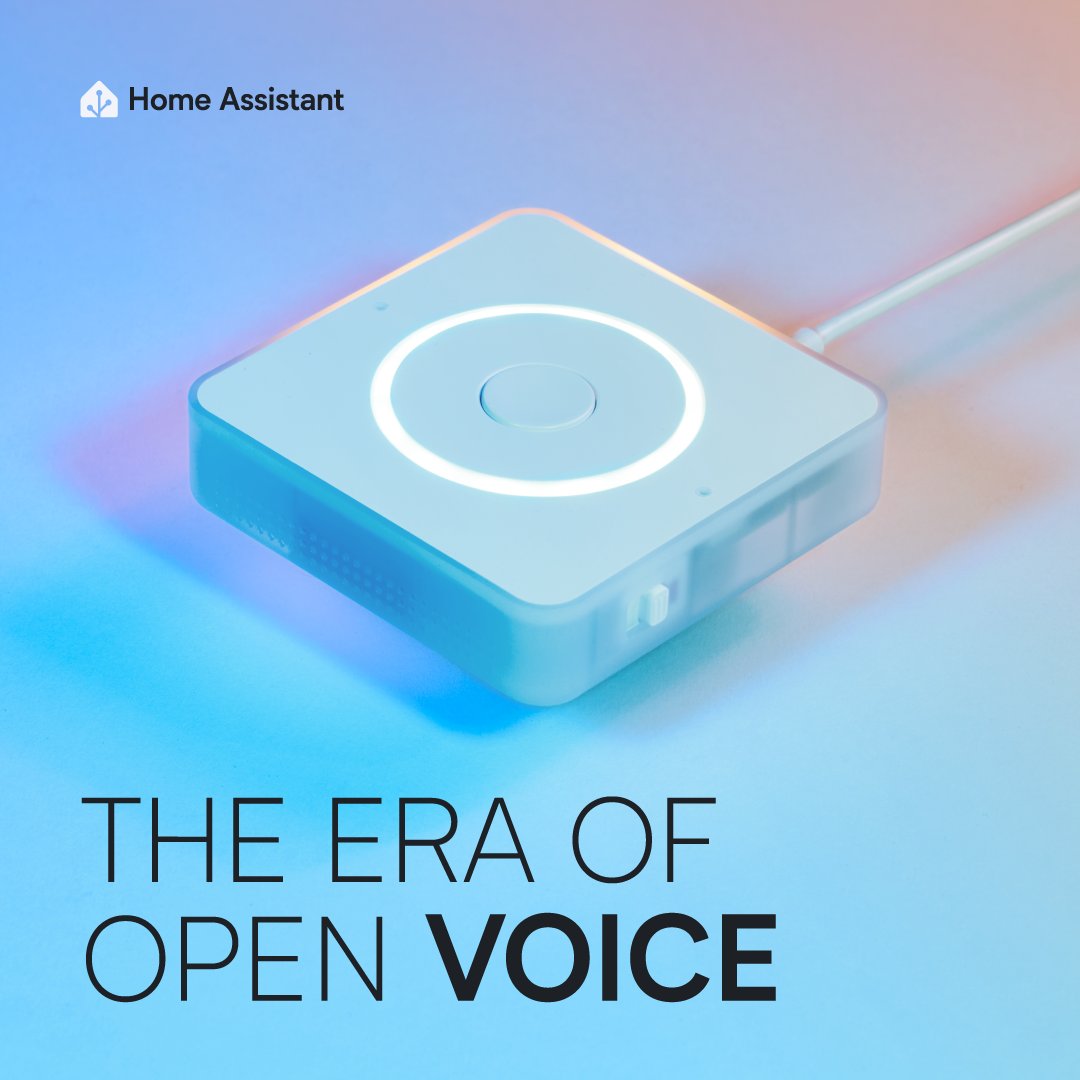
It's here! 🎉
We're very excited to share with you the future of open voice, the Home Assistant Voice Preview Edition! This has been 2 years in the making - we look forward to taking you on this journey with us. 😌
Links in the reply 👇🏼
Here's how I usually structure my Next/React apps.
Let's talk about styling, data fetching, UI libraries, settings, and more.
Styling
The short story is Tailwind. Why? It was easy for me to pick up, stays consistent whenever I revisit old projects, and works great with AI / @v0. I've wrote a lot more about this here: https://t.co/cLb0JIKVK0
Data Fetching
For those who have been around Next.js for a while, you know the quirks of the Pages Router. No end-to-end type safety? No global data fetching??
The App Router is so much nicer in this regard. So, I've been defaulting to this for almost two years now (time flies...): https://t.co/RylubhOWez
Most of the time, I fetch data in a Server Component (like a page or layout). Occasionally, I'll still pull for an external lib for client-fetches (e.g. swr) when working with existing codebases.
A newer pattern that I've started to sometimes use is forwarding Promises to a Context provider, and then "unwrapping" the Promise with `use`. The data can then be used from a hook in any client component. Can work well if you have global data you need to use deep in the component tree (esp. if there's lots of client components): https://t.co/cwki7qJJNe
UI Libraries
Can I say something without everyone getting mad?
I wasn't really a fan of shadcn/ui at first. It felt like a lot of dependencies and "weight" in my repo. There was something more minimalist about just putting the deps in `package.json`.
It was similar to my initial reaction to Tailwind. "Eww". Well, that was wrong too. Maybe that was just my familiarity with existing component libraries.
I've really changed my opinion. Unstyled, accessible UI components that integrate with Tailwind are... really nice. And that can be easily edited and customized.
You either use a component library, or you build your own. And there's so many dang quirks to get accessible components right. I think that's why unstyled primitives are growing so quickly. It's really a new generation of component libraries.
Other Libraries
I almost never use ESLint on personal projects anymore. I still use it when working on larger projects with the team. But type checking + Prettier has been good enough. Long live TypeScript.
We're hoping to add support for Biome to Next.js, and then maybe having the single unified toolchain will be my new approach. Not sure yet. Prettier has worked so well, for so long, I'm apprehensive to any change. cc: JS fatigue.
In general, I'm trying to have fewer dependencies, because you can often get an AI-assisted version of just the one function you needed versus bringing in the whole package. Things like date formatting, or markdown parsing. I wrote more about this here: https://t.co/TKfYGLnZ5V
• An extremely underrated Postgres client is `postgres.js`: https://t.co/nauM90xUVj. However, most of the time I'm using `drizzle` as my ORM.
• `zod` somehow finds its way into almost all of my projects these types.
Forms
You can get surprisingly far with the new React hooks like `useActionState` and Server Actions. Throw some Zod in there, and it's pretty easy to get client/server-side validation with ease: https://t.co/zJUcaeNZKg
There's a few community packages automatically setting this up for you, which is nice: https://t.co/Gg6s2OR9Zy
Charts
shadcn/ui: https://t.co/v7mQRwPGjQ
Icons
shadcn/ui, so `lucide-react` currently: https://t.co/XUYYoiWp6o
Fonts
Geist: https://t.co/c1bYYZiYjx
Settings
I daily drive VS Code. I do want to learn neovim at some point, btw. I don't have any fancy extensions, mostly just the essentials: Tailwind, Prettier, MDX, vscode-icons.
Maybe will try Zed again when the git support improves: https://t.co/SeLusCCDgL. Or maybe some of the new AI enhanced editors (I do use Copilot currently).
A few VS Code settings you might have that I like:
"editor.cursorSmoothCaretAnimation": "on",
"editor.smoothScrolling": true,
"editor.cursorBlinking": "solid",
I'd also recommend checking out custom editor labels if you hate the page/layout/route duplication: https://t.co/CHKpzJ2G8W
Payments
Stripe It was easy for me to pick up, stays consistent whenever I revisit old projects, and works great with AI / @v0.
Iterating
I spend a decent amount of time now talking to @v0 to help make edits or debug things. Definitely not perfect, and it gets things wrong sometimes, but saves me a lot of time versus writing everything from scratch.
Especially for more tedious refactors that are basically just pushing code into different places, or reformatting/restructuring it.
You can kind of 'fire and forget' @v0, then do something else, return in 15 seconds or so, copy the output, and keep moving. It's like my concurrency level went from 1 to 2. AI agent workflows might make this even easier in the future.
Summary
"Well, you know, that's just like uh, your opinion, man."
@ksaitor@anothercohen That was my first thought too. I found a settings panel where the text was tiny and elements were missing their margins and had weird padding. It looked awful
How to build a product around SEO
ImagenMIA has gotten over 200k views on Google the last 40 days. On average it gets 4.000 Google views/day & 250+ unique visitors/day 🚀
I'm using the same approach to build a new product - here is exactly what I'm doing:
1. SEO Research
The first step is to find good keywords we can target and build our product around. I used Ahrefs and Google Keyword Planner for this.
One tip I can give is that tends to be very difficult to find high volume low competition keywords in English. So if you speak other languages - use that. There is an entire market out there that is up for grabs.
For Ahrefs, here is what you're looking for:
- High volume (1.000+ at a minimum)
- Low Keyword Difficulty (KD) - <10
- Long-tail keywords/variations/combinations
For Google Keyword Planner, we want:
- High average monthly searches for the countries you selected (10K+)
- Low competition
This step is the most important one. Spend a lot of time on this to find something good as all other steps depend on this one.
2. MVP ideation & build
Based on the good keywords you found in step one, now you can start thinking about what you can build to target the keywords. Important here is to consider user intent - what is the user looking for when searching for those keywords?
You can get an idea by doing a Google Search yourself and seeing what results you get.
In my case this was pretty easy - there are lots of similar products that exist but they all target the English market.
I was born and lived in Spain until I was 10 years old before moving to Belgium, so those Spanish speaking skills make it easy for me to build the same product, but for the Spanish market.
I built the core feature in less than a day (without finetuning & experimenting with AI model - this took longer and a lot of experimentation/trial and error over a few weeks).
I always use the same self-made boilerplate I have for all my projects. It uses NuxtJS, TailwindCSS + DaisyUI, Supabase, PostHog analytics and LemonSqueezy for payments.
This makes it super easy for me to quickly build new things.
3. Dynamic pages to target tail keywords
You'll want to build as many landing pages as possible.
Then build a database with information for your different long-tail keywords you gathered in step one.
For my case, I figured a lot of searches were people looking for design ideas for their living room, bathrooms, stairs, ...
So I built pages with these variables:
- Rooms (currently 26+)
- Style of the room (14 on average)
Which gives me a total of around 370 dynamic pages (26 room types x 14 styles)
Once you have this, build a landing page structure that can be populated based on the URL. I also make sure that each of the pages crosslinks to other pages to give them more internal authority (good for search engines).
And since my project is about interior design, I make sure to have different images per room & style.
Voila - you now have 370 different landing pages bringing in potential traffic! For ImagenMIA, it's one of those pages that brings in the most traffic btw!
4. Blog articles
We're not done yet. We also want to generate good blog articles to target even more variations of the keywords/related topics.
This was easy to do as I have been doing this for all my other projects.
I built my own script that:
1. Generates a list of potential blog article topics
2. Generates an SEO optimized article for each
3. Gets an image for the article using Unsplash
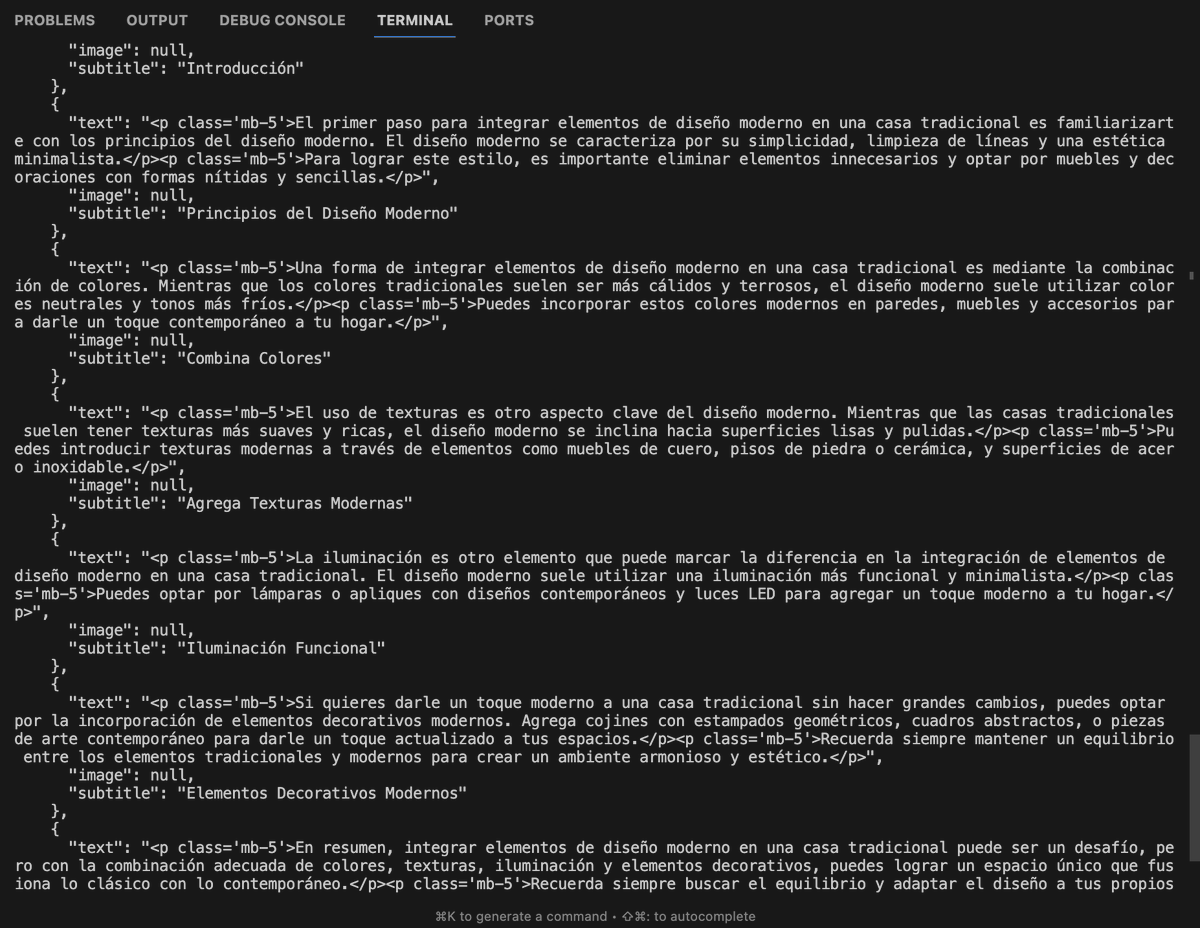
4. Pushes the article to my Supabase blog table
All I have to do is run node programmaticSEO.js and blog articles are automatically generated and added to my project.
I have built my article pages in a way that uses the article title as <title> and article description as description for the page.
So far, I have generated over 400 blog articles. But I could easily generate 5.000 or more if I wanted to. I usually like to do this gradually, every couple of days/weeks. Don't want to push too much content at once + Google likes pages that are regularly updated.
I don't review my articles or read them. I only do that after identifying which ones are getting traffic from Google.
I also make sure that each article contains some marketing components about my product.
5. Some other optimizations
- Images: I have a script that converts all my images to WebP format - smaller size and easier to load.
- Pagespeed: I use websites like PageSpeed or SEOptimer to do checks on performance, then I try to improve what needs to be improved
- Basic SEO checks: free Ahrefs audits
- Crosslinking: I put a link in the footer of all my projects to my new project. This transfers some authority to my newer projects
- Auto-indexing: I don't want to wait 3 months before Google (maybe) starts indexing my stuff. I submit my new pages for indexing using an auto-indexer
And that's the core idea of it!
I will usually repeat and finetune all steps a few time as time goes by. Usually I want to see initial traffic and see for which specific keywords your page is getting the most traffic.
Only then will I build more features to avoid building stuff for nothing.
Hope this was useful! 😄