Blender is now live in Preview, GPU-accelerated in the cloud and driven entirely by our Agent.
Charge into your next complex shot with confidence.
Blender in Preview lets you lock your camera moves and blocking with more than just a prompt.
1. Describe your camera direction to the agent and Blender blocks it for you
2. The Blender file and its render are saved in your selected folder
3. Use the render as your camera reference with any other references you want to lock your visual style
4. Then use the agent to generate the final shot
You never have to leave Preview and every creative call stays yours.
Find your artist's work without searching the whole canvas
Filter by author, tag, type, model, resolution or aspect ratio. Stack them until only what you need is left
That's Filters in Preview
Stop writing paragraphs to describe your scenes to the model.
Draw the action.
Annotate mode in Preview lets you
- Freeform draw
- Write notes
- Add images
- Draw shapes
- Edit your annotations
Then generate the video from the image for ultimate control of your scene.
Try it today at https://t.co/1Y23VihIjK
Film productions can look like total chaos to an outsider.
The key to success is keeping your crew coordinated from start to finish.
Until now, collaborative gen AI productions have been scattered messages and assets across a handful of platforms.
Preview is the solution to this management nightmare.
Everything your productions needs, in one place, with a complete recorded history of all decisions made.
Every asset can be shared, managed and manipulated by whoever you choose on your crew.
Learn more and Sign up at - https://t.co/15rR1uzDMF
Your commercial idea, from script to rough cut, in one agent session.
Write the script from your beat breakdown
Turn it into a shot list you edit
Draft at 480p, upscale only the winners
Send the stack to Resolve as XML
You run the creative. Full walkthrough below 👇
Full walkthrough: https://t.co/S537SJgm4y
00:00 - Why start with a draft edit
01:50 - The agent writes the script from your beats
03:50 - Script to shot list
05:13 - Drafting a scene at 480p
11:40 - Text-only style and the consistency problem
17:50 - Character and object sheets
20:20 - Writing the performance direction
21:11 - Fixing a blocked prompt
30:37 - Export to Resolve
31:48 - The edit
49:52 - The final commercial
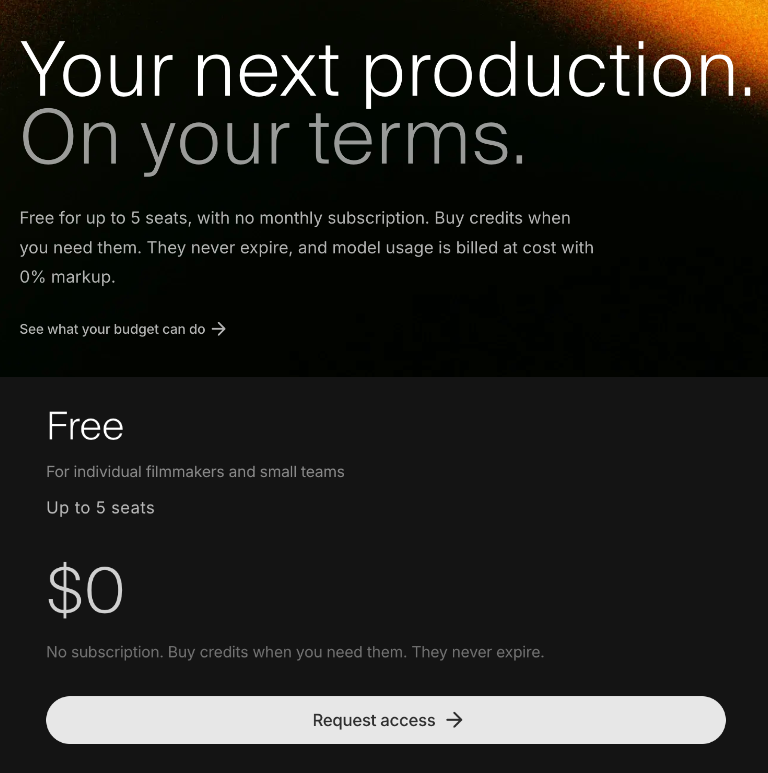
We heard you like competitive pricing...
✅ Unlimited projects, canvases and storage
✅ Access to all image and video models
✅ Desktop, browser, MCP and CLI access
✅ Bring your own key at no extra cost (coming soon)
✅ Agent use included
This is the easiest way to relight your scenes
From Preview to @Photoshop in one click
Achieve perfect lighting in every shot
Your work stays intact with two way sync
You run the creative, we handle the connection
Seedance 2.5 draft mode is now in Preview
Generate super fast with 480p drafts
Then upscale to 1080p with a single click
Your original video stays exactly the same
Same prompt same seed same everything
This is a great way to test prompts before committing to expensive 1080p outputs
Your Screenplay lives in Preview
The Agent saves key elements
Builds the Shotlist
Collaborates on assets
Keeps track of your entire production
And everything is shared with your team
Hybrid Productions are the future of filmmaking
And the future belongs to dreamers.
We made this with 1 camera, 2 people and a white wall of limitless creativity
From the stage to Preview the flow has never been easier
We breakdown the production process in the thread below
And if you want to see the full making of you can watch it on your youtube.
Hybrid Productions are the future of filmmaking
And the future belongs to dreamers.
We made this with 1 camera, 2 people and a white wall of limitless creativity
From the stage to Preview the flow has never been easier
We breakdown the production process in the thread below
And if you want to see the full making of you can watch it on your youtube.