Your AI agent dies the second you close the terminal.
tmux fixes this...
Detach, walk away, come back hours later and it's still running like nothing happened
Watch this 25 video:
Google acaba de publicar el estándar de Code Review que usan sus ingenieros internos.
Literalmente puedes darle esta documentación a un agente de IA y convertirlo en un revisor de código con estándares de Google.
La mayoría de IAs solo generan código.
Ahora también pueden:
→ detectar malas prácticas
→ revisar arquitectura
→ pedir cambios útiles
→ validar legibilidad y mantenibilidad
→ dar feedback estilo Google
El documento incluye cómo revisan código realmente dentro de Google:
→ criterios de aprobación
→ qué bloquea un merge
→ cómo escribir código fácil de aceptar
→ términos internos como LGTM y CL
No es teoría.
Es el sistema real que usa Google para revisar millones de líneas de código.
Enlace abajo 👇
more and more work is moving into coding agents, I don't live in my editor anymore
but you gotta keep an eye on these little goblins, they write bad code.
so we built a diff viewer in opencode! available now
Running OpenClaw locally? Do it safely.
This walkthrough shows how to run it inside Docker Sandboxes with Docker Model Runner:
- Isolated microVM
- No exposed API keys
- Controlled network access
- Fully private, local AI setup
Secure agent workflows in ~2 commands.
Read → https://t.co/RZh2qp7eSi
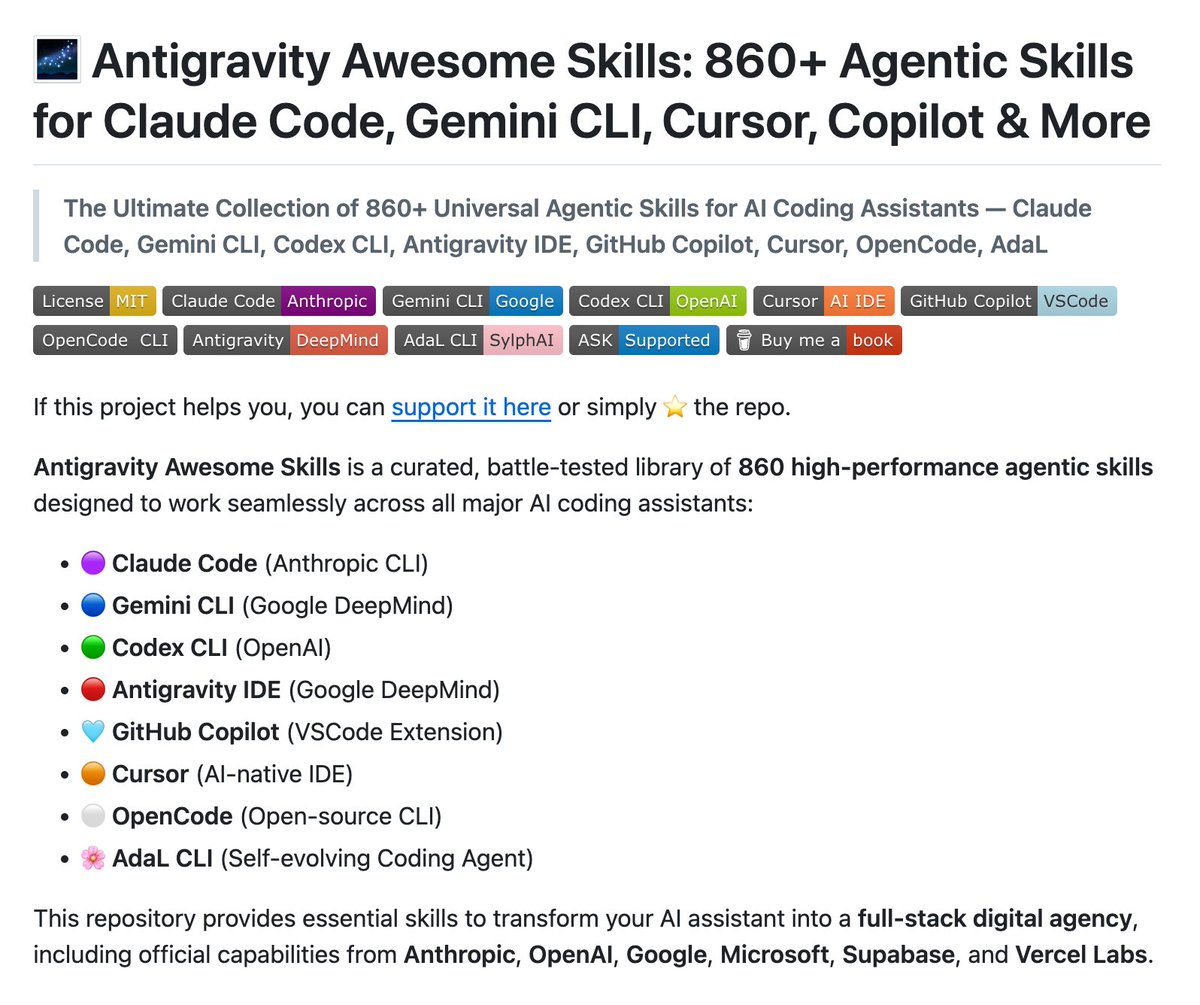
BREAKING: The largest collection of AI coding skills
860+ skills. One repo. Works everywhere.
→ Claude Code
→ Gemini CLI
→ Codex CLI
→ Cursor
→ GitHub Copilot
→ OpenCode
→ Antigravity IDE
→ AdaL CLI
What are skills?
AI agents are smart but generic. They don't know your deployment protocol. They don't know your company's architecture patterns. They don't know AWS CloudFormation syntax.
Skills are small markdown files that teach them.
One skill = one capability. Perfectly executed. Every time.
This repo has 860 of them:
→ Architecture (system design, ADRs, C4)
→ Security (AppSec, pentesting, compliance)
→ DevOps (Docker, AWS, Vercel, CI/CD)
→ Data & AI (RAG, agents, LangGraph)
→ Testing (TDD, QA workflows)
→ Business (SEO, pricing, copywriting)
Install once:
npx antigravity-awesome-skills
Then:
"Use @ brainstorming to plan a SaaS MVP."
"Run @ lint-and-validate on this file."
Your AI agent just got 860 new capabilities.
GitHub Repo Link in comments.
🚨 Anthropic just made a $10,000 AI degree look useless.
They quietly dropped 12 FREE courses that teach you how to actually build with Claude in 2026:
• Make real API calls and ship tool-using agents
• Build and deploy full RAG pipelines
• Connect models to live tools and data with MCP
• Spin up production-grade MCP servers with logs + scaling
• Run Claude inside Amazon Bedrock and Google Vertex AI
• Automate dev work from the CLI with Claude Code
• Integrate GitHub, workflows, prompt scoring, multi-turn agents
No theory.
No “what is AI” lectures.
Just hands-on infrastructure.
This is the stack serious builders are learning while everyone else is still arguing about prompts.
Free. Public. Live right now.
If you’re not learning agent workflows and Model Context Protocol this year, you’re already behind.
I always wondered which Ollama model my machine could run properly.
Now you can easily do that using llms-checker
It's a CLI tool that checks your system specs and recommends the best models to run on Ollama based on what your machine
npm install -g llm-checker
https://t.co/j86nS7EA55
Anthropic released a 33-page guide on building Skills.
Here's everything you need to know (under 370 words):
First, what are Skills?
A skill is a folder that teaches Claude how to handle specific tasks. You teach it once, and it works every time. No more re-explaining your preferences in every conversation.
Skills aren't locked to Claude. They've been published as an open standard, so you can use them with AI agents like OpenClaw, too.
Here's the simplest way to think about it:
MCP gives Claude access to your tools. Skills teach Claude how to use them well. One without the other is incomplete.
The guide breaks things down into 3 use cases:
1. Workflow Automation: You have processes that need to run the same way every time. A skill can pull your project status, evaluate team capacity, and create tasks without you walking Claude through each step again.
2. MCP Enhancement: Your team has years of accumulated knowledge about how things should work. A skill captures that expertise so Claude handles edge cases the way your best team member would.
3. Document Creation: Every team has standards for how presentations, code, and designs should look. A skill lets Claude follow those standards without you pasting your style guide into every conversation.
The setup is more straightforward than you'd think:
One SKILL. md file with some structured metadata at the top is all that's required. Scripts, templates, and reference docs are optional.
Two fields in that metadata matter most:
- name (lowercase with hyphens, no spaces or capitals)
- description (what the skill does + specific phrases that should activate it)
Nail the description, and Claude picks up your skill at exactly the right moment. Get it wrong, and it sits there doing nothing.
The guide walks through 5 patterns that actually work:
1. Sequential Workflow Orchestration: processes that need to happen in a fixed order, like onboarding a customer or deploying a service.
2. Multi-MCP Coordination: your workflow touches multiple services, say design in Figma, tasks in Linear, updates in Slack. One skill ties them together.
3. Iterative Refinement: the skill validates its own work, catches issues, and refines the output before handing it to you.
4. Context-Aware Tool Selection: Claude picks the right tool automatically depending on the file type, size, or situation instead of you telling it every time.
5. Domain-Specific Intelligence: your skill carries specialized knowledge like compliance rules or security checks that Claude wouldn't know on its own.
Pitfalls the guide warns you about:
- Vague descriptions like "Helps with projects" that never trigger
- Important instructions buried inside walls of text
- No fallback when a tool call fails
- One skill trying to do too much
Here's the bigger insight:
AI doesn't have to be general-purpose in every conversation. Give it focused knowledge for the workflows you actually repeat, and it stops being a chatbot and starts being a genuine part of how you work.
I've shared a link to the PDF in the next tweet.
Why would you get a Mac Mini for OpenClaw, and restrict yourself to a single agent? Get a @Beelinkofficial, setup Proxmox, and you'll be able to run a whole team of claws on a single cheap box! https://t.co/vPuuN6tQ1s
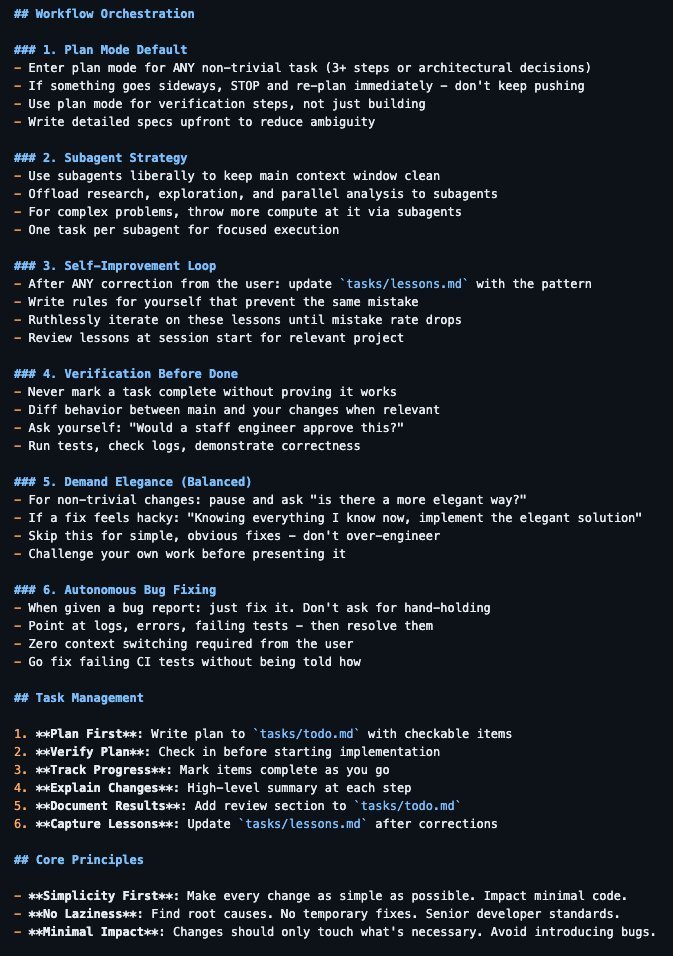
I'm Boris and I created Claude Code. Lots of people have asked how I use Claude Code, so I wanted to show off my setup a bit.
My setup might be surprisingly vanilla! Claude Code works great out of the box, so I personally don't customize it much. There is no one correct way to use Claude Code: we intentionally build it in a way that you can use it, customize it, and hack it however you like. Each person on the Claude Code team uses it very differently.
So, here goes.
I came across this very cool tool to clean up your macOS environment: https://t.co/z1AS3gWXF8
It consolidates features from CleanMyMac, AppCleaner, DaisyDisk, and iStat. Open source and gratis!
Almost every app I've seen pre-chunks their documents for RAG.
We built a system that chunks at query time instead - here's what we learned:
Most RAG systems use 𝗽𝗿𝗲-𝗰𝗵𝘂𝗻𝗸𝗶𝗻𝗴: breaking documents into smaller pieces before embedding and storing them. You make upfront decisions about chunk size and boundaries, then everything's pre-computed and indexed for fast retrieval.
But here's the problem: choosing the right chunking strategy is 𝘩𝘢𝘳𝘥. Should you use fixed-size chunks? Semantic chunking? Hierarchical? The decision has huge downstream impacts on your RAG system's performance, and I've seen tons of developers struggle with this.
So we built 𝗽𝗼𝘀𝘁-𝗰𝗵𝘂𝗻𝗸𝗶𝗻𝗴 into Elysia, our open source agentic RAG framework.
Instead of chunking upfront, Elysia chunks at query time:
• Initial searches use document-level vectors (good overview, but not granular)
• When documents exceed a token threshold 𝘢𝘯𝘥 prove relevant to the query, Elysia dynamically chunks them
• Chunks get stored in a parallel, quantized collection with cross-references to original documents
• Subsequent queries leverage previously chunked content (the system gets more efficient over time)
This means you can create dynamic chunking strategies specific to the context of the user's query. Different document types could use different methods - code chunked by function boundaries, prose using semantic chunking. Also, it doesn't need to chunk documents that are never accessed.
The trade-offs is that it adds latency on first access (chunking happens in real-time), and requires more complex infrastructure to manage.
IMHO, the flexibility is worth it. Pre-chunking forces you to make decisions before you know what users will actually ask. Post-chunking can adapt to the actual queries your system receives.
Check out the blog on Elysia for more: https://t.co/8bszzvLMC7
Our context engineering ebook also goes into chunking strategies in depth: https://t.co/0swiDXUoOY
Chose ECS over Kubernetes to avoid complexity.
What we gained:
- Simpler deployments
- Faster onboarding
- Less yaml hell
- Lower learning curve
What we lost:
- Advanced scheduling
- Rich ecosystem
- Community resources
- Resume keywords
2 years later, still on ECS. Still happy. Sometimes boring wins.
My top five Postgres optimization tips for developers:
1. Master using the EXPLAIN statement to understand exactly how a query is executed and where it can be optimized.
2. Know when to use indexes. Follow tip #1 to confirm whether an index is truly the solution to a perf problem. Beware of overindexing and underindexing.
3. Use connection pooling. Postgres doesn’t have built-in connection pooling and spawns a separate OS process for every new connection. Use server-side or client-side connection pooling, or both, just use something.
4. Query only what you need. Avoid using SELECT * FROM. Be more specific (SELECT column1, column2 FROM) and don’t waste resources by retrieving and transferring data your application doesn’t really need.
5. Use computational capabilities of the database. It’s sooo tempting to fetch data and process it on the application side. But it’s usually more efficient to aggregate, group, sort, and pre/post-process data in the database. And yes, it’s absolutely normal to create stored procedures for compute- or data-intensive tasks.
Este repositorio es una joya. Te da todos los pasos e instrucciones para proteger y asegurar tu servidor Linux.
Perfecto por si tienes un servidor propio o VPS:
https://t.co/yJD2GnXFPj