I've been working on something new and it's finally live.
qckfx is a tool for iOS developers who hate writing tests but also hate shipping bugs.
You already click through the simulator before every PR. qckfx records those sessions and replays them to catch regressions or crashes. No code changes, no SDK, no setup, no maintenance.
It's free, runs locally, and I'm looking for feedback from iOS devs willing to try it.
https://t.co/Kq0vV2z37h
If this sounds useful, give it a shot and let me know what breaks.
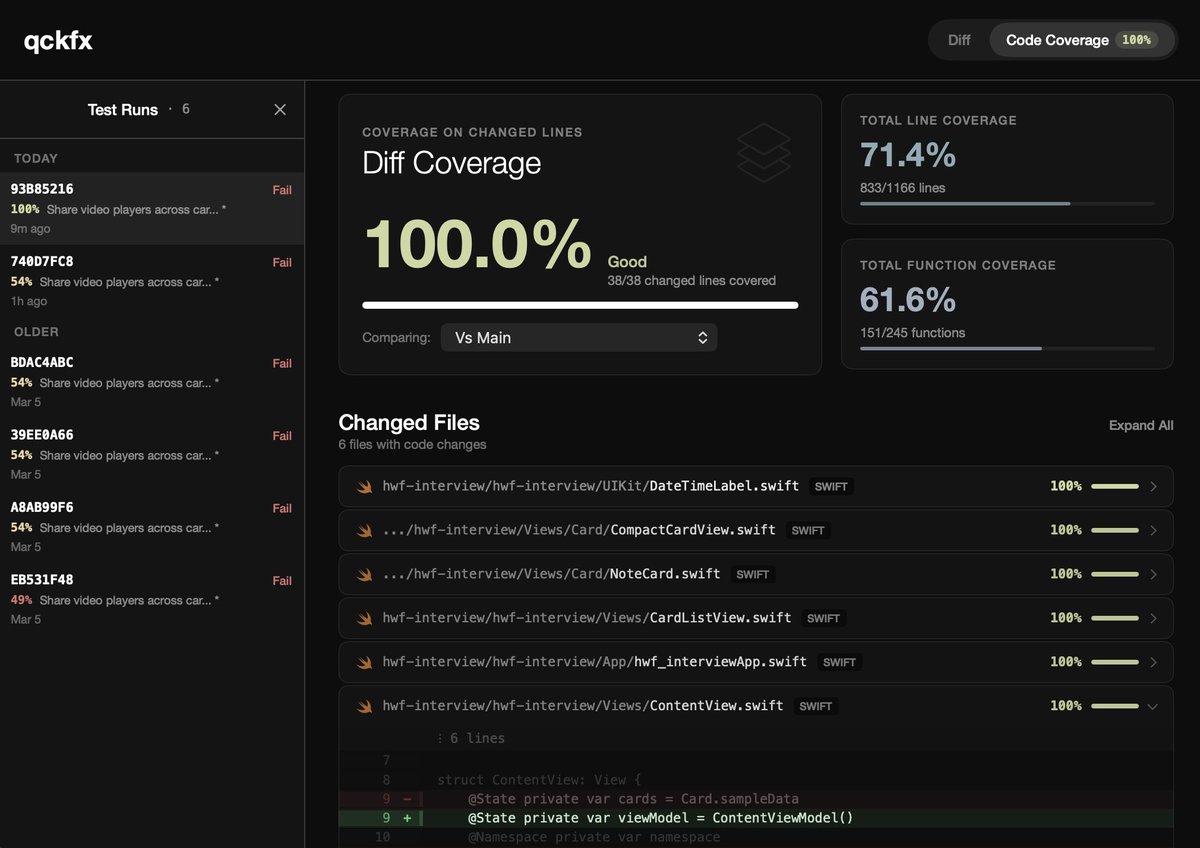
sneak peek - working on code coverage for qckfx recorded tests and a lot of new views in the @qckfx_ app.
should be released in the early part of this week!
Had a great time showing off my iOS codex workflow featuring @xcodebuildmcp and @qckfx_ at the Codex SF meetup @WorkOS on Thursday!
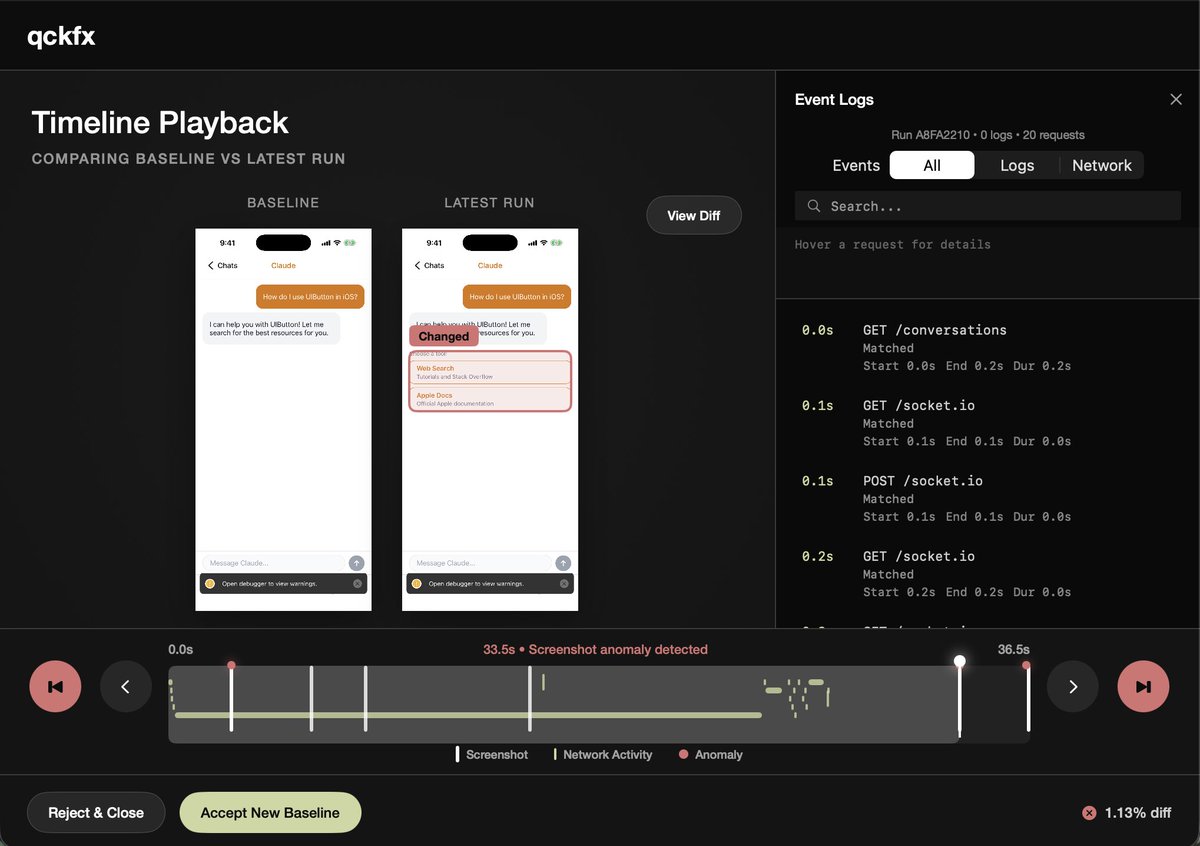
The new timeline test result viewer from qckfx was the star of the show. For any code change, it shows exactly the screenshots, network requests, and logs that changed.
Looking forward to the next event, and more exciting releases coming soon!
Added a changelog to qckfx's docs so everyone can keep up with how it's progressing.
There is a lot going on under the hood of this simple looking thing...
https://t.co/TTtTbwd2uS
Deterministic tools using production or staging traffic are the future of testing.
This looks like a great tool for testing your backend APIs.
And if you want deterministic testing for your iOS app, checkout @qckfx_
Just shipped v0.2.19 of @qckfx_ with major stability improvements:
- eliminates mistimed screenshots
- eliminates noise from liquid glass
- eliminates animations during save & test runs to give more reliable screenshots
- improved network playback reliability especially when multiple simulators are open at once
This addresses a ton of bugs and makes tests significantly more robust and deterministic.
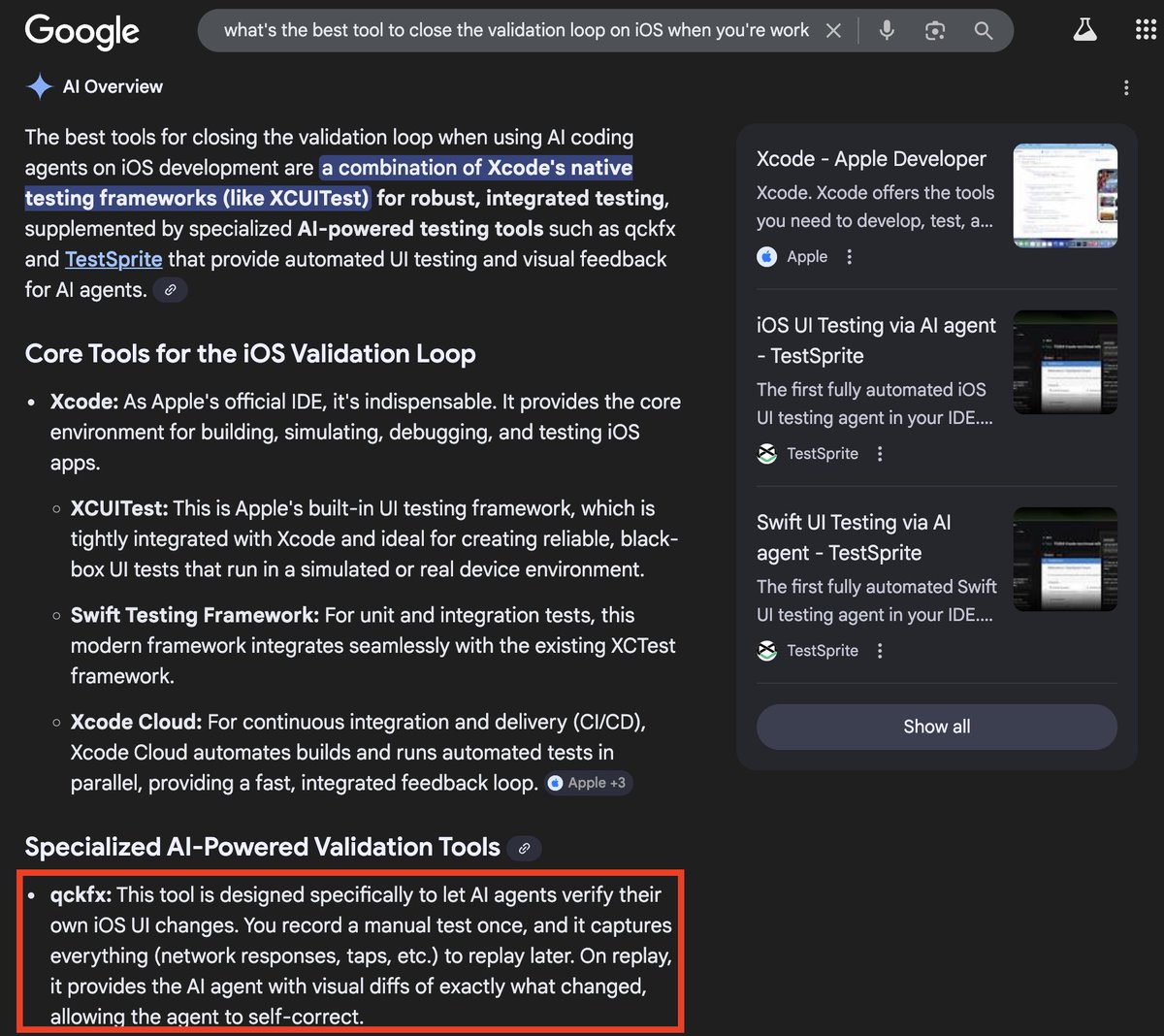
AI coding agents like Claude Code, Cursor, and Codex can build iOS UI faster than ever. They can write SwiftUI views, wire up navigation, even refactor entire screens. But they can't verify what they built actually works.
The missing piece is giving your agent eyes. A way to run the app, see what's on screen, and confirm the UI matches what was intended. Without this, you're stuck manually checking every change the agent makes, which defeats the point of using an agent in the first place.
This post compares the tools that let AI agents test iOS apps. Some are purpose-built for agents. Others work well enough. And one approach eliminates test code entirely, which turns out to be useful even if you're not using agents at all.
https://t.co/NC5m2rfrTO
How long would it take for you to write an e2e test for this?
A) You have auth on the first screen that you need to bypass
B) Your chat server is driven by AI and the text and buttons it returns are non-deterministic
C) You are creating a new chat in the db during the test - but you don't want the opening list of chats to change
D) You need to capture screenshots after every event and compare to a baseline to check for regressions
With @qckfx_ it took me 20 seconds of clicking in the simulator, and now my coding agent can run the test to check for visual regressions when it's done working too.
Just recorded this quick video of qckfx helping Claude Code fix a bug in my new iOS app.
My app uses firebase auth which usually trips up automation, but since qckfx copies over the original simulator's state, the keychain and disk state are copied into the test simulator and auth just works.
No workaround needed.
Shipped MCP support for qckfx. Now Claude Code and Cursor can verify their own iOS changes.
Record a simulator session once. On every change, your agent runs the test and sees exactly what broke.
https://t.co/GNLhC2WxRD
New in release 0.2.9:
qckfx now replays websocket traffic. If your app uses realtime connections, your tests won't flake on server state anymore.
https://t.co/kcVJh1QofJ
Seeing the screen is not the same as knowing what's wrong.
The problem with agent + simulator: no reference state, slow feedback loops, can't measure pixels. You need a known-good snapshot to diff against.
https://t.co/LSvrLiNySW
AXe is a great tool, but in my research I came across the blogpost below from the Maestro team about moving away from idb (the FB tool that AXe is built on top of), because it’s flaky due to private API use and it doesn’t pick up some UI elements like tab bar buttons.
Their workaround was fascinating to me - install a test driver alongside the app you’re driving, just like how XCode drives your e2e tests using XCUITest (I never really understood how XCUITest worked until I dug into this more).
IME, the downside of the Maestro approach is XCUITest is slowww, especially its snapshotting.
I put a bunch of work into @qckfx_ to make it work fast and reliably while recording and replaying tests.
https://t.co/uLTUp0FDnd
My hot take is that you can’t vibe your way to a well tested product.
The process of building a product is lossy. Trying to create tests based off the code alone is the wrong approach.
What are you validating? Just that the app doesn’t crash? How do you know if the UI matches the designers’ intent, or if the sign up logic is sound?
So much of how software is supposed to work is locked in our heads. We need better tools to share that context with the agents, and until then testing will stay human in the loop.
With https://t.co/t0uDtxPQHa you can search Google Docs, Google Slides, Google Sheets, your code & git history, Sentry, and more are in the works.
qckfx is the Glean for developers - and it's free to try for 14 days, or free forever if you bring your own API key.
I’ve now tried Coda, Notion, Monday, ClickUp, and Outline for our internal company documentation and I hate them all.
Google Drive and Docs remain elite but lack organization.
How is everyone handling this?