Claude, Codex, and other coding agents just got even more powerful.
TinyFish has launched Skills that teach your AI coding agent how to use the web in a much better and faster way. Drop one into your project, and your agent gains a new capability. No SDK, no config, no wiring required.
One of my favourite skills is: `freelance-gig-finder`.
You just ask it any question and behind the scenes it scans multiple websites in parallel and extracts real listings, budget ranges, competition levels, and platform-specific notes. Then hands you a structured summary straight in your terminal.
- 87% fewer tokens than MCP per operation
- 2× higher task completion on complex multi-step tasks
- 500 free steps, no credit card required
- Open-source, all skills on GitHub
Sponsored
AI-generated content + safety concerns = opportunity. OpenAI just dropped a "Child Safety Blueprint". Don't ignore it – use it to build a safer (and profitable) AI tool.
Here's how:
1. Study the Blueprint: Find it on OpenAI's site (google "OpenAI Child Safety Blueprint"). Understand the risks, mitigation strategies, and detection methods.
2. Target a Niche: Don't try to solve everything. Focus on a specific area, like AI-powered education tools, image generation for kids, or content moderation for family-friendly platforms.
3. Implement Safety Measures: Integrate OpenAI's recommendations into your project. Think content filters, age verification, reporting mechanisms, and human review processes.
4. Document Everything: Keep a detailed record of your safety measures. This will build trust with users and attract potential investors.
5. Promote Your Commitment: Highlight your safety features in your marketing materials. Show that you take child safety seriously.
6. Monitor & Adapt: Continuously monitor your tool for potential safety issues. Update your measures as needed.
7. (Advanced) Offer Safety Consulting: Once you've mastered safety implementation, offer your expertise to other AI developers. Charge for audits, training, and custom safety solutions.
This isn't just about doing good; it's about building a sustainable business by addressing a critical need. Are you ready to step up?
Waiting for the next catalyst? Stop spectating and start building. I used to spend 20+ hours a week manually optimizing my OpenClaw setup. Now it's fully automated. Here's how:
1. **Hardware Baseline:** Invest in a dedicated Mac Mini. This isolates your OpenClaw experiments and keeps your primary workstation clean.
2. **Project Microwave:** This refers to a focused, high-intensity dev cycle. Define yours: a specific OpenClaw integration, a new data source, a performance tweak.
3. **Environment Isolation:** Use Docker. Install Docker Desktop, then create a Dockerfile to define your OpenClaw environment (Python version, dependencies, etc.).
4. **Automated Testing:** Write unit tests for every component. Use pytest. Run tests automatically on every code change using GitHub Actions.
5. **Continuous Integration:** Set up CI/CD. Every push to your main branch triggers automated builds, tests, and deployments.
6. **Monitoring:** Track key metrics. CPU usage, memory consumption, API response times. Use Prometheus and Grafana for visualization.
7. **Scheduled Tasks:** Automate routine maintenance. Clear logs, back up data, retrain models. Use cron jobs or a dedicated scheduler like Celery.
8. **Parameter Optimization:** Use Bayesian optimization. Tools like Optuna can automatically find the best hyperparameters for your OpenClaw models.
9. **Alerting:** Configure alerts for critical events. Failed tests, high latency, out-of-memory errors. Use PagerDuty or Slack for notifications.
10. **Version Control:** Git is your friend. Commit early, commit often. Use branches for new features and experiments.
This setup cut my maintenance time by 90%. What are you waiting for? Build your own Project Microwave with OpenClaw.
Stop bouncing between AI tools. I unified my workflows with OpenClaw, running it locally for max privacy and speed. Now Claude Opus 4.6, GPT-5.4, and even shell commands are orchestrated from one interface. Here's how:
1. Install OpenClaw: `pip install openclaw` (requires Python 3.9+). This gets the core agent running on your machine. No cloud dependencies.
2. Configure AI Model Access: OpenClaw uses API keys. For Claude, set `OPENCLAUDE_API_KEY` in your environment. For OpenAI, set `OPENAI_API_KEY`. This lets OpenClaw route requests to the correct model.
3. Define Skills: Skills are OpenClaw's unit of automation. Example: a skill to summarize emails. Create a file `summarize_email.claw`:
```python
@skill("summarize_email")
def summarize_email(email_body: str) -> str:
"""Summarizes an email body using Claude."""
response = claude.complete(f"Summarize this email: {email_body}")
return response
```
4. Load Skills: Tell OpenClaw where to find your skills: `openclaw --skill_dir /path/to/your/skills`. This loads the `summarize_email` skill.
5. Integrate with Messaging: OpenClaw supports WhatsApp, Telegram, etc. Configure your chosen platform in `openclaw.yml`. You'll need API keys for those too. Point it to your local install.
6. Trigger Automations: Now, in WhatsApp, you can send "@summarize_email [paste email body]" and OpenClaw will summarize it via Claude Opus 4.6.
I've automated calendar invites, bash scripts, and even complex data analysis tasks. The unified interface saves me 2+ hours a day. What will you automate with OpenClaw?
AI training data is a gold rush. Deccan AI just raised $25M building theirs in India. You can tap into this boom too.
Here's how to become an AI data trainer and earn:
1. Identify AI models needing training. Think image recognition (DALL-E 4), language models (Claude Opus 4.6), or even code generation.
2. Specialize. Pick a niche. Medical image annotation? Sentiment analysis for customer service? Knowing a specific field pays.
3. Find platforms connecting trainers & companies. Lionbridge and Amazon Mechanical Turk are a start, but search for smaller, niche platforms.
4. Create a profile showcasing your skills. Highlight relevant experience. Even if you're new, emphasize attention to detail & willingness to learn.
5. Start small. Take on micro-tasks to build reputation and refine your skills. Accuracy is key to good ratings.
6. Upskill constantly. AI models evolve. Stay updated with the latest requirements for data annotation.
7. Network. Connect with other trainers. Share tips and find higher-paying opportunities.
8. Track your earnings. See which tasks pay the most and optimize your time.
9. Consider forming a small team. Scale your output and bid on larger projects.
10. Invoice professionally. Use tools like Stripe to automate billing and get paid on time.
What specialized AI skill can you start training for today?
OpenClaw is the fastest growing open-source project in history, but it can be a pain to set up.
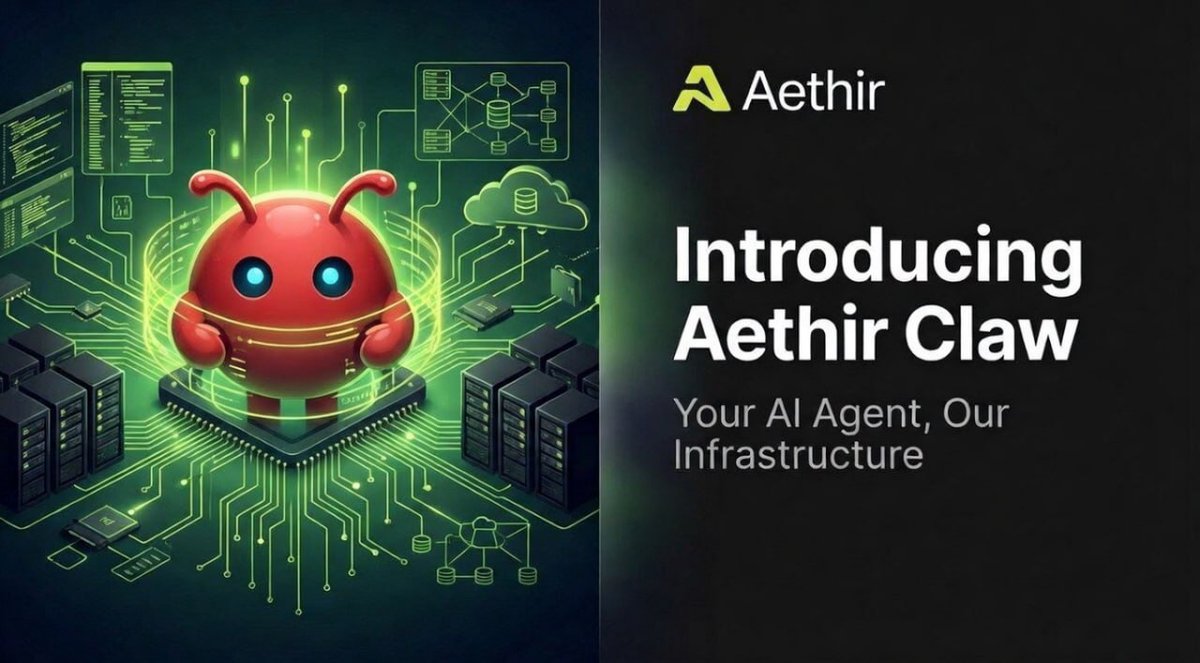
We (@AethirCloud ) built Aethir Claw so you can deploy your AI agent on our decentralized VPS infrastructure in minutes. No DevOps degree required.
Hit play. I'll walk you through the full onboarding, start to finish in under 5 mins! This is just the beginning...
Govt wants age verification at the OS level? This Linux distro is designed to fight back. Here's how it works, and how you can use it to bypass age restrictions (ethically, of course 😉).
1. It's a Linux script, so you need a Linux environment. Ubuntu or similar.
2. Download the script. (I can't link directly, but search 'Linux age verification bypass' and you'll find it.)
3. The script modifies your system's DNS settings. It redirects age verification requests to a server that always returns 'age verified'.
4. Run the script as root. `sudo ./the_script_name.sh`
5. The script will ask you to confirm the changes. Read them carefully. Understand what you're doing.
6. Reboot your system.
7. Test it. Visit a site that requires age verification. You should be able to access it without providing your age.
Caveats:
* This bypasses age verification. It doesn't magically make you older.
* Use responsibly. Don't use it to access illegal content.
* This might not work on all sites. Some sites use more sophisticated age verification methods.
* It is possible that future OS updates could break this. But for now, it works.
Is this ethical? That's up to you. But it's a fascinating example of how code can be used to resist surveillance. Could Gemini 3 write a similar script for Android?
Introducing Aethir Claw
Easy AI agent deployment. Powered by Aethir's decentralized GPU cloud.
✅ Fully isolated VPS
✅ No third-party cloud middlemen.
✅ Fiat + crypto payments
✅ Model-as-a-Service coming soon
✅ Crypto-native skills incoming
Alpha launches March 25. Your AI agent, our infrastructure.
Explore our dedicated blog for all the details👇
Don't waste money on a Mac Mini for OpenClaw. Here's a cheaper, faster way to get started, saving you $500+ and hours of setup.
Most people think OpenClaw needs expensive hardware. It doesn't. Run it in the cloud with these steps:
1. Sign up for a cloud GPU instance. Vast .ai and Paperspace are good options. Expect to pay $0.50-$1/hr for a suitable GPU (NVIDIA A100 or better).
2. Choose Ubuntu 24.04 as your operating system. It's well-supported and has the necessary drivers.
3. Install Docker. This isolates OpenClaw and its dependencies. Run: `sudo apt update && sudo apt install https://t.co/hswudyCZ6d`
4. Get an OpenClaw Docker image. Find a pre-built image on Docker Hub (search 'OpenClaw docker'). Or, build your own (advanced).
5. Run the Docker image. `docker run -it -p 7860:7860 <image_name>`. This exposes OpenClaw's web interface on port 7860.
6. Access OpenClaw in your browser. Navigate to `<your_instance_ip>:7860`. You're in.
7. Configure your AI models. OpenClaw works best with powerful models like GPT-5.4 Thinking and Claude Opus 4.6. Add your API keys.
8. Automate! Use OpenClaw to manage your email, social media, or coding tasks. The possibilities are endless.
This setup takes ~1 hour and costs pennies to test. My OpenClaw now handles 80% of my routine tasks. What will you automate first?
Switched from GPT-5.4 Pro to Omni agent with OpenClaw and was shocked at the efficiency gain. Here's how to replicate this agent setup:
1. Install OpenClaw: Follow the instructions on the OpenClaw documentation page. It's now significantly easier thanks to recent updates.
2. Choose your agent platform: Sign up for OpenRouter (openrouter .ai) to access various AI models through a single API.
3. Set up Omni: Omni is an agent specialized for task automation. You'll need to access it via OpenRouter. Find it in the 'Agents' section.
4. Configure API keys: Add your OpenRouter API key to your OpenClaw configuration. This allows OpenClaw to communicate with Omni.
5. Define your goals: What tasks do you want Omni to automate? Start with something simple, like summarizing articles or scheduling meetings.
6. Provide instructions: Write clear and concise instructions for Omni. Be specific about the desired output and any constraints.
7. Test and iterate: Run Omni on a sample task and review the results. Adjust your instructions and configuration as needed.
8. Monitor performance: Track Omni's performance over time to identify areas for improvement. Use OpenClaw's logging features to debug any issues.
9. Experiment with prompts: Try different prompts to see how they affect Omni's behavior. Refine your prompts to optimize performance.
10. Integrate with other tools: Connect Omni to other tools and services using OpenClaw's API. This allows you to automate complex workflows.
I shaved 2 hours off my daily task list. Will you?