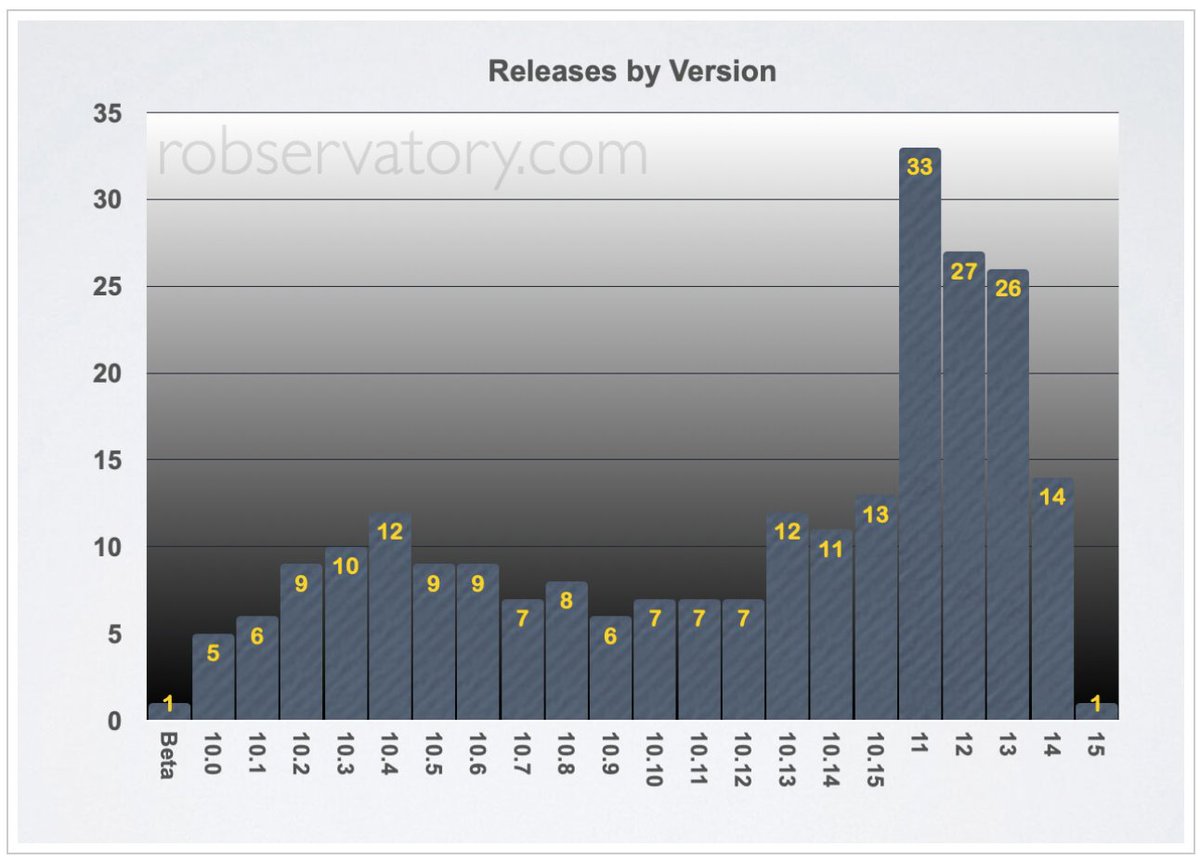
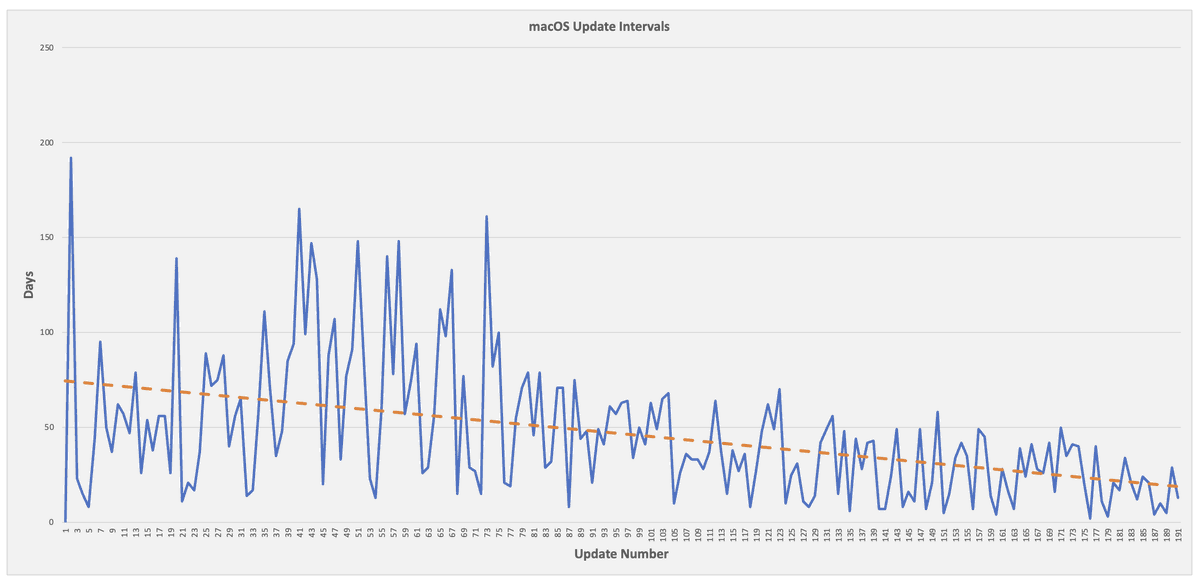
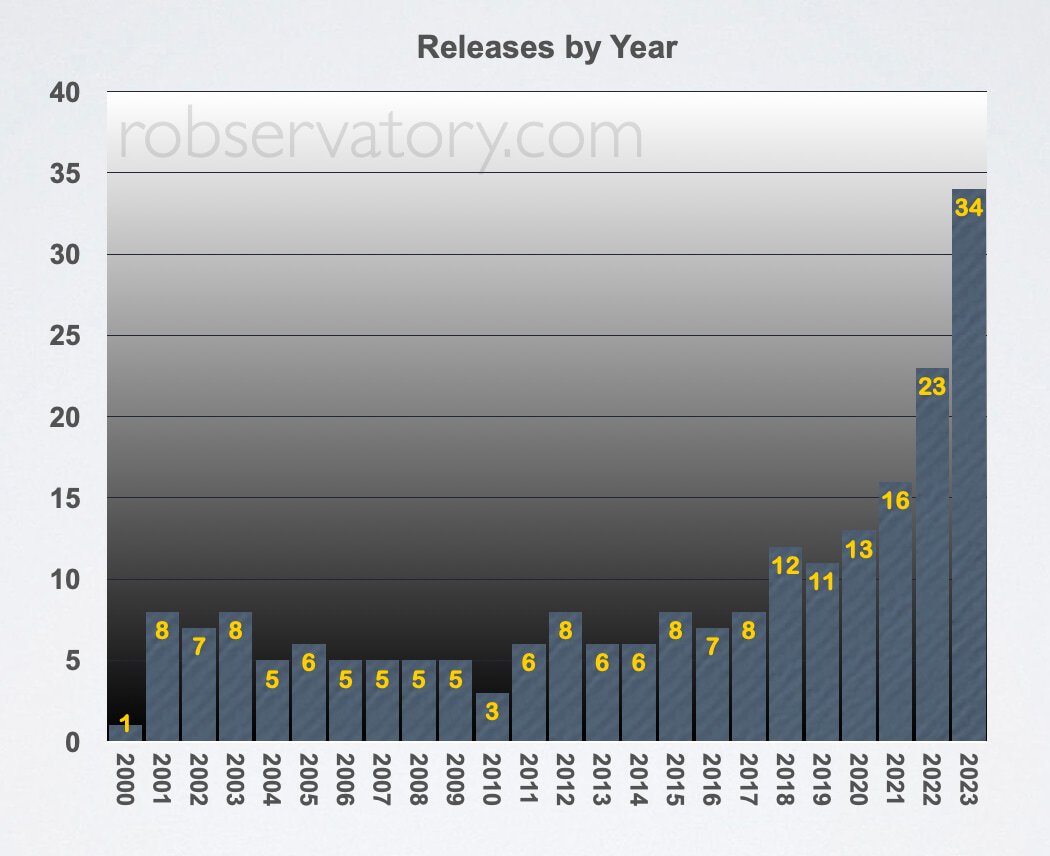
I’ve updated my macOS release dates and rates post for macOS 15.1 (and 14.7.1 and 13.7.1). That makes 244 macOS releases since the debut of the public beta, over 8,811 days, or one release every 36.1 days on average.
https://t.co/vVqY3PLDxc
I’ve updated my macOS release dates and rates post for macOS Sequoia etc. Sequoia is the 240th release of macOS since the public beta came out just over 24 years ago (OMG!).
https://t.co/54ImST0NiW…
Sorry this took so long to update, but Moom 4's had me busy of late :).
We no longer post from our work account here, and I rarely post personally, but…if any of you are Moom users, our Discord channel has a bit of a crystal ball look at the near future of Moom.
https://t.co/SzNr7V151l
I despise this icon.
https://t.co/YhUVe28adF
Thanks, Apple, for making it so much tougher to make nice clean screen recordings. There’s a workaround (at least for ScreenFlow) in the blog post, but disabling this should be a user preference, at least on a per-occurrence basis.
If you use Logitech's mice (which I do; the MX Master 3 is the best mouse I've ever used), be aware that the new driver adds an "AI prompt generator" bloatware feature.
Some user on Mas^H^H^H another service found the fix, which I replicated on my blog.
https://t.co/fpadp7GiO2
I’ve updated my full history of macOS release dates post for the trifecta of updates that came out on March 7th: 14.4, 13.6.5, and 12.7.4.
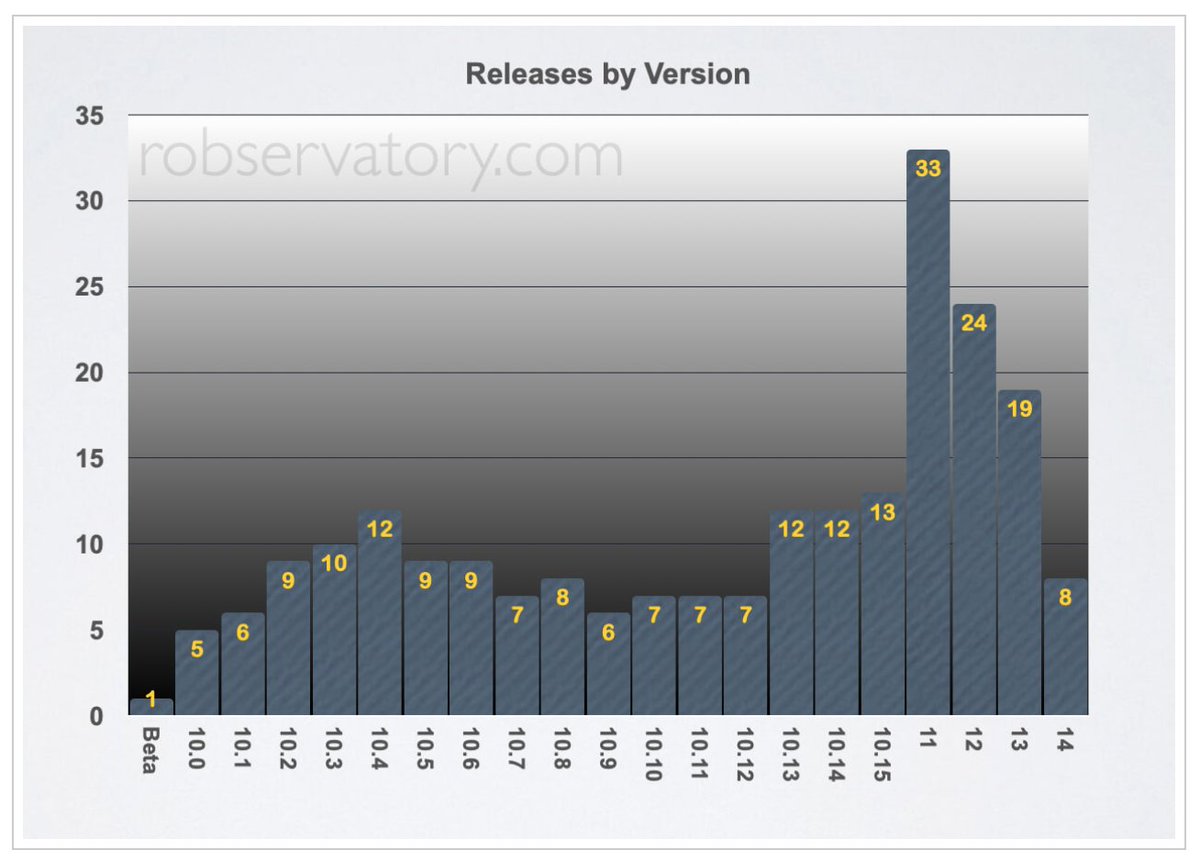
227 macOS releases in 8,576 days, and macOS 11 is the all-time update leader with a total of 33.
https://t.co/vVqY3PLDxc
I finally had time to update my macOS release dates and rates blog post.
It’s now current through 14.3.1, and includes—oooooh!—wider charts for easier reading. Yes, I realized that I could use more than 525 pixels of width, as it’s no longer 2005.
https://t.co/vVqY3PLDxc
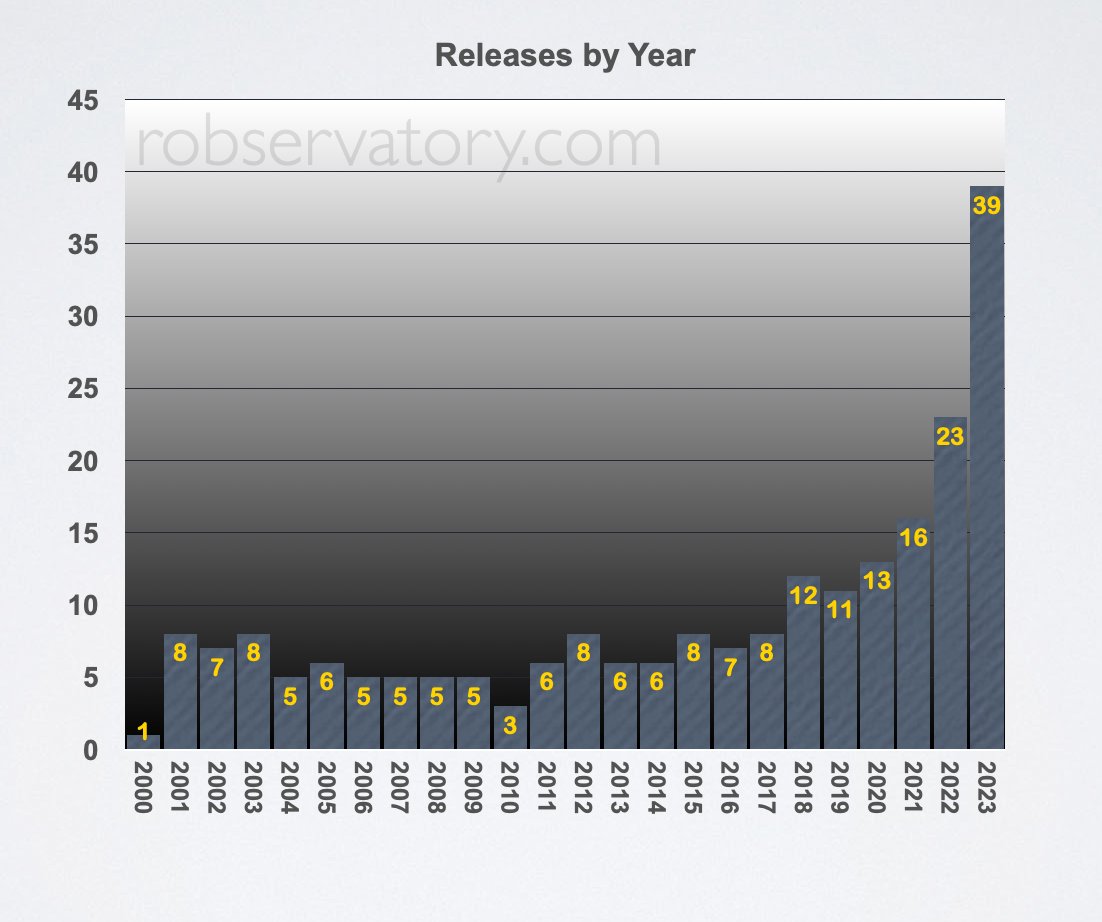
I’ve updated my macOS release dates and rates post.
For the year, there have been 39 updates (covering macOS 12, 13, and 14), which is 70% more than last-year’s record of 23 releases.
macOS 14 has had five updates within three months of its release.
https://t.co/vVqY3PLDxc
According to this analysis of my macOS release dates and rates blog post, we are roughly 100 to 200 updates away from continual updates.
“Thank you for installing macOS update 17.2.4. Please install macOS update 17.2.5 to continue working.”
That other thing I was working on?
MacroBackerUpper, a macro suite to back up your @keyboardmaestro
macros in a Time-Machine-like manner.
It uses hard links to save tons of drive space, and a saved report shows what's changed between backups.
https://t.co/MuJSEbCoyW
I fell behind while working on some other stuff, but I finally found the time to update my Full History of macOS release dates and rates post.
It’s current through macOS 14.1.1, which is the 215th release since the beta.
#HockeyStickForecastReleaseRate
https://t.co/vVqY3PL5HE
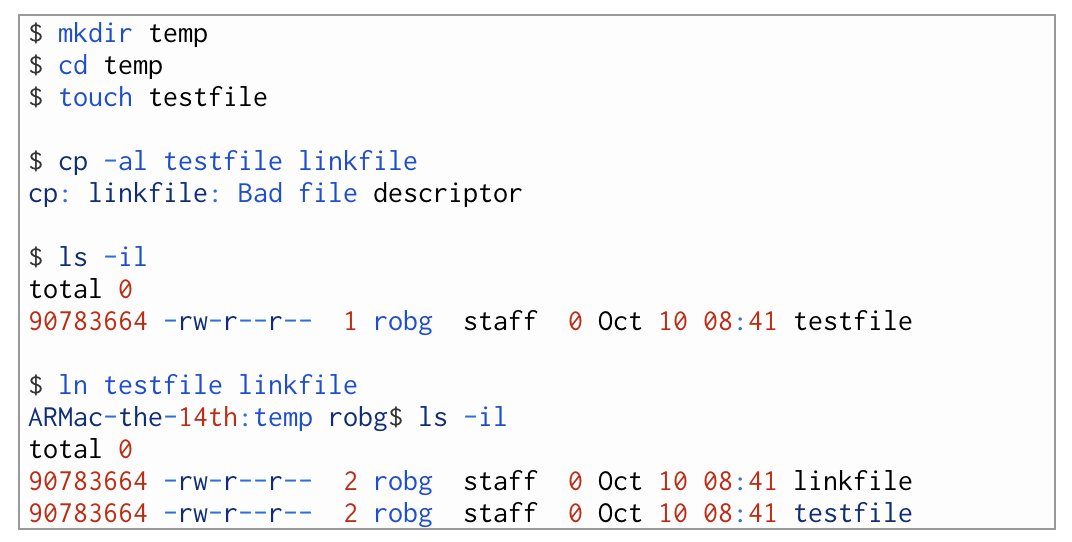
The macOS version of the Unix cp command won’t create hard links—it throws an error and bails in Sonoma (Ventura still works with error).
I’ve reported this as bug FB13255408, and I hope Apple addresses it—the workaround is to use ln, which still works.
https://t.co/BDR8napycL
Hey @Telestream … I assume this ugly purple major annoyance is macOS 14, and not ScreenFlow—right?
Any way around it short of putting a menu-bar-colored rectangle over the thing for the duration of the video?
#ScreenFlow#macOS
Version 1.4 of my quick web search #KeyboardMaestro macro is out; it makes it simple to search a customizable list of sites via a pop-up menu. You can even tell it to search with a specific browser.
Also good to look at to see how to use sqlite3 with KM.
https://t.co/5r0piXmrzD
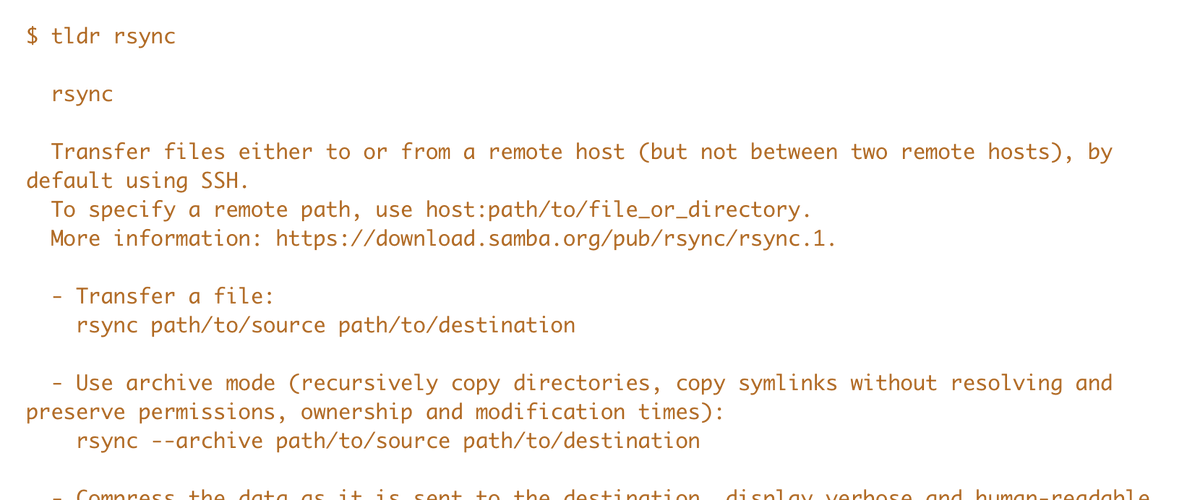
tldr: If you use Terminal a lot but have trouble remembering syntax of seldom-used commands, get tldr.
It provides community-driven examples of how to use the command, which I find is usually enough to get me going.
https://t.co/ZAOMwEc3i4
I sent feedback FB13240782 to Apple, covering my issues with the new privacy icon for screen casters, with a suggested simple fix:
When the user clicks the icon, they can select "Suppress for this recording session." This meets Apple's "user intent" requirement.
#FixThisApple
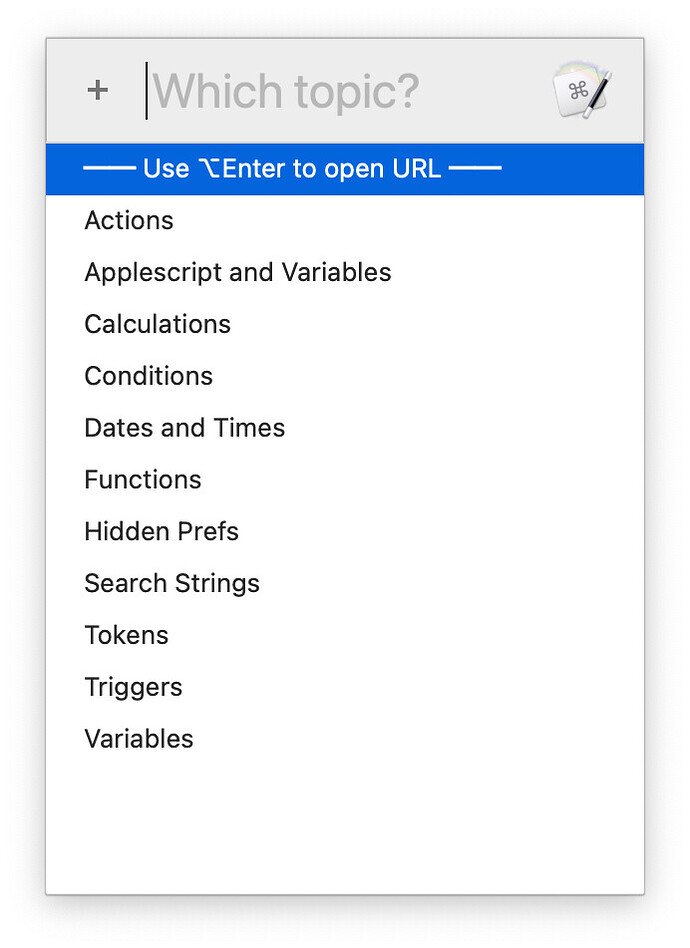
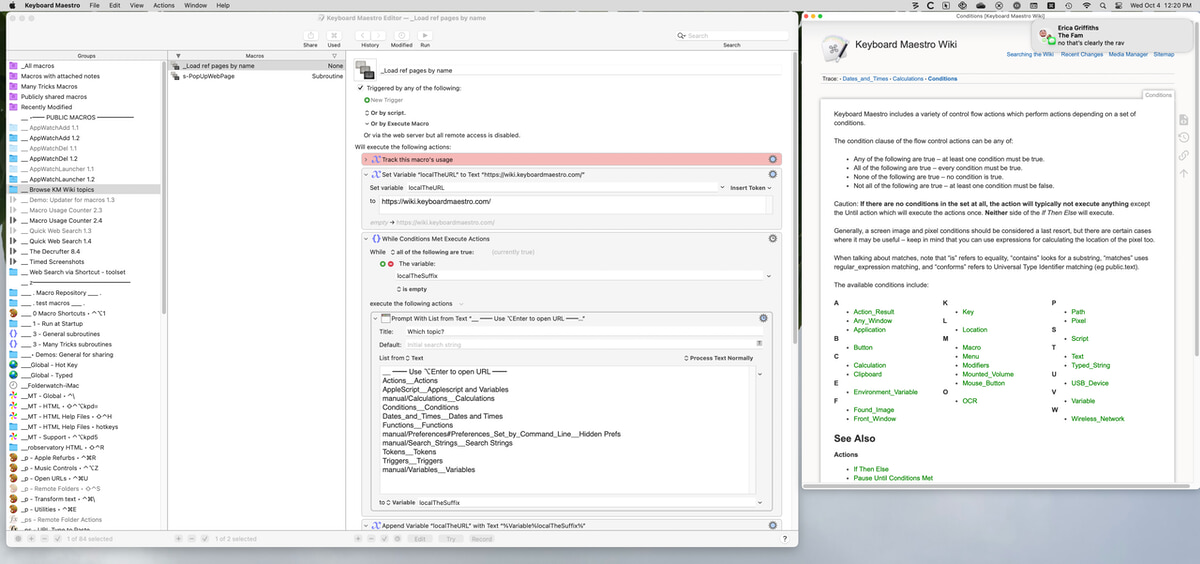
If you write Keyboard Maestro macros, and often refer to their excellent wiki, you might find this useful: I wrote a macro (of course) to quickly select a topic area and display it in a pop-up window (or open it on the web).
https://t.co/NMO08P9A7e
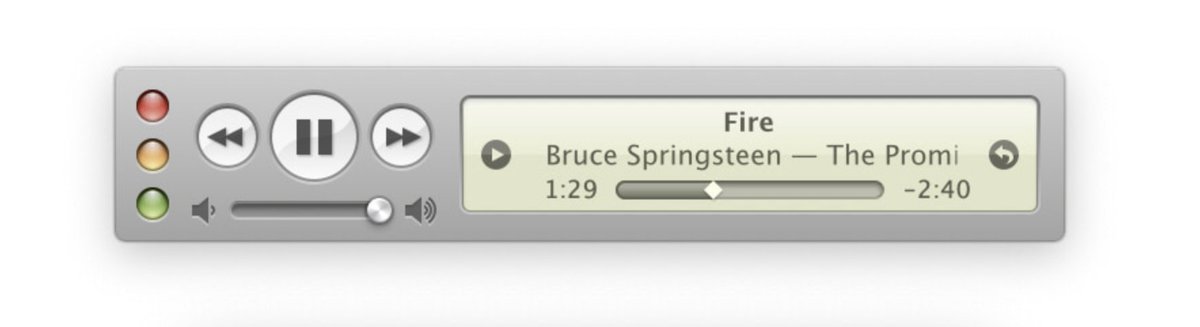
I tweeted about @MarioGuzman's amazing Music MiniPlayer about a year ago. I finally wrote something about it, comparing it directly with Apple's "mini" player.
If you like retro UI and miss the iTunes 10 mini player, get Mario's remake.
https://t.co/6bmMtSxKdY