@SwiftKey
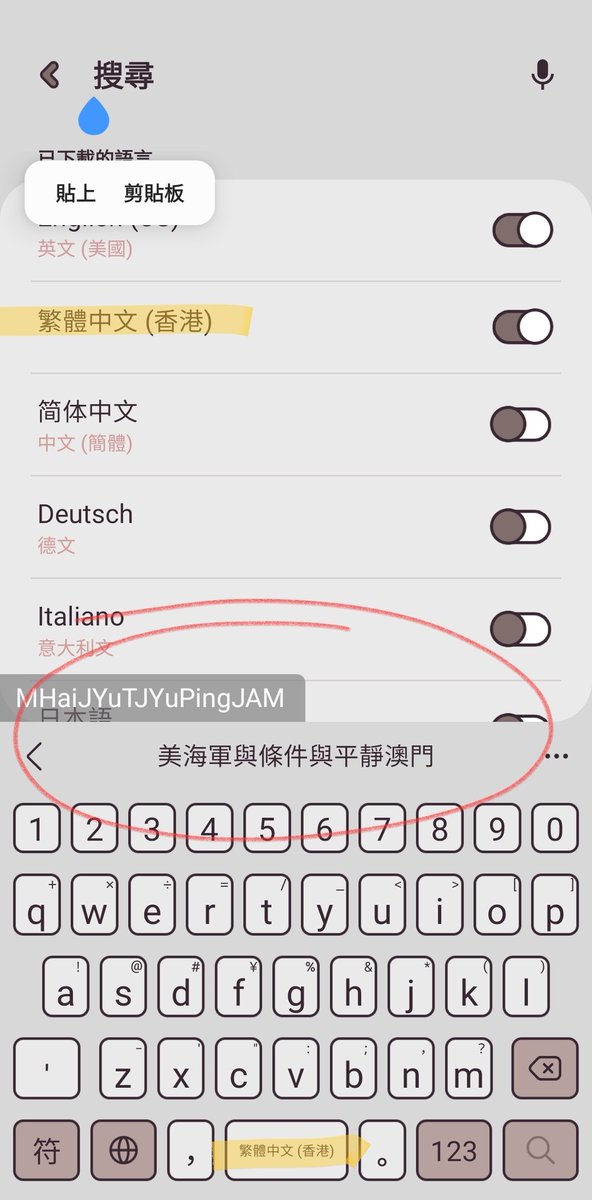
Reporting issue of wrong language keyboard arrangement in Chinese(HK).
Issue: The "Pinyin" keyboard offered in Chinese (HK) is not a Cantonese keyboard.
Correction: please change the "Pinyin" keyboard from Mandarin (Pinyin) to Cantonese (Jyutping). Which means, please do replace Pinyin with Jyutping for Chinese(HK).
For more reference, visit Jyutping official website:
https://t.co/lkYUbsaKNm
@SamsungSupport The Microsoft @SwiftKey is where the Chinese(HK) & Cantonese languages that offered in Samsung Keyboard originally from. Send them a copy of report could also have to fix problems on both products.
Thanks!
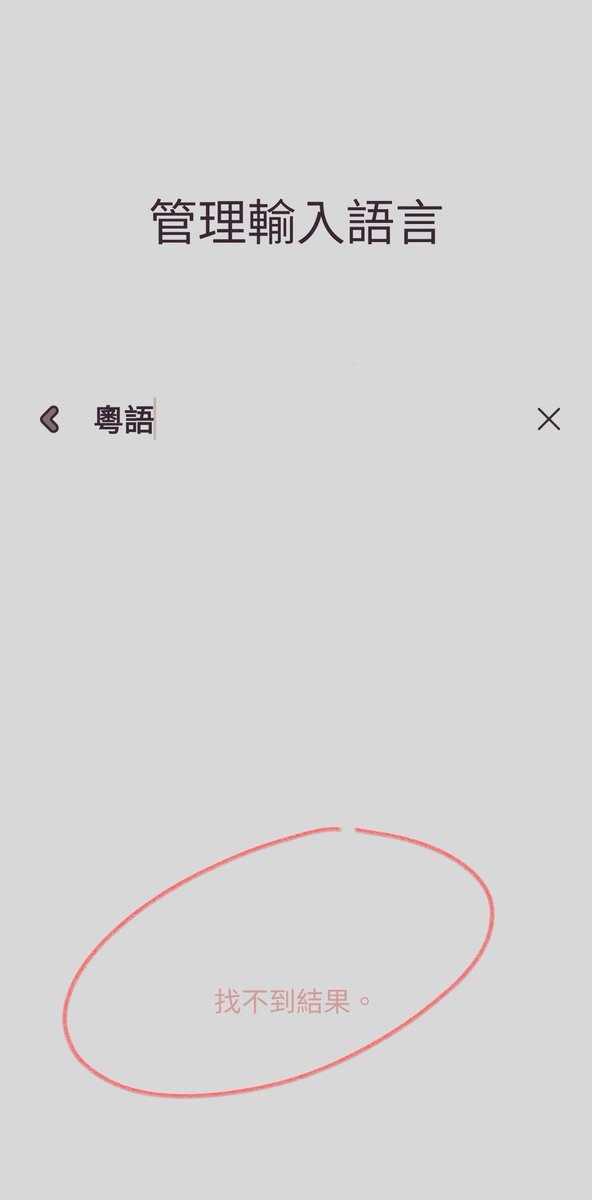
@SamsungSupport Yes, the only thing that helps is to restore the Cantonese language option as soon as they can. Since it disappeared before a couple recent updates, this error persist for a while. So please let Samsung Keyboard team be informed and get Cantonese option back as soon as possible.
Correction: please restore the Cantonese option back to the Samsung Keyboard's language list.
This problem has existed since an update in early 2022. Please take it seriously and correct the error as soon as possible.
Thanks!
The way to locate Samsung Keyboard settings:
Settings > General Management > Language and Input > Onscreen Keyboard > Samsung Keyboard > Language and Types > Manage Input Language
then:
> use search bar to find Cantonese language.