Up, up, and away! 🎈☁️
Spent some time bringing this hot air balloon concept to life with Figma motion. Heavily inspired by a great tutorial by [design_with_mahsa].
#Figma#Motiondesign#Semifinal
I've always relied on prototypes and screen recordings to showcase interactions, but this feels different.
Still learning, but I'm excited to see how it changes my workflow.
Part 2
My people ....... It's live !!!!
Designed to build trust, communicate value clearly, and guide visitors toward action without overwhelming them.
Explore the full landing page below and let me know what stands out most.
https://t.co/cOYMm9ZXfQ
Just finished this high-converting landing page mockup for Midas in Figma. Bold branding, minimalist layout, and built to turn visitors into users.#Curaçao#WC26#fathersday
Next up: bringing it to life in Framer with premium scroll effects. Stay tuned for Part 2! 👇
Just finished this high-converting landing page mockup for Midas in Figma. Bold branding, minimalist layout, and built to turn visitors into users.#Curaçao#WC26#fathersday
Next up: bringing it to life in Framer with premium scroll effects. Stay tuned for Part 2! 👇
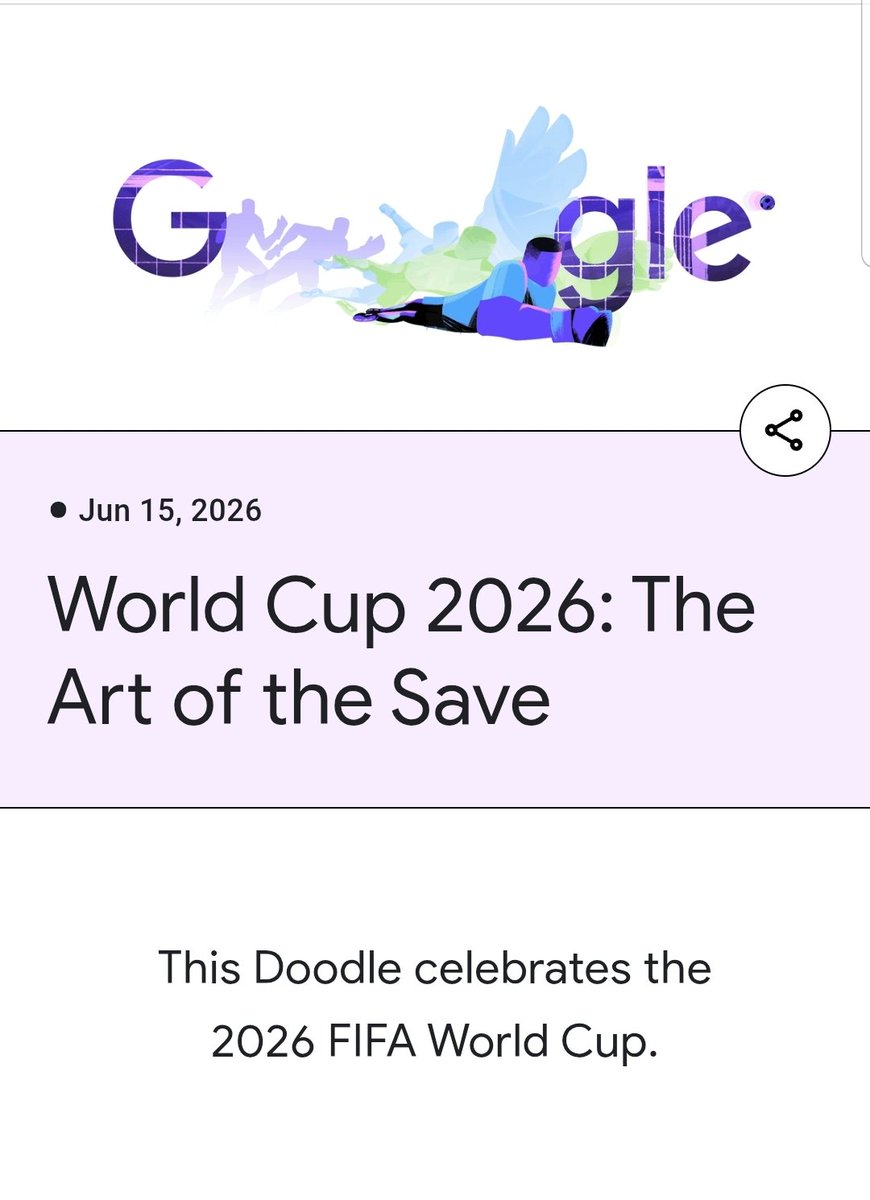
They are cycling through animations based on live match windows and skills.
The one live right now celebrating goalkeepers (The Art of the Save) is so brilliant.
Kudos to the motion designers behind this series. Absolute masterclass in keeping an experience dynamic.#WC26#Google
I appreciate the sheer intentionality behind the Google Doodles for this World Cup 2026.
Usually, Google only updates the logo once a day for specific holidays or events (like a country's Independence Day). But for this tournament, they’ve switched to a high-frequency rotation.
I appreciate the sheer intentionality behind the Google Doodles for this World Cup 2026.
Usually, Google only updates the logo once a day for specific holidays or events (like a country's Independence Day). But for this tournament, they’ve switched to a high-frequency rotation.
As a result, when those designs are brought into Framer, elements can shift, break, layers may flatten.(And this thing dey pain ehh!!)
Ultimately, mastering framer will even help you better understand how to fix your figma imports when they break in framer.
In my opinion both paths are alright. Figma gives you a familiar design environment, strong component systems, and the freedom to focus purely on design before thinking about implementation. But honestly? I'm leaning more towards building directly in Framer lately.
Designing directly in Framer using real layout systems like stacks and grids from the start, avoiding the common issues that come from importing Figma files. When importing from Figma even when designs look correct, the underlying layout intent isn’t always clear to other tools.