The World's Fastest and Cheapest Google Search API.
Lightning-fast Google SERP results in 1-2s, for only $0.30 per 1,000 queries.
First 2,500 queries free!
just shipped: Web Search on markdown. new/search 🔍
query → top 10 Google results → clean Markdown. one request. no auth. free. 🔥
powered by @serperapi + Cloudflare's extraction pipeline.
append any query → markdown new/search/ai-news-today
✨ Today I rebuilt 🏔️ AltaVista Search, the main search engine before Google existed
The problem: if you press the 🔍Search button in MSIE4 it'll open a sidebar with AltaVista in it that opens:
http:// home . microsoft . com/search/search.asp
But that URL doesn't resolve anymore of course, so how do I make this work?
I asked Claude Code and built a Dnsmasq DNS server that routes all regular DNS queries to Cloudflare but for home . microsoft . com it hijacks it and sends it to my own server
Then I let Nginx respond to that doamin and show the Altavista Search sidebar, I had to rebuild the design from a video on YouTube because I couldn't find any actual archeological remains of it anymore
Also Altavista Search of course doesn't exist anymore so it can't respond to queries either so I use a SERP API to query search results from Google and display them instead
This is stuff I wouldn't even be close to doing before AI, I'd have no idea how to configure Dnsmasq to spoof queries like this
The search engine results are proxied via my HTTP proxy so MSIE4 can open most sites (because old browsers don't support HTTPS and most JS!)
Introducing Jan-v1: 4B model for web search, an open-source alternative to Perplexity Pro.
In our evals, Jan v1 delivers 91% SimpleQA accuracy, slightly outperforming Perplexity Pro while running fully locally.
Use cases:
- Web search
- Deep Research
Built on the new version of Qwen's Qwen3-4B-Thinking (up to 256k context length), fine-tuned for reasoning and tool use in Jan.
You can run the model in Jan, llama.cpp, or vLLM. To enable search in Jan, go to Settings → Experimental Features → On, then Settings → MCP Servers → enable a search-related MCP such as Serper.
Use the model:
- Jan-v1-4B: https://t.co/IBWApJ9GlC
- Jan-v1-4B-GGUF: https://t.co/nAf2HOmUmw
Credit to the @Alibaba_Qwen team for Qwen3 4B Thinking & @ggerganov for llama.cpp.
Lucy (1.7B):
A Qwen3-based agentic web search model trained purely with RL (no SFT). Optimized for mobile and CPU-only use.
- Agentic search via Serper (Google) + Crawl4AI
- Machine-generated task vectors guide reasoning
- Outperforms DeepSeek-v3 on SimpleQA (MCP benchmark)
- Runs on vLLM, llama.cpp, Jan, LMStudio
- Available in gguf format for CPU-only local inference
- Sampling: temp 0.7, top-p 0.9, top-k 20
Designed for lightweight browsing + search under tight resource constraints
To implement a search-enabled AI like Lucy in a Swift iOS app:
1. Use MLKit or llama.cpp via Swift package to run the Qwen3-1.7B model locally.
2. Integrate search via APIs (e.g., Google Custom Search or https://t.co/B3tBqOGqba) in your agent loop.
3. Handle tools: Call WKWebView for page visits, parse with SwiftSoup.
4. For efficiency, quantize the model with AutoAWQ and manage token limits.
Test on iPhone 14+ for 20+ tokens/s. Check GitHub for Lucy repos.
Context switching between coding and research breaks flow. If you're a developer, this might look like opening the browser, google searching, read docs, forget what you were doing, and repeat.
Cline leverages the @serperapi Search MCP Server to do contextual deep research during your coding flow:
Cline already understands your codebase. Now it can use that context to formulate targeted research queries, search the web, and synthesize information -- all while you stay in your editor.
The difference is massive: instead of explaining your problem again to a browser-based LLM, Cline already knows what you're working on. It can search documentation, Stack Overflow, and GitHub issues with the exact context of your specific implementation.
You get the research you need presented right where you're working, with the proper context already applied. No more "this answer is close but doesn't quite fit my situation."
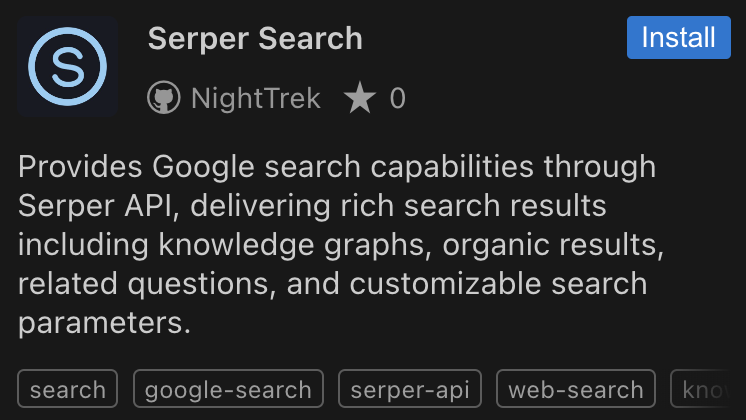
Try the Serper Search MCP Server in our marketplace, built by our very own @NighttrekETH. It's how research should work - contextual, specific, and integrated into your workflow.
🔍 @serperapi Search: Your AI-Powered Research Assistant
This powerful MCP plugin for Cline transforms how developers interact with web searches. Here's what it can do:
💡 Smart Search & Knowledge Graphs
- Ask naturally: "Show me 2025 electric car market trends"
- Get structured data, knowledge graphs, and distilled insights
- Perfect for quick market research and tech trends
⚙️ Advanced Search Control
- Filter by location, date, and more
- Example: "Find programming laptops in San Francisco, newer than 2024"
- Get precisely targeted results for your needs
🎯 Instant Research Synthesis
- Compare multiple sources automatically
- Example: "Summarize top 3 results for Node.js performance tips"
- No more manual tab-jumping or note-taking
🔄 Intelligent Follow-ups
- Explores related questions automatically
- Maintains context between searches
- Feels like chatting with a tech-savvy colleague
🔗 Seamless Tool Integration
- Send findings directly to Obsidian or Slack
- Perfect for documentation and team sharing
- Streamlines your development workflow
Think of it as your personal research assistant that speaks developer, understands context, and helps you work smarter, not harder.
Pro tip: Use it to quickly validate technical approaches or stay current with emerging technologies – all through natural language commands. 💻
I found my second love after my gf: @serperapi !!
Since this helped me scrape articles from prominent platforms which were crucial inputs for my AI tool
by bypassing the captchas like a breeze
This api is just a game changer for scrape freaks like me.
Today I am open sourcing my LLM API Engine
How it works:
1. Describe your API in plain text
2. Generate the schema with @OpenAI Structured outputs
3. Configure sources from @SerperApi
4. /extract data with @firecrawl 🔥
5. Store the data @Upstash
6. Deploy a live endpoint
Repo + YouTube 🎥👇
🚀Beta Release:
rSearch*: The AI-Powered Reasoning Engine
Your ultimate research assistant, combining CoT reasoning from @deepseek_ai's R1 and blazing fast search results via @serperapi
🧵 Follow this thread to explore more
added functionality so our slack AI coworker/list builder can find contact details for a list of conference attendees - just give it names/companies & it works!
took original AI SDR template from @Replit, now we've also added @PeopleDataLabs & @serperapi so we can find linkedin profile urls, company domains.
would take a human hours to find right contact data for long lists. this robot can do it in seconds
CrewAI Train: How I Trained AI Agents to Automate my Work?
🛠️ Creating AI Agents
🔧 Setting Up Latest CrewAI
📊 Testing AI Agents
🧠 Creating Research Agents @serperapi
Sub: https://t.co/RTY3pSVFGl
@crewAIInc@joaomdmoura@MatthewBerman
RT Please
Been playing with the idea of making a purely LLM agent-powered code transpiler using @langchain and Langgraph 🌟
Currently it:
- Generates technical summary of input code
- Generates a step-by-step plan on how to transpile
- Generates questions over unclear parts of the code and searches the internet (using @serperapi) for answers and adds these to the plan
- Transpiles the code and loops until it compiles
Repo (see: Complex transpile): https://t.co/XA2MJL1mPv
1/6 🎉 Excited to announce AIPE: AI Pipeline Engine! 🚀
AIPE is a powerful tool for creating and executing complex AI workflows with @langchain. Chain together web searching using @serperapi, text generation using @ollama, speech processing, and image generation into a cohesive pipeline, all configurable through a simple YAML file.
https://t.co/Do7TW1wKjW
@serperapi just posted this video how to do chat driven development. Your API is amazing! Feel free to share anywhere :). https://t.co/W9kKIrqux0 #chatdrivendesign#cdd#serper