What is my PURPOSE? Dad | Husband | #EdTech Artist | Educator | Apple Freak | Presenter | Digital Leader | Agent of Change | Problem Solver | Innovator
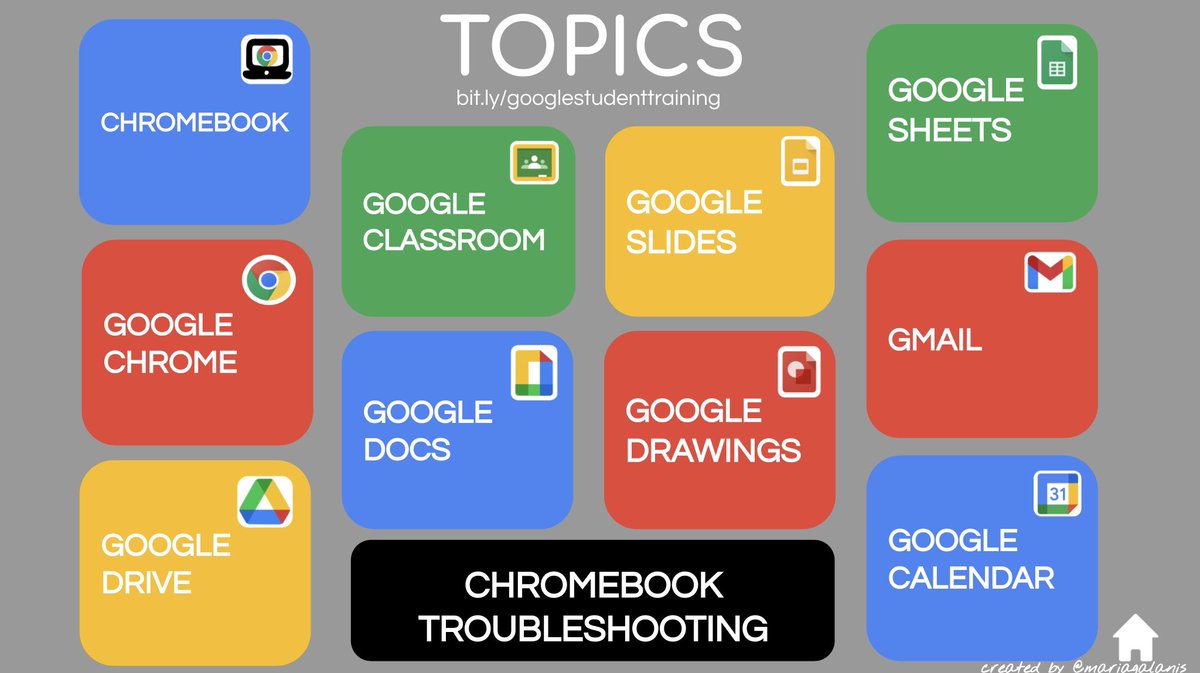
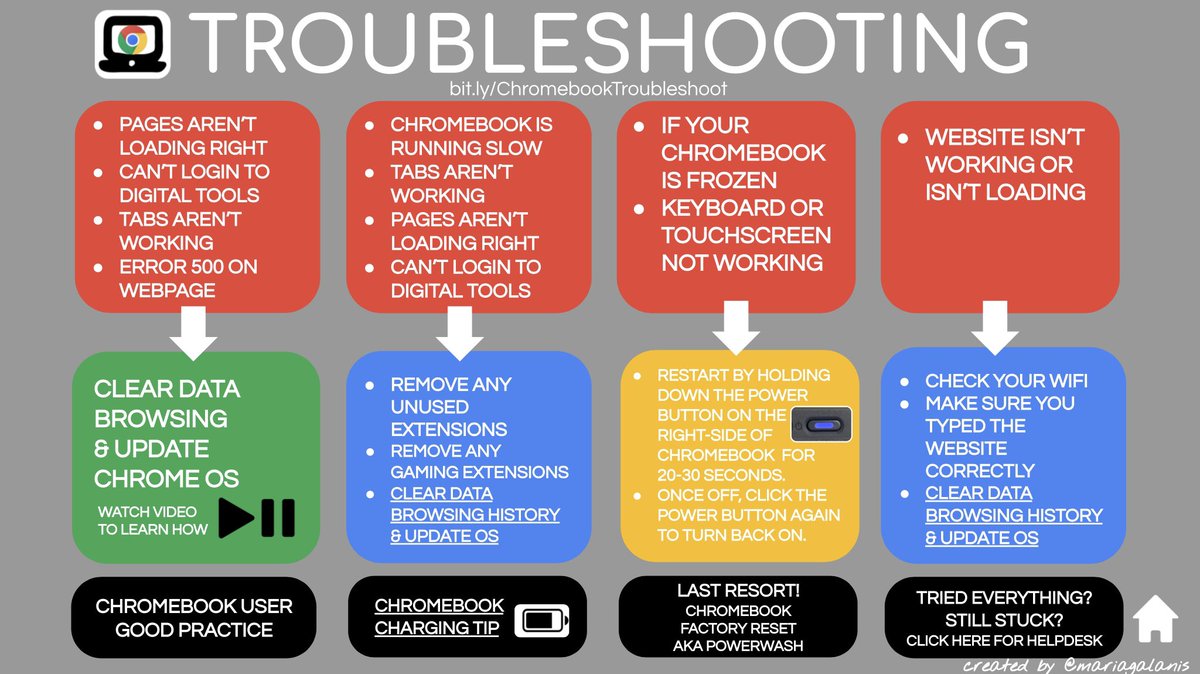
Google Student Training & Chromebook Troubleshooting resources I put together to help students learn Google basics and to help them fix common Chromebook issues they may run into. (pages are clickable) https://t.co/77iwiPGEY8 #googleET#chromebook#edtech#backtoschool
🥰 There is no question Canva for educators 🚀 is one of my favorite tools for the classroom!
❤️ 🥳 Your students will love you for infusing Canva this year!
@CanvaEdu#infusedclassroom#backtoschool
👉🏼 Blog Post: https://t.co/dNYsJ8oqBu
👉🏼 https://t.co/gVgjYp6tbt
#gcsk12 is looking for district level 12 month Instructional Technology Facilitator. Come work in the tenth largest district in NC. https://t.co/yhkPuOxWTK #nced#ncbold
Here are some helpful new widgets for your favorite Google iOS apps—with more on the way → https://t.co/nrzSJUSsmX
📧 Search your inbox and start a new message with Gmail
📁 Access files on-the-go with Drive
💪 Keep your activity numbers front and center with Google Fit
RT @iLearn2Primary: Our Early Years Activity Packs are divided into 7 areas of using digital technology throughout the EYFS goals. Try the free sample pack. https://t.co/zpeDGG8V6a #eyfs#edtech https://t.co/GjJZMcTBON