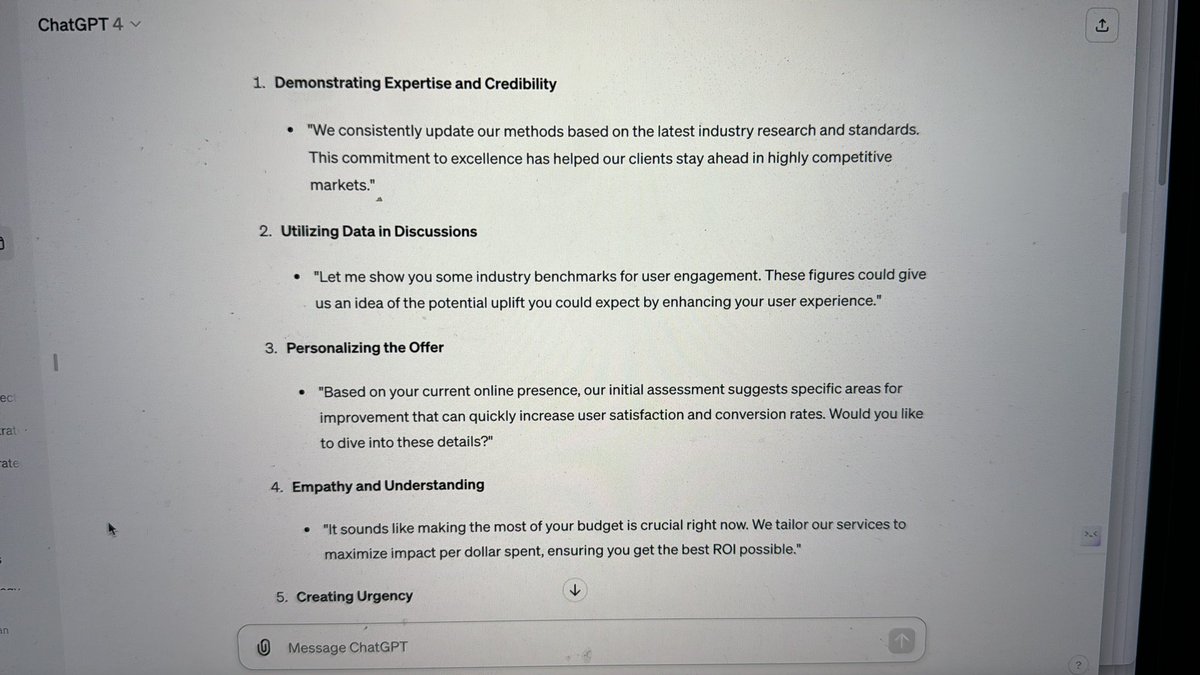
Day 42 of #100DaysofAI Time to reflect on the sales track. I’m not a confident sales person and I can see how ChatGPT could help me improve my skills here. Tomorrow kicks off phase three of this 100 Day challenge. Excited to get started
One the 41st day of #100DaysofAI I created a presentation starting with a text prompt using @gammaapp. It is an incredible tool with huge potential. The presentation is on the history of #AI, edited both manually and with AI help. Anyway, here it is
https://t.co/txmeA24P2h
Day 40 of #100DaysofAI Today I asked @chatGPTapp to be an expert sales negotiator and to develop questions and conversation pathways which could be used to overcome prospect concerns. I focused in on how to articulate well the value of #userresearch to SMEs. Huge potential here
Day 39 of #100DaysofAI Today's a day to rest and reflect on the AI marketing path. There’s huge potential for AI to help in marketing from developing strategies, supporting implementation and into the minutiae of producing social media posts or Search Engine Optimised content.
Day 38 of #100DaysofAI and using @adobe#Firefly to create images with text prompts. I quite like this one of apple tree bathed in morning sunshine. I didn’t do so but the tools to create social media posts look quite interesting to explore
Day 37 of #100DaysofAI Today I learned how to re-purpose videos into social media shorts using @minvo_pro. Quite easy to produce them tho even short video clips take a while to process in the app.
Day 36 of #100DaysofAI After an epic fail on day 35, today I used @chatGPTapp to develop keywords that Smash might use in organic SEO activities. I then used it to draft an SEO-optimised blog post focusing on benefits of following UCD processes for Scottish public sector orgs
On day 34 of #100DaysOfAI I used @ChatGPTapp to create a marketing strategy for Smash. I used the PREP prompt method to set the context, define the AI’s role, provide explicit instruction and define the scope of the task. I instructed the model to ask me questions if it needed to
Day 33 of #100DaysOfAI and it’s time to reflect on the art produced by AI track. It’s been interesting producing images, video and music using text prompts. Most useful for me will be image creation, no need to check copyright on Google images anymore, I’ll just create my own
Day 32 of #100DaysofAI Today I created videos and animations using @genmoai - carrying on the recent theme I created a video from a text prompt of two unicorns walking in a field of poppies on a sunny day. Do you like it?
Day 31 of #100DaysOfAI still on the art track and today I created music with a text prompt using @CassetteAi. This 20 second clip is music in the style of Latin jazz with an upbeat tune. What do you think of it?
Day 30 of #100DaysofAI 🧪
Today I created AI images and video using #Distillery & @pika_labs - the @discord interface takes some getting used to though. Continuing yesterday’s theme with a castle in the style of #Cezanne and a video of my youngest’s favourite animal :-)
Day 29 of #100DaysofAI I started the art track, creating images from prompts using @MSFTCopilot. My daughter wanted an image of a princess castle which I produced in the style of #Cezanne. I’ve used @midjourney a bit but the interface in Discord is harder to master than Copilot’s
Day 27 of #100DaysofAI - Today I used #AskCSV to undertake analysis of a large dataset of financial information for Smash. I posed some basic questions and used @ChatGPTapp to come up with some more complex ones to ask. I’ll not share any images as the data is confidential
Day 26 of #100DaysofAI Using @albusdotorg I tried out AI-based visual learning. I made a board on the topic of wildlife photography, going on to explore remote camera traps in more detail. The tool is easy to use and the visual element does make learning fun
Day 25, so a quarter through #100DaysOfAI - Today I used ChatGPT to write a detailed #accessibility checklist. I wanted a step-by-step guide of how to undertake the checks too. I followed up the first prompt with further prompts to provide more detail where I needed it
Day 24 of #100DaysofAI and I used the Chrome @remaildotai extension to draft email responses through AI. I replied to an email I’ve put off responding to and Remail offered several alternate responses as well as the ability to custom a response. Together we got that email sent
Day 23 of #100DaysofAI - Today I customised @ChatGPTapp to create my very own mentor. I provided details about where I live, my job & my hobbies and specified how I want ChatGPT to respond. I then asked it some personal questions and compared them to non-personalised responses
Day 21 of #100DaysofAI Today I learned how #ChatGPT can be used to write code and then tell me what to do to bring it to life. I created the code for a landing page for Smash with a text prompt and brought it to life using @Replit - Pretty simple page but was so so easy to do