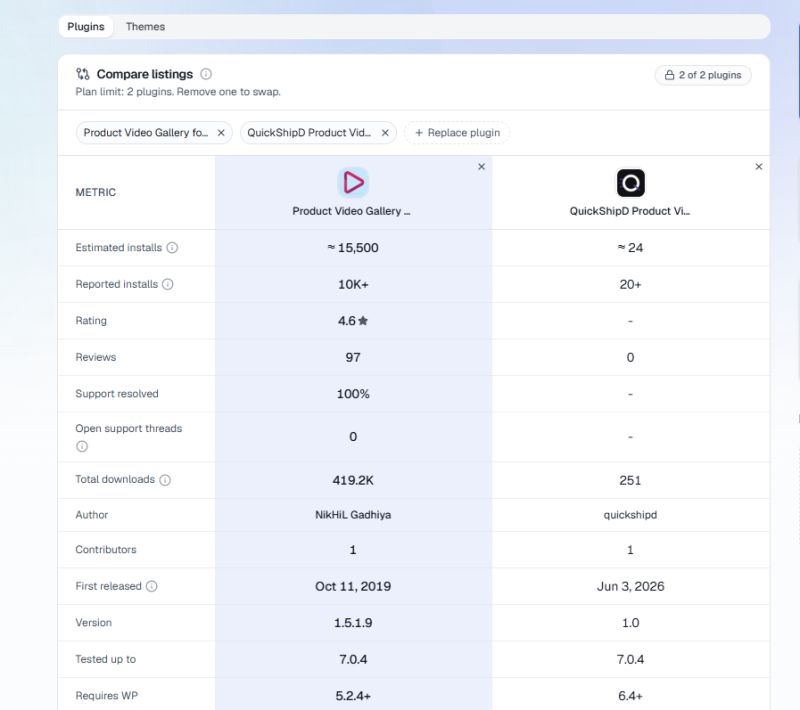
When you're researching a competitor's WordPress plugin, the hard part isn't finding the listing.
It's comparing the things that matter without jumping between multiple pages.
StatWP's Compare Listings is built for that job - bringing WordPress plugin and theme listings together so authors can research competitors more easily.
Aug 6 update:
• Fixed Compare Listings issues
• Improved competitor comparison
• Continued refining WP listing research
A WP dev was looking for their next WordPress plugin idea.
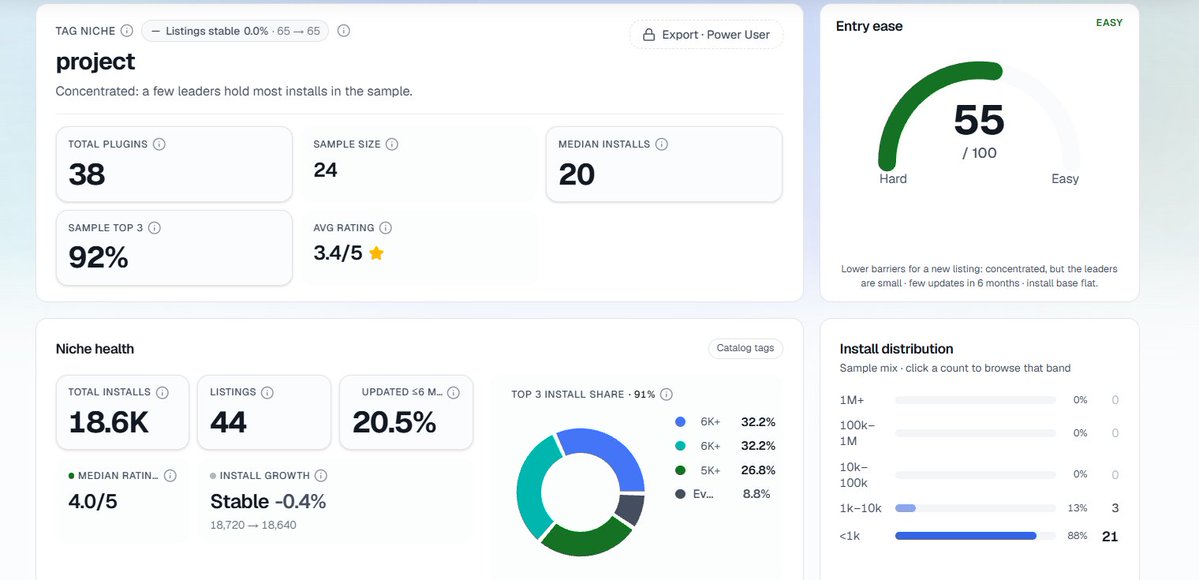
They found a tiny niche with only a few competing plugins.
Looked small.
Then StatWP showed something interesting: low competition, steady search demand, and some abandoned plugins with surprisingly strong installs.
@DevDiggers Hey @DevDiggers , congrats on beginning the pre-order. But, I'm trying to plug my tool to that may help you. I suggest you also use StatWP, for analytics on your plugin. Or maybe try some comparison tools or growth/keyword tracker tools.😄
@nathanielDeH@WooCommerce I guess you're just the person I'm looking for. If you're planning to add the plugin in .org, I suggest you also use StatWP, for analytics on your plugin. Or maybe try some comparison tools or growth/keyword tracker tools.😄
@PirzadaAnsari I guess you're just the person I'm looking for. I suggest you also use StatWP, for analytics on your plugin. Or maybe try some comparison tools or growth/keyword tracker tools.😄
@hey__irish I guess you're just the person I'm looking for. If you're planning to add the plugin in .org, I suggest you also use StatWP, for analytics on your plugin. Or maybe try some comparison tools or growth/keyword tracker tools.😄
@TheCre8tiveDiva From a wordpress dev, this is not a plugin plug but I suggest you give statwp a try. WordPress analytics, competitor tools and more for plugins and themes.
@bitrequest Why don't you try StatsWP for your plugins. It lets you track WordPress plugin stats like downloads, estimated installs, rankings, growth, niche research, comparisons, keywords and competitors
https://t.co/uYjRzmCgcP 😁
@rossmorsali On an unrelated note (maybe somehow related), why don't you try StatsWP for some of your plugins. It lets you track WordPress plugin stats like downloads, estimated installs, rankings, growth, niche research, comparisons, keywords and competitors... https://t.co/hK2MOLTWP7
@thewpweekly Thanks for the shoutout @thewpweekly , we also have stats and analytics for WordPress themes as well😁.
Also, plugin comparisons, niche research with an abandonment scanner similar to the Plugin Graveyard, and growth and keyword trackers as well.
A WooCommerce WordPress Plugin - "QuickShipD" sat at 10 active installs for three months. Flat.
Its author couldn't tell why. https://t.co/DNX1fWbqp0 rounds installs into buckets, so "10+" looks identical whether you gained one user or nine. Nothing to act on.
So they tracked the keywords they actually wanted using the StatWP growth tracker tool, then rewrote the title and readme around them. Wrote something the users would find useful.
Next week: 20+, currently 30+.
Small numbers. But the first time the graph moved on purpose.