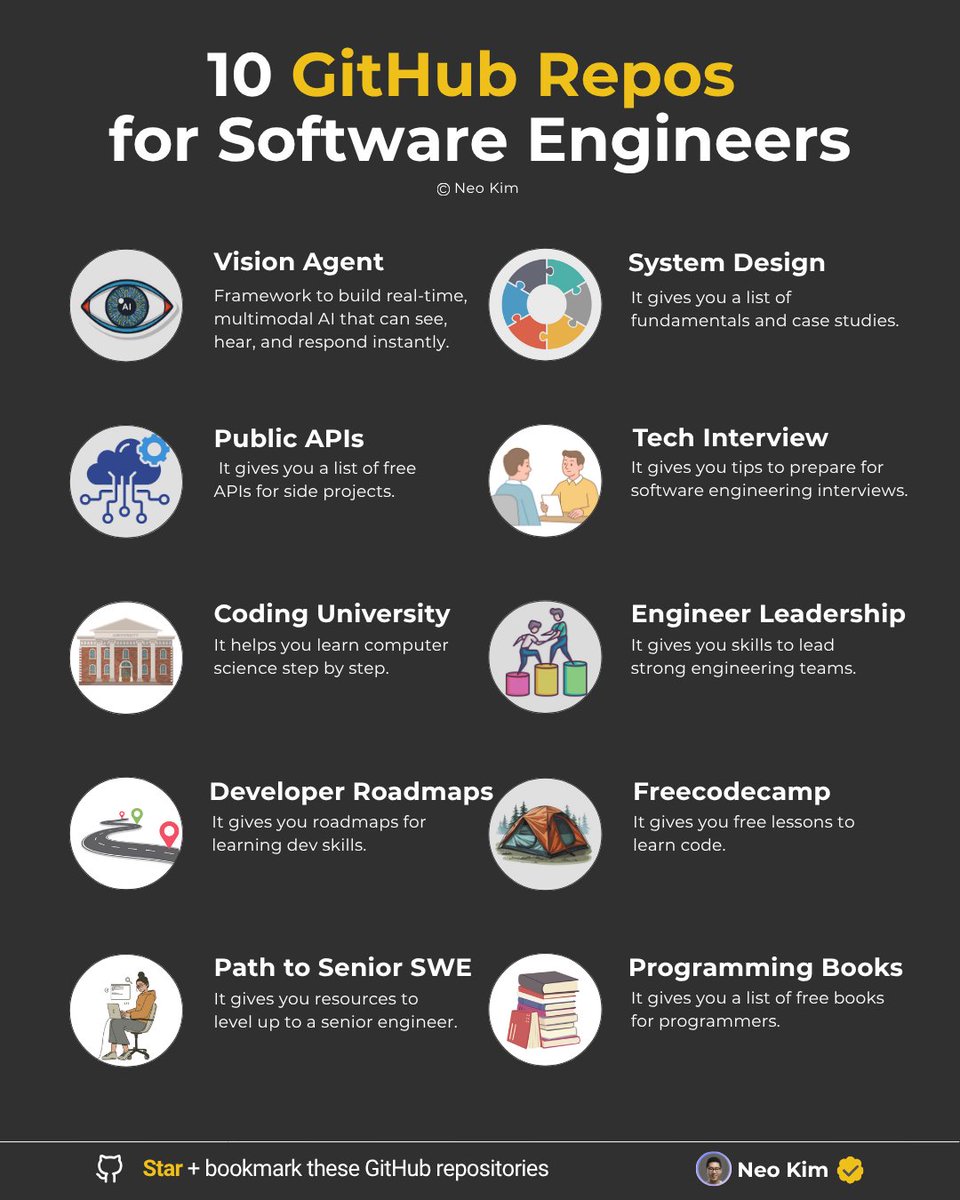
This is f*cking insane. Andrej Karpathy spent 8 years at OpenAI and Tesla
Last week, he packed everything he learned into one free 2-hour lecture
Agents → Harness → Loops → Graphs
Some bootcamps charge $15K and teach you less than this
You might not have 2 hours right now
Bookmark it and watch before it gets lost in your feed
Then read the full Graph Engineering guide below ↓
The first time you Dockerize a #dotnet API, everything feels fine.
Then you add a second API… and a UI… and a webhook listener… and suddenly your dev environment becomes:
• localhost:5001, localhost:5002, localhost:5217, localhost:6009…
• CORS headaches
• auth redirect URLs that break because of reverse proxy headers
• “Which port was the billing service again?”
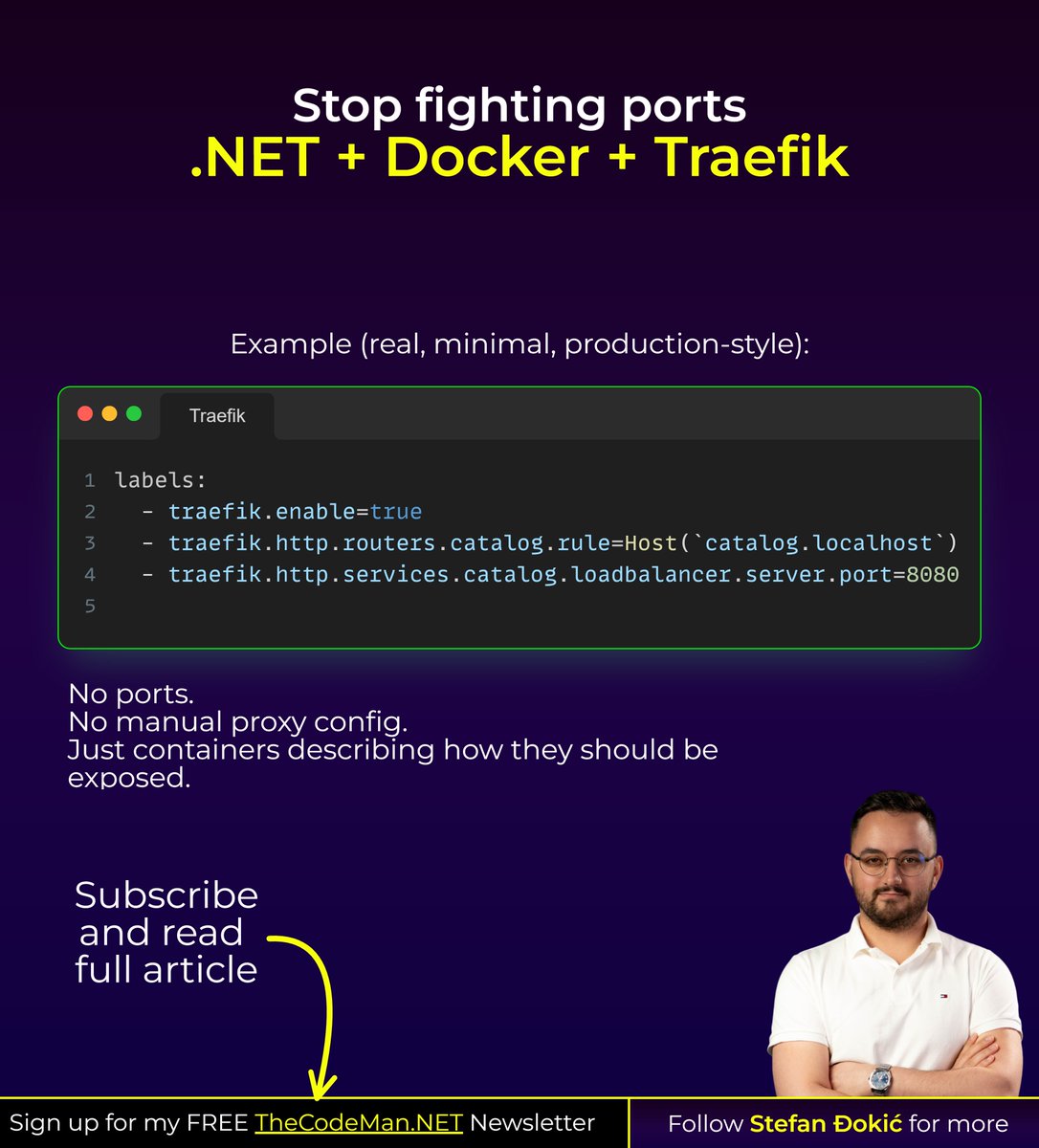
Traefik solves this by automatically routing requests to containers based on labels, so you can use clean local URLs like:
• http:// catalog.localhost
• http:// billing.localhost
• http:// traefik.localhost (optional dashboard)
This is where Traefik shines 👇
It acts as a reverse proxy that auto-discovers Docker containers and routes traffic using labels.
And the best part?
Routing lives next to the service, not in some massive Nginx config.
On Monday, I’m publishing a complete, real-world guide in my newsletter:
✔ Full .NET Minimal APIs
✔ Docker Compose setup
✔ Traefik explained step-by-step
✔ Why forwarded headers matter in ASP .NET
✔ Clean local domains that scale
👉 Join the newsletter to read it first: https://t.co/gI46R2Kc0c
Repost ♻️ if you’ve ever lost an hour debugging ports 😄
If you want to get started with SYSTEM DESIGN (in 2026), learn these 20 concepts:
1 How Idempotent API Works
↳ https://t.co/afe7ACuSYE
2 Saga Design Pattern
↳ https://t.co/2CffTodOHL
3 Redis Use Cases
↳ https://t.co/hZ571ruVeA
4 How JWT Works
↳ https://t.co/SZXXrlBsWH
5 How RPC Actually Works
↳ https://t.co/yeIgcmAxQx
6 How Consistent Hashing Works
↳ https://t.co/7d6EipPcKF
7 How Service Discovery Works
↳ https://t.co/BcL3tgxx1u
8 Monolith vs Microservices Architecture
↳ https://t.co/KwVAEGVkA9
9 What Happens When You Type a URL Into Your Browser
↳ https://t.co/P3SiURMFlW
10 Microservices Lessons From Netflix
↳ https://t.co/XgS7VQoBFv
11 Frontend System Design 101
↳ https://t.co/ViPOQrLZzA
12 How Websockets Work
↳ https://t.co/JfT6mj4mrv
13 How Bloom Filters Work
↳ https://t.co/ntZXq7LxVn
14 How Databases Keep Passwords Securely
↳ https://t.co/KSfIhpAT2j
15 How Does HTTPS Work
↳ https://t.co/r5rUtVpw0O
16 Modular Monolith Architecture
↳ https://t.co/VVV6v3KGHJ
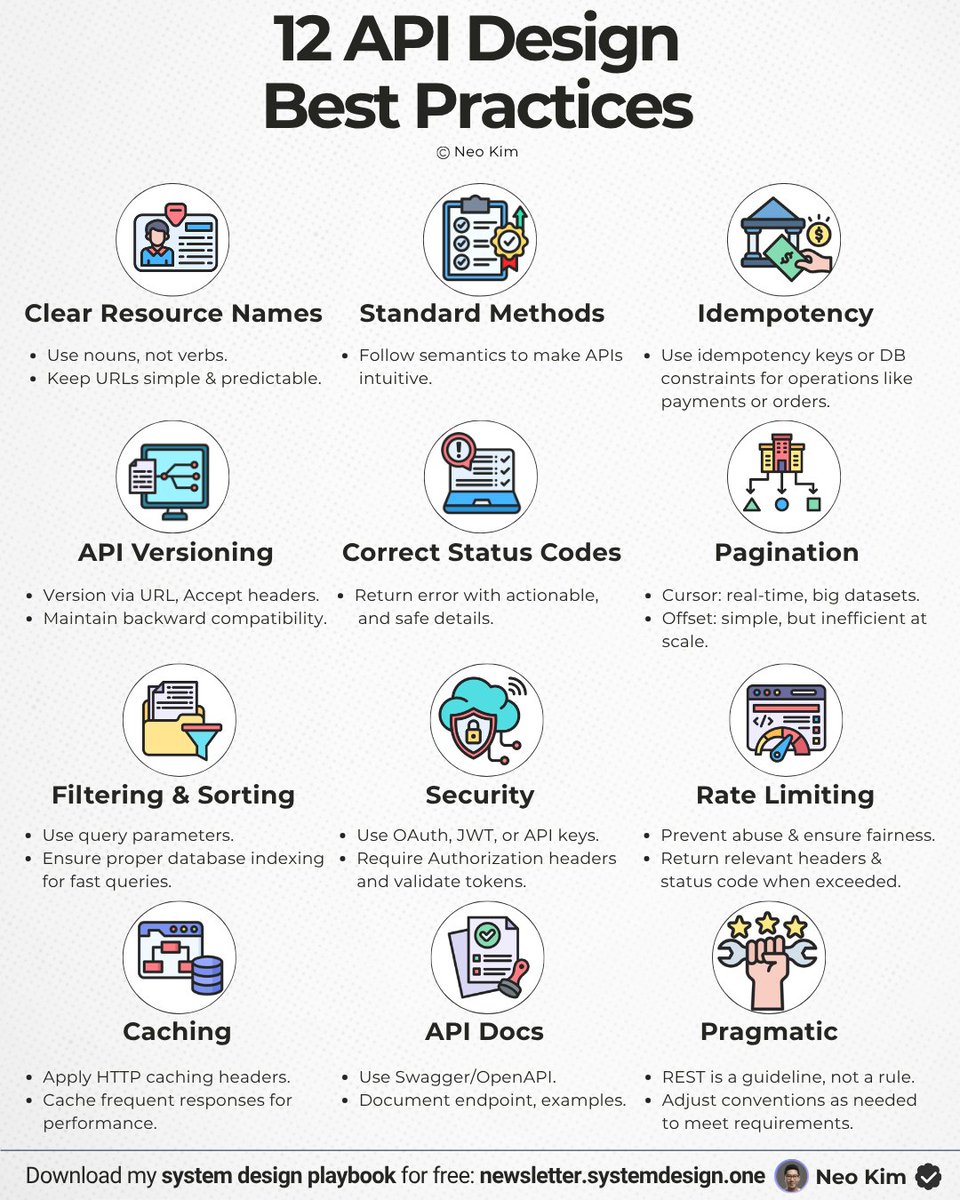
17 API Design Best Practices
↳ https://t.co/I2ejJ0kbYq
18 How DNS Works
↳ https://t.co/H7hcZnws8N
19 System Design 101
↳ https://t.co/DgL8xz0KTQ
20 API Versioning - A Deep Dive
↳ https://t.co/OHAtKSUgVN
(What else should make this list?)
——
👋 PS - Want my System Design Playbook for FREE?
Join my newsletter with 200K+ software engineers:
→ https://t.co/ByOFTtOihX
———
💾 Save this for later, and RT to help others learn system design.
👤 Follow @systemdesignone + turn on notifications.
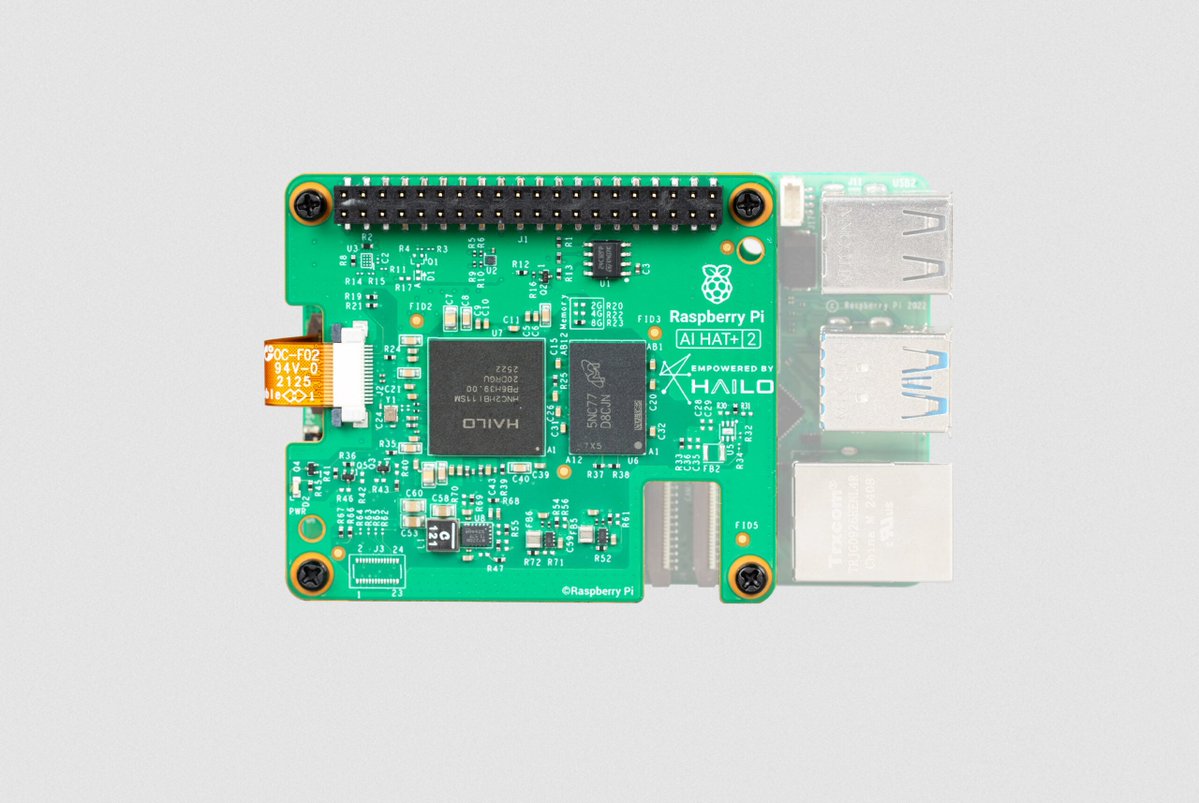
Introducing the Raspberry Pi AI HAT+ 2, priced at $130. This add-on board for Raspberry Pi 5, powered by the Hailo-10H AI accelerator and 8GB of on-board RAM, is built to run LLMs and VLMs locally, without cloud or network dependencies.
The Raspberry Pi AI HAT+ 2 delivers 40 TOPS of generative AI performance and integrates directly with Raspberry Pi OS, including native support in rpicam-apps.
https://t.co/b91pCnE2e0
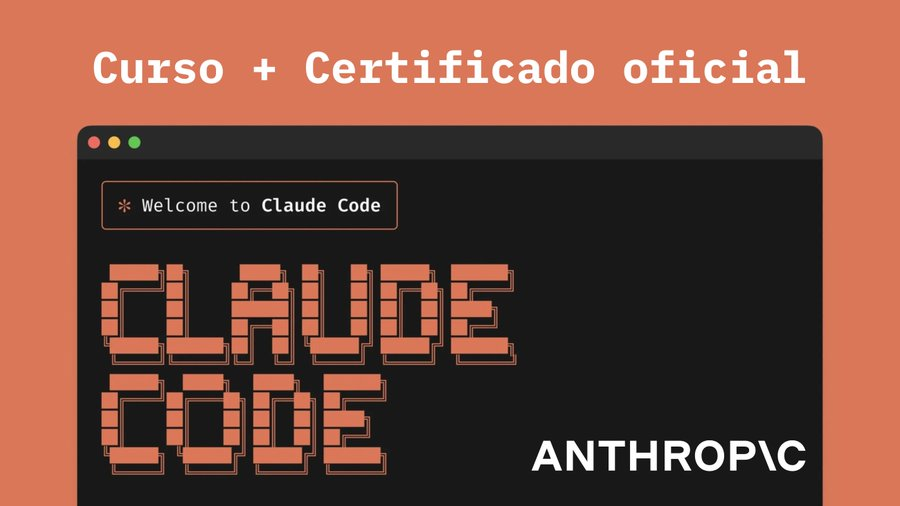
🚨 Claude lanza un curso gratuito para aprender Claude Code desde cero.
Incluye 15 lecciones prácticas, certificado final y flujos avanzados con MCPs.
Si quieres programar más rápido con IA, esto te interesa 👇
Si quieres entender Big O Notation de una vez por todas, esta guía es una joya.
Ejemplos interactivos, diagramas claros y explicaciones sencillas.
En la universidad hubiera pagado por tener algo así.
Si te dedicas a programar, lo tienes que leer:
→ https://t.co/O1PCKHUryU
TOP 7 extensiones para mejorar VSCode, Cursor y Windsurf:
① Error Lens
Enseña errores de linter y compilado en la línea
② Image Preview
Previsualiza imágenes al hacer hover
③ Pretty TypeScript Errors
Los errores de TypeScript legibles por humanos
④ REST Client
Haz peticiones HTTP desde el editor
⑤ Version Lens
Actualiza tus dependencias fácilmente
⑥ Highlight on Copy
Al copiar un texto, parpadea esa selección
⑦ Symbols
Colección de iconos para tus tipos de archivo
A partir de hoy y hasta el domingo todos los cursos, rutas y escuelas de Platzi están abiertas para todos. Sin costo.
Incluyendo todas las rutas de AI 💚💚💚
Si no entiendes cuándo usar una arquitectura event-driven, todavía tienes mucho que aprender como programador.
El enfoque orientado a eventos te permite construir sistemas desacoplados, escalables y fáciles de mantener.
Hoy te explico cuándo tiene sentido usarlo (y cuándo no)🧵👇
Si no entiendes el versionado de APIs, tarde o temprano romperás algo en producción.
Y lo peor: puede que ni te des cuenta hasta que un cliente o tu jefe te llame gritando😅
Aprende qué es el versionado de APIs, por qué importa y cómo hacerlo bien 🧵👇
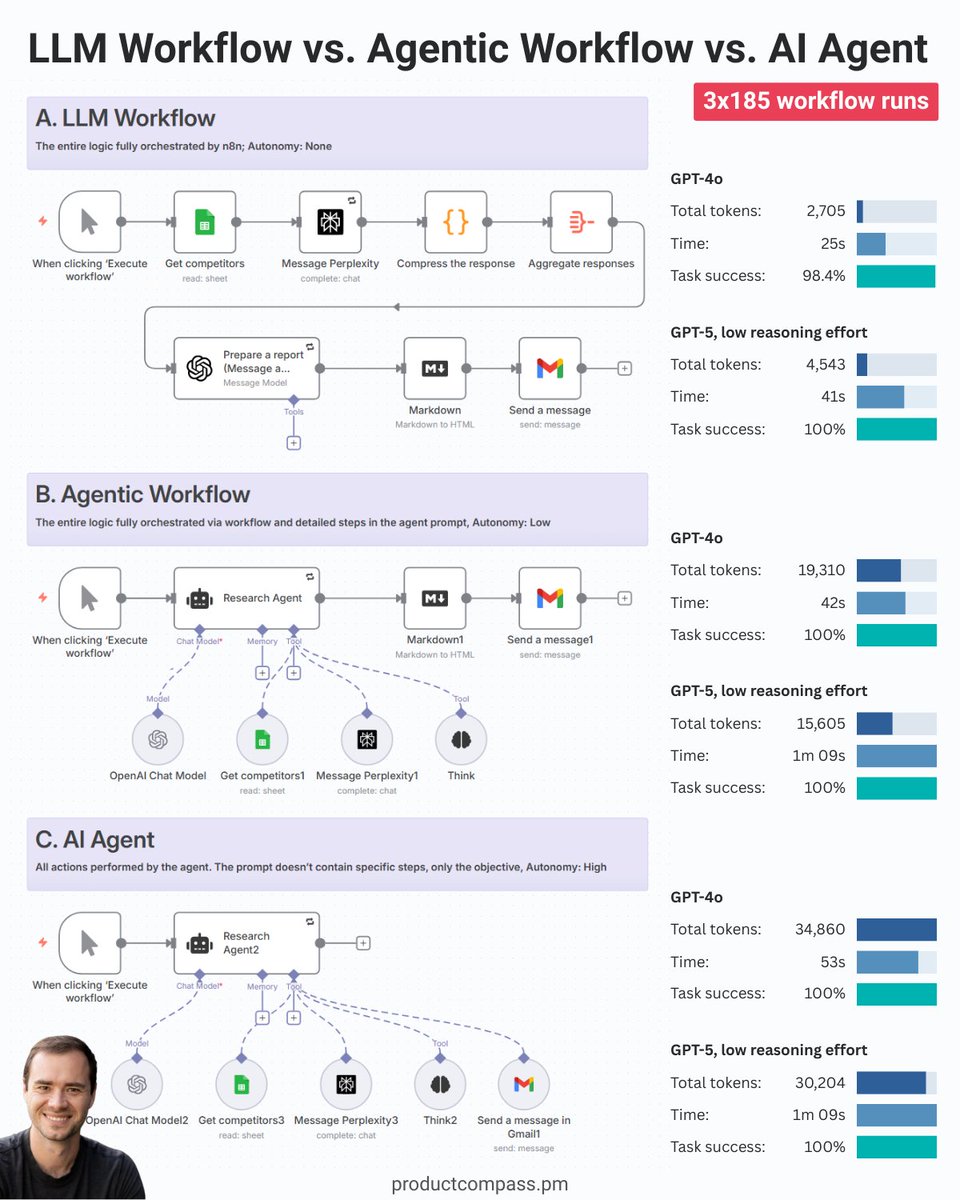
After an interview with @karpathy, everyone is talking about what AI agents can/can't do.
But an opinion without data is just a hypothesis.
So, I tested 3x185 workflow executions for a market researcher agent.
The results have shocked me🧵
12-Factor App Principles for Microservices Development
The 12-factor app methodology ensures scalable, maintainable, and efficient microservices. Here are the key principles:
1. Codebase
Maintain a single code repository per service with version control for seamless collaboration.
2. Configurations
Store credentials, API keys, and environment settings in environment variables to enhance security and flexibility.
3. Build, Release, Run
Separate these stages to ensure smooth deployments and predictable application behavior.
4. Port Binding
Each microservice should run as an independent process, listening on a dedicated port for communication.
5. Disposability
Enable fast startup and graceful shutdown to improve fault tolerance and reliability.
6. Logs
Centralize logs as event streams for real-time monitoring and debugging without local storage.
7. Dependencies
Explicitly declare dependencies using package managers to ensure consistency across environments.
Explore more in the image below.
Follow me at @goyalshaliniuk for more such information !
In one system design interview, I used Kafka.
In one system design interview, I used Redis.
In one system design interview, I used S3.
In ALL system design interviews, I used databases.
Databases are the backbone of every design, no matter the scale, stack, or domain.
If you understand how data is stored, queried, indexed, replicated, and partitioned, you already understand 70% of system design.
Don’t get distracted by every new shiny component; queues, caches, and orchestrators come and go.
But databases are forever.
Relational, NoSQL, time-series, vector, the patterns evolve, but the principles stay the same:
- Read and write paths
- Indexing and caching
- Transactions and isolation
- Replication and partitioning
Master how data flows, and you’ll see how every other part of the system connects.
Learn databases deeply.
Everything else is just optimization.
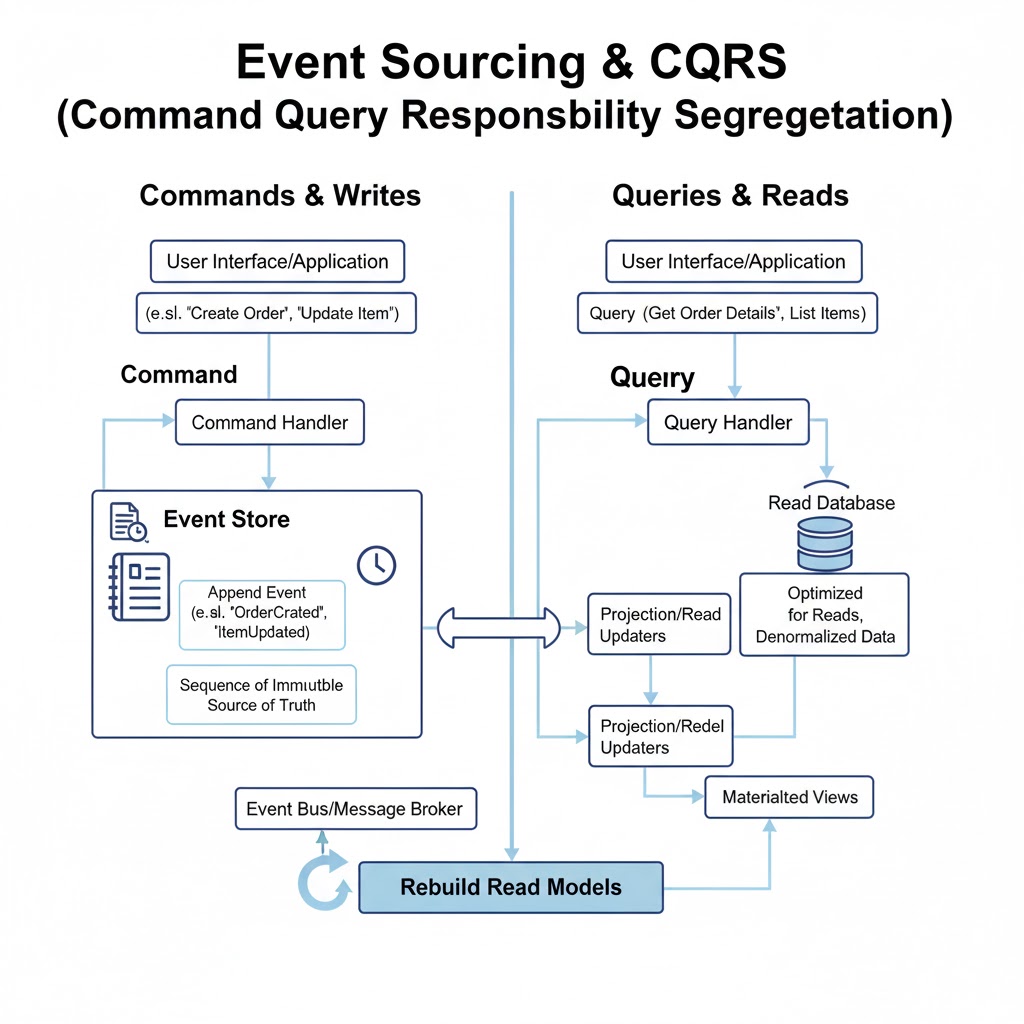
Event Sourcing & CQRS (Command Query Responsibility Segregation)
Overview
→ Event Sourcing and CQRS are architectural patterns often used together in event-driven systems.
→ Event Sourcing records every change in the system as a sequence of events instead of just storing the latest state.
→ CQRS separates the system’s write operations (commands) from read operations (queries) for better scalability and clarity.
Event Sourcing Explained
→ Instead of saving only the final state (like “balance = $200”), the system stores every event (“Deposited $100,” “Withdrew $50,” etc.).
→ The current state is derived by replaying these past events.
→ It acts as a chronological ledger — transparent, auditable, and replayable.
Components
→ Event Store → Keeps all events chronologically (append-only).
→ Command Handlers → Process incoming actions and create new events.
→ Event Processors → React to stored events and update projections or trigger side effects.
→ Projections → Represent read-optimized views built from replayed events.
Flow
→ Command → Event Created → Event Stored → Projections Updated → State Rebuilt on Demand
Benefits
→ Perfect audit trail and time travel of data.
→ Easy debugging and replay of system history.
→ Natural fit for distributed and event-driven systems.
→ Enables reactive and asynchronous workflows.
Drawbacks
→ Storage can grow large quickly.
→ Complex event versioning and replay logic.
→ Requires careful management of projections and consistency.
CQRS Explained
→ Stands for Command Query Responsibility Segregation.
→ Splits the system into two sides:
→ Command Side → Handles writes (create, update, delete).
→ Query Side → Handles reads (fetching data efficiently).
→ Each side can scale, model, and optimize differently.
Benefits
→ Optimized performance for both reads and writes.
→ Better separation of concerns and cleaner design.
→ Easier to evolve read models without affecting writes.
→ Works seamlessly with Event Sourcing to create projections.
Drawbacks
→ More moving parts → increases architectural complexity.
→ Eventual consistency between read and write sides.
→ Requires robust messaging and synchronization mechanisms.
Combined Flow (Event Sourcing + CQRS)
→ Command → Generates Event → Event Stored → Projection Updated → Query Reads from Projection
When to Use
→ Systems needing auditing, replayability, or event-driven workflows.
→ Applications where reads far outnumber writes (e.g., analytics dashboards).
→ Financial systems, ledgers, CRMs, logistics tracking, and IoT platforms.
📘 Mastering Software Architectures: From Monoliths to Microservices and Beyond Ebook:
👉 https://t.co/rQ5uqOjgfE
¡Han lanzado un curso oficial gratuito de Claude Code!
Dura menos de dos horas y explica:
✓ Cómo crear apps desde un diseño de Figma
✓ Controla el navegador con Playwright MCP
✓ Aplica buenas prácticas en proyectos reales
→ https://t.co/3gkYvhV7Ks