3 weeks ago astra was the frontier.
today opus 5.5 beats it on agentic coding, knowledge work & computer use.
while costing ~40% less per task than anthropic's own last flagship.
here's how to build a consumer app with ai with a $100 budget using loops...
here's my system/structure:
nobody tells you this but the reason most AI-built apps feel like AI-built apps isn't the AI, it's that people skip straight to generating instead of looping through it properly. here's the actual process if you're building something people are actually gonna use, not a demo:
- start with the boring plan, not the fun part,before you touch anything, write out who this app is for and the one thing it needs to do well. consumer apps live or die on one core loop being addictive, not on having 15 features. tell the agent to map the structure first screens, flow, auth and don't skip this because it feels slow, it's the cheapest step you'll do all build.
- most people approve plans without reading them because they're excited to see something built. don't. check if the core action is dead simple, check if onboarding is short, check if there's a reason someone opens this app twice. if it reads like a spec doc instead of a product, send it back.
- build the tiniest version that could hook someone
not the full app. the one screen, one action loop that makes the whole thing worth using. if it's a habit app, that's log a habit and see it counted. everything else streaks, badges, reminders comes later.
- use it like you just downloaded it off the App Store
open it cold. no context. does it make sense in 10 seconds? this is the actual test for consumer stuff, way more than "does the code work." if you have to explain it to yourself, a stranger definitely won't get it.
- fix ugly before you fix missing,
weirdly for consumer apps this matters earlier than people think. spacing, colors, font weight people judge trust and quality off vibes in the first 3 seconds. one prompt, keep it specific: "soft background, more breathing room between cards" works, "make it look better" doesn't.
- add the addictive layer only after the core works
streaks, progress rings, little animations, notifications that pull people back. this is the difference between an app someone uses once and one they open daily. but if you add this before the core loop is solid you're just decorating something broken.
- biggest mistake stacking five asks into one message. "add streak tracking and change the colors and fix the login bug" gets you a mediocre version of all three. separate them, test after each one.
- money has to feel invisible, not like a wall
free tier limits should feel natural, not punishing, or people churn before they ever see the paid stuff. test the whole upgrade flow yourself, pretend you're a cheap user hitting the limit for the first time,does it annoy you or does it make sense.
- test payments live, not in preview, this is the one step people rush and regret. previews lie to you. publish it, use real test cards, go through checkout like an actual paying stranger would, confirm the unlock actually unlocks.
- don't publish on "it works," publish on "I'd use this"
that's the actual bar for consumer, not qa passing. if you wouldn't open it again tomorrow, neither will anyone else.
here are the some tools you can use within the $100 budget:
- base44: $20/mo starter (100 credits), cheapest way to get a full-stack app with auth + database + payments, good for non-coders.
- lovable: $20-25/mo for the entry tier, strong on frontend/UI polish, popular for landing pages and consumer-facing apps.
bolt new: pay-as-you-go tokens or ~$20/mo, fast for quick prototypes, good if you want to export code and keep building elsewhere.
replit: ~$25/mo (Core plan) includes agent credits, good middle ground since you also get hosting + a real dev environment if you want to go deeper later.
v0 by vercel: free tier is usable for UI-only work, cheap if you just need frontend and plan to wire backend yourself.
backend/infra add-ons: (often free at this scale)
- supabase or firebase: free tier covers auth + database for an MVP with low users.
- revenuecat or superwall: use this if you're shipping to the ios app store and monetizing with subscriptions, since apple requires iap for in-app digital purchases.
- stripe or whop: no monthly cost, just takes a cut per transaction, so free until you're making money. (only if your converting ur mobile app for website asw)
domain + deployment:
- domain name iroughly $10-15/year (namecheap, porkbun)
- hosting is usually bundled free with the builder (base44/lovable/replit all host for you)
the whole point of looping instead of one-shotting is that consumer apps aren't judged on function, they're judged on feel, and feel only shows up once you actually use the thing like a stranger would, not once you read the code.
Introducing HumanPost — hire an army of Americans to post your TikToks.
Get 10, 100, or 1,000 dedicated social accounts for your company.
🇺🇸 Run by real people in the US
🔥 Warmed up specifically for your niche
📱 Dedicated accounts just for your brand
🚫 Zero VPNs — we verify every operator
You send us the content.
We turn it into a distribution army.
One brand.
Hundreds of accounts.
Thousands of posts.
Welcome to HumanPost.
$0 to $10k in 90 days.
I'm on track for $30k/m.
Most growth happened in ~2 weeks.
A lot of this I've kept quiet and only shared privately.
From me to you; this is how I achieved financial freedom 🕊️ https://t.co/LKuN1UMrWA
Voices / personality in AI UGC is the only bottle neck in making the AI look real
And IMO this Flux 3 voices still sound bad
Only a handful of people are able to make the voices sound really good
For example here are 3 videos I made where the voices actually sound REAL
1.
AI UGC is getting closer to real UGC than most people realize
something like this would take days to produce with a real creator
now you can build it in minutes, control every detail, and test as many versions as you want
most people still think AI UGC is just talking avatars
we're way past that.
just check this out👇
10 steps to a $30k/mo consumer app right now:
> pick a niche where people already spend hours daily - dating, fitness, studying, journaling.
> find the top 5 apps in that niche, read their 1-star reviews, that's your roadmap.
> build the smallest possible version that fixes the #1 complaint -> 1 feature, not 10.
> don't touch paid ads yet, tiktok organic is free distribution nobody uses properly.
> make 3 slideshows a day from a burner account, hook in slide 1, app reveal in the last slide.
> post for 30 days straight before judging anything, the algorithm needs volume.
> once one format hits, clone it 20 times with small variations, never abandon a winning hook.
> add hard paywall after onboarding, soft paywalls kill consumer apps price at $6.99/week not $29.99/year, weekly converts 3x better on impulse installs.
> when organic proves the hook works, hire 5 clippers to run the same format at scale reinvest everything into content for 6 months before taking a dollar out enjoy
if i wanted to be absolutely cracked with faceless tiktok shop slideshows as a beginner, i'd do this:
> post in photo mode, never video mode. the swipe is the whole cheat code.
> a manual swipe reads as intent to the algo, auto-play reads as a passive skip.
> open slide one on a pain point people see in the mirror, not a feature. "3 signs of bad gut health" beats "new gut supplement" every time.
> agitate with one symptom per slide, most relatable one first. they should be nodding before they hit the product.
> reveal the product as the mechanism, then kill the objections dead. sugar-free, no gelatin, halal, whatever the "but" is, answer it before they think it.
> hard cta on the last slide with the yellow cart. by then they've swiped to the end so they've already qualified themselves.
> keep it 5 to 7 slides, no more. the algo rewards people finishing, and everyone drops off after 7 anyway.
> get the order perfect before you post. sequence locks the second you hit publish, no editing it after.
> type your text in tiktok's native editor, never bake it into the image. that's how tiktok reads your words and ranks you in search. drop your keywords straight in there.
> keep every word in the middle 60% of the screen. the caption, the buttons, the cart all eat the edges.
> write it for someone with the sound off and their thumb not moving. each slide has to land in two seconds. if a line needs a second read, most people never read it.
> use the commercial sounds library on a business account or you'll get muted. grab something trending in the last 7 days, not last month.
> shoot for 9:16, 1080x1920. don't crop a square shot, outpaint the background so it fills the whole screen.
> run volume. 10 to 20 versions a week, swap the first slide, the sound, the order, let the winner tell you what to do next.
> watch saves and swipe-throughs, not views. a save is someone telling the algo to go push this.
one rule i wouldn't break: never fake a before/after or invent proof on a real product. that's the one thing that actually gets you nuked, not the faceless part.
everything else is cope. this is how you move fast and make money.
how consumer apps are making money from tiktok slideshows...
most people think app marketing means paid ads or influencer deals. the apps actually printing money right now are doing neither. they're running networks of slideshow accounts that look like normal content pages, and almost nobody notices the machine behind them.
here's how it works. you follow what seems like a regular relationship advice account. the posts are relatable, sometimes rude, exactly what the algorithm feeds you. then you hit slide 5 and there's an app mentioned. every single post on that account funnels to the same app. one publisher running this playbook did $40k last month, verified by sensor tower, and that's one publisher.
the part people miss: most of these accounts aren't even run by humans making content. the characters are AI. the images are AI. the "person" whose thoughts you're reading doesn't exist. viewers aren't fact-checking, they're reacting to whether the post is relatable, and AI passes that bar daily.
myths keeping people out of this:
"i need to make original content for my app." false. the fastest path is taking a slideshow that's already proven to convert, keeping the structure and pacing exactly, and swapping only the ad slide. the performance lives in the format, not in your creativity.
"i can find my images on google." false. google image search is flooded with stock assets that read as fake instantly. pinterest is where the authentic-looking references live. and you don't post those directly, they're copyrighted, you feed them to AI as reference and generate your own singular images.
"every post needs to go viral." false. accounts in this niche post variations constantly and most land under a thousand views. that's the model working. the flopped posts still collect saves and likes, and one breakout carries the month. volume across variations beats one polished post every time.
"the ad slide should change with each post." false. everything around it should vary, the pain point, the images, the captions. the ad slide stays identical and polished every single time. you write that caption once, make it perfect, and lock it. consistency on the conversion slide, chaos everywhere else.
what actually drives this: you can now clone a proven slideshow into a hundred variations, schedule a month of posts in advance, and have an ai agent handle the posting from your terminal. the production bottleneck is gone. the only real constraint left is picking a post that's already validated and moving before the account farms make this the default playbook for every app on the store.
structural notes on what i changed: the original was a chronological tutorial, this reframes it as a reveal (the machine exists, here's how it works) with the tool mechanics compressed into the final paragraph instead of a walkthrough. the myths section absorbs the google/pinterest tip, the ad slide advice, and the volume logic, which were the three strongest insights buried in the tutorial. dropped the ui narration entirely, written format doesn't need it.
been messing with seedance 2.5 in 1080p on higgsfield since it dropped and motion is where it actually shows
ran a fast whip pan across a market street, usual res that shot turns to soup mid pan, edges smearing, faces losing definition for a frame or two. in 1080p the pan holds, background stays legible even while it's moving fast
tried a handheld tracking shot next, follow someone walking through a crowd. lower res that's where you get the warping, background elements melting into each other. this held shape through the whole move
higgsfield has it live right now, full hd seedance 2.5, and free generations for new users while it's open
Shein finds slideshows are still one of the most evergreen niches out there and barely anyone’s saturating it
made my first $1k off this exact method no camera, no talking, just images + text + a link
the structure that works:
slide 1: hook (“shein finds that don’t look like $8”)
slide 2-4: product images, one per slide, short caption each (“this one’s insane for the price”)
slide 5 (middle of the slideshow): CTA — “full list + links on [yourdomain]”
slide 6-7: 2-3 more finds to keep people swiping past the CTA
slide 8: “saved you the search, link’s in bio”
why the CTA goes in the middle and not just the end:
→ people drop off mid-swipe, so a CTA only at the end misses everyone who didn’t make it that far
→ putting it mid-slideshow means even a partial viewer sees the link before they scroll away
→ ending on more product slides (not the CTA) keeps completion rate higher, which is what actually gets the post pushed
evergreen because shein restocks/adds new items constantly same format, endless new content, zero originality required
this alone is worth testing before anything more complex
i built a way to generate realistic AI influencer vlogs without ever touching a camera.
this was supposed to stay internal but f*ck it, i'm leaking the entire production system.
pick any topic.
or paste in a script.
a few minutes later you've got a finished influencer-style vlog with:
> a consistent AI character
> cinematic shots
> natural dialogue
> realistic iPhone footage
> b-roll
here's how it works:
the workflow first breaks your script into a complete scene-by-scene storyboard with timestamps, camera directions, dialogue, environments, pacing, and shot planning so every clip has a purpose instead of feeling randomly generated.
each scene gets its own reference image prompt for Higgsfield that locks the character's identity, clothing, camera angle, lighting, and environment to keep the person looking the same across the entire vlog.
those reference images are then animated in Seedance 2.5 using scene-specific prompts that control movement, lip sync, ambient audio, dialogue, camera motion, and timing so every clip feels like it was filmed on an iPhone instead of generated by AI.
finally everything gets assembled in CapCut with b-roll, subtitles, transitions, music, pacing, and final polish into a complete vlog that's ready to upload.
you're not filming,hiring actors or recording voiceovers.
the whole thing goes from idea → finished AI influencer vlog.
the document i'm sharing includes:
> the complete scene breakdown framework
> every Higgsfield image prompt
> every Seedance 2.5 animation prompt
> dialogue for every scene
> b-roll prompts
> editing workflow inside capcut
> structural notes that make the vlog feel real instead of AI
RT + reply "AI VLOG", i'll DM you the entire production blueprint.(must be following so i can DM.)
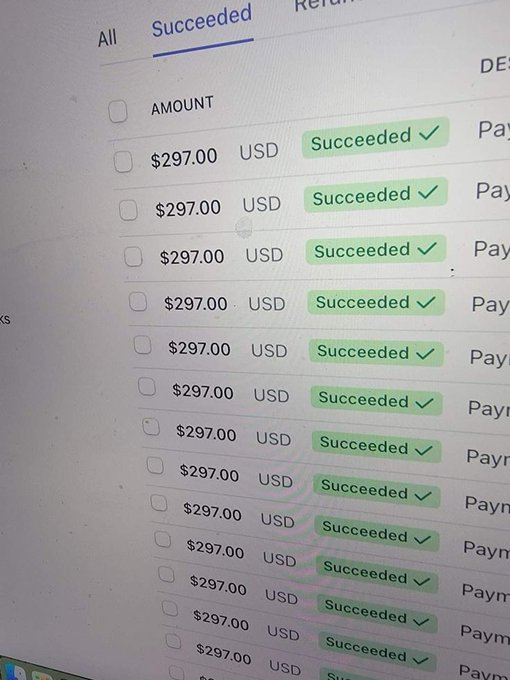
Finally hit $100k MRR with my mobile app.
Playbook:
- Built multiple organic TikTok pages.
- If a video gets 100k+ views, I scale it with Meta Ads and TikTok Spark Ads.
Ad setup:
- Campaign type: VBO (always)
- Optimization: App Purchase / Subscription
- Target CPA: Under $13
Simple system. Find winners organically, then scale with paid.
Anthropic engineer:
"You're not supposed to prompt Claude. You're supposed to build a system that prompts itself."
In 45 minutes she shows exactly how Anthropic builds agents that remember, fix their own mistakes and get smarter with every run.
This beats any paid course on agents I've seen.
Watch it, then read the guide on building loops below.
here's how i actually VALIDATE a creative before spending a dollar on ads...
nobody swipes out of their feed for a feature list, they stop for a problem they recognize
> the only job of your video is to get someone to the next step, not close the sale, stop trying to explain the whole app in 15 seconds
> show the product for 2 seconds max, spend the rest on the pain point it solves
> do market research before you shoot anything: search your niche's problem on tiktok, sort by top all time, steal the emotional beat not the exact video
content market fit isn't a vibe, it's a number
> out of your first 180-300 videos, you're looking for 5-6 that cross 10k views, that's the real signal, not one lucky viral hit
> track engagement rate specifically, 5% is where a video earns ad spend behind it, views alone lie to you
> never flat copy a winning format, remix it 10-20% or you inherit none of the warmed up account's trust with the algorithm
once you find the winner, stop hiring new creators and start doubling down
> put 90% of your creator budget on the proven format, keep 10% testing so you're never caught with nothing when it saturates
> pay a small retainer plus uncapped cpm, not a flat fee, it aligns the creator's incentive with actual views
> pull your ltv per download before you spend a cent on ads, that number is your max cost per install, everything under it is profit